
ASUS ProArt PA27USD Review: Is This 4K QD-OLED Monitor Worth It for Professional Creators?
ASUS ProArt PA27USD Review: Is This 4K QD-OLED Monitor Worth It for Professional Creators?
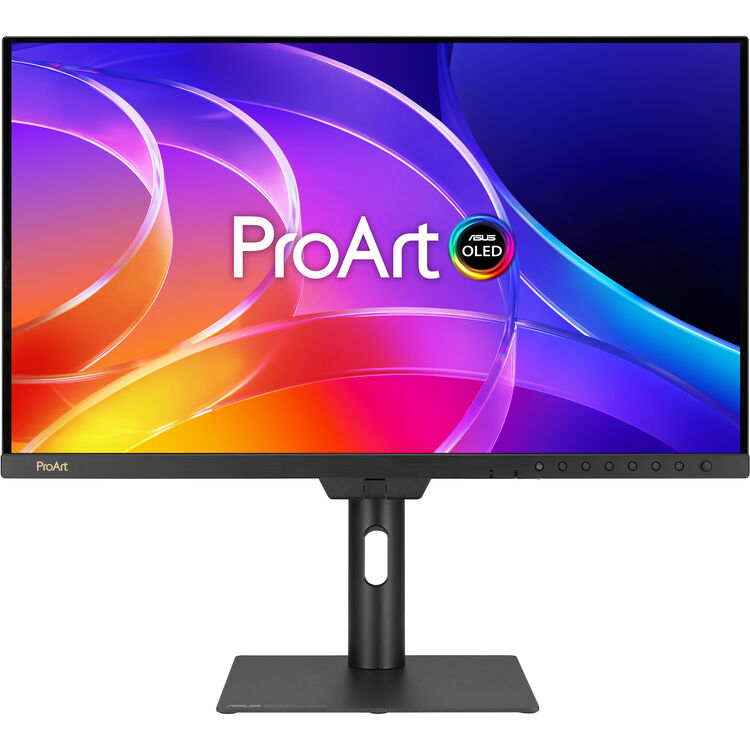
The PA27USD is not just an expensive 27-inch OLED monitor. It is a creator-first 4K QD-OLED display designed for filmmaking, color grading, photography, VFX, game development and on-set review, with professional features such as a built-in motorized colorimeter, 12G-SDI, dual Thunderbolt 4, Dolby Vision and factory-calibrated ΔE < 1 accuracy.
Price checked at publication: ₹2,49,990. NationalPC listed this monitor on pre-booking with expected dispatch from 30 November 2026. Availability and price can change.
A premium tool for serious creator workflows
The PA27USD makes sense for professionals who will actually use its color-management and production workflow advantages. If your work involves HDR mastering, color accuracy, 12G-SDI integration, on-set review or frequent calibration, it offers more than a standard premium OLED monitor.
Too specialized for normal desktop buyers
If you mainly need a gaming OLED, an office monitor or a general editing display, the PA27USD is probably overkill. Much of its price is tied to specialized creator and production capabilities that casual buyers will never fully use.
Table of Contents
Quick Verdict: Is the ASUS ProArt PA27USD Worth ₹2,49,990?
For the right buyer, yes. The PA27USD is priced like a serious professional tool because it includes more than premium image quality. It brings together 4K QD-OLED contrast, 99% DCI-P3 coverage, factory color accuracy, built-in hardware calibration, 12G-SDI, Thunderbolt 4, a monitor hood and creator-focused setup accessories in one package.
However, it is not the right purchase for everyone. If you do not need studio connectivity, built-in calibration or professional HDR workflow features, you can spend much less and still get an excellent OLED monitor. The value of the PA27USD comes from workflow efficiency, consistency and reliability—not from panel specs alone.
ASUS ProArt PA27USD Specifications
| Specification | PA27USD | Why It Matters |
|---|---|---|
| Panel | 26.5-inch QD-OLED | High contrast, strong color performance and excellent response behaviour. |
| Resolution | 3840 × 2160 (4K UHD) | Sharp enough for editing, grading and content review. |
| Refresh Rate | 240Hz | Very unusual for a creator display; helpful for ultra-smooth motion review and game-development workflows. |
| Response Time | 0.1ms GTG | Excellent motion clarity and negligible smearing. |
| Color Gamut | 99% DCI-P3, true 10-bit | Strong fit for professional video and design workflows. |
| Factory Accuracy | ΔE < 1 | Useful for professional color-critical work out of the box. |
| HDR | Dolby Vision, HDR10, HLG | Supports multiple HDR production and review workflows. |
| Calibration | Built-in motorized colorimeter | Allows repeatable self / auto calibration without external hardware every time. |
| Professional I/O | 12G-SDI, DisplayPort 2.1, HDMI 2.1 | Supports both desktop creator and on-set / studio workflows. |
| USB-C / TB4 | Dual Thunderbolt 4, up to 96W PD | Cleaner single-cable creator setups with laptop charging and hub functionality. |
| Included Accessories | Monitor hood, mini stand, carry handle and more | Reinforces the product’s professional production identity. |
Why the PA27USD Is Different from a Normal Premium OLED Monitor
4K QD-OLED and Professional HDR: Why the Panel Matters
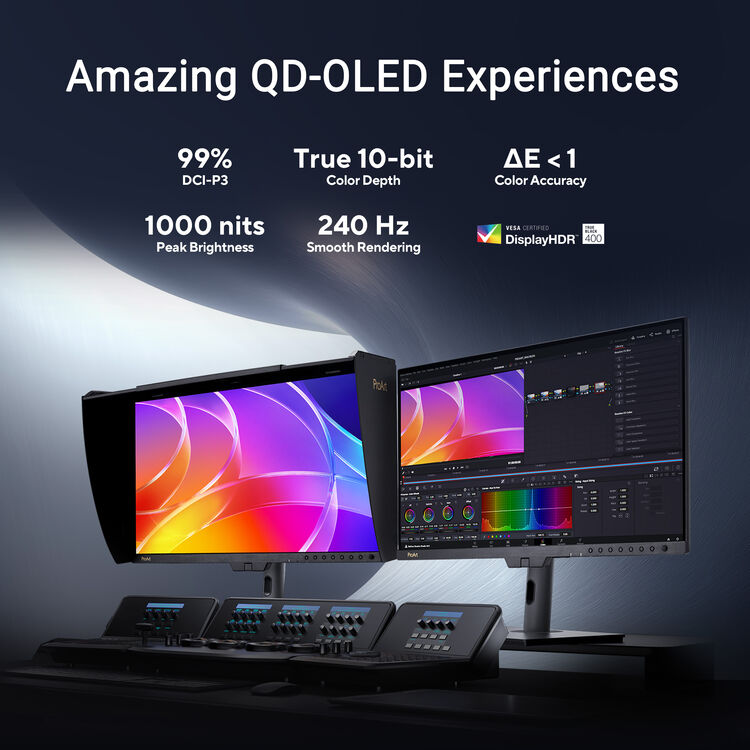
The core visual appeal of the PA27USD starts with the 4K QD-OLED panel. Deep blacks, pixel-level light control and strong color saturation give it a premium image base before we even discuss its professional workflow features. For creators working on HDR or visually demanding content, that foundation matters.
ASUS backs that panel with 99% DCI-P3 coverage, true 10-bit support and multiple HDR formats including Dolby Vision, HDR10 and HLG. That makes the PA27USD suitable not only for still-image and timeline work, but also for broader finishing and review pipelines.

Built-In Motorized Colorimeter: The Feature That Changes the Workflow
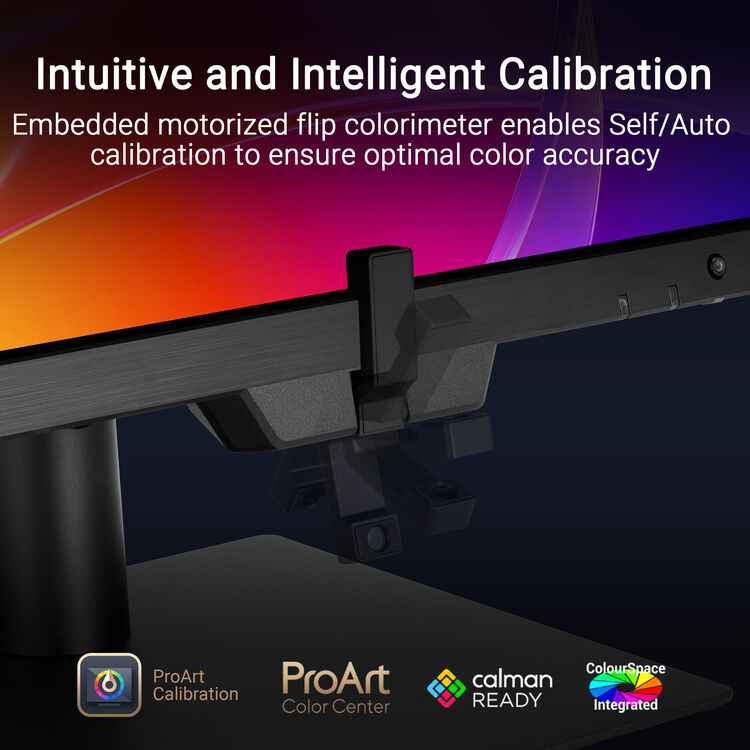
The embedded motorized colorimeter is one of the clearest reasons the PA27USD sits above mainstream OLED monitors. Instead of treating calibration as an occasional manual job that depends on separate hardware and someone remembering to do it, the PA27USD makes accurate maintenance part of the workflow itself.
ASUS supports self / auto calibration and ProArt Hardware Calibration, with support for common professional ecosystems such as Calman and ColourSpace. The real benefit is consistency: creators, studios and post teams can maintain more predictable color behaviour over time, rather than relying only on software profiles at the operating-system level.
Why this matters in practice
- Less interruption from separate calibration hardware every time.
- Better discipline for studio or multi-user environments.
- Useful for creators who want the monitor to remain trustworthy over the long term.
- More attractive to color-critical professionals than a purely consumer OLED display.
Tom’s Hardware reported that the built-in calibration process took only a few minutes per mode and found the factory presets already highly accurate. That strengthens the real-world case for the feature rather than leaving it as marketing language.
12G-SDI and On-Set Production Use: Where PA27USD Enters Serious Territory
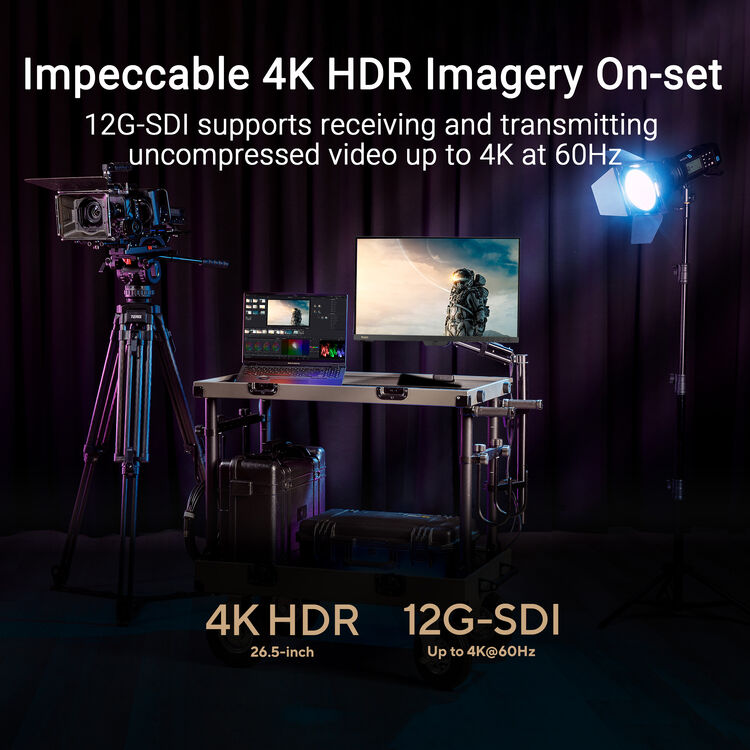
12G-SDI is one of the features that separates the PA27USD from a conventional premium OLED desktop monitor. ASUS specifies support for receiving and transmitting uncompressed video up to 4K at 60Hz over the SDI path, with compatibility for 6G-SDI and 3G-SDI Level A/B.
That matters for DIT stations, camera feeds, client review, live production setups and creator environments where SDI is still a practical requirement. It lets the monitor fit more naturally into production pipelines rather than behaving like a desk-only display with creative branding.
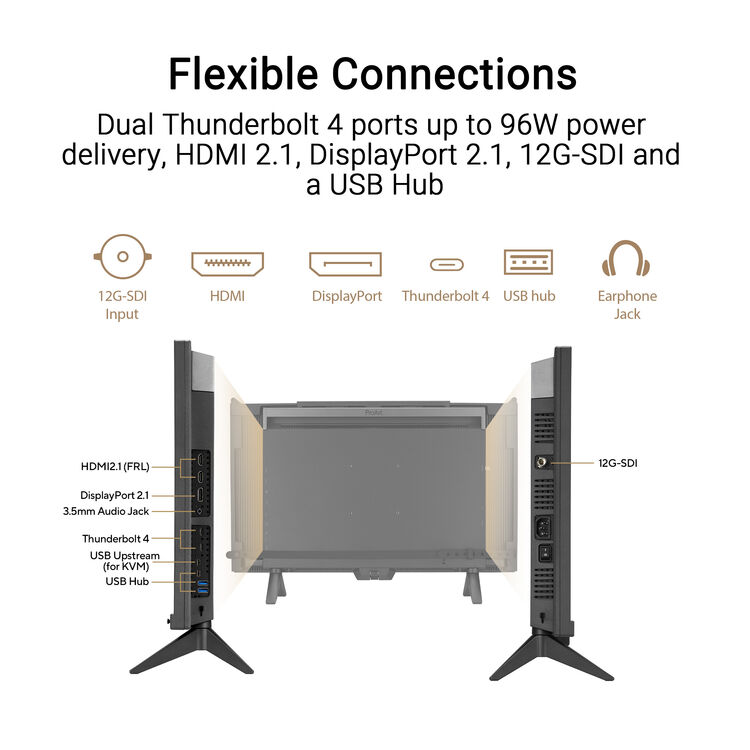
Thunderbolt 4, DisplayPort 2.1, HDMI 2.1 and Creator Connectivity
This connectivity mix is one of the reasons PA27USD can work in both a fixed desktop studio and more flexible creator environments. It supports modern laptops, powerful workstations and production-oriented signal workflows without forcing the buyer to choose between desk convenience and specialist I/O.
Independent Review Evidence: Does PA27USD Deliver in Practice?
Tom’s Hardware
Tom’s Hardware praised the PA27USD for outstanding color accuracy, excellent build, wide connectivity and its rare blend of creator features with 240Hz OLED performance. The review also highlighted the usefulness of the built-in calibration system.
CineD measurement summary
CineD measured strong real-world performance, reporting average Delta E around 0.61 with broad color-gamut coverage including 100% sRGB, 99% DCI-P3 and 95% Adobe RGB.
What the review evidence means
The PA27USD is not relying only on specification-sheet appeal. Independent reviews support the idea that it performs like a genuine professional display rather than just a premium OLED with creator branding.
NationalPC Buyer-Focused Practical Review Score
Who Should Buy the PA27USD?
Filmmakers & Colorists
The strongest fit. HDR format support, accuracy and calibration workflow all matter here.
Studios & Post Teams
Studios that value consistency, repeatable calibration and broader workflow control will benefit more than solo casual users.
Game Developers & Motion Review
The combination of 4K, OLED motion and 240Hz is unusually useful for interactive content creation.
Who should skip it?
General office buyers, normal gamers and creators who do not need calibration + SDI workflow advantages.
PA27USD Product Gallery
PA27USD FAQ
Is ASUS ProArt PA27USD good for color grading?
Yes. It is one of the strongest reasons to buy the monitor, thanks to its QD-OLED panel, ΔE < 1 factory calibration, 99% DCI-P3 coverage, HDR support and built-in motorized colorimeter.
Why does PA27USD have 12G-SDI?
12G-SDI helps the monitor fit into on-set and production workflows where uncompressed 4K video transport and SDI-based signal chains are relevant.
Is the PA27USD only for video professionals?
No, but filmmakers, colorists and advanced creator users will benefit the most. It can also suit photographers, designers and game developers who value its workflow features.
What is the PA27USD price in India?
At the time of publication, NationalPC listed it at ₹2,49,990 on pre-booking. Always check the live product page for the latest price and dispatch estimate.
Can PA27USD also be used for gaming?
Yes, technically it is excellent for gaming thanks to 240Hz and 0.1ms response time, but that is not the main reason to pay its premium price.
Final Verdict: A Creator Monitor Built Around Workflow, Not Just Wow Factor
The ASUS ProArt PA27USD is expensive because it solves problems that ordinary OLED monitors do not solve. Its combination of 4K QD-OLED image quality, self-maintained calibration, 12G-SDI connectivity, HDR workflow support and thoughtful creator accessories gives it a more serious professional identity than its size might initially suggest.
If you are a professional creator, post-production user, filmmaker or studio buyer who will benefit from those features, the PA27USD is easier to justify. If you only want an impressive OLED monitor for general use, there are far more affordable options. For the right buyer, though, the PA27USD is one of the most compelling niche creator displays currently available.