

ASUS ZenScreen Duo OLED MQ149CD Review: A Premium Dual-OLED Portable Monitor for Serious Multitasking
ASUS ZenScreen Duo OLED MQ149CD Review: Premium Dual-OLED Portable Monitor for Serious Multitasking
Dual 14-inch OLED | 1920 × 1200 per Screen | 100% DCI-P3 | Delta E < 2 | DisplayHDR 400 True Black | 360° Foldable Design | USB-C | mini-HDMI
Score: 9.1 / 10 ★★★★★ Best Premium Portable Dual-Screen OLED Monitor
The ASUS ZenScreen Duo OLED MQ149CD is a premium foldable dual-screen OLED display designed for users who want a compact travel-friendly workstation with excellent color quality, OLED contrast, flexible display modes and professional presentation value.
The MQ149CD gives laptop users a true portable dual-screen workspace without carrying two separate monitors. It is built for creators, professionals, developers, students, presenters and remote workers who need more screen space on the move.
This monitor is best for multitasking, coding, content review, presentations, business dashboards, online meetings, spreadsheets, client work and travel-based productivity where a single laptop screen feels too limited.

TABLE OF CONTENTS
- Introduction & Overview
- Product Image Gallery
- Key Highlights
- Brightness, HDR & Contrast Performance
- Full Technical Specifications
- Design & Build Quality
- OLED Color Quality
- Dual-Screen Productivity Modes
- Connectivity & Setup
- Best Use Cases
- Benchmark-Style Scores
- Advantages & Limitations
- Product Video
- FAQ — Buyer Questions Answered
- Review References
- Final Verdict
- Buy from NationalPC
1. Introduction & Overview
Portable monitors are useful because modern work is no longer fixed to one desk. People now work from offices, client locations, cafés, hotels, airports, studios, classrooms and home workspaces. But most portable monitors solve only one problem: they add one extra display.
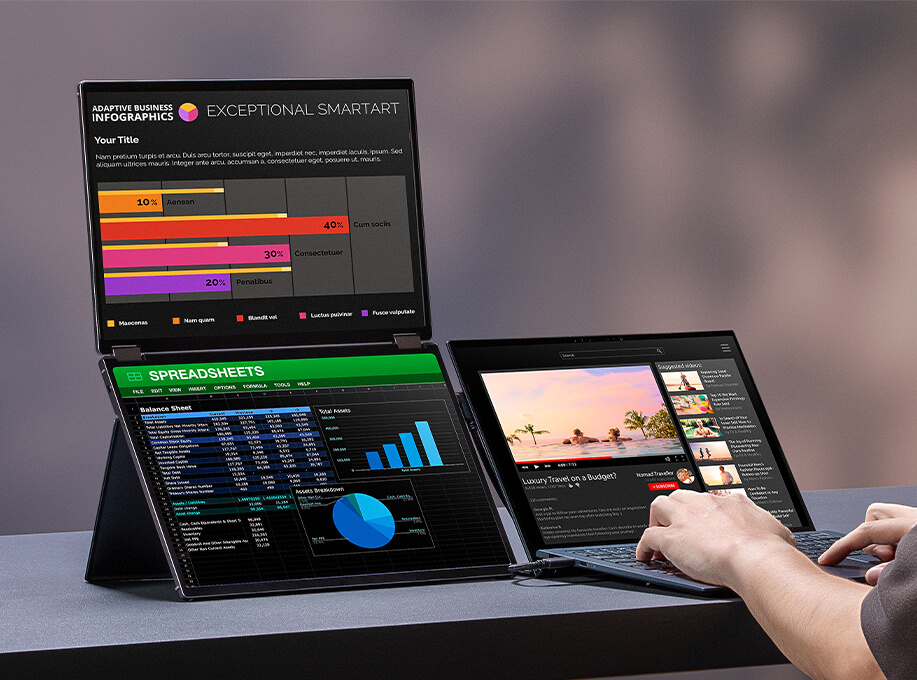
The ASUS ZenScreen Duo OLED MQ149CD takes a more professional approach. It combines two 14-inch OLED screens inside a foldable body, creating a portable dual-display workstation that can be used in stacked, side-by-side, tent-style, mirror and split workflows.
Each display has a 1920 × 1200 resolution with a 16:10 aspect ratio, giving more vertical workspace than a typical 16:9 portable screen. ASUS also adds OLED panel technology, 100% DCI-P3, Delta E < 2 color accuracy, DisplayHDR 400 True Black, dual USB-C, mini-HDMI, kickstand and tripod support.
2. Product Image Gallery
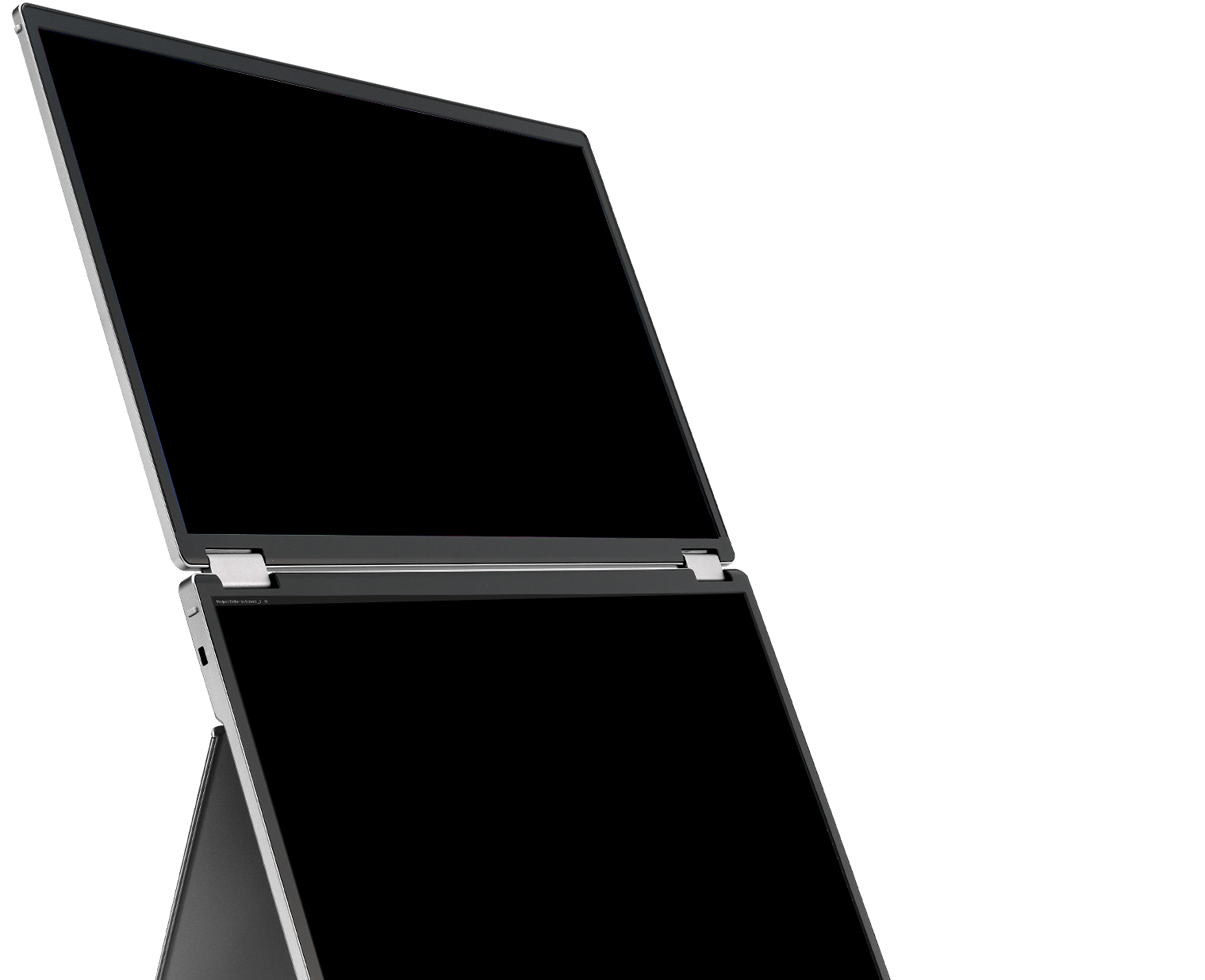
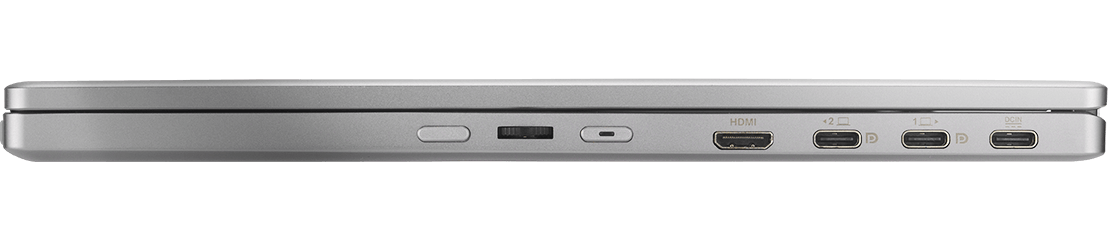
The MQ149CD is best understood visually because its value comes from the foldable dual-screen form factor, OLED image quality and flexible positioning. The images below use different official ASUS product visuals.
3. Key Highlights
Dual 14-inch OLED Panels
Two OLED screens create a portable dual-display workspace that feels far more productive than a single external portable monitor.
1920 × 1200 WUXGA Resolution
Each screen uses a 16:10 WUXGA resolution, giving more vertical space for documents, coding, dashboards, timelines and spreadsheets.
100% DCI-P3 Color
Wide color coverage makes the monitor useful for content review, presentation, photo preview and premium productivity work.
DisplayHDR 400 True Black
OLED contrast and HDR True Black support deliver rich dark scenes, deep blacks and premium visual depth compared with ordinary LCD portable displays.
360° Foldable Design
The durable hinge supports stacked, side-by-side, tent, mirror, split and folded travel setups.
USB-C + mini-HDMI
Dual USB-C ports and mini-HDMI make it compatible with many laptops, mini PCs, compatible handhelds, consoles and business devices.
4. Brightness, HDR, and Contrast Performance
High perceptual brightness, deep blacks
The OLED technology in ZenScreen Duo OLED MQ149CD offers a premium visual experience with inky blacks and bright highlights. It also delivers crisp detail in darker scenes.

ASUS lists 400 cd/m² typical brightness and 500 cd/m² HDR peak brightness for the MQ149CD. It also lists 100,000:1 typical contrast and 1,000,000:1 HDR maximum contrast. In practical terms, this means the display is bright enough for indoor productivity and strong enough for HDR highlights, but it is not designed to compete with large desktop OLED monitors or high-end OLED TVs in peak brightness.
The main advantage is OLED contrast. Dark-mode apps, creative previews, photos, HDR content and presentation visuals look richer than on most basic portable IPS displays.
5. Full Technical Specifications
| Specification | ASUS ZenScreen Duo OLED MQ149CD |
|---|---|
| Display Type | Dual OLED portable monitor |
| Screen Size | 14-inch × 2 |
| Workspace Size | Approx. 20-inch unfolded workspace |
| Resolution | 1920 × 1200 per panel |
| Aspect Ratio | 16:10 |
| Panel Surface | Glare |
| Color Gamut | 100% DCI-P3 |
| Color Accuracy | Delta E < 2 |
| Display Colors | 1.07 billion colors |
| HDR | HDR10, VESA DisplayHDR 400 True Black |
| Typical Brightness | 400 cd/m² |
| HDR Peak Brightness | 500 cd/m² |
| Response Time | 1ms GTG |
| Refresh Rate | 60Hz |
| Connectivity | 2 × USB-C with DP Alt Mode, 1 × mini-HDMI |
| Design | 360° foldable hinge, integrated kickstand, tripod socket |
| Weight | 1.07 kg |
| Best For | Mobile productivity, creators, developers, business users, students, presentations and travel workstations |
6. Design & Build Quality
The first thing that makes the MQ149CD different is its foldable dual-screen design. When closed, it behaves more like a premium laptop accessory than a basic portable monitor. When opened, it becomes a flexible dual-screen workspace.
The integrated kickstand helps it stand without requiring a bulky cover. The 360° hinge allows the display to be used in stacked landscape mode, side-by-side portrait mode, tent mode, mirror mode and folded travel mode. ASUS also includes a standard tripod socket, making it possible to raise the display on a compatible stand for better ergonomics.
7. OLED Color Quality
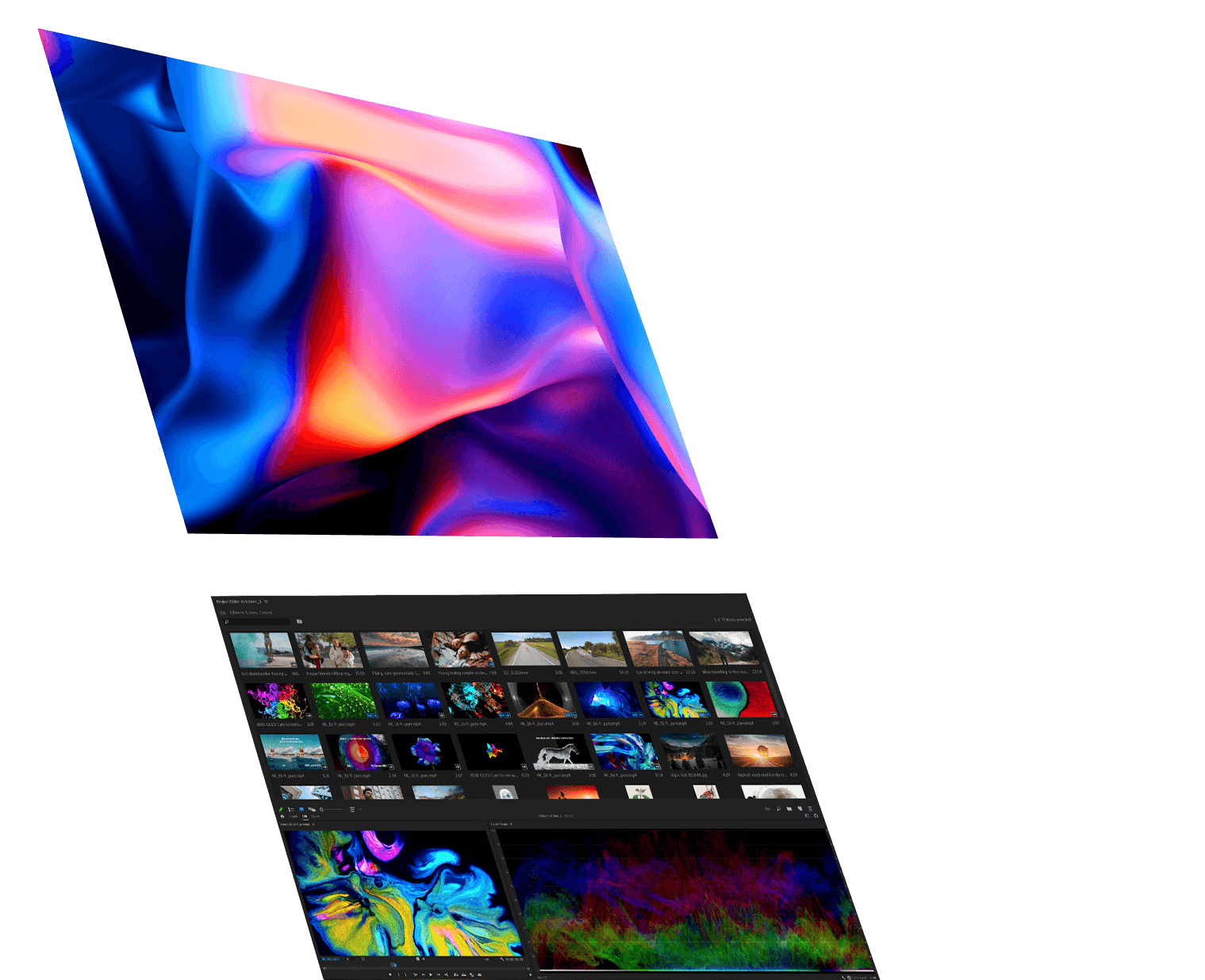
Vibrant & astonishing true-to-life color
The MQ149CD provides premium viewing experiences with brilliant OLED panels and HDR technology that can display over 1 billion colors.
For creative users, color quality is one of the most important reasons to consider the MQ149CD. ASUS lists 100% DCI-P3 and Delta E < 2, which means the monitor is designed to deliver wide color coverage and accurate color reproduction.
This makes it useful for photo preview, video production review, design checking, client presentations and professional content workflows where a basic portable IPS monitor may not feel good enough.
8. Dual-Screen Productivity Modes
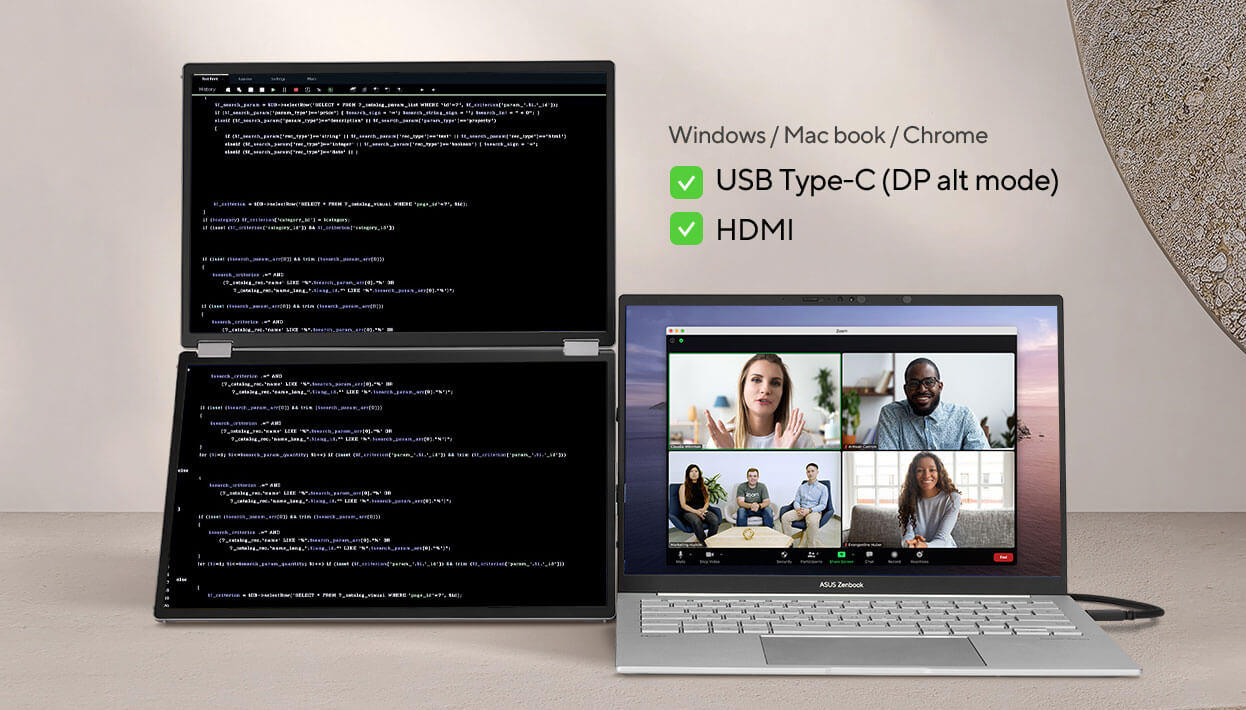
The MQ149CD is most useful when users take advantage of its multiple display modes. It can support split, extend, mirror and independent workflows depending on the device, connection and setup.
| Mode | Best Use |
|---|---|
| Split Mode | Long documents, coding, scrolling dashboards and waterfall-style productivity |
| Extend Mode | Normal multitasking with different windows across screens |
| Mirror Mode | Client presentations, classroom sharing and one-on-one demos |
| Independent Mode | Two-device workflows where each panel can be used with a different source |
| Tent Mode | Face-to-face presentation and shared viewing setups |
9. Connectivity & Setup
Connectivity is strong for a portable display. The MQ149CD includes two USB-C ports with DisplayPort Alt Mode and one mini-HDMI port. For compatible laptops, USB-C can carry both display signal and power, reducing cable clutter.
mini-HDMI is useful for broader compatibility with laptops, mini PCs, consoles, handheld docks and other HDMI devices. For maximum brightness and stable use, external power may be required depending on the connected device.
10. Best Use Cases
| User Type | Recommended? | Why It Fits |
|---|---|---|
| Business Users | Excellent | CRM, email, spreadsheets, meetings and dashboards can stay visible together |
| Developers | Excellent | Code, terminal, documentation and browser preview can be arranged efficiently |
| Creators | Very Good | OLED, 100% DCI-P3 and Delta E < 2 support creative review workflows |
| Students | Very Good | Useful for notes, lectures, research and assignments |
| Travel Workers | Excellent | Dual-screen productivity in a foldable portable form factor |
| Gamers | Basic | OLED quality is good for casual gaming, but 60Hz is not for esports |
| Budget Buyers | Not Ideal | This is a premium product, not a low-cost portable monitor |
11. Benchmark-Style Scores
| Category | Score / 10 | Comment |
|---|---|---|
| Dual-Screen Productivity | 9.7 | The strongest reason to buy this product |
| OLED Display Quality | 9.5 | Deep blacks, strong contrast and premium color quality |
| Color Accuracy | 9 | 100% DCI-P3 and Delta E < 2 support creative workflows |
| Portability | 8.8 | 1.07 kg is portable for dual OLED screens, but heavier than single portable monitors |
| Connectivity | 9 | Dual USB-C and mini-HDMI provide flexible setup options |
| Ergonomics | 8.8 | Kickstand, 360° hinge and tripod socket improve real-world usability |
| Gaming Suitability | 6.5 | Good for casual use, not designed for high-refresh competitive gaming |
| Value for Professionals | 9 | Excellent if the user truly benefits from portable dual-screen productivity |
| Overall Score | 9.1 | One of the best premium portable OLED monitors for serious multitasking |
12. Advantages & Limitations
What We Love
- True portable dual-screen OLED workspace
- Two 14-inch 1920 × 1200 panels
- 16:10 aspect ratio gives better vertical workspace
- 100% DCI-P3 color coverage
- Delta E < 2 color accuracy
- DisplayHDR 400 True Black certification
- 360° foldable hinge for flexible positioning
- Integrated kickstand and tripod socket
- Dual USB-C and mini-HDMI connectivity
- Excellent for creators, developers and business users
What Falls Short
- Premium pricing compared with single portable monitors
- Glossy OLED surface can reflect bright lights
- No built-in speakers
- 60Hz refresh rate is not for competitive gaming
- Best experience may require external power
- Auto-rotation support depends on software and connection mode
- 1.07 kg is portable, but still heavier than basic portable displays
13. Product Video
Watch this ASUS ZenScreen Duo OLED MQ149CD video to understand the foldable dual-screen workflow, OLED display experience and portable productivity use cases.
14. FAQ — Buyer Questions Answered
Is the ASUS ZenScreen Duo OLED MQ149CD worth buying?
Yes, if you need a premium portable dual-screen OLED setup for productivity, business work, content review, coding or travel-based multitasking. It is not ideal if you only need a basic low-cost portable monitor.
How many screens does the MQ149CD have?
It has two 14-inch OLED panels, each with 1920 × 1200 resolution.
Is it good for creators?
Yes. 100% DCI-P3, Delta E < 2 and OLED contrast make it suitable for creative review, photo preview, content planning and client presentation workflows.
Is it good for coding?
Yes. The dual 16:10 screens are useful for IDE, terminal, browser preview, documentation, logs and dashboards.
Does it have speakers?
No. Users should use laptop speakers, headphones, Bluetooth speakers or external audio.
Is it good for gaming?
It is good for casual gaming and media viewing because of OLED contrast and color quality, but it is not a high-refresh esports monitor.
Who should buy this monitor?
It is best for business professionals, creators, developers, students, consultants, presenters, remote workers and users who need a premium portable dual-screen setup.
15. Review References
This updated review-style blog is prepared using ASUS official specifications, ASUS official product imagery, NationalPC blog context and independent video reference for product understanding.
| Reference Source | Purpose |
|---|---|
| ASUS ZenScreen Duo OLED MQ149CD Official Page | Official specifications, product images and feature confirmation |
| NationalPC Existing Review URL | Existing blog URL and publishing context |
| NationalPC MQ149CD Search | Indian buyer product availability and purchase context |
| ASUS ZenScreen Duo OLED Video Reference | Video reference for product usage and real-world setup overview |
16. Final Verdict
The ASUS ZenScreen Duo OLED MQ149CD is one of the most premium portable monitor solutions for users who need real multitasking outside a traditional desk setup. Its dual 14-inch OLED panels, 1920 × 1200 resolution, 16:10 aspect ratio, 100% DCI-P3 coverage, DisplayHDR 400 True Black certification and foldable 360° design make it a serious productivity upgrade.
It is not the right choice for budget users or competitive gamers. It is also not ideal for users who work under strong reflections all day. But for professionals, creators, developers, consultants, students and business users who travel or work across multiple locations, it can dramatically improve laptop-based productivity.
Overall Rating: 9.1 / 10
17. Buy ASUS ZenScreen Duo OLED MQ149CD from NationalPC
Ready to turn your laptop into a portable dual-screen workstation?
Buy or check availability of ASUS ZenScreen Duo OLED MQ149CD from NationalPC with GST invoice support, genuine product assistance and delivery across India.
Visit NationalPC Check ASUS MQ149CD on NationalPC






