ROG NUC GR70 R9 9955HX3D RTX 5070 Review: 3L Gaming Mini PC with Ryzen X3D Power
AMD Ryzen 9 9955HX3D | NVIDIA GeForce RTX 5070 Laptop GPU 8GB | 32GB DDR5 | 1TB NVMe SSD | Wi-Fi 7 | USB4 | Five 4K Display Support | QuietFlow Triple-Fan Cooling
Score: 9.25 / 10 ★★★★★ Premium Compact Gaming Mini PC for 1440p High-Refresh Gaming, Creators and Clean Desk Setups
The ROG GR70, often searched as ROG NUC GR70, is a premium 3-liter gaming mini PC built for users who want desktop-class gaming power without a full tower cabinet. This NationalPC-focused configuration combines the AMD Ryzen 9 9955HX3D processor, NVIDIA GeForce RTX 5070 Laptop GPU, 32GB DDR5 memory, 1TB NVMe SSD and Windows 11.
ROG GR70 is designed for users who want serious gaming performance, creator capability and modern connectivity in a compact vertical chassis. It brings Ryzen X3D gaming cache, RTX 50-series graphics, Wi-Fi 7, USB4 and strong upgrade options into a small footprint.
Buy this GR70 if you want a premium compact gaming PC for 1440p high-refresh gaming, esports, streaming, creative work and a clean desk setup. Avoid it if you want the cheapest FPS-per-rupee or full desktop GPU upgrade flexibility.
TABLE OF CONTENTS
- Introduction & Short Verdict
- Product Image Gallery
- Key Highlights
- Full Technical Specifications
- Gaming Performance Review
- Ryzen 9 9955HX3D & 3D V-Cache
- RTX 5070, DLSS 4 & Creator Workloads
- QuietFlow Cooling & Small Form Factor
- Connectivity, Wi-Fi 7 & Five Displays
- Upgradeability: RAM and SSD
- Official Product Video
- Best Use Cases
- Benchmark-Style Scores
- Expected Performance Guide
- Advantages & Limitations
- FAQ — Buyer Questions Answered
- Review References
- Final Verdict
- Buy from NationalPC
1. Introduction & Short Verdict
The ROG GR70 is ASUS ROG’s AMD-powered compact gaming mini PC designed for gamers, creators and high-performance users who do not want a bulky desktop tower. It fits into a compact 3-liter class chassis but still offers a powerful AMD Ryzen 9 processor with 3D V-Cache and NVIDIA GeForce RTX 5070 Laptop GPU graphics.
This review focuses on the ROG NUC GR70 R9 9955HX3D RTX 5070 32GB 1TB Win configuration. It is especially attractive for users looking for a ready-to-use premium gaming mini PC for 1440p gaming, esports, content creation, streaming and a clean high-end desktop setup.
2. Product Image Gallery
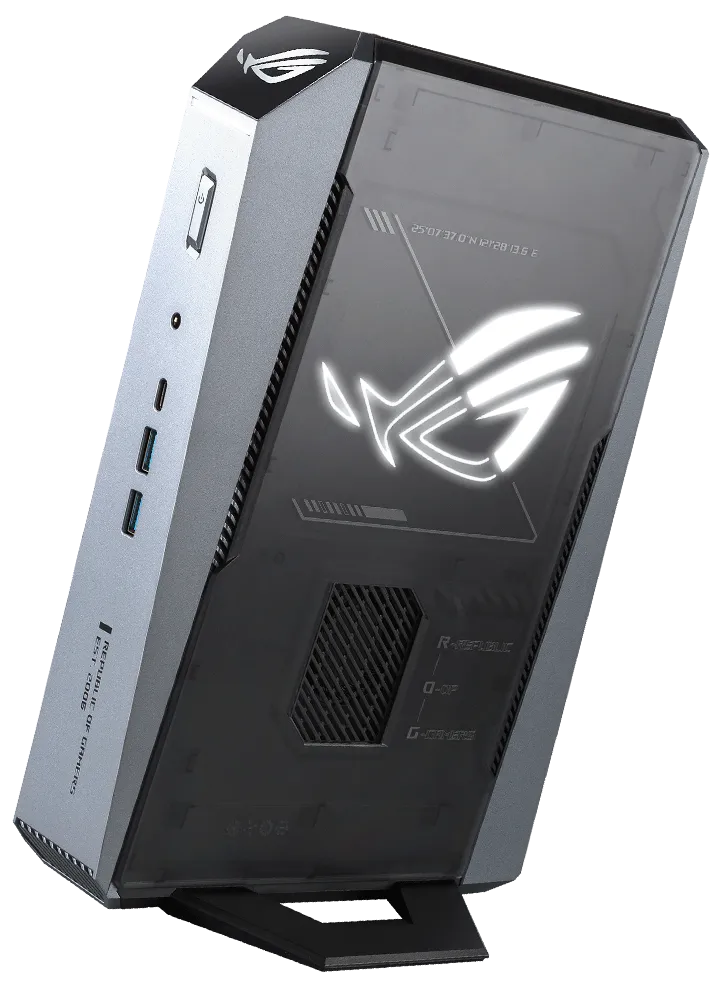
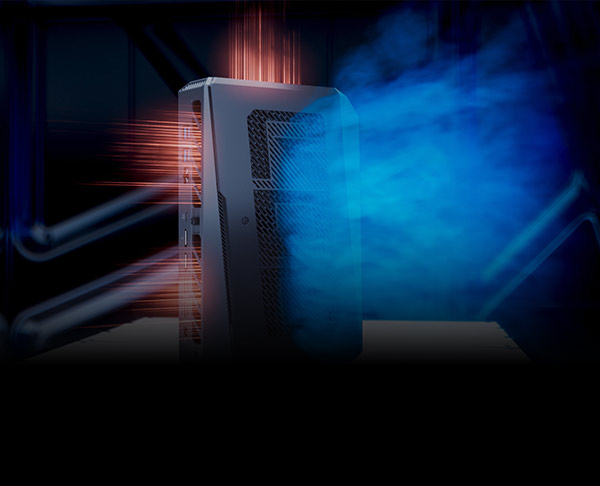
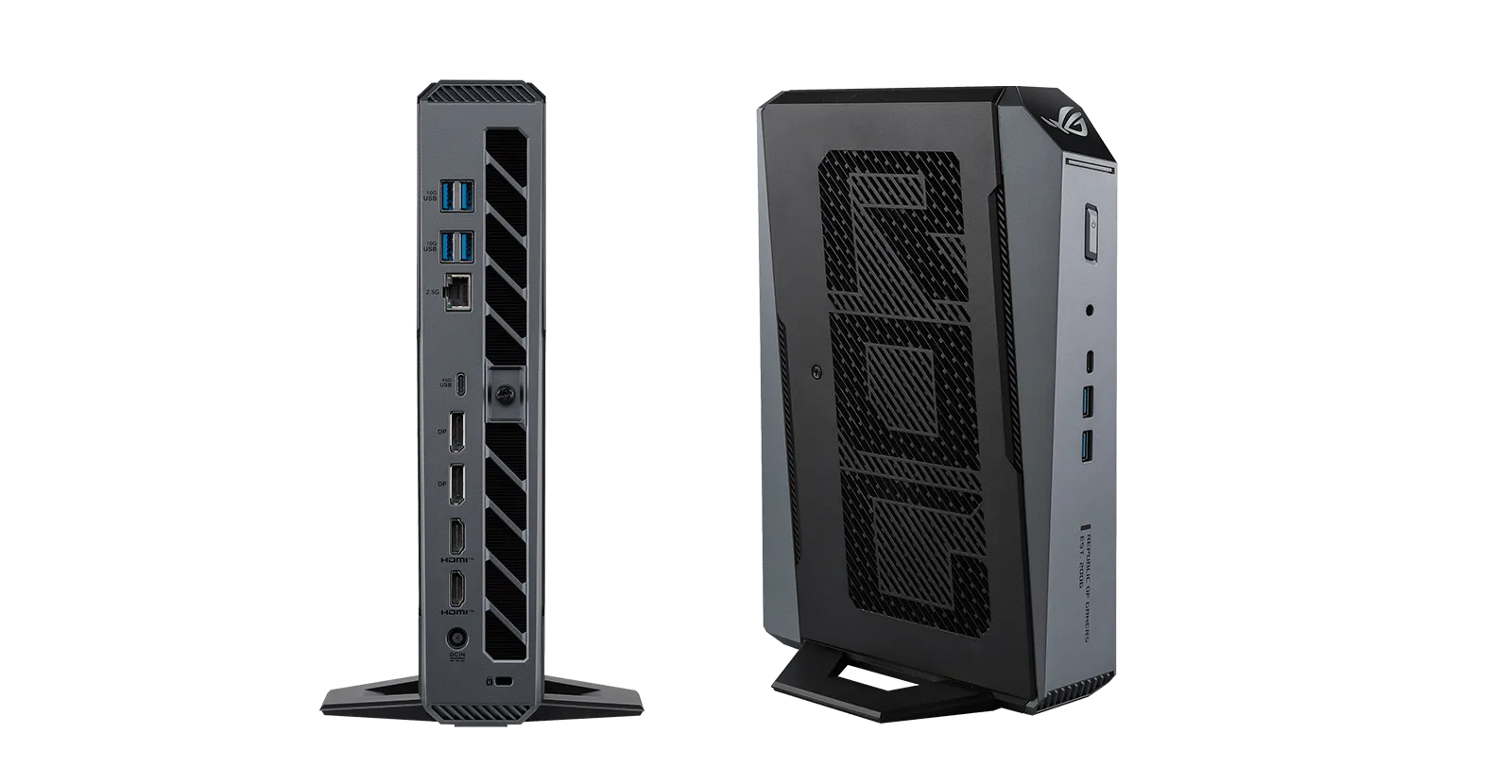
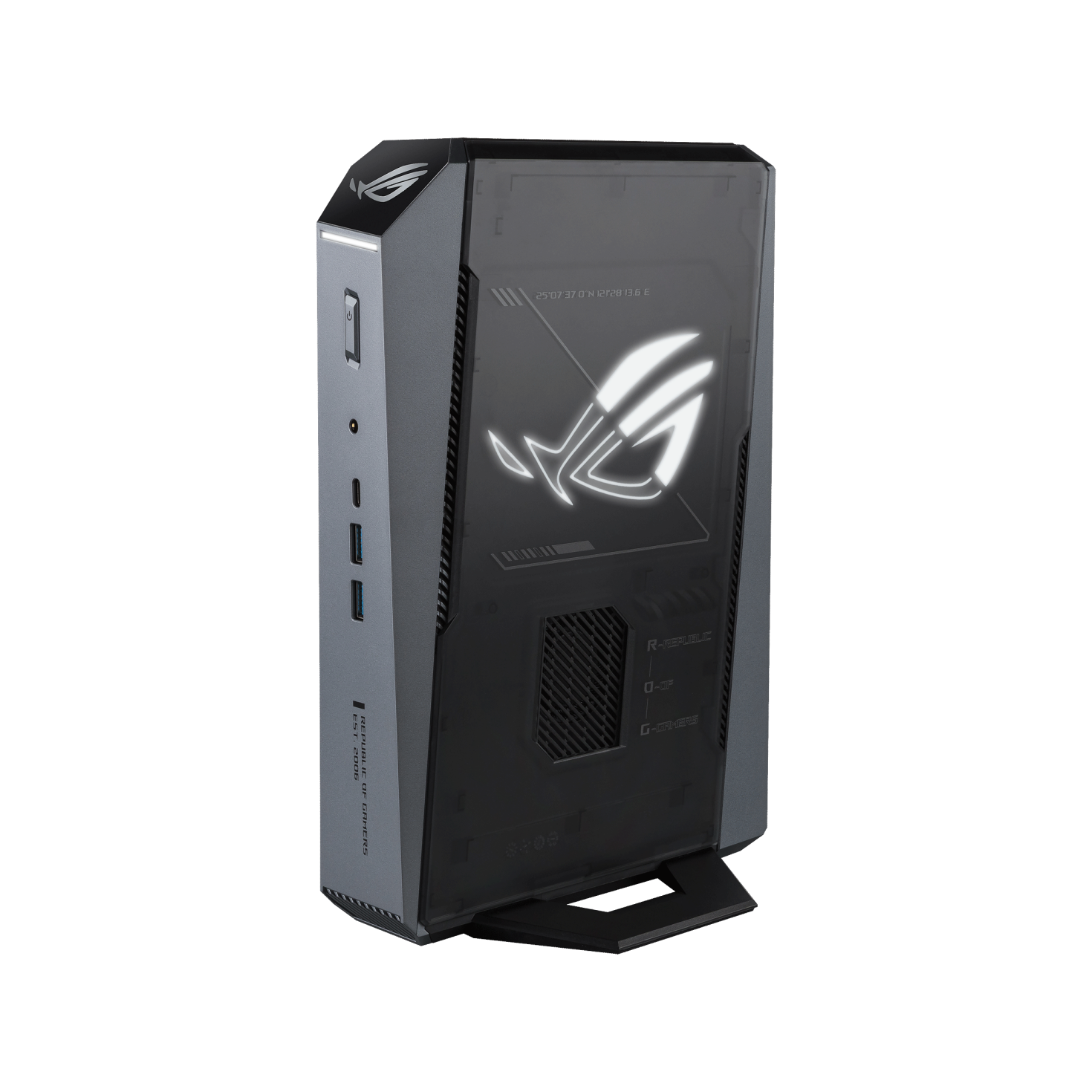
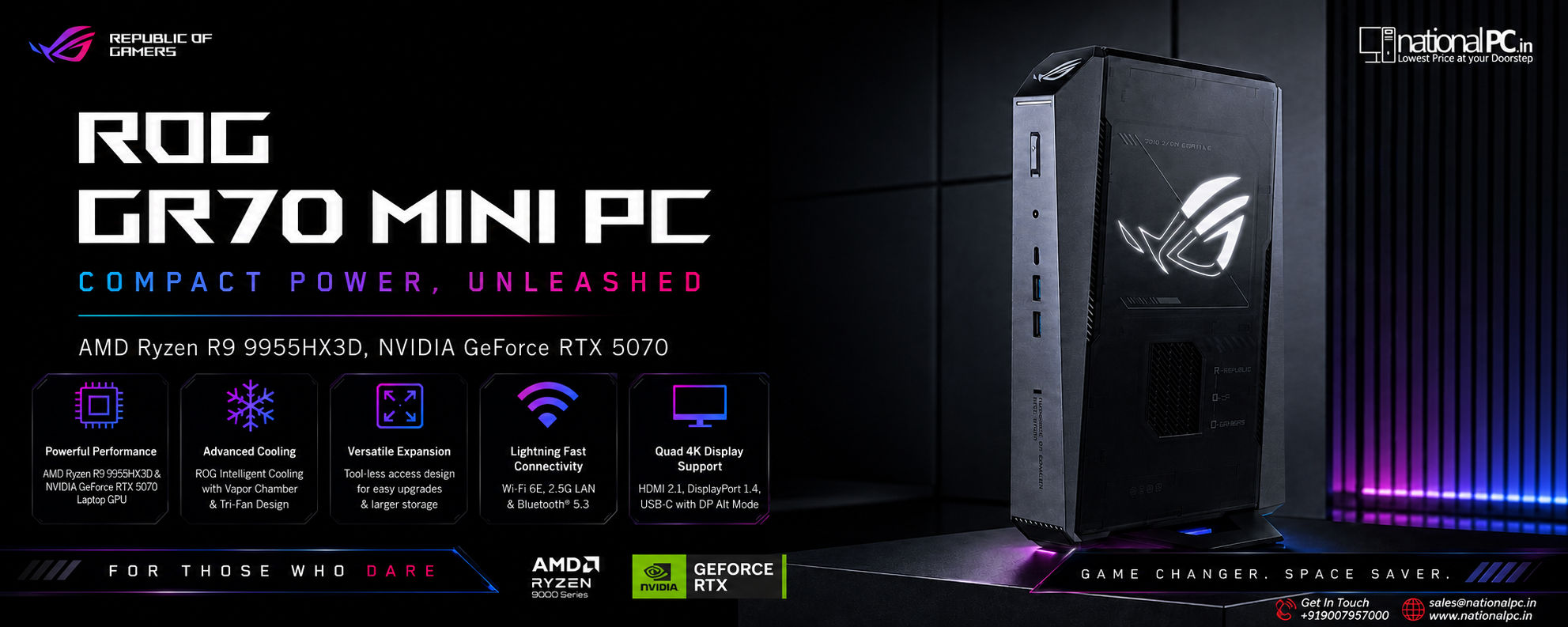
The GR70 has a vertical ROG gaming design with a translucent side panel, illuminated ROG logo, angular ventilation, ARGB light effects and a stable stand. It is designed to look like a premium gaming desktop while using far less desk space than a tower PC.
3. Key Highlights
AMD Ryzen 9 9955HX3D
16-core, 32-thread mobile processor with 2nd Gen AMD 3D V-Cache, designed for strong gaming and productivity performance.
NVIDIA RTX 5070 Laptop GPU
8GB GDDR6 RTX 50-series graphics with ray tracing, AI acceleration, DLSS 4 and 100W + 15W Dynamic Boost GPU power configuration.
Compact 3L Gaming Design
A premium small-form-factor gaming PC that saves desk space while still offering serious performance for modern games and creative tasks.
QuietFlow Triple-Fan Cooling
ROG QuietFlow cooling uses three fans and dedicated airflow coverage to manage thermals under gaming and creator workloads.
Wi-Fi 7 + 2.5Gb LAN
Next-generation wireless and wired connectivity for competitive gaming, large downloads, streaming and high-speed network workflows.
Five 4K Display Support
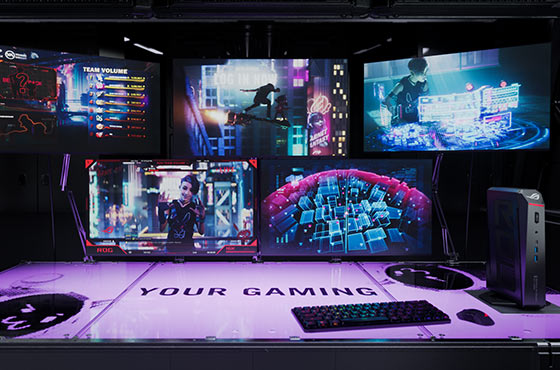
Dual HDMI 2.1, dual DisplayPort 2.1 and USB4 make the GR70 suitable for gaming, streaming, trading, creative and multitasking setups.
4. Full Technical Specifications
| Specification | ROG NUC GR70 R9 9955HX3D RTX 5070 32GB 1TB Win |
|---|---|
| Product Type | Premium compact gaming mini PC |
| Model Family | ROG GR70 Mini PC / searched as ROG NUC GR70 |
| Operating System | Windows 11, edition depends on market / listing |
| Processor | AMD Ryzen 9 9955HX3D Processor |
| CPU Configuration | 16 cores, 32 threads, 2nd Gen AMD 3D V-Cache |
| CPU Power | cTDP 70W |
| Integrated Graphics | AMD Radeon Graphics 610M |
| Discrete Graphics | NVIDIA GeForce RTX 5070 Laptop GPU |
| GPU Memory | 8GB GDDR6 |
| GPU Power | 100W + 15W Dynamic Boost |
| AI / Gaming Features | NVIDIA DLSS 4, ray tracing, AI acceleration, NVIDIA Reflex support in compatible games |
| Memory Included | 32GB DDR5-5600 SO-DIMM |
| Maximum Memory | Up to 96GB using 48GB DDR5-5600 SO-DIMM × 2 |
| Storage Included | 1TB M.2 NVMe PCIe 4.0 SSD |
| Storage Support | Dual M.2 SSD support; PCIe 4.0 and PCIe 5.0 support depends on slot/configuration |
| Wireless | Wi-Fi 7 |
| Bluetooth | Bluetooth 5.4 |
| LAN | 2.5G RJ45 LAN |
| Front / Side I/O | USB 3.2 Gen2 Type-C, USB 3.2 Gen2 Type-A, audio jack, power button, LED light bar, ARGB panel |
| Rear I/O | USB4 Type-C, USB 3.2 Gen2 Type-A, 2 × HDMI 2.1, 2 × DisplayPort 2.1, 2.5G LAN, DC-in, Kensington lock |
| Display Support | Up to five displays simultaneously |
| Power Adapter | 330W adapter |
| Dimensions | 282.4 × 187.7 × 56.6 mm |
| Weight | Approx. 2.75 kg |
| Color | Star Grey |
| Best Use | 1440p gaming, esports, streaming, compact creator workstation, premium desk setup |
5. Gaming Performance Review
The ROG GR70 is best understood as a compact high-performance 1440p gaming machine. The Ryzen 9 9955HX3D gives the system a strong CPU foundation, while the RTX 5070 Laptop GPU brings modern NVIDIA gaming features including DLSS 4, ray tracing and AI-assisted performance technologies.
For esports titles such as Valorant, Counter-Strike 2, Fortnite, Apex Legends and similar competitive games, the GR70 is a strong match for high-refresh 1440p monitors. For modern AAA games, it is better positioned for high-quality 1440p gaming rather than native ultra-settings 4K without upscaling.
| Gaming Scenario | Expected Experience | Best Setting Approach |
|---|---|---|
| Esports 1080p / 1440p | Excellent high-FPS performance | Competitive settings, high refresh monitor |
| AAA 1440p Gaming | Very strong experience | High settings, DLSS Quality/Balanced where available |
| Ray-Traced Gaming | Good with DLSS 4 support | Use DLSS and balanced RT settings |
| 4K Gaming | Playable in many titles with tuned settings | Medium/high mix with DLSS, avoid max native 4K expectations |
| VR / Simulator Games | Depends on title and headset resolution | Tune settings carefully for stable frame pacing |
6. Ryzen 9 9955HX3D & 3D V-Cache
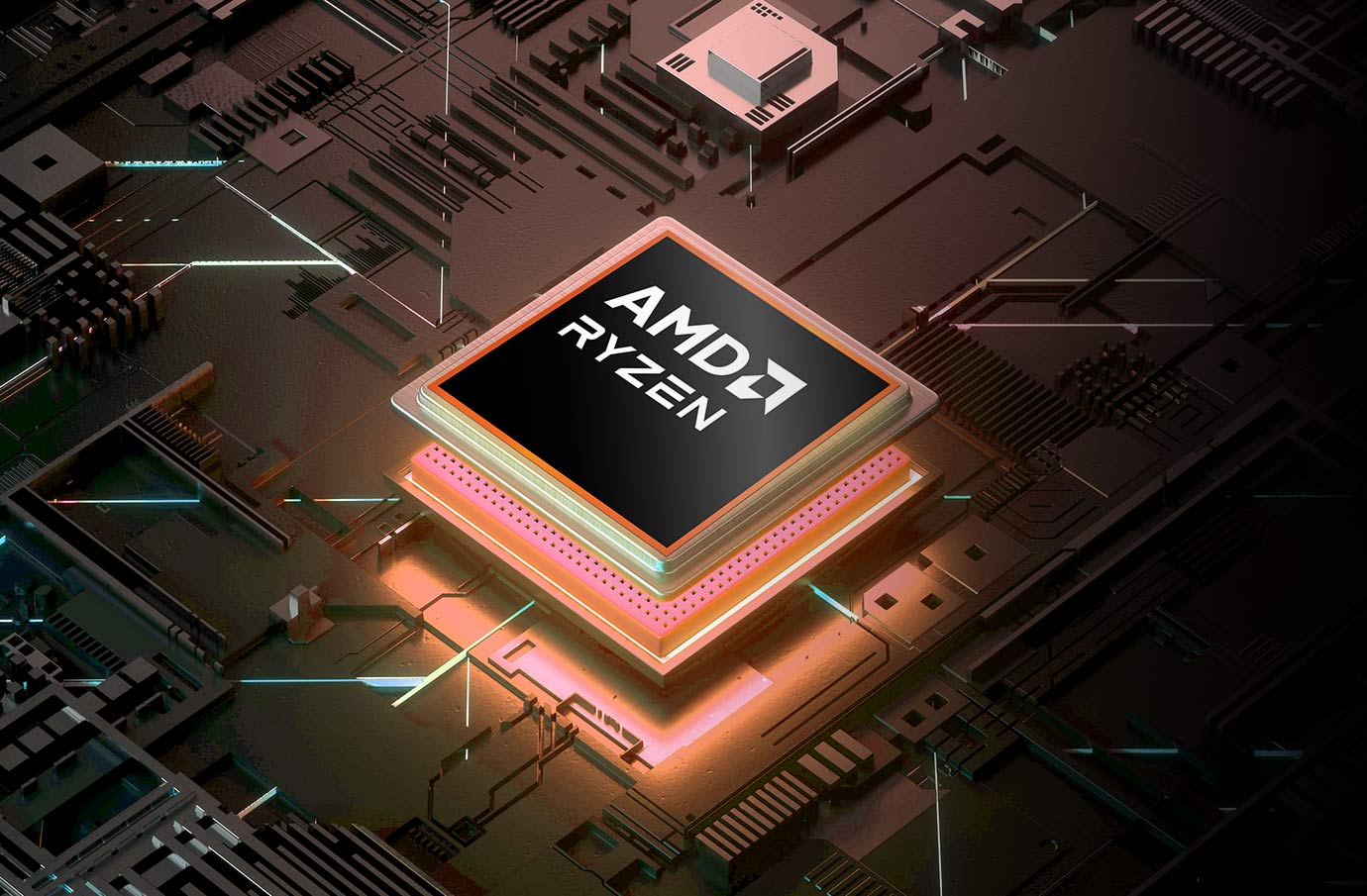
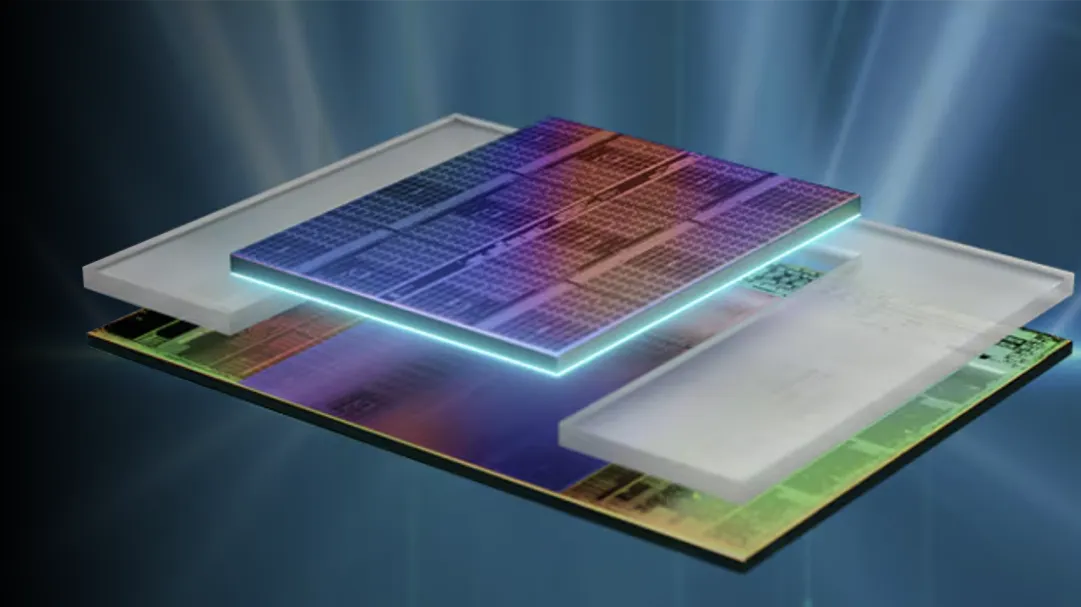
The Ryzen 9 9955HX3D is the main reason this mini PC feels different from regular compact gaming machines. Its 16-core, 32-thread design helps with multitasking, streaming and creator software, while 3D V-Cache is especially useful for gaming workloads that respond well to extra cache.
For simulation games, strategy titles, open-world games, esports and CPU-sensitive engines, the X3D processor can help improve frame consistency and reduce CPU-side bottlenecks. This makes the GR70 more attractive than many mini PCs that rely only on standard mobile CPUs.
7. RTX 5070, DLSS 4 & Creator Workloads
The RTX 5070 Laptop GPU in this GR70 configuration is built for modern gaming features, AI acceleration and creative applications. With 8GB GDDR6 VRAM and 100W + 15W Dynamic Boost, it is more capable than typical thin gaming laptops but still more power-limited than a full-size desktop RTX card.
DLSS 4 is an important selling point. In supported titles, DLSS can improve frame rates, help ray tracing performance and make 1440p/4K gaming more practical in a compact PC. For creators, RTX acceleration can help in apps that use NVIDIA GPU acceleration for editing, rendering, encoding or AI-assisted workflows.
Best for 1440p Gaming
The RTX 5070 Laptop GPU fits perfectly with QHD monitors, especially when paired with DLSS in demanding titles.
Useful for Creators
GPU acceleration helps in video editing, streaming, encoding, 3D tools and AI-enhanced creative workloads.
8. QuietFlow Cooling & Small Form Factor
Cooling is the most difficult part of any high-performance mini PC. ASUS uses ROG QuietFlow cooling with three fans to manage CPU and GPU heat in the GR70’s compact chassis. This is important because the system has to cool a Ryzen 9 HX-class CPU and RTX 5070 Laptop GPU inside a 3L-class body.
Buyers should still understand the small-form-factor trade-off. A mini PC this powerful may not be as silent as a large desktop tower under sustained gaming load, but it offers much better desk efficiency, portability and clean setup aesthetics.
9. Connectivity, Wi-Fi 7 & Five Displays
Connectivity is one of the GR70’s strongest advantages over many gaming laptops and ordinary mini PCs. It includes USB4, dual HDMI 2.1, dual DisplayPort 2.1, 2.5G LAN, Wi-Fi 7 and Bluetooth 5.4. This makes it suitable not only for gaming but also streaming setups, creator desks and multi-monitor workstations.
| Connectivity Feature | Why It Matters |
|---|---|
| USB4 Type-C | 40Gbps connectivity for fast storage, docks and professional accessories |
| Dual HDMI 2.1 | Useful for TVs, capture setups and gaming monitors |
| Dual DisplayPort 2.1 | Strong choice for high-refresh gaming monitors and multi-display desk setups |
| 2.5G LAN | Better wired networking for gaming, NAS access and large downloads |
| Wi-Fi 7 | Next-generation wireless performance when paired with a compatible router |
| Five Display Support | Useful for creators, streamers, traders and workstation-style multitasking |
10. Upgradeability: RAM and SSD
A major advantage of the GR70 over many compact gaming machines is serviceability. ASUS provides quick-access upgrade support for DDR5 SO-DIMM memory and M.2 SSD storage. The official specification supports up to 96GB DDR5 memory and dual M.2 SSD options.
For the 32GB / 1TB variant, the default configuration is already suitable for gaming and everyday creator use. Users who work with large video projects, game libraries, virtual machines or AI tools may consider expanding storage later.
| Upgrade Area | Support | NationalPC Advice |
|---|---|---|
| Memory | DDR5-5600 SO-DIMM, up to 96GB | 32GB is good for gaming; 64GB or 96GB is better for heavy creation and multitasking |
| Storage | Dual M.2 SSD support | 1TB is fine for starter use; 2TB+ is recommended for large game libraries |
| GPU | RTX Laptop GPU integrated design | Do not buy expecting desktop GPU upgrade flexibility |
| Cooling | ROG QuietFlow integrated system | Keep vents clear and avoid cramped placement |
11. Official Product Video
Watch the official ROG GR70 product video
This video helps buyers understand the GR70’s compact gaming design, RGB styling, performance positioning and premium ROG mini PC identity.
12. Best Use Cases
| Use Case | Rating | Why |
|---|---|---|
| 1440p AAA Gaming | Excellent | RTX 5070 + DLSS 4 + Ryzen X3D is well matched for QHD gaming |
| Esports Gaming | Excellent | Strong CPU and GPU for high-refresh competitive titles |
| 4K Gaming | Good | Best with DLSS and optimized settings |
| Streaming | Very Good | Strong CPU and NVIDIA GPU support creator/streaming workflows |
| Video Editing | Very Good | RTX acceleration and 32GB RAM are useful for editing workloads |
| Compact Workstation | Very Good | Five-display support, USB4 and 2.5G LAN are useful |
| Budget Gaming PC | Not Ideal | Premium small-form-factor pricing will be higher than DIY tower builds |
| Future Desktop GPU Upgrade | Not Ideal | GPU is not upgradeable like a standard desktop graphics card |
13. Benchmark-Style Scores
These are practical buyer-focused benchmark-style scores based on the GR70’s hardware class, compact chassis, Ryzen X3D CPU, RTX 5070 Laptop GPU, memory/storage configuration and intended use cases. Actual FPS will vary by game, driver version, thermal mode, resolution and graphics settings.
| Category | Score / 10 | What It Means for Buyers |
|---|---|---|
| 1440p AAA Gaming | 9.4 | Best target resolution for this configuration; high settings and DLSS work very well. |
| Esports Performance | 9.6 | Excellent for high-refresh monitors in competitive titles. |
| Ray Tracing + DLSS | 8.8 | Good ray tracing experience when DLSS 4 is used properly. |
| 4K Gaming | 8.2 | Playable in many games with DLSS and tuned settings; not a native ultra 4K replacement for full tower GPUs. |
| CPU Gaming Power | 9.6 | Ryzen 9 9955HX3D and 3D V-Cache are major strengths for gaming and frame consistency. |
| Creator Workloads | 8.9 | Good for editing, streaming and GPU-accelerated workloads, especially with 32GB RAM. |
| Thermal Engineering | 8.7 | Strong for a 3L mini PC, but still limited compared with a full tower. |
| Noise Control | 8.3 | Good under normal usage; expect fan noise during sustained gaming because of compact size. |
| Connectivity | 9.7 | USB4, HDMI 2.1, DP 2.1, Wi-Fi 7, 2.5G LAN and five-display support are excellent. |
| Upgradeability | 8.8 | RAM and SSD upgrade support is strong; GPU upgradeability is not desktop-tower style. |
| Desk Setup / Aesthetics | 9.5 | Excellent for premium gaming desks, small studios and clean setups. |
| Value for Money | 8.3 | Premium pricing is expected; value is best for buyers who need compact power. |
| Overall Score | 9.25 | Excellent premium compact gaming mini PC for 1440p gaming and creator use. |
13A. Expected Performance Guide
This section is added for search users who ask direct questions like “Can ROG GR70 run 1440p games?”, “Is ROG GR70 good for 4K?”, or “Is RTX 5070 Laptop GPU enough for gaming?” It helps answer those questions clearly for AEO and GEO visibility.
| Resolution / Workload | Expected Result | Recommended Buyer Setting |
|---|---|---|
| 1080p Competitive Gaming | Excellent | Use competitive graphics settings for highest FPS and lowest latency. |
| 1440p Esports | Excellent | Pair with 180Hz, 240Hz or higher refresh QHD monitors. |
| 1440p AAA Games | Very Strong | Use High settings with DLSS Quality/Balanced in demanding titles. |
| 1440p Ray Tracing | Good to Very Good | Use DLSS 4 and avoid unnecessary ultra RT settings. |
| 4K AAA Games | Playable with Tuning | Use DLSS and Medium/High mixed settings for smoother gameplay. |
| 4K Ultra Native Gaming | Not the Best Target | Choose a larger desktop with a stronger full desktop GPU for this use case. |
| Video Editing 1080p / 4K | Very Good | 32GB RAM and RTX acceleration are useful for editing and export workloads. |
| Streaming + Gaming | Very Good | Use NVIDIA encoding support and monitor CPU/GPU thermals during long sessions. |
| AI / Local Model Work | Entry to Moderate | Useful for light GPU acceleration, but 8GB VRAM limits larger AI workloads. |
| Heavy 3D Rendering | Moderate to Good | Good for compact use, but a full tower workstation is better for sustained heavy rendering. |
14. Advantages & Limitations
What We Love
- Powerful AMD Ryzen 9 9955HX3D processor
- RTX 5070 Laptop GPU with DLSS 4 support
- Excellent compact 3L-class design
- Strong 1440p gaming potential
- 32GB DDR5 memory included
- 1TB NVMe SSD included
- Up to 96GB RAM upgrade support
- Dual M.2 SSD support
- Wi-Fi 7 and Bluetooth 5.4
- USB4, HDMI 2.1, DP 2.1 and 2.5G LAN
- Five-display support
- Aura Sync and ROG gaming design
What Falls Short
- Likely expensive compared with DIY desktop tower
- RTX 5070 Laptop GPU is not the same as a full desktop RTX 5070
- 8GB VRAM may limit some future ultra-texture 4K workloads
- GPU upgradeability is limited
- Small chassis may become audible under heavy gaming load
- Not the best choice for buyers who only want lowest cost per FPS
- 4K gaming needs DLSS and settings optimization in demanding titles
15. FAQ — Buyer Questions Answered
Is ROG NUC GR70 R9 9955HX3D RTX 5070 good for gaming?
Yes. It is excellent for 1440p gaming and esports. It can also handle many 4K games with DLSS and optimized settings, but 1440p high-refresh gaming is the best target.
Is ROG GR70 the same as ROG NUC?
ASUS markets this product as ROG GR70 Mini PC, but many users search it as ROG NUC GR70 because it belongs to the compact ROG mini PC category. For SEO and buyer search behavior, both terms are useful.
Does ROG GR70 use a desktop RTX 5070?
No. This configuration uses an NVIDIA GeForce RTX 5070 Laptop GPU with 8GB GDDR6 and Dynamic Boost. It is powerful for a compact mini PC, but it is not the same as a full-size desktop graphics card.
Can the RAM and SSD be upgraded?
Yes. ROG GR70 supports DDR5 SO-DIMM memory upgrades up to 96GB and dual M.2 SSD support. The GPU is not upgradeable like a normal desktop graphics card.
Is 32GB RAM enough for ROG GR70?
Yes. 32GB DDR5 is enough for modern gaming, streaming and most creator tasks. Heavy creators, virtual machine users and workstation users may consider 64GB or 96GB later.
Is 1TB SSD enough?
1TB is a good starting capacity, but modern AAA games can be very large. Users with many games or editing projects may prefer adding a second SSD later.
Who should buy this GR70 configuration?
Buy it if you want a premium compact gaming PC for 1440p gaming, esports, streaming, creative work and clean desk setups. Avoid it if you need the cheapest gaming desktop or full GPU upgrade flexibility.
Is ROG GR70 better than a gaming laptop?
For desk use, it can be better than many gaming laptops because it has stronger cooling space, more ports, better upgrade access and multi-display support. A laptop is better only if you need an integrated screen and battery portability.
Is the ROG GR70 good for 4K gaming?
It can handle many 4K games with DLSS and tuned settings, but its best target is 1440p high-refresh gaming. For native 4K ultra settings, a full desktop tower with a stronger desktop GPU is better.
Is 8GB VRAM enough on the RTX 5070 Laptop GPU?
8GB VRAM is suitable for 1080p and 1440p gaming in many titles, especially with DLSS. For future 4K ultra textures, heavy modding or large AI workloads, VRAM may become a limitation.
16. Review References
This NationalPC review-style blog is prepared using official ASUS ROG product data, ASUS official images, ASUS specification pages and independent review observations.
| Reference Source | Purpose |
|---|---|
| ASUS ROG GR70 Official Page | Official product features, images, gaming positioning, cooling, connectivity and video |
| ASUS ROG GR70 Official Specifications | Official CPU, GPU, memory, storage, ports, dimensions and platform specs |
| KitGuru ROG GR70 Review | Independent spec and review testing perspective; note their review sample used RTX 5060, not the retail RTX 5070 configuration |
| NoobFeed ROG GR70 Review | Independent review angle for Ryzen 9 9955HX3D + RTX 5070 gaming mini PC positioning |
| NationalPC ROG GR70 Search | NationalPC product availability and purchase context |
17. Final Verdict
The ROG NUC GR70 R9 9955HX3D RTX 5070 32GB 1TB Win is one of the most exciting compact gaming PCs for buyers who want serious performance without a traditional desktop tower. Its Ryzen 9 9955HX3D processor gives it a strong gaming CPU foundation, while the RTX 5070 Laptop GPU brings DLSS 4, ray tracing and creator-friendly acceleration.
Its biggest strengths are compact size, 1440p gaming performance, Wi-Fi 7, USB4, five-display support, RAM/SSD upgradeability and premium ROG styling. Its main limitations are premium pricing, laptop-class GPU architecture, 8GB VRAM and limited GPU upgradeability compared with a full desktop.
NationalPC Final Recommendation: Buy this ROG GR70 configuration if you want a premium compact gaming mini PC for 1440p high-refresh gaming, streaming, creator workloads and a clean powerful desk setup. Choose a full desktop tower if you want maximum upgradeability and lowest FPS-per-rupee.
Overall Rating: 9.25 / 10
18. Buy ROG NUC GR70 R9 9955HX3D RTX 5070 from NationalPC
Need a premium compact gaming mini PC with Ryzen X3D and RTX 5070?
Check availability for ROG GR70 / ROG NUC GR70 gaming mini PC variants on NationalPC. Get genuine product assistance, GST invoice support and delivery across India.
Search ROG GR70 on NationalPC View ROG NUC Mini PCs Visit NationalPC
Leave a comment