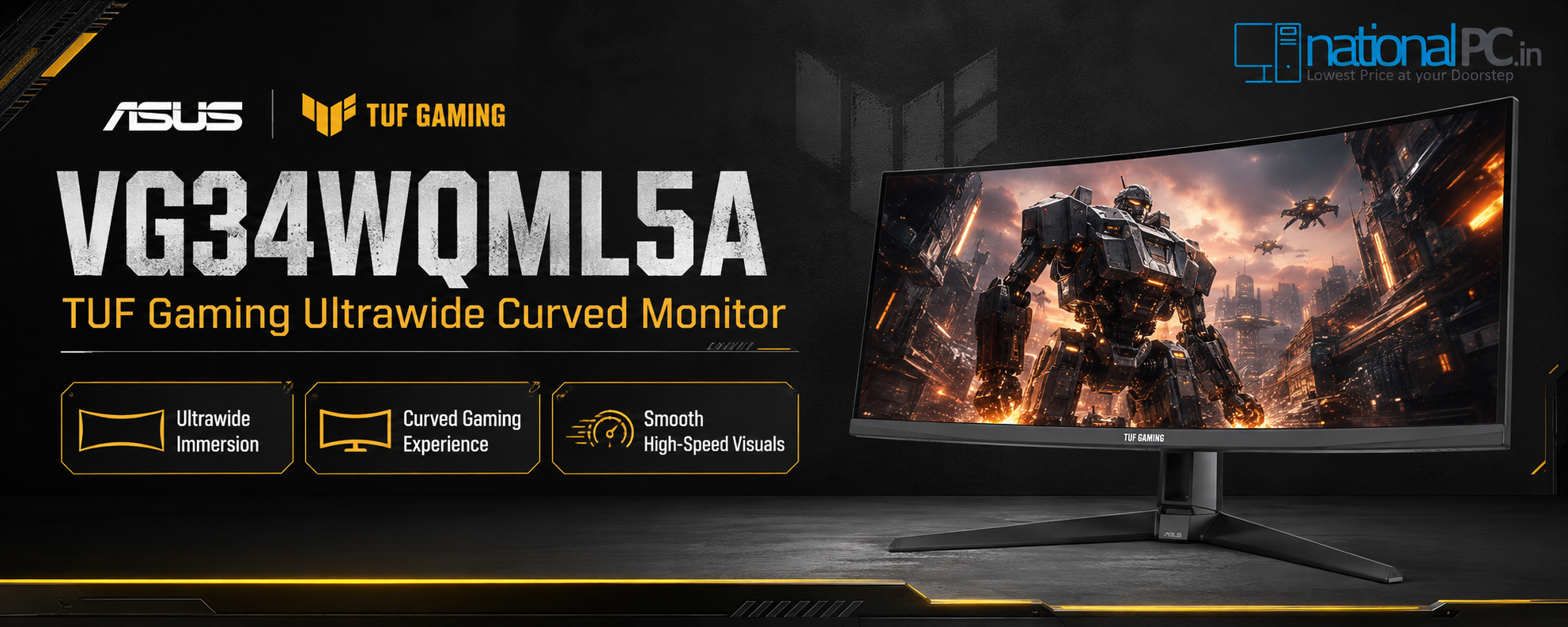
TUF Gaming VG34WQML5A Buyer’s Guide – 34-Inch WQHD Curved Monitor for Gaming and Work
TUF Gaming VG34WQML5A Buyer’s Guide – 34-Inch WQHD Curved Monitor for Gaming and Work
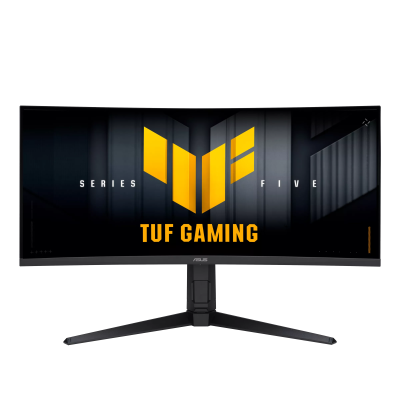
34-inch UWQHD • 3440 × 1440 • 21:9 Ultrawide • 1500R Curve • Fast VA • 250Hz OC • 0.5ms Min • FreeSync Premium • ELMB Sync • DisplayHDR 400
Quick Verdict: The ASUS TUF Gaming VG34WQML5A is one of the most practical ultrawide upgrades for gamers who want a wider 34-inch screen, high refresh-rate speed and enough workspace for daily productivity.
This NationalPC buyer’s guide reviews the ASUS TUF Gaming VG34WQML5A from a real buying perspective: whether a 34-inch 21:9 curved ultrawide can replace a normal 27-inch monitor for both immersive gaming and serious multitasking.
Table of Contents
Quick Verdict: Is the VG34WQML5A Worth Buying?
Yes, the ASUS TUF Gaming VG34WQML5A is worth considering if you want one monitor for immersive gaming and daily work. The 34-inch 21:9 UWQHD panel gives more horizontal space than a standard 16:9 screen, while the 250Hz overclocked refresh rate and 0.5ms minimum response time target high-speed gaming.
Best For
Racing, RPG, open-world gaming, casual FPS, multitasking, stock dashboards, editing timelines and wide spreadsheets.
Not Best For
Users needing OLED blacks, 4K pixel density, serious HDR mastering or pure esports 24/25-inch monitor focus.
nationalPC Angle
A strong value upgrade for Indian gamers who want ultrawide immersion without moving to premium OLED pricing.
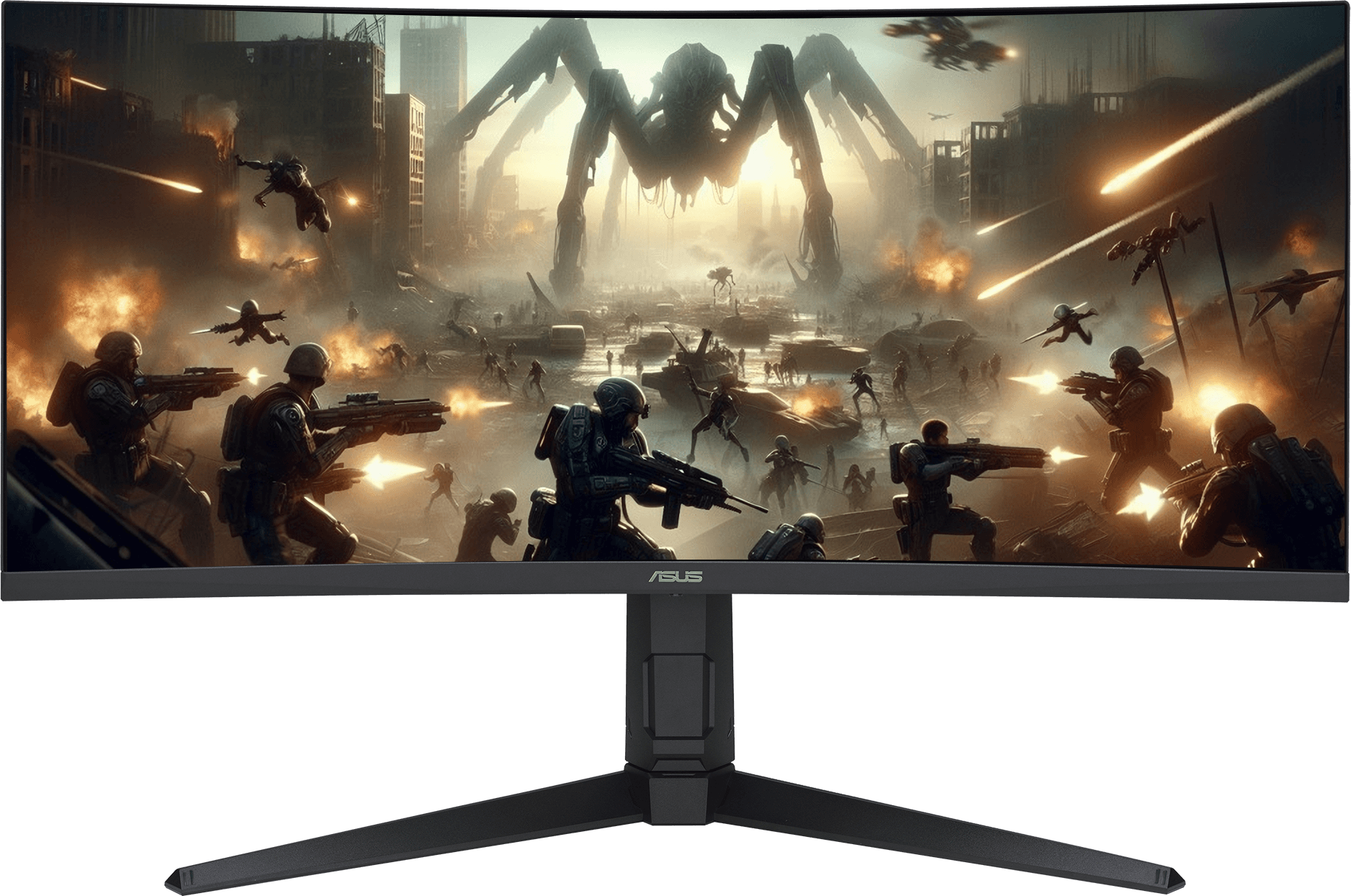
34-inch Ultrawide WQHD Experience
The biggest reason to choose this monitor is the 34-inch 21:9 ultrawide format. The 3440 × 1440 resolution provides extra side-to-side screen space, making games more immersive and work easier because multiple windows can sit side by side.
21:9 Field of View
More horizontal image area creates a stronger sense of immersion in supported games.
1500R Curve
The curved panel helps wrap the screen around your viewing position for a more natural ultrawide experience.
WQHD Detail
3440 × 1440 gives noticeably more usable space than Full HD and still remains easier to drive than 4K.
250Hz OC Gaming Speed and 0.5ms Response
The VG34WQML5A is not only a wide-screen monitor; it is also fast. ASUS lists up to 250Hz refresh rate and 0.5ms minimum response time, which makes it suitable for high-frame-rate gameplay when paired with a capable GPU.

Real Buyer Note
To fully use 250Hz at 3440 × 1440, your PC must push very high FPS. For AAA games, expect to adjust graphics settings. For esports titles, the refresh-rate headroom is much easier to enjoy.
Fast VA Panel Review: Strengths and Practical Limits
The Fast VA panel gives the VG34WQML5A a strong mix of contrast, speed and affordability. Compared with many IPS monitors, VA usually offers deeper blacks and stronger contrast, which is useful for movies, story games and dark scenes.
Honest Review Note
This is a Fast VA monitor, not OLED. It can offer excellent contrast and speed for its category, but buyers who are extremely sensitive to dark-scene VA motion behaviour should still compare with IPS or OLED alternatives.
Gaming Experience by Game Type
| Game Type | Experience on VG34WQML5A | Buyer Match |
|---|---|---|
| Racing / Simulation | Excellent ultrawide immersion with more peripheral view and a curved cockpit-like feel. | Highly recommended. |
| Open-World / RPG | The 21:9 format helps landscapes, UI and cinematic scenes feel wider and more premium. | Very good choice. |
| FPS / Esports | 250Hz is fast, but ultrawide size may not suit every competitive player. | Good for casual/serious FPS, not always ideal for tournament-style users. |
| MOBA / Strategy | Extra horizontal space can help with map awareness and multitasking tools. | Good choice. |
| Console Gaming | Works with HDMI 2.1 inputs, but many consoles are optimized around 16:9 rather than 21:9 ultrawide. | Best for PC-first users. |
Productivity and Work: Can It Replace Dual Monitors?
For many users, yes. A 34-inch 3440 × 1440 ultrawide can replace a basic dual-monitor setup for browsing, documents, coding, Excel, trading dashboards, video timelines and content workflows. It gives one clean screen without bezels in the middle.
Office Work
Keep email, browser and documents open side by side.
Editing Timeline
Useful for long video/audio timelines and wider tool panels.
Trading / Dashboard
More width helps display charts, tabs and monitoring panels.
Coding
Comfortable for IDE, documentation and preview windows together.
HDR400 and 95% DCI-P3 Colour Performance
ASUS lists DisplayHDR 400 support, HDR10, 400 cd/m² brightness and 95% DCI-P3 colour coverage. This makes the VG34WQML5A vibrant for games, movies and daily content, but HDR400 should be understood as entry-level HDR rather than premium OLED or mini-LED HDR.
Gaming AI, ELMB Sync and Display Widget Center
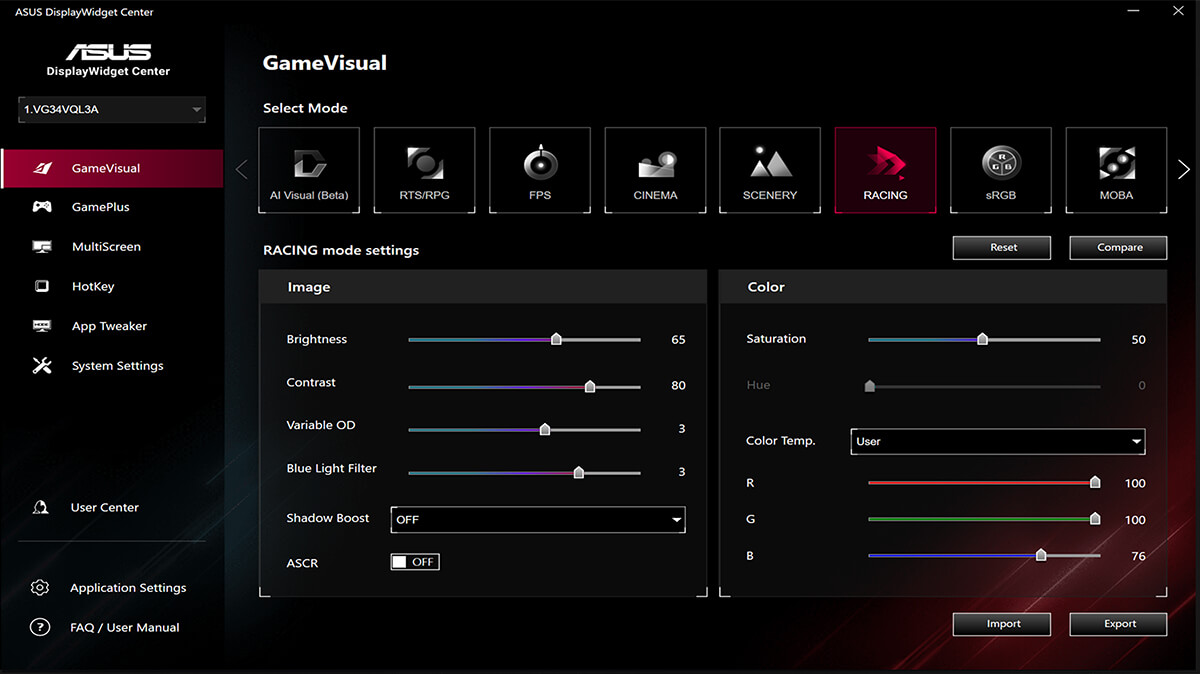
The VG34WQML5A includes ASUS gaming features that make daily use easier: AMD Free Sync Premium for smoother variable refresh gameplay, ELMB Sync for blur reduction with VRR, Gaming AI features such as Dynamic Crosshair, Dynamic Shadow Boost and AI Visual, plus Display Widget Center for mouse-based monitor controls.



Connectivity, Ergonomics and Eye Care
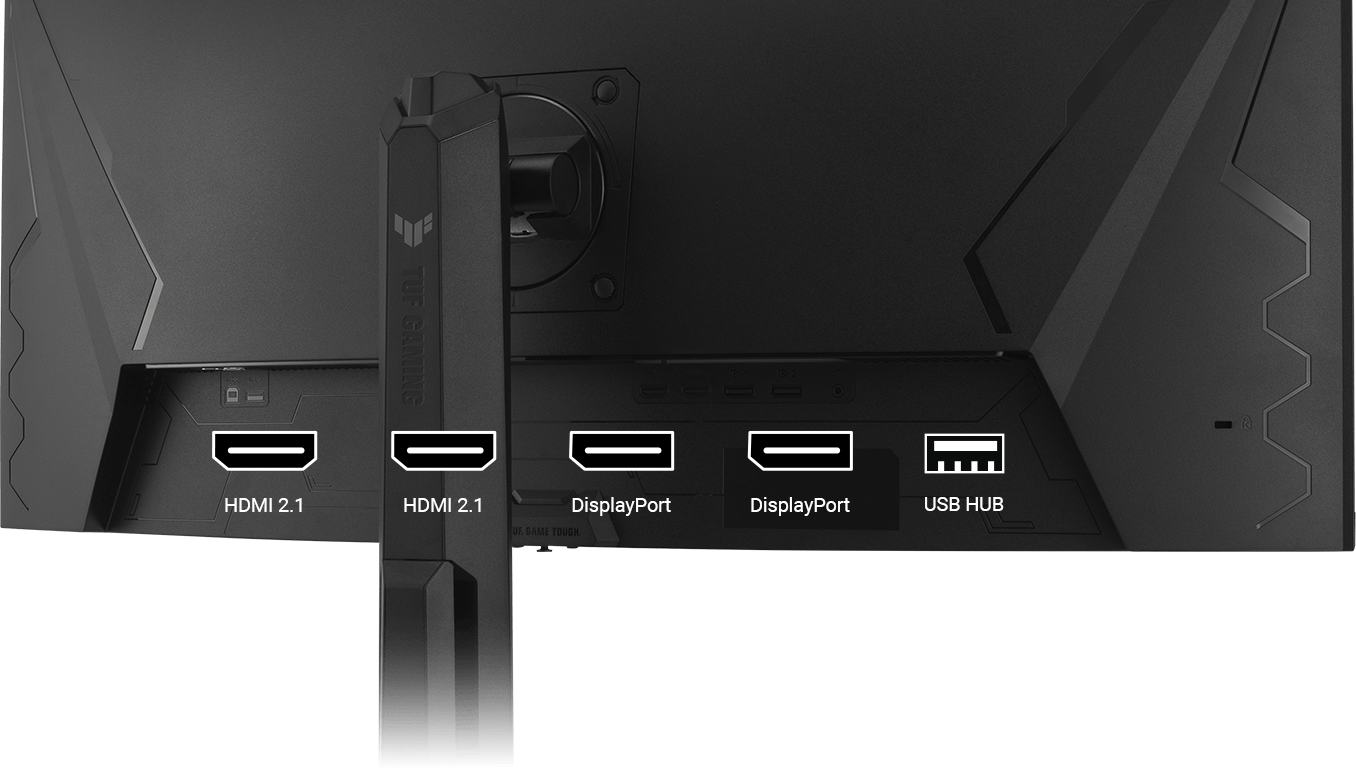
Connectivity is strong for a high-speed ultrawide monitor: ASUS lists two DisplayPort 1.4 ports, two HDMI 2.1 ports, three USB 3.2 Gen 1 Type-A hub ports and an earphone jack. The stand also supports tilt, swivel and height adjustment, with VESA 100 × 100mm compatibility.

ASUS TUF Gaming VG34WQML5A Specifications
| Product Name | ASUS TUF Gaming VG34WQML5A |
|---|---|
| Panel Size | 34 inches |
| Aspect Ratio | 21:9 Ultrawide |
| Resolution | 3440 × 1440 UWQHD |
| Panel Type | Fast VA, anti-glare |
| Curvature | 1500R |
| Refresh Rate | 250Hz maximum / overclocked |
| Response Time | 1ms GTG, 0.5ms minimum |
| Brightness | 400 cd/m² typical and HDR peak |
| Contrast Ratio | 4000:1 typical |
| Colour | 130% sRGB, 95% DCI-P3, 1.073B colours / 10-bit |
| HDR | HDR10, VESA DisplayHDR 400 |
| VRR / Motion | AMD FreeSync Premium, Adaptive-Sync, ELMB Sync |
| Gaming Features | GameVisual, GamePlus, Shadow Boost, GameFast Input, Dynamic Crosshair, Dynamic Shadow Boost, AI Visual |
| Ports | 2 × DisplayPort 1.4, 2 × HDMI 2.1, 3 × USB 3.2 Gen 1 Type-A hub, earphone jack |
| Speakers | 2W × 2 |
| Ergonomics | Tilt +20° to -5°, swivel +10° to -10°, height 0–130mm, VESA 100 × 100mm |
| NationalPC Product Page | Buy ASUS TUF Gaming VG34WQML5A from NationalPC |
Advantages, Limitations and Buyer Advice
Advantages
- 34-inch 21:9 ultrawide screen improves gaming immersion and multitasking
- 3440 × 1440 UWQHD is sharper than Full HD and easier to drive than 4K
- 250Hz OC refresh rate gives high-speed gaming headroom
- 0.5ms minimum response time and ELMB Sync help motion clarity
- VA contrast is strong for dark scenes and movies
- 95% DCI-P3 and DisplayHDR 400 make visuals vibrant
- HDMI 2.1, DisplayPort 1.4 and USB hub provide flexible connectivity
- Height, tilt and swivel adjustment support comfortable long sessions
Limitations
- Not a 4K monitor, so 4K-focused creators may prefer another model
- HDR400 is entry-level HDR, not premium local-dimming HDR
- Ultrawide format is best for PC gaming; some console content may show black bars
- 250Hz at UWQHD needs a powerful GPU in demanding games
- VA panel behaviour may not satisfy users who prefer IPS or OLED motion characteristics
Who Should Buy It in India?
Buy the VG34WQML5A if you want one large monitor for PC gaming and work, especially for racing, RPG, action games, video timelines, office multitasking and dashboard use. Choose a smaller esports monitor only when maximum competitive focus matters more than immersion.
FAQ – ASUS TUF Gaming VG34WQML5A
Is ASUS TUF Gaming VG34WQML5A good for gaming?
Yes. It is built for gaming with a 34-inch UWQHD curved panel, 250Hz overclocked refresh rate, 0.5ms minimum response time, AMD FreeSync Premium, ELMB Sync and Gaming AI features.
Can VG34WQML5A replace dual monitors for work?
For many users, yes. The 34-inch 21:9 3440 × 1440 screen gives enough horizontal space for browser, documents, charts, coding tools and editing timelines side by side.
Is VG34WQML5A a 4K monitor?
No. It is an ultrawide UWQHD monitor with 3440 × 1440 resolution. It provides more horizontal workspace than standard QHD, but it is not 4K.
Does VG34WQML5A support HDR?
Yes. ASUS lists HDR10 and VESA DisplayHDR 400 support. It is useful for brighter highlights and richer visuals, but it is not the same as premium OLED or mini-LED HDR.
Does VG34WQML5A have HDMI 2.1?
Yes. ASUS lists two HDMI 2.1 ports, two DisplayPort 1.4 ports, a USB hub and an earphone jack.
Where can I buy ASUS TUF Gaming VG34WQML5A in India?
You can buy ASUS TUF Gaming VG34WQML5A from NationalPC using the product page linked in this review.
Final NationalPC Verdict
The ASUS TUF Gaming VG34WQML5A is a strong 34-inch ultrawide choice for PC gamers who also need a practical work monitor. Its 3440 × 1440 resolution, 1500R curve, 250Hz OC refresh rate, 0.5ms minimum response time, FreeSync Premium, ELMB Sync and wide colour coverage make it a balanced gaming-and-productivity upgrade.
It is best for users who want immersion, speed and desktop space in one display. It is less suitable for buyers who need true 4K, OLED blacks, premium HDR or a compact esports-only monitor.