ASUS ROG Pelta Wireless RGB Gaming Headset – Expert Review (2026)
- Introduction & Overview
- Full Specifications
- Design, Build & Comfort
- Sound Quality — 50mm Titanium Drivers
- Microphone Performance
- SpeedNova Wireless & Connectivity
- Battery Life & Fast Charging
- Aura RGB & Armoury Crate
- Platform Compatibility
- Gaming Performance by Genre
- Competitor Comparison
- Pros, Cons & FAQ
1. Introduction & Overview
ASUS ROG has been making gaming headsets for years — from the expensive, feature-rich Delta series to more accessible alternatives. The ROG Pelta is the headset that distils what made the flagship ROG Delta II great — its 50mm titanium-plated drivers, SpeedNova wireless technology, and super-wideband microphone — and delivers all of it in a lighter, more comfortable, and significantly more affordable package.
At just 309 grams, it is lighter than most competitors in its class. It connects wirelessly via ultra-low-latency 2.4GHz ROG SpeedNova, Bluetooth 5.3, or wired USB-C. It lasts up to 70–90 hours on a single charge and supports fast charging (15 minutes for 3 hours of use). It works across PC, Mac, PS4, PS5, Nintendo Switch, and mobile devices with Aura Sync RGB on both earcups.
In India it is available in Black and White at NationalPC.in, priced around Rs. 16,241–19,490. At this price, it has collected awards from across Europe, the US, and Asia — including a 91% from Hardwarezoom, a Recommended from Tom’s Guide, and a glowing PC Gamer write-up.
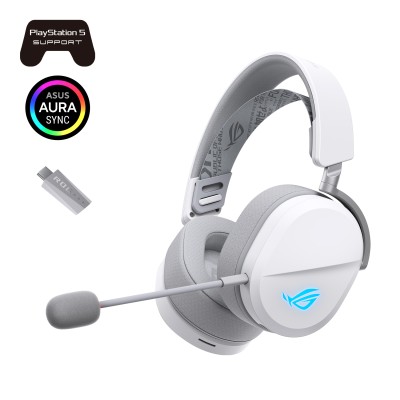
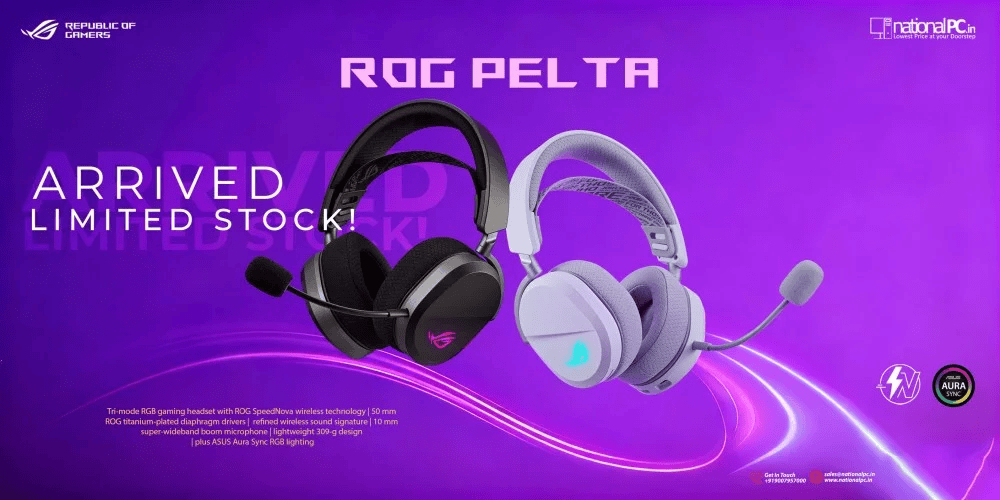
ASUS ROG Pelta — 309g, tri-mode wireless, Aura RGB, 50mm titanium drivers
2. Full Technical Specifications
| Specification | Detail |
|---|---|
| Type | Wireless Over-Ear Gaming Headset (Closed-back) |
| Driver | 50mm ROG Titanium-Plated Diaphragm (same as ROG Delta II) |
| Frequency Response | 20 Hz – 20,000 Hz |
| Impedance | 32 Ohm |
| Audio Channel | Stereo (Virtual Surround Sound via Armoury Crate software) |
| Wireless (Primary) | ROG SpeedNova 2.4 GHz USB-C dongle (ultra-low latency) |
| Wireless (Secondary) | Bluetooth 5.3 |
| Wired | USB-C (no 3.5mm analog jack) |
| Multipoint | Not supported — one source at a time |
| Microphone Type | 10mm Super-Wideband Boom, Detachable, Unidirectional |
| Mic Frequency Response | 100 Hz – 10,000 Hz |
| Mic Sensitivity | -40 dB |
| AI Noise Cancelling Mic | No (unidirectional design handles noise naturally) |
| Active Noise Cancellation | No |
| Battery Capacity | 900 mAh |
| Battery — 2.4GHz, RGB off | Up to 70 hours |
| Battery — 2.4GHz, RGB on | Up to 45 hours |
| Battery — Bluetooth, RGB off | Up to 90 hours |
| Battery — Bluetooth, RGB on | Up to 60 hours |
| Fast Charging | 15 min charge = 3 hours use |
| Weight | 297g (without mic) / 309g (with mic) |
| Headband | Three-level adjustable elastic headband |
| Earcup Type | Oval, over-ear, breathable mesh fabric cushions |
| Foldable | No |
| RGB Lighting | ROG Aura Sync RGB on both earcups (ROG logo) |
| Controls | Volume dial, Mic mute button, Mode slider (BT / Off / 2.4GHz), Multifunction button |
| Platform Compatibility | PC, Mac, PS4, PS5, Nintendo Switch, iPad, iOS, Android (NOT Xbox) |
| Software | ASUS Armoury Crate (Windows) — EQ, RGB, firmware, virtual surround |
| In the Box | Headset, Detachable boom mic, USB-C SpeedNova dongle, USB-C to USB-A adapter, USB-C to USB-A charging cable (1.8m), Documentation |
| Colours Available | Black, White |
| India Price Range | Rs. 16,241 – Rs. 19,490 (check NationalPC.in for current price) |
3. Design, Build & Comfort
Aesthetic — Understated ROG
The ROG Pelta has a design that multiple reviewers compared to the SteelSeries Arctis Nova series — oval earcups, elastic ski-goggle headband, and a clean silhouette. PC Gamer noted: “The Pelta has a notably soft and comfortable texture — one that doesn’t stand out in the looks department but is much appreciated after a long day’s work.” The ROG logo on both earcups glows with Aura RGB, keeping the gaming identity without being excessive.
The White version (ROG Pelta White) adds a fresher, cleaner look that suits bright desk setups and works particularly well with white ROG peripheral collections. Both colours use the same internal hardware. Hardwarezoom scored the White at 91%, calling it “an all-round successful wireless gaming headset that impresses in almost every respect.”
Comfort — The Pelta’s Greatest Strength
Virtually every reviewer cited comfort as the Pelta’s standout quality. GamingTrend: “On my head, this headset feels as light as a feather, especially thanks to the elastic headband that helps to redistribute the (lack of) weight, preventing pain and discomfort that I typically feel on top of my head during longer gaming sessions. The overall comfort while using the Pelta has been nothing short of spectacular.”
Tom’s Guide found the earcups “very big and spacious, providing lots of breathing room for ears. My ears never felt itchy or irritated throughout testing.” The mesh fabric cushions breathe better than leatherette or pleather alternatives, reducing heat buildup during long summer gaming sessions — a meaningful practical advantage for Indian users in warm climates.
Headband System — Elastic with Three Levels
The elastic headband automatically adjusts to head size and redistributes weight across the top of the skull rather than clamping at a fixed point. This is the same principle behind SteelSeries Arctis headsets — it is genuinely more comfortable for extended sessions than a traditional rigid adjustable band. The honest caveat: only three preset size levels are available rather than the continuous telescopic adjustment on the ROG Delta II. TechRadar noted this can make finding the exact comfort sweet spot more challenging, but most users find one of the three positions works well.
Glasses Compatibility
The Pelta’s light clamping force makes it one of the better gaming headsets for glasses wearers. GamingTrend’s reviewer noted: “This headset is also very accommodating for people with glasses as it doesn’t apply much pressure to the sides of the head.” They noted a slight fit issue specific to their glasses arms, but this is atypical; most reviewers with glasses found the Pelta comfortable.
Controls Layout
All controls sit on the left earcup’s lower edge. The layout is intuitive after a brief learning period:
- Mode slider: Three positions — Bluetooth (up) / Off (centre) / 2.4GHz (down)
- Volume dial: Rotary scroll wheel with good tactile feel
- Mic mute button: Dedicated press; mic tip glows red when muted
- Multifunction button: Play/pause (one press), skip track (double press), previous track (triple press)
- USB-C port: For charging and wired connection
- Microphone socket: 3.5mm boom mic port (left earcup, angled)
TechRadar highlighted the play/pause button as a “favourite” feature, particularly useful for headset users whose keyboards lack media keys.
4. Sound Quality — 50mm Titanium-Plated Drivers
The Driver Advantage — Same as ROG Delta II
The key audio story of the ROG Pelta is this: it uses the same 50mm titanium-plated diaphragm drivers as the ROG Delta II flagship — a headset that costs significantly more. Overclock3D put it plainly: “The Pelta recontextualizes the ROG headset offering. The Delta II was already skimping on extras when it was released last year, but the Pelta adapts the Delta II’s impressive upgrades (in particular its titanium drivers) into a much more affordable package. That means, for the most part, you’re getting the same high-end beast but cheaper.”
Titanium-plated diaphragms are stiffer and lighter than standard mylar or polycarbonate diaphragms. The result is improved high-frequency resolution (crisper highs) and reduced distortion at higher volumes, because the titanium layer resists deformation under rapid movement. You get a 20 Hz – 20 kHz frequency response at 32 ohm impedance — well within audiophile-capable territory for a gaming headset.
Sound Character — Balanced with Strong Mids and Highs
The Pelta’s default tuning is described across reviews as relatively neutral and balanced — a rarity among gaming headsets that often over-boost bass to sound impressive in a short demo. Basic Tutorials: “The bass is powerful, dynamic and detailed, but without overpowering the mids and highs. This makes the headset a coherent all-rounder, which can be further adjusted to personal preferences.”
PC Gamer specifically praised the mids and highs: “The mids and highs, however, are clear and well-tuned. The intricacies of sound come through well, and directional atmospheric noises are pointed and easy to pick out. This makes listening for footsteps in the likes of Valorant incredibly easy.” Tom’s Guide called the audio “absolutely incredible” when paired with PS5 horror titles.
Honest Weaknesses — What Reviewers Found
Reviews were not universally glowing on every aspect of the audio:
- Bass depth: Sub-bass can lack some rumble compared to bass-heavy headsets like the Logitech G Pro X2 (which costs more)
- High frequencies: Basic Tutorials noted “very high frequencies above 8,000 Hz can be a little sharp” at higher volumes
- Positional audio: Some reviewers (TWEAK, Basic Tutorials) found locating enemy positions in competitive FPS games (Valorant, CS2) slightly less precise than expected — particularly for footsteps
- Virtual surround sound: Basic Tutorials found the software virtual surround “noticeably impairs audio quality” — best left disabled for most users; Tom’s Guide and GamingTrend found it more positive for immersive games
- Maximum volume: A few reviewers wished it could go louder
EQ Customisation via Armoury Crate
The Armoury Crate application provides equaliser presets and manual EQ control on Windows. The built-in presets include Flat, FPS (boosts mids for footstep clarity), Music, Cinema, and more. Game Rant’s reviewer used “FPS equalizer with Bass Boost at 25–35% and spatial sound turned on” — finding that configuration significantly improved competitive gaming performance. The EQ is only active when Armoury Crate is running; on console or mobile without the software, you are on the default flat EQ.
5. Microphone Performance
The 10mm super-wideband boom microphone covers 100 Hz – 10,000 Hz — a wide frequency range that captures the full warmth of a voice rather than the thin, nasal sound of lower-quality gaming mics. It is unidirectional: it picks up sound from directly in front of the capsule (your mouth) and rejects sound from the sides and rear (keyboard, fan noise, room noise).
What Reviewers Said
| Source | Microphone Assessment |
|---|---|
| Tom’s Guide | “My voice sounds clear and crisp, and nowhere near as muffled as with the Sony PlayStation Pulse Elite” |
| Basic Tutorials | “The Pelta reproduces your voice in a pleasantly clear, detailed and dynamic way without distorting it” |
| Hardwarezoom (91%) | “Particularly noteworthy is the very good microphone” |
| Game2Gether (91%) | “Very good microphone — the sound quality in audio playback also meets the high standards” |
| Game Rant | “The boom mic delivers crisp and clear vocals without picking up too much background noise” |
| Overclock3D | “Rich, deep and loud, maintaining high-quality sound to its loudest volume” |
Mute Indicator — Red Tip Light
The microphone has a red LED at the end of the boom that illuminates when the mic is muted. This is highly practical — you can see at a glance from the corner of your eye whether your mic is live or muted without looking at the headset. Basic Tutorials specifically praised this: “The microphone also lights up red on the underside when it is muted. This is practical as it is easy to see in front of the mouth.”
Detachable Design — Headset and Headphone in One
Unplug the boom mic and the ROG Pelta becomes a standard wireless over-ear headphone. Pair it via Bluetooth to your phone and you have a capable daily music and commute headphone. PC Gamer noted this specifically: “The mic can even be unplugged, which, when paired with the fact that the Pelta can connect to a phone or tablet via Bluetooth, makes it a reliable choice should you want to go for a walk with it on.”
6. ROG SpeedNova Wireless & Connectivity
What Is ROG SpeedNova?
ROG SpeedNova is ASUS’s proprietary 2.4GHz wireless technology. Unlike standard 2.4GHz implementations, SpeedNova actively scans for available frequencies in crowded wireless environments (gaming events, apartments with many WiFi networks, offices) and automatically hops to the clearest channel. ASUS describes it as able to “cut through signal jams and scan for available frequencies to optimize connections.”
The practical result: Game Rant found “no issues with connectivity or latency” during extended testing. TWEAK confirmed “low latency with the SpeedNova connection meant that the audio was always in sync without any lag.” No reviewer reported dropped connections or noticeable latency during gameplay.
Three Connectivity Modes
| Mode | Technology | Latency | Best For |
|---|---|---|---|
| 2.4GHz SpeedNova | USB-C dongle (adapter to USB-A included) | Ultra-low (<5ms) | Competitive gaming, PS5, PC gaming |
| Bluetooth 5.3 | Standard Bluetooth (no aptX LL) | ~100–150ms typical | Mobile, music, casual daily use |
| USB-C Wired | USB-C digital audio | Zero latency | Backup / when wireless fails; charging |
The USB-C Dongle — Important Practical Note
The 2.4GHz dongle is USB-C, not USB-A. ASUS includes a USB-C to USB-A adapter in the box, so it works with both port types. TechRadar mentioned to “just keep in mind that the ROG Pelta uses a USB-C dongle — in case you don’t have a free USB-C port on your device.” For PS5 users: plug the dongle into the PS5’s front USB-C port (PS5 Slim has two front USB-C ports) or use the adapter for a USB-A port.
7. Battery Life & Fast Charging
Battery life is one of the Pelta’s strongest selling points. The 900mAh battery is substantial for a gaming headset of this weight class, and the battery life numbers are exceptional:
| Usage Mode | Rated Battery Life | Real-World Equivalent |
|---|---|---|
| 2.4GHz wireless, RGB off | 70 hours | ~35 gaming sessions of 2 hours each |
| 2.4GHz wireless, RGB on | 45 hours | ~22 gaming sessions of 2 hours each |
| Bluetooth, RGB off | 90 hours | Class-leading Bluetooth endurance |
| Bluetooth, RGB on | 60 hours | Still exceptional for a gaming headset |
| Fast Charge (15 min) | 3 hours use | Emergency top-up before a session |
Game Rant verified these numbers practically: “The ROG Pelta is rated for 45 hours of battery life on 2.4GHz with RGB turned on. That’s how I used the headset and found that it dropped to 70% after about 10 to 12 hours of use” — consistent with the rated figure. Overclock3D noted the 900mAh capacity is “impressive, offering up to 90 hours with lighting off and 60 hours with it on.”
Battery status is visible in the Armoury Crate system tray icon — so even without opening the full app, a glance at the taskbar shows remaining battery percentage.
8. Aura RGB & Armoury Crate
Aura Sync RGB
The ROG logo on both earcups glows with Aura Sync-compatible RGB lighting. Lighting effects available include Static, Breathing, Strobing, Color Cycle, and custom patterns via Aura Creator. Crucially, the RGB can be fully disabled to unlock the maximum 70–90 hour battery life — this is a meaningful practical choice, not just a feature checkbox.
For ROG ecosystem users with Armoury Crate, the Pelta joins the Aura Sync device list and syncs with your ROG motherboard, GPU, RAM, keyboard, and mouse. A subtle orange pulse across your entire desk setup looks genuinely impressive at night. For non-ROG setups, the lighting is still controllable directly through Armoury Crate without needing other ROG devices.
Armoury Crate — What It Controls
| Feature | What You Can Do |
|---|---|
| Equalizer | Full 10-band EQ with presets: Flat, FPS, Music, Cinema + manual custom |
| Virtual Surround Sound | Enable/disable 7.1 virtual surround (disabled by default) |
| Microphone Settings | Mic volume, sidetone (hear your own voice), noise gate |
| RGB Lighting | Colour, effect, brightness, sync with other Aura devices |
| Battery Status | Live battery percentage in system tray; alerts when low |
| Firmware Updates | Update headset firmware for bug fixes and new features |
9. Platform Compatibility
| Platform | Compatible? | Connection Method | Notes |
|---|---|---|---|
| Windows PC | Full Support | 2.4GHz + Bluetooth + USB-C | Full EQ, RGB, surround via Armoury Crate |
| Mac | Full Support | 2.4GHz + Bluetooth + USB-C | No Armoury Crate for macOS EQ |
| PlayStation 5 | Full Support | 2.4GHz dongle via USB-C or USB-A | Plug dongle into PS5 front USB-C port |
| PlayStation 4 | Full Support | 2.4GHz dongle via USB-A adapter | USB-A adapter included in box |
| Nintendo Switch | Full Support | 2.4GHz or Bluetooth | 2.4GHz via Switch USB-C dock or adapter |
| iPad | Full Support | Bluetooth or USB-C | Works well for Apple Arcade & streaming |
| Android Phone | Full Support | Bluetooth | Good for calls, music, mobile gaming |
| iPhone / iOS | Full Support | Bluetooth | Works for calls, music, Apple gaming |
| Xbox Series X|S / Xbox One | Not Compatible | N/A | No 3.5mm jack; Xbox uses proprietary wireless. Xbox version exists but costs more. |
10. Gaming Performance by Genre
HORROR / RPG Immersive Single-Player Games
The Pelta’s greatest gaming strength. Tom’s Guide: “If a game like Alan Wake 2 didn’t terrify you already, playing it through the ROG Pelta sure will.” The balanced sound signature — with clear mids reproducing ambient detail and deep enough bass for impactful sound effects — creates genuinely immersive horror atmospheres. The virtual surround mode amplifies this further for RPGs and cinematic open-world games. Baldur’s Gate 3, Cyberpunk 2077, Elden Ring — all sound excellent through the Pelta.
FPS Competitive First-Person Shooters
Good but with a nuance. PC Gamer praised the Pelta for Valorant: “directional atmospheric noises are pointed and easy to pick out. This makes listening for footsteps incredibly easy.” Game Rant found the FPS EQ preset with some bass boost “accurately represented where the different sounds were coming from in games, and it was quite easy to judge the distance.” However, TWEAK and Basic Tutorials noted that without EQ adjustment, locating enemies by footstep audio is less precise than with purpose-built competitive headsets. The recommendation: use the FPS EQ preset in Armoury Crate for competitive play.
MUSIC Music & Media Listening
Unusually good for a gaming headset. PC Gamer: “It handles music well. Genesis Noir’s jazzy, vibey soundtrack slickly oozes out of the Asus ROG Pelta, with both the squealing of smooth sax and the pitter-patter of jazz brushes coming through clear.” The neutral tuning means music is reproduced accurately rather than artificially enhanced. With the mic detached and Bluetooth connected to a phone, the Pelta works well as an everyday headphone — better than most gaming headsets in this role.
BATTLE ROYALE Battle Royale & Multiplayer
The SpeedNova wireless eliminates latency concerns for Fortnite, PUBG, Warzone, and similar titles. The unidirectional mic keeps voice communication clear without background noise. The comfort of the 309g design means marathon multiplayer sessions (5–6 hours) remain comfortable. The directional audio is adequate for battle royale where precise positional audio is less critical than in a tight tactical shooter like CS2.
MOBILE Mobile Gaming & Daily Use
Via Bluetooth, the Pelta connects to any Android or iOS device. GamingTrend noted: “While they’re not quite as portable as earbuds, the Pelta has become my go-to for on-the-go audio as well. When switching to the Bluetooth connection, it quickly links up with my iPhone, where I can then enjoy some music or video streaming.” Mobile gaming (BGMI, COD Mobile, Pokemon GO on a tablet) benefits from the clear audio and mic — though Bluetooth latency makes it less suitable for rhythm games.
11. Competitor Comparison
| Feature | ROG Pelta | SteelSeries Arctis Nova 5 | Sony PS Pulse Elite | ROG Delta II |
|---|---|---|---|---|
| Driver Size | 50mm titanium | 40mm | Planar + 40mm | 50mm titanium |
| Weight | 309g | ~278g | ~340g | ~340g |
| Battery (wireless gaming) | 70h (RGB off) / 45h (RGB on) | ~40h | ~30–40h | ~90h (no RGB claim) |
| 2.4GHz Wireless | Yes — SpeedNova | Yes | Yes (PS-only) | Yes — SpeedNova |
| Bluetooth | Yes | Yes | No | Yes |
| Multipoint | No | Yes | Yes (DualSense) | Yes — DualFlow |
| Detachable Mic | Yes | No (retractable) | No (retractable) | Yes |
| Active Noise Cancelling | No | No | Yes | No |
| 3.5mm Jack | No | Yes | No | Yes |
| Aura RGB | Yes — both cups | No | No | Yes |
| Xbox Compatible | No | Yes | No | Yes |
| Value Verdict | Best value ROG | Most versatile | Best ANC gaming | Most features |
12. Pros, Cons & FAQ
| What We Love | What Falls Short |
|---|---|
| Same 50mm titanium drivers as the ROG Delta II flagship | No Xbox compatibility (no 3.5mm jack) |
| Outstanding comfort — feather-light 309g with elastic headband | Only 3 headband size levels (not telescopic) |
| ROG SpeedNova — ultra-low latency, interference-resistant 2.4GHz | Mic insertion requires careful alignment — can be fiddly |
| 70–90 hours battery (best-in-class endurance) | No multipoint (one source at a time) |
| 15-min fast charge = 3 hours use | No active noise cancellation |
| Excellent 10mm super-wideband boom microphone | No 3.5mm headphone jack (wired = USB-C only) |
| Tri-mode: 2.4GHz + Bluetooth + USB-C | Sub-bass less impactful vs dedicated bass-heavy headsets |
| Detachable mic — doubles as a daily-use headphone | Virtual surround degrades audio quality for some users |
| Aura Sync RGB — syncs with ROG ecosystem | No carry bag included |
| Multi-platform: PC, Mac, PS4, PS5, Switch, iOS, Android | Positional audio in competitive FPS needs FPS EQ preset |
Tom’s Guide — Recommended | PC Gamer — Recommended | Hardwarezoom — 91% + Buy Recommendation | Game2Gether — 91% | Hardzone — 8.8 | IGN France — 8/10 | TechGaming — Editor’s Choice | Basic Tutorials — Silver Award | Razorman — Diamond Award “sounds like it costs twice as much” | Play Experience — Recommended | Jeuxvideo — 4.5/5