ASUS ROG Strix Aiolos Review: Premium 20Gbps SSD Enclosure for Gamers, Creators & Portable Storage Users
1. Introduction & Overview
ASUS Republic of Gamers has been making SSD enclosures since the ROG Strix Arion — a stylish 10Gbps enclosure that became popular with gamers who wanted portable storage that matched their ROG setup. The ROG Strix Aiolos, announced February 5, 2026, is a full generational upgrade: double the bandwidth (20Gbps), added SATA SSD support, a completely redesigned thermal management system, and a new hook rated 5x more durable than the Arion’s.
The name “Aiolos” (also spelled Æolus) is the Greek god of wind — fitting for an enclosure that moves data at 20Gbps while keeping itself cool enough to hold in your hand during sustained transfers. It targets gamers and creators who want their portable storage to be as premium as the rest of their ROG ecosystem.
Available in India at NationalPC.in, the Aiolos ESD-S1W sits at the premium tier of gaming SSD enclosures — reviewed by TechPowerUp who described it as “a stylish, compact, and fanless portable M.2 SSD 20Gbps enclosure, morphing NVMe and SATA M.2 SSDs into formidable external storage for your gaming notebooks, phones and handhelds.”
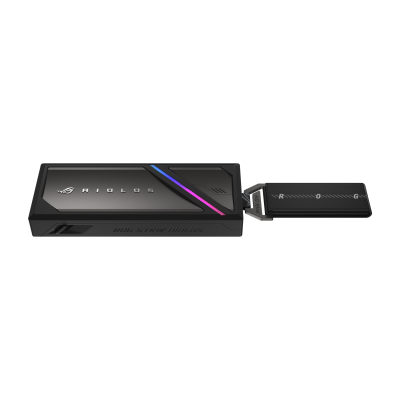
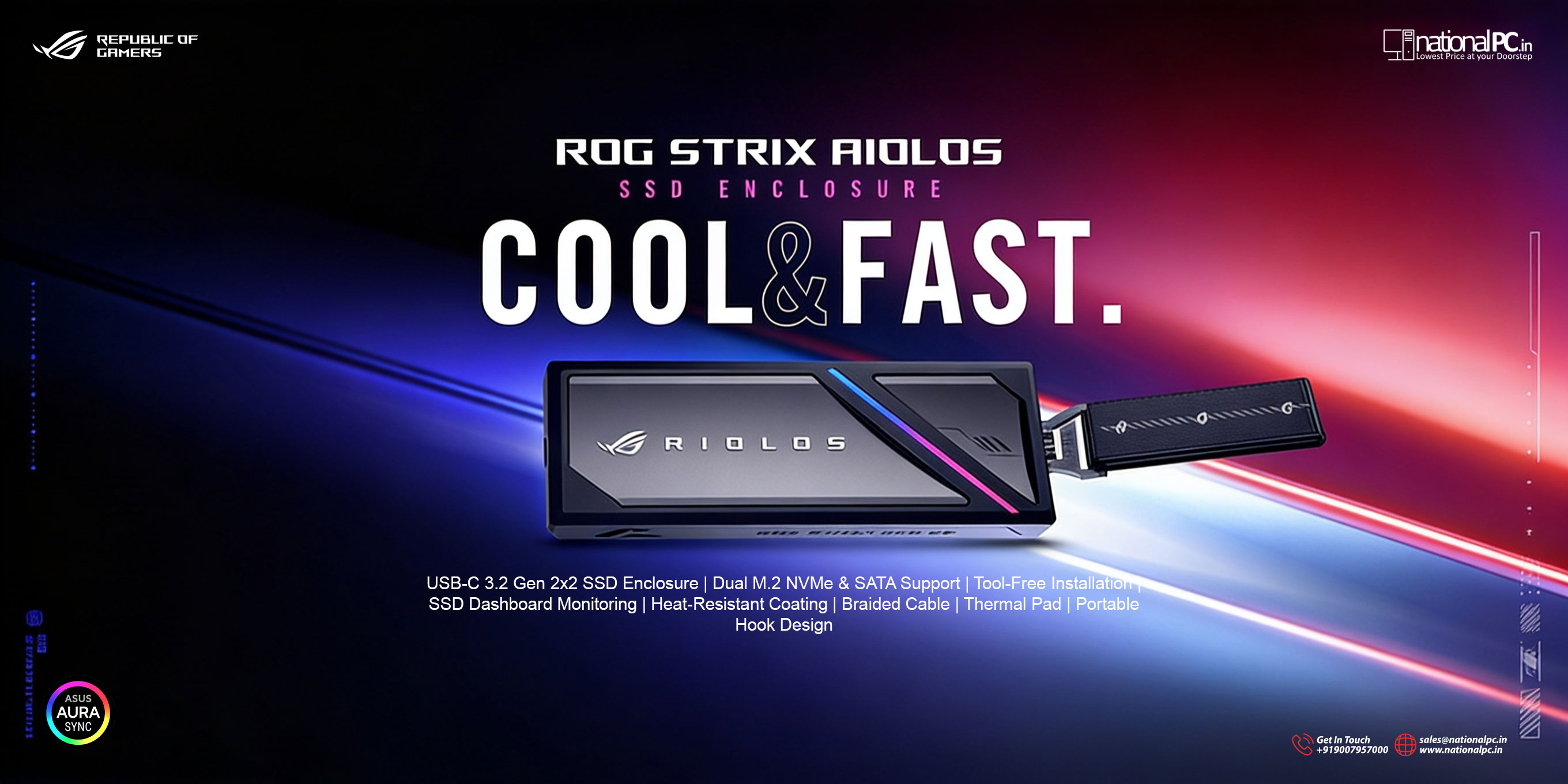
ROG Strix Aiolos — USB 3.2 Gen 2x2, 20Gbps, Aura RGB, Liquid-Silicone Rubber coating
2. Full Technical Specifications
| Specification | Detail |
|---|---|
| Model Number | ROG Strix Aiolos ESD-S1W |
| Interface | USB 3.2 Gen 2x2 (Type-C / USB-C) |
| Maximum Transfer Speed | Up to 20Gbps (approx. 2,000 MB/s theoretical) |
| Real-World Speed (ASUS internal test) | 100GB in 90 seconds (~1,130 MB/s sustained) |
| SSD Compatibility — NVMe | M.2 M Key PCIe NVMe (2242, 2260, 2280) |
| SSD Compatibility — SATA | M.2 SATA (B+M Key, 2242/2260/2280) |
| Chassis Material | Aluminium alloy body with liquid-silicone-rubber (LSR) coating |
| Cooling System | Dual-layer passive: internal thermal pad + external LSR coating (fanless) |
| RGB Lighting | ROG Aura Sync ARGB — Static, Breathing, Strobing, Color Cycle, and more |
| RGB Control | Aura Creator (web interface) + ASUS Armoury Crate (Aura Sync) |
| Installation Type | Tool-free, push-to-open mechanism |
| Power | 5V DC — bus-powered via USB-C (no adapter required) |
| Dimensions | 115.5 x 46 x 15.12 mm (L x W x H) |
| Weight | 139g (without SSD) |
| OS Compatibility | Windows 11, Windows 10, macOS 14.4 or later |
| Aura System Requirements | Windows 10 (Creators Update / 1903 or later) or Windows 11 |
| Operating Temperature | 0°C – 40°C (32°F – 104°F) |
| Storage Temperature | -40°C – 60°C (-40°F – 140°F) |
| Voltage | 5V DC |
| Software | ROG SSD Dashboard (basic version, includes software key) |
| In the Box | Enclosure, ROG Velcro Nylon strap, Metal hook with fabric tag, Braided USB-C cable (30cm), Welcome card with software key, Quick-start guide, User manual, Warranty info |
3. Design & Build Quality
Two-Tone Aesthetic — ROG Strix Language
The Aiolos is immediately recognisable as a ROG product. It uses the same design language as ROG Strix and ROG Astral products — a two-tone black and gunmetal grey finish with angular geometric surfaces. The top features the ARGB LED strip, and the aluminium chassis has the liquid-silicone-rubber coating on the upper and lower surfaces. TechPowerUp described the design as “perfectly matching the latest design language ASUS implements with its ROG Strix and ROG Astral products.”

ROG Strix Aiolos — RGB accent, metal hook with fabric tag, gunmetal angular chassis
Liquid-Silicone-Rubber (LSR) Coating — The Signature Feature
The most distinctive element of the Aiolos’s design is its injection-moulded liquid-silicone-rubber coating on the top and bottom surfaces. This is not a rubberised paint — it is a precision-moulded layer of heat-resistant silicone that serves triple duty:
- Heat management: The silicone dissipates surface heat, keeping the enclosure cool to the touch during sustained transfers
- Dust resistance: The coating seals gaps and prevents dust accumulation inside the chassis
- Grip: The tactile silicone surface prevents the enclosure from sliding on desk surfaces and provides secure handheld grip
PCEkspert’s review awarded the Aiolos their “Recommends” award specifically citing this: “This is an extremely robust aluminum enclosure that features a liquid silicone coating on the top and bottom sides, serving as a protective layer that keeps the case cool to the touch even during prolonged use. The Aiolos proved to be capable of cooling the SSD and preventing overheating that would lead to a drop in performance.”

ROG Strix Aiolos — built for moving game libraries and large media files fast
Metal Hook — 5x More Durable Than Arion
The ROG Strix Arion came with a plastic R-hook. The Aiolos upgrades this to an exclusive metal hook rated at 5x the tensile durability of its predecessor. The hook attaches to the fabric tag on the included ROG Velcro Nylon strap, letting you clip the Aiolos securely to a backpack, camera bag, game bag, or desk organiser. For gamers carrying their setup to LAN events or moving between setups, this is genuinely useful.
Braided Cable & Premium Unboxing
The 30cm braided USB-C cable feels premium and resists tangling. TechPowerUp noted the multi-layered ROG cardboard packaging: “Once opened, you are greeted by an ASUS ROG brand flyer that also contains a software key to ROG SSD Dashboard. The outer package opens out like an envelope — you get abundant documentation including a welcome card with software key, pictorial quick-start guide, detailed user manual, and printed service and warranty info.” The unboxing experience is distinctly ROG.
4. USB 3.2 Gen 2x2 — Performance & Speed
What Gen 2x2 Means in Practice
USB 3.2 Gen 2x2 uses two parallel USB 3.2 Gen 2 lanes simultaneously, each operating at 10Gbps, for a combined 20Gbps bandwidth. This is exactly double the ROG Strix Arion’s USB 3.2 Gen 2x1 (10Gbps). In practical terms: files that took 2 minutes to transfer on the Arion take approximately 1 minute on the Aiolos.
| Interface | Bandwidth | Real-World Peak | ROG Product |
|---|---|---|---|
| USB 3.2 Gen 2x1 (10G) | 10 Gbps | ~900–1,000 MB/s | ROG Strix Arion |
| USB 3.2 Gen 2x2 (20G) | 20 Gbps | ~1,800–2,000 MB/s | ROG Strix Aiolos (this) |
| USB4 (40G) | 40 Gbps | ~3,500–4,500 MB/s | ProArt PA40SU |
The 100GB / 90 Second Benchmark
ASUS’s internal test transferred 100GB of data in 90 seconds using a Phison PS5027-E27T Gen4 SSD — an average of approximately 1,130 MB/s sustained. This represents a realistic heavy-use benchmark rather than a peak burst figure. For gamers transferring a full AAA game library to ROG Ally or a gaming laptop, this matters: a 50GB game installs in approximately 45 seconds, a 100GB game in about 90 seconds.
Practical Transfer Time Comparisons
| Task | File Size | Aiolos (20G) | Arion (10G) | USB 3.0 (5G) |
|---|---|---|---|---|
| Single AAA game (e.g. RDR2) | 100 GB | ~90 sec | ~3 min | ~5 min |
| Full game library backup | 500 GB | ~7 min | ~14 min | ~28 min |
| 4K ProRes video (30 min) | ~60 GB | ~55 sec | ~2 min | ~3.5 min |
| Photo shoot (2000 RAW files) | ~20 GB | ~18 sec | ~35 sec | ~70 sec |
Host Port Requirement — Critical Note
To achieve full 20Gbps, your host device needs a USB 3.2 Gen 2x2 port. This is found on higher-end motherboards (typically Z590, Z690, X570, B650X and above) and some premium laptops. Most standard USB-C ports are 10Gbps (Gen 2x1). The Aiolos is backward compatible with 10Gbps and 5Gbps ports — at those speeds it still outperforms mechanical hard drives significantly, but only Gen 2x2-equipped systems unlock the full 20Gbps potential.
5. Dual-Layer Cooling System
The Aiolos is fully fanless — no spinning parts, no noise, no vibration. Passive cooling at 20Gbps is achievable because the enclosure’s chassis itself acts as the primary heatsink, enhanced by two specifically engineered layers:
| Layer | Material | Function | Result |
|---|---|---|---|
| Layer 1 — Internal | High-conductivity thermal pad | Direct contact with SSD controller; conducts heat to aluminium body | Prevents SSD thermal throttling |
| Layer 2 — External | Liquid-silicone-rubber (LSR) coating | Spreads and dissipates heat from aluminium body to surrounding air; insulates surface | Cool to touch; dust-resistant |
The thermal pad conducts heat away from the NVMe controller — the hottest component in any SSD under load — and transfers it into the aluminium enclosure body. The LSR coating then spreads that heat across a larger surface area for air dissipation. The combined effect keeps the SSD within its safe operating temperature during extended transfers, preventing the thermal throttling that ruins sustained performance in poorly-cooled enclosures.

Internal thermal pad dissipating heat from the SSD upward through the chassis — and the LSR coating dissipating it outward
6. SSD Compatibility & Tool-Free Installation
Dual Interface — NVMe and SATA
A key upgrade from the ROG Strix Arion is dual M.2 interface support — the Aiolos accepts both NVMe PCIe and SATA M.2 SSDs, giving you more flexibility in what drive you install:
| SSD Type | Key Type | Form Factors | Max Speed in Enclosure |
|---|---|---|---|
| NVMe PCIe (Gen3/Gen4) | M Key | 2242, 2260, 2280 | Up to 20Gbps (enclosure limit) |
| SATA M.2 | B+M Key | 2242, 2260, 2280 | Up to 6Gbps (SATA limit, ~550 MB/s) |
Recommended SSDs for Maximum 20Gbps Performance
| SSD | Gen | Internal Seq. Read | Notes |
|---|---|---|---|
| Samsung 990 Pro | Gen4 | 7,450 MB/s | Best all-round Gen4; runs cool |
| WD Black SN850X | Gen4 | 7,300 MB/s | Excellent; PS5 compatible too |
| Samsung 970 EVO Plus | Gen3 | 3,500 MB/s | Excellent budget option; enclosure won’t bottleneck it |
| M.2 SATA (any brand) | SATA | ~550 MB/s | Budget/secondary use; works fine |
Push-to-Open Tool-Free Installation
The push-to-open mechanism requires no screwdrivers. Press the latch, the lid opens, the SSD slides into the M.2 slot, and the lid closes with a satisfying click. TechPowerUp confirmed the mechanism feels premium with no wobble or play. Swapping between different drives for different games, projects, or clients is a 30-second operation.

ROG Strix Aiolos open — M.2 slot with thermal pad, tool-free mechanism visible
7. Aura RGB & Armoury Crate Integration
No ROG Strix product ships without RGB, and the Aiolos delivers full ROG Aura Sync ARGB via a single LED strip on the top of the enclosure. Unlike token RGB lighting on some enclosures, the Aura integration here is complete — the Aiolos is a first-class Aura Sync device that syncs with the rest of your ROG ecosystem.
RGB Lighting Effects Available
| Effect | Description |
|---|---|
| Static | Solid single colour — any colour from the full spectrum |
| Breathing | Fades in and out smoothly; adjustable speed |
| Strobing | Rapid flash effect; speed adjustable |
| Color Cycle | Smoothly transitions through the colour spectrum |
| Aura Creator Custom | Design custom sequences and patterns via Aura Creator web interface |
Armoury Crate Sync — One Ecosystem
When connected to an ASUS PC with Armoury Crate installed, the Aiolos joins your Aura Sync device list alongside your ROG motherboard, RAM, GPU, keyboard, and mouse. All devices pulse, breathe, or cycle colours together. TechPowerUp confirmed full Armoury Crate compatibility: “The ROG Strix Aiolos is fully integrated with the company’s Armoury Crate software platform. Once connected, you can use Armoury Crate to synchronize its ARGB LED lighting setup with the rest of your ROG gear.”
For the ROG gamer who has built an Aura Sync setup across their entire desk — this is what makes the Aiolos the natural choice over a generic enclosure. A plain aluminium box with a USB4 chip cannot sync with your setup. The Aiolos can.
8. ROG SSD Dashboard
The ROG SSD Dashboard is included via the software key in the box. The basic version (shipped with the Aiolos) provides real-time SSD monitoring. TechPowerUp notes: “ASUS includes the basic version of its ROG SSD Dashboard utility. A more premium version of this tool is included with the company’s ROG Formula/Extreme/Apex motherboards, and high-end ROG gaming notebooks. The basic version lets you monitor the drive and read its SMART info.”

ROG SSD Dashboard — real-time SSD capacity, health, temperature, and detailed drive information
Basic Version Features (included with Aiolos)
| Feature | What It Shows | Why It Matters |
|---|---|---|
| Drive Health (S.M.A.R.T.) | Overall health status, wear level | Early warning before drive failure |
| Real-Time Temperature | Current SSD temperature in °C | Verify cooling is working; monitor throttle risk |
| Transfer Speed | Live read/write MB/s | Identify bottlenecks during transfers |
| Capacity | Used / free storage in GB | At-a-glance space management |
| Drive Info | Model, serial number, firmware version, total bytes written | Warranty tracking and maintenance |
| RGB Control | Aura RGB lighting settings within dashboard | Manage lighting without Armoury Crate |
9. Real-World Use Cases
GAMING Game Library Management
This is the Aiolos’s headline use case. With a Gen4 NVMe installed, moving a 100GB game from PC to laptop — or from your gaming PC to ROG Ally — takes 90 seconds. Moving a full 500GB Steam library for a LAN event or travel takes about 7 minutes. The 20Gbps bandwidth means you spend less time waiting and more time playing. The Aiolos also works as a game storage drive for ROG Ally and similar handhelds where the internal SSD fills up quickly.
LAN LAN Events & Gaming Tournaments
The metal hook and fabric tag are designed specifically for this. Clip the Aiolos to your bag, strap, or backpack strap. At the venue, unclip, plug in, and your entire game library is available in seconds. The Aura RGB syncs with the rest of your ROG gear for a cohesive setup even at a tournament table. At 139g and 115.5mm long, it adds negligible weight to your gear bag.
VIDEO Content Creation — 4K Video Transfer
YouTubers, streamers, and social media creators who shoot in 4K benefit from the 20Gbps transfer speed for moving footage from camera cards to the editing machine. A 60GB batch of 4K footage transfers in under 60 seconds. The 20Gbps speed also means you can play back 4K ProRes or H.265 footage directly from the Aiolos without dropped frames, useful for on-location review on a laptop.
BACKUP System Backup & Migration
Upgrading to a new gaming PC or laptop? The Aiolos can hold your full system backup (OS image + games + files) during migration. The ROG SSD Dashboard Pro version (available on ROG motherboards) includes drive cloning — for the basic version, tools like Macrium Reflect or AOMEI Backupper work perfectly with the enclosure for scheduled backup automation.
SATA Repurposing Old Laptop SSDs
The SATA support is genuinely useful for giving old drives a second life. When you upgrade a laptop’s internal 2280 SATA M.2 SSD to a larger NVMe drive, the old SATA drive can live in the Aiolos as an external backup or secondary storage device rather than going to waste. The Aiolos is one of the few premium gaming enclosures that supports both protocols.
SETUP Desk Aesthetics — ROG Ecosystem Completion
For the ROG gamer who has invested in a unified Aura Sync setup — ROG motherboard, RAM, GPU shroud, keyboard, mouse, headstand — the Aiolos is the natural choice to complete the picture. It sits on your desk or hangs from your monitor arm, pulsing in sync with your entire setup. No generic enclosure can do this. The ROG strap makes it easy to mount or display.
10. Aiolos vs Arion vs PA40SU — Which to Buy?
| Feature | ROG Strix Aiolos | ROG Strix Arion | ProArt PA40SU | Generic 20G |
|---|---|---|---|---|
| Interface Speed | 20Gbps | 10Gbps | 40Gbps | 20Gbps |
| Cooling | Passive (dual-layer) | Passive (basic) | Active fan | Passive (basic) |
| SATA Support | Yes | No | No | Varies |
| 2230 Form Factor | No | Yes | Yes | Rarely |
| Aura RGB | Yes — full Aura Sync | Yes | No | No |
| Armoury Crate Sync | Yes | Yes | No | No |
| SSD Dashboard | ROG SSD Dashboard (basic) | ROG SSD Dashboard | ProArt Dashboard | None |
| Metal Hook | Yes — 5x durability | Plastic hook | No | No |
| Weight | 139g | ~120g | 127g | Varies |
| Target User | ROG gamer (speed + RGB) | ROG gamer (budget) | Creator (max speed) | Budget buyer |
| Best For | Game libraries, RGB desk, LAN | Budget ROG storage | 8K video, creative work | Speed, no extras |
Buy the PA40SU instead if: You work with 8K RAW, need 40Gbps for the fastest possible transfers, and do not care about RGB or the gaming aesthetic.
Upgrade from Arion if: You want double the speed and SATA support — the Aiolos is the direct, natural upgrade.
11. Pros, Cons & Overall Verdict
| What We Love | What Falls Short |
|---|---|
| 20Gbps — 2x faster than the ROG Strix Arion | No 2230 M.2 support (2242 minimum) |
| Dual NVMe + SATA M.2 support — widest compatibility | No USB4 40Gbps — pure speed buyers may prefer PA40SU |
| Liquid-silicone-rubber coating — cool to touch, dust-resistant | Requires USB 3.2 Gen 2x2 host port for full 20Gbps |
| Full Aura Sync RGB — integrates with ROG ecosystem | No IP rating — not for dust or wet environments |
| Armoury Crate integration for ecosystem sync | SSD not included — separate NVMe purchase required |
| Metal hook with 5x tensile durability vs Arion | Premium price vs generic 20G enclosures |
| Tool-free push-to-open — SSD swap in 30 seconds | Braided cable is 30cm — may need extension for some desk layouts |
| Dual-layer passive cooling — fanless silence | macOS requires 14.4 or later |
| ROG SSD Dashboard for health monitoring | Activity LED missing (RGB strip not transfer-indicator) |
| Premium unboxing experience with ROG accessories | — |