ASUS Mini PC PL64 Review: Fanless “Industrial-Ready” Mini PC with Military-Grade Reliability, Triple HDMI & Dual LAN
ASUS Mini PC PL64 Review: Fanless Industrial-Ready Mini PC with RAID, MIL-STD Reliability, Triple HDMI & Dual LAN
Fanless 15W Design | RAID 0/1 Support | MIL-STD-810H Tested | Triple HDMI 4K | Dual LAN | Dual COM | Wi-Fi 6E | 24/7 Reliability
Score: 9.0 / 10 ★★★★★ Best Fanless Mini PC for Industrial, Signage & Business Deployment
The ASUS Mini PC PL64 is not a normal compact desktop. It is a fanless, industrial-ready mini PC designed for digital signage, kiosk systems, IoT control, retail deployment, office automation and 24/7 business environments where reliability matters more than flashy gaming performance.
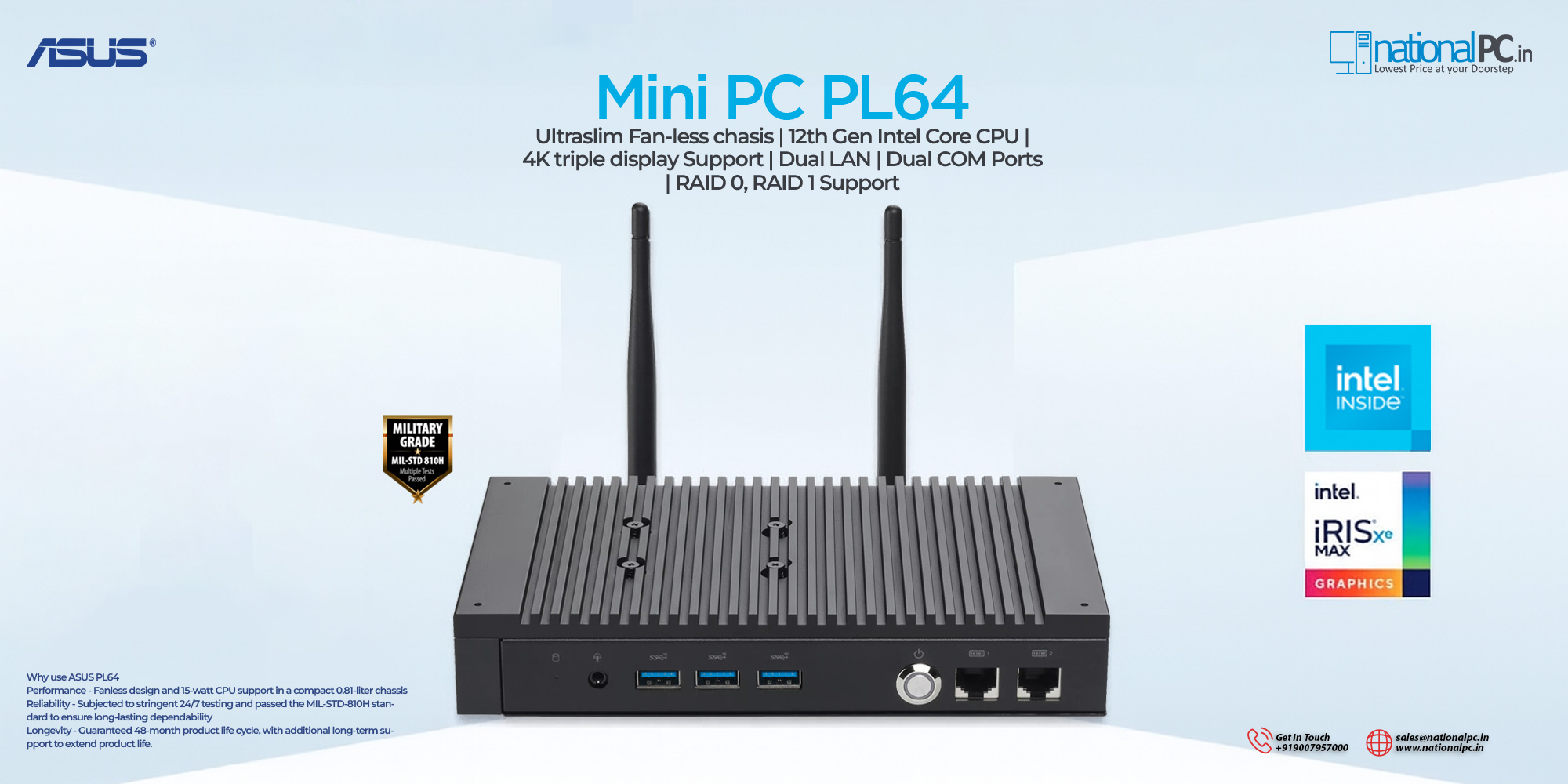
Quick Summary: ASUS Mini PC PL64 is made for silent 24/7 operation, industrial reliability, signage continuity and legacy device connectivity. The biggest highlights are its fanless chassis, RAID 0/1 storage support, triple HDMI 4K output, dual LAN with 2.5G, dual COM ports and MIL-STD-810H reliability testing.
Bottom line: If you need a mini PC for signage, kiosk, POS, IoT control, automation, remote deployment or office edge computing, the PL64 is far more practical than a normal consumer mini PC.
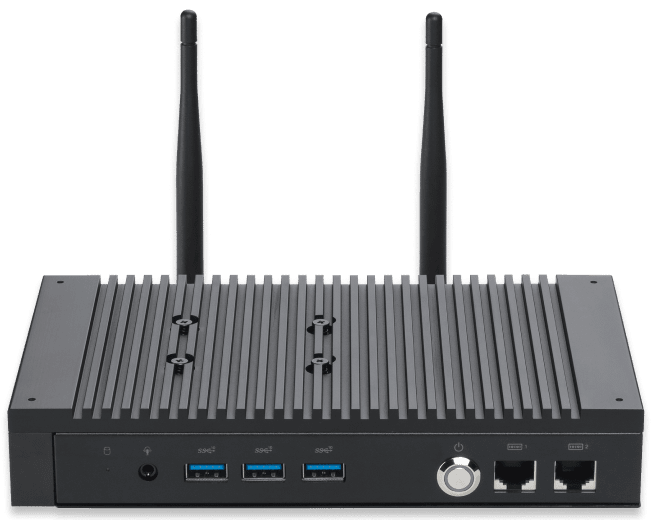
TABLE OF CONTENTS
- Introduction & Overview
- Key Highlights
- RAID 0/1 Facility Explained
- MIL-STD-810H & 24/7 Reliability
- Triple HDMI, EDID & Virtual Display
- Dual LAN & Dual COM Ports
- Full Technical Specifications
- Best Use Cases
- Benchmark-Style Scores
- Advantages & Limitations
- FAQ — Buyer Questions Answered
- Review References
- Final Verdict
- Buy from NationalPC
1. Introduction & Overview
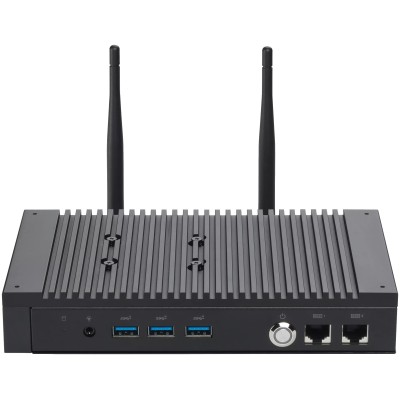
The ASUS Mini PC PL64 is built for business and industrial environments where silent operation, dust resistance, legacy connectivity, continuous output and reliable deployment are more important than raw gaming power. It is a compact 0.81-liter mini PC with a fanless design and up to 12th Gen Intel Core processor options.
What makes the PL64 special is its deployment-first feature set: RAID 0/1 support, triple HDMI 4K display output, EDID emulation, virtual display, dual LAN, dual COM ports, Wi-Fi 6E and strict reliability testing. This makes it a strong fit for digital signage, kiosks, industrial control, retail counters, edge computing and office automation.
2. Key Highlights
Fanless Industrial Design
The PL64 uses a fanless chassis to reduce noise, minimize dust ingress and improve long-term reliability in business and industrial environments.
RAID 0/1 Storage Support
RAID 0 can improve storage performance, while RAID 1 can mirror data for better storage redundancy in critical deployments.
MIL-STD-810H Reliability
The PL64 is positioned as a rugged, reliability-tested mini PC suitable for round-the-clock operation and demanding deployment scenarios.
Triple HDMI 4K Output
Three HDMI ports support up to 4K@60Hz output, making the PL64 ideal for signage, menu boards and multi-screen display environments.
Dual LAN with 2.5G
Dual LAN enables network separation, redundancy and faster wired connectivity through one 2.5G Ethernet port.
Dual COM Ports
Dual RJ50 COM ports with RS232/422/485 support make the PL64 useful for barcode scanners, receipt printers, controllers and legacy industrial devices.
3. RAID 0/1 Facility Explained
One of the most important technical advantages of the ASUS Mini PC PL64 is its RAID 0/1 support. This is not a common feature in every small mini PC, and it makes the PL64 more suitable for business and industrial use.
| RAID Mode | Purpose | Best Use |
|---|---|---|
| RAID 0 | Combines drives for higher performance | Fast signage media loading, local caching, responsive edge applications |
| RAID 1 | Mirrors data across drives for redundancy | Business-critical deployments where storage failure protection matters |
For retail, kiosk and signage installations, RAID 1 is especially useful because it can help protect local data if one storage drive fails. For media-heavy local playback or fast caching, RAID 0 can be useful where performance is more important than redundancy.
4. MIL-STD-810H & 24/7 Reliability
The PL64 is designed for demanding environments where systems may run continuously. ASUS highlights stringent testing for 24/7 reliability and MIL-STD-810H durability context, making the PL64 more suitable for deployments than ordinary consumer mini PCs.
The fanless design is also important here. With no active fan, there is less noise, less dust intake and fewer moving parts. This makes the PL64 more practical for retail stores, industrial control points, back-office systems, digital signage and quiet workspaces.
5. Triple HDMI, EDID & Virtual Display
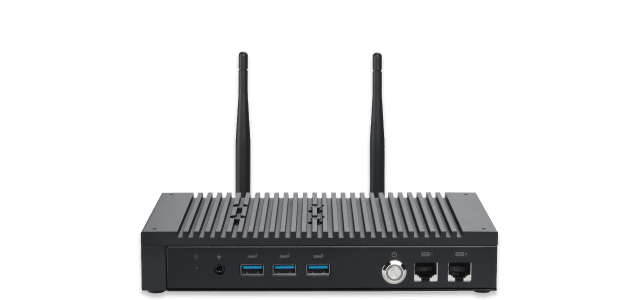
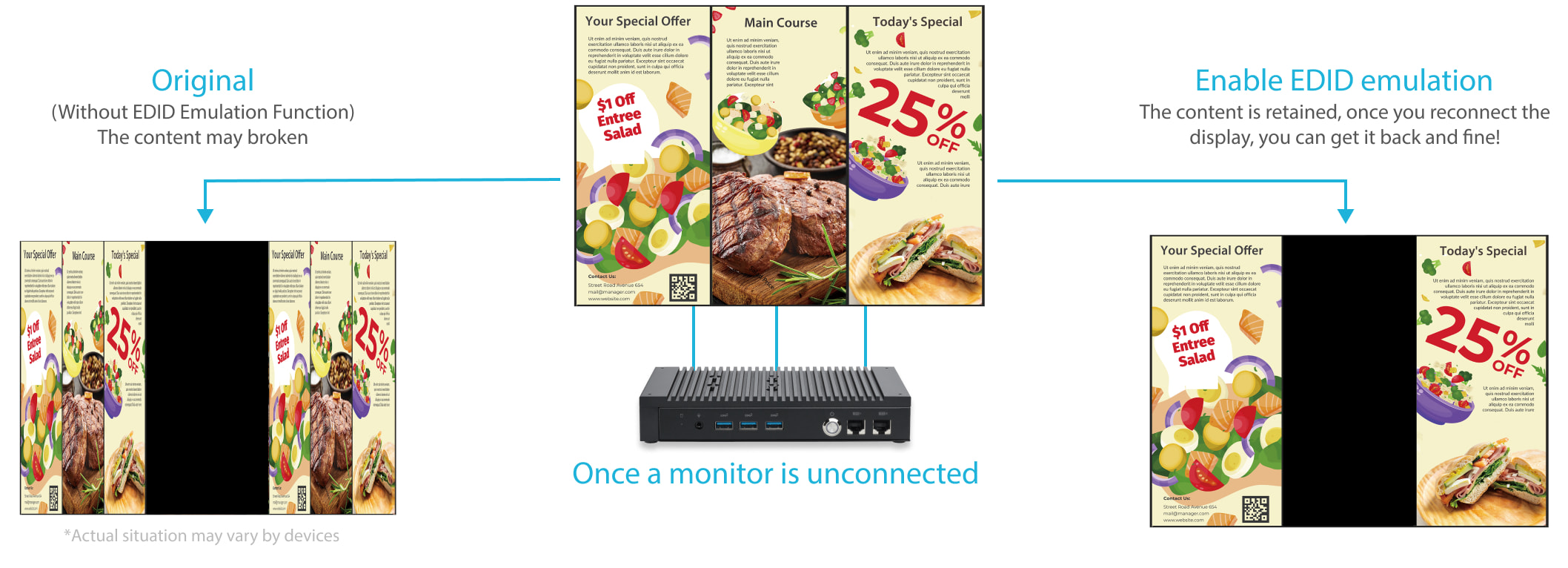
The ASUS Mini PC PL64 supports triple HDMI output up to 4K@60Hz. This is extremely useful for digital signage, retail display walls, menu boards, information kiosks, dashboards and multi-screen business setups.
EDID emulation helps retain display configuration when a screen is disconnected or power is interrupted. This is important for signage deployments because the system can maintain output behavior instead of breaking the display layout.
Virtual Display support is another deployment-friendly feature. It allows remote access and management even without a physically connected monitor, helping administrators maintain headless systems remotely.
6. Dual LAN & Dual COM Ports
Dual LAN gives the PL64 a major advantage in business and industrial deployments. One port supports 2.5G Ethernet, while the other supports 1G Ethernet. This allows network separation, redundancy, faster wired transfers and flexible IT deployment.
Dual COM ports are equally important for industrial and retail environments. Many barcode scanners, receipt printers, controllers and legacy machines still depend on serial communication. The PL64 supports RS232, RS422 and RS485 standards through RJ50 COM ports.
| Connectivity | Practical Use |
|---|---|
| 2.5G LAN | Fast wired network, NAS access, business data transfer |
| 1G LAN | Network redundancy, isolated device network or backup connection |
| Dual COM | Barcode scanners, printers, controllers, POS devices and industrial equipment |
| Wi-Fi 6E | Stable wireless connectivity where wired access is not convenient |
7. Full Technical Specifications
| Specification | ASUS Mini PC PL64 |
|---|---|
| Model | ASUS Mini PC PL64 |
| Processor | Up to 12th Gen Intel Core i7 15W processor; common SKU: Intel Core i5-1235U |
| Graphics | Intel Iris Xe Graphics for i5/i7; Intel UHD Graphics for i3/Celeron |
| Memory | Up to 32GB DDR4-3200 SO-DIMM × 2 |
| Storage | M.2 2280 NVMe PCIe 4.0 x4 SSD support, 256GB to 2TB |
| RAID | RAID 0/1 support |
| Wireless | Wi-Fi 6E, Bluetooth support depending on SKU |
| LAN | 1 × 2.5G LAN + 1 × 1G LAN |
| COM Ports | 2 × RJ50 COM ports supporting RS232 / RS422 / RS485 |
| Display Output | 3 × HDMI 2.1 up to 4K@60Hz |
| USB | 3 × USB 3.2 Gen2 Type-A, 2 × USB 3.2 Gen1 Type-A |
| Power | 65W power adapter |
| Dimensions | 199.7 × 119.7 × 33.9 mm |
| Weight | Approx. 1.0 kg |
| Chassis | Fanless compact metal chassis |
| Best For | Digital signage, kiosk, POS, industrial control, IoT, office automation, 24/7 deployment |
8. Best Use Cases
| Use Case | Why PL64 Fits |
|---|---|
| Digital Signage | Triple HDMI 4K output, EDID emulation and fanless reliability |
| Kiosk & Retail POS | Dual COM, dual LAN, compact chassis and quiet operation |
| IoT Control Unit | Reliable fanless design, virtual display and legacy connectivity |
| Office Automation | Compact, silent and suitable for always-on business applications |
| Network Edge System | Dual LAN with 2.5G support for separated or redundant networks |
| Industrial Deployment | MIL-STD reliability context, metal chassis and 24/7 testing focus |
9. Benchmark-Style Scores
| Category | Score / 10 | Comment |
|---|---|---|
| Industrial Reliability | 9.5 | Fanless design, 24/7 testing focus and MIL-STD-810H context |
| Silent Operation | 10 | Fanless chassis makes it ideal for quiet environments |
| RAID Facility | 9 | RAID 0/1 support is excellent for this deployment class |
| Display Output | 9.5 | Triple HDMI 4K@60Hz with EDID support is strong for signage |
| Legacy Connectivity | 9.5 | Dual COM ports with RS232/422/485 support |
| Networking | 9 | Dual LAN including 2.5G is very useful for business networks |
| Performance | 8 | Good for 15W business/industrial use, not meant for heavy workstation loads |
| Gaming Suitability | 5 | Not designed as a gaming mini PC |
| Overall Score | 9.0 | Excellent fanless mini PC for industrial, signage and business deployment |
10. Advantages & Limitations
What We Love
- Reliable fanless design for silent 24/7 operation
- RAID 0/1 support for performance or redundancy
- MIL-STD-810H reliability context
- Triple HDMI 4K@60Hz output
- EDID emulation and virtual display support
- Dual LAN with one 2.5G port
- Dual COM ports for industrial and POS devices
- Compact 0.81L metal chassis
- Wi-Fi 6E support depending on SKU
- Strong fit for signage, kiosk, IoT and retail deployment
What Falls Short
- Not designed for gaming or heavy GPU workloads
- 15W CPU class has natural performance limits
- Maximum memory is lower than newer workstation mini PCs
- Fanless design prioritizes reliability over peak sustained performance
- Some features may vary depending on SKU and configuration
- Barebone version needs RAM, SSD and OS configuration before deployment
11. FAQ — Buyer Questions Answered
Is the ASUS Mini PC PL64 fanless?
Yes. The PL64 uses a fanless chassis designed for low noise, reduced dust ingress and long-term reliability.
Does ASUS Mini PC PL64 support RAID?
Yes. ASUS lists RAID 0/1 support, making the PL64 more useful for performance-focused or redundancy-focused deployments.
What is the main use of RAID 1 in PL64?
RAID 1 mirrors data across drives, helping improve storage redundancy for signage, kiosk, POS and industrial environments where downtime can be costly.
How many displays can ASUS PL64 support?
The PL64 supports three HDMI display outputs up to 4K@60Hz, making it suitable for digital signage and multi-display setups.
Does it support dual LAN?
Yes. It includes dual LAN ports, including one 2.5G LAN and one 1G LAN.
Is ASUS PL64 suitable for industrial use?
Yes. Its fanless design, metal chassis, dual COM ports, dual LAN, RAID support, MIL-STD reliability context and 24/7 testing focus make it suitable for industrial and business deployment.
Is ASUS PL64 good for gaming?
No. It is not designed as a gaming PC. It is best used for business, signage, kiosk, retail, IoT and automation workloads.
12. Review References
This review-style buying guide is prepared using ASUS official product information, ASUS official tech specs, ASUS press information, Good Design Award context and NationalPC product listing. No dedicated PL64 review was found on RTINGS or TFTCentral; those sites are mainly monitor-focused.
| Reference Source | Purpose |
|---|---|
| ASUS Mini PC PL64 Official Page | Official product features, use cases, fanless design, EDID and virtual display context |
| ASUS PL64 Tech Specs | Official CPU, memory, storage, RAID, LAN, COM and HDMI specifications |
| ASUS Press Release | Industrial positioning, fanless design, triple 4K support and 50°C deployment context |
| Good Design Award | Design award and deployment context |
| NationalPC PL64 Search | Indian buyer product availability and purchase context |
13. Final Verdict
The ASUS Mini PC PL64 is a specialist mini PC designed for reliability-first deployment. Its strongest advantages are fanless operation, RAID 0/1 storage support, triple HDMI 4K output, EDID emulation, virtual display support, dual LAN, dual COM ports and MIL-STD-810H reliability context.
It is not the right mini PC for gaming or high-end creative rendering. But for digital signage, kiosk systems, POS setups, industrial control, IoT gateways, office automation and always-on business workloads, the PL64 is one of the most practical and dependable ASUS mini PC options.
Overall Rating: 9.0 / 10
14. Buy ASUS Mini PC PL64 from NationalPC
Need a reliable fanless mini PC for signage, kiosk, POS or industrial deployment?
Buy ASUS Mini PC PL64 from NationalPC with GST invoice support, genuine product assistance and delivery across India.
Visit NationalPC Check ASUS PL64 on NationalPC