
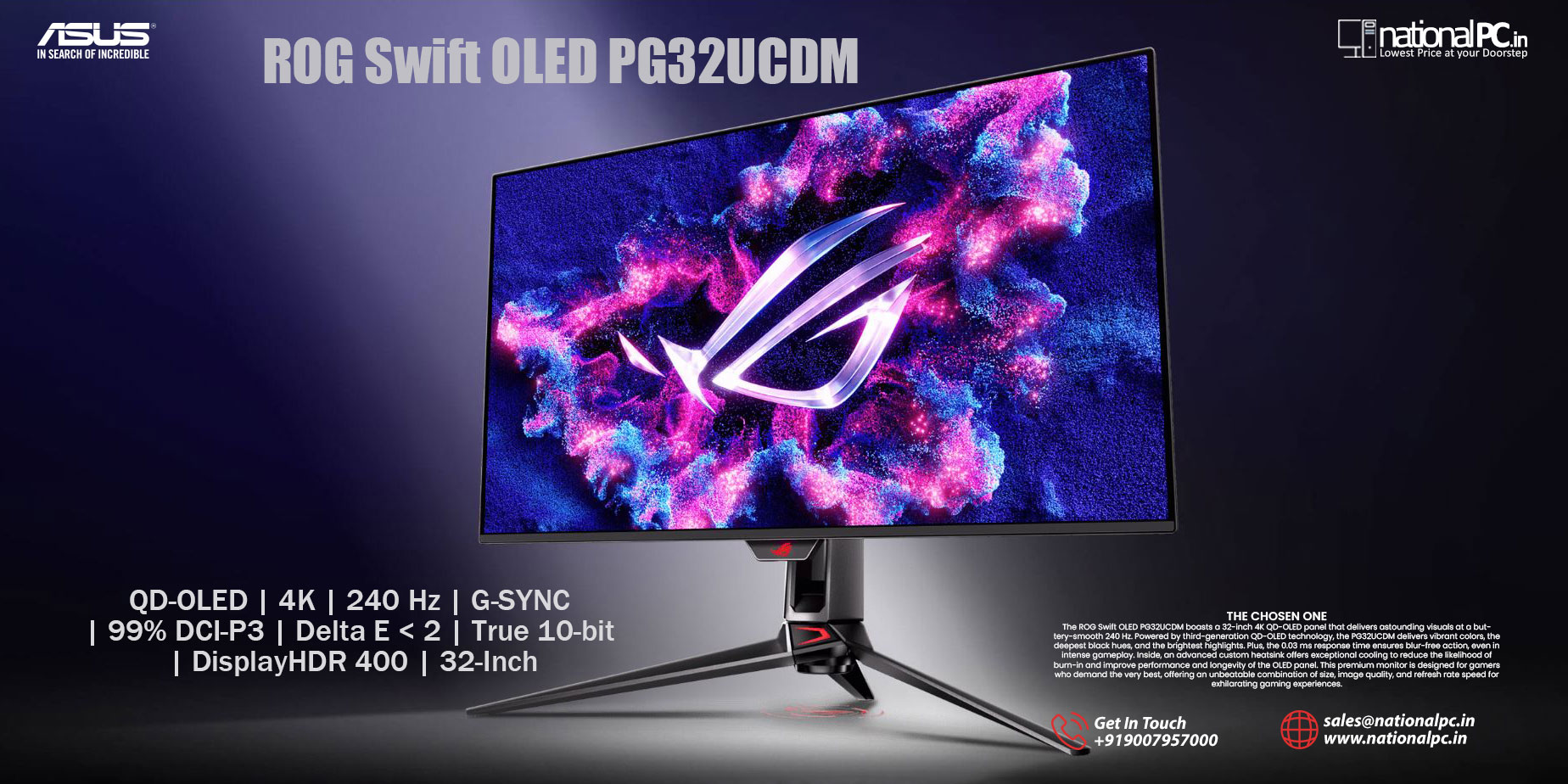
ASUS ROG Swift OLED PG32UCDM – 32″ 4K QD‑OLED Gaming Monitor with 240 Hz & 0.03 ms
ASUS ROG Swift OLED PG32UCDM Review
32-inch 4K QD-OLED | 240Hz | 0.03ms GTG | G-SYNC Compatible | HDMI 2.1 | USB-C 90W | KVM | ASUS OLED Care
Score: 9.2 / 10 ★★★★★ Best Premium 4K QD-OLED Gaming Monitor
The ASUS ROG Swift OLED PG32UCDM is a flagship 32-inch-class 4K QD-OLED gaming monitor made for serious PC gamers, console gamers, streamers, and creators who want premium OLED picture quality with high-refresh gaming performance.
Quick Summary: The ASUS ROG Swift OLED PG32UCDM is one of the most important 32-inch 4K OLED gaming monitors because it brings the dream combination of 4K resolution, 240Hz refresh rate, near-instant OLED response, deep blacks, wide color, HDMI 2.1, USB-C 90W Power Delivery, and KVM convenience into one premium ROG display.
Bottom line: If your PC can handle 4K gaming and you want a monitor that looks stunning in HDR, feels ultra-fast in competitive games, and also works beautifully for content creation, the PG32UCDM is a premium monitor worth serious consideration.
TABLE OF CONTENTS
- Introduction & Overview
- Product Image Gallery
- Full Technical Specifications
- Design & Build Quality
- Display Performance
- Gaming Performance
- HDR & OLED Experience
- Color Accuracy & Creator Use
- Connectivity, KVM & Console Support
- OLED Care, Heatsink & Long-Term Use
- Real-World Usage Testing
- Benchmark Scores
- Competitor Comparison
- Who Is This Monitor For?
- Advantages & Limitations
- FAQ — Buyer Questions Answered
- Product Video
- Final Verdict
- Review References
- Buy from NationalPC
1. Introduction & Overview
The ASUS ROG Swift OLED PG32UCDM arrived at a time when high-end gamers were waiting for a true 32-inch 4K OLED monitor that could also deliver serious refresh-rate performance. A 4K OLED TV can look beautiful, and a high-refresh LCD monitor can feel fast, but the PG32UCDM combines both worlds into a desk-friendly gaming monitor.
It uses a 31.5-inch 4K QD-OLED panel with a 240Hz refresh rate and 0.03ms GTG response time. That means you get sharp 4K detail, OLED-level contrast, vivid color, fast pixel response, and smooth motion in a single display.
This monitor is especially attractive for gamers who play both competitive and cinematic titles. It is fast enough for shooters and esports titles, but also rich enough for story-driven AAA games, HDR gaming, console use, and movie watching.
Product Image Gallery
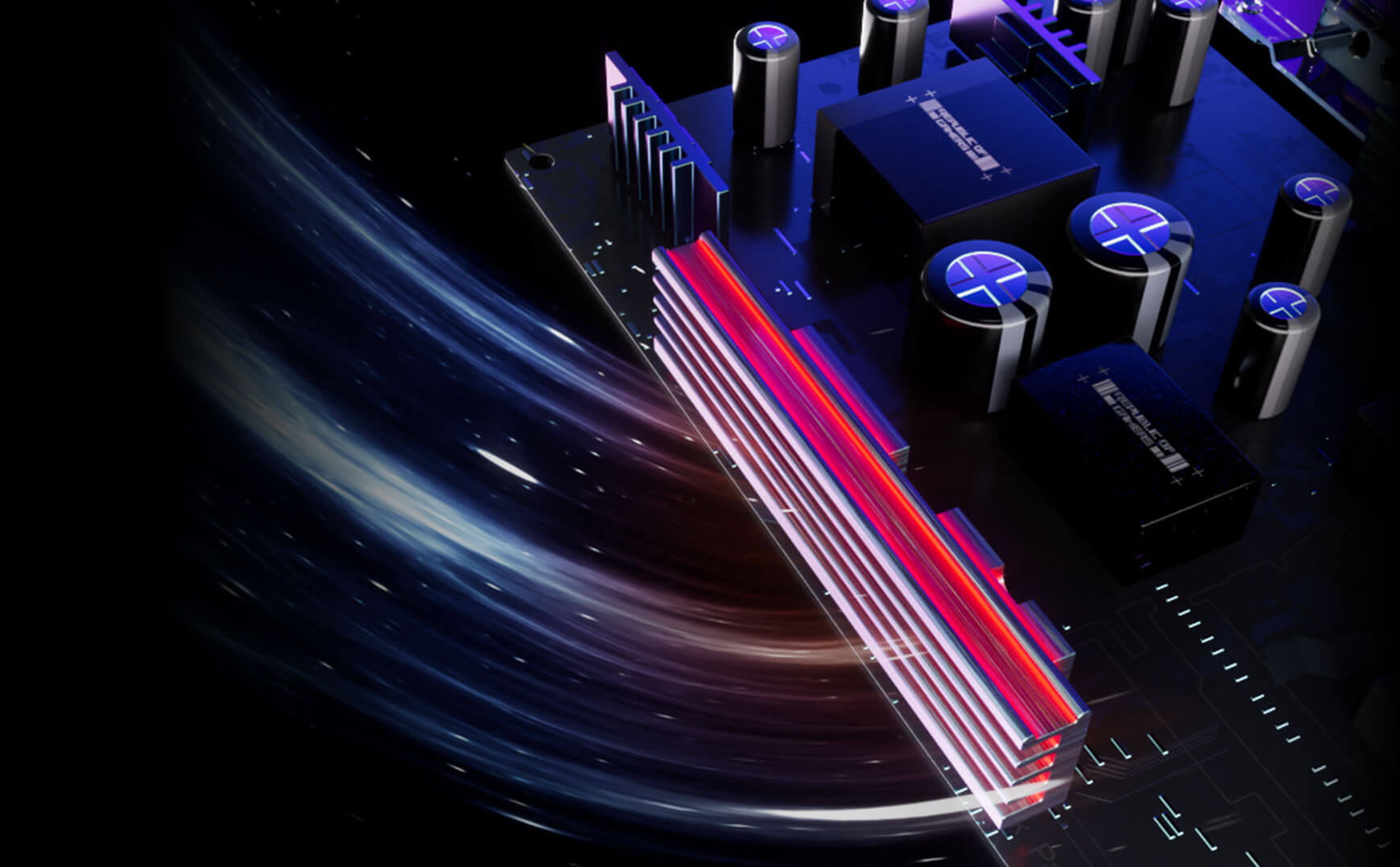
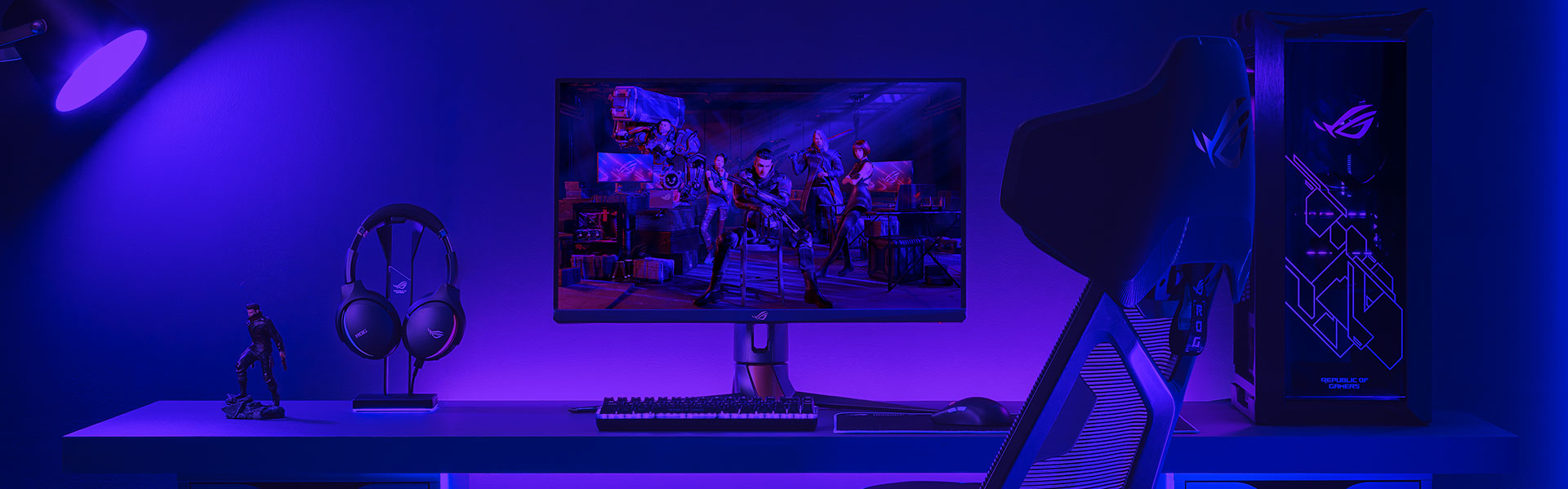
The ASUS ROG Swift OLED PG32UCDM is designed as a premium gaming display with a clean OLED front profile, futuristic ROG styling, custom thermal engineering, and a high-end desk presence. These official ASUS visuals help explain the product design better than a text-only review.

2. Full Technical Specifications
| Specification | Detail |
|---|---|
| Model | ASUS ROG Swift OLED PG32UCDM |
| Display Size | 32-inch class / 31.5-inch viewable |
| Resolution | 3840 × 2160, 4K UHD |
| Panel Type | QD-OLED |
| Panel Generation | Third-generation QD-OLED |
| Aspect Ratio | 16:9 |
| Refresh Rate | 240Hz |
| Response Time | 0.03ms GTG |
| HDR Certification | VESA DisplayHDR 400 True Black |
| Color Gamut | 99% DCI-P3 |
| Color Depth | True 10-bit, 1.07 billion colors |
| Color Accuracy | Delta E < 2 |
| Gaming Sync | G-SYNC Compatible, VRR support |
| DisplayPort | DisplayPort 1.4 with DSC |
| HDMI | HDMI 2.1 |
| USB-C | USB-C with DisplayPort Alt Mode and up to 90W Power Delivery |
| KVM Switch | Built-in KVM support |
| OLED Protection | Custom heatsink, graphene film, ASUS OLED Care |
| Software | ASUS DisplayWidget Center |
| Best For | Premium 4K gaming, console gaming, HDR entertainment, content creation, streaming |
3. Design & Build Quality
The PG32UCDM carries the familiar ROG Swift identity, but ASUS has kept the design more premium and less overdone than older gaming displays. It has a slim panel look, narrow bezels, a strong ROG stand, rear lighting, and a desk presence that feels suitable for a high-end gaming setup.
The 32-inch size is one of its biggest advantages. It is large enough to feel immersive in games and movies, but still practical for desktop use. Compared with a 27-inch 4K monitor, a 32-inch 4K screen gives more comfortable scaling, larger UI elements, and a better sense of space.
4. Display Performance
Display quality is the main reason to buy the ASUS ROG Swift OLED PG32UCDM. The 4K QD-OLED panel offers a combination of sharpness, color, speed, and black depth that is difficult for traditional LCD monitors to match.
4K Detail
3840 × 2160 resolution on a 31.5-inch screen gives excellent sharpness for gaming, creative work, movies, and productivity.
QD-OLED Contrast
Pixel-level lighting enables deep blacks, strong scene depth, and excellent dark-room image quality.
Wide Color
99% DCI-P3 and true 10-bit color make games, HDR movies, and creative visuals look rich and vibrant.
240Hz Motion
High refresh rate and fast OLED response make motion look clean, sharp, and responsive.
The monitor’s strongest visual advantage is its OLED contrast. Dark scenes look genuinely deep, highlights stand out cleanly, and colorful games look more alive than they do on most regular LCD gaming monitors.
5. Gaming Performance
The PG32UCDM is built for serious gaming. Its 240Hz refresh rate makes motion feel extremely fluid when paired with a powerful GPU, while the 0.03ms GTG response time helps reduce blur and ghosting.
Competitive games benefit from smooth tracking, fast camera movement, and low motion blur. AAA games benefit from 4K sharpness, OLED contrast, and HDR visual depth. This is why the PG32UCDM works well for both esports-style games and cinematic story-driven titles.
For high-end PC gamers using RTX 4080 / RTX 4090-class systems or newer high-performance GPUs, the PG32UCDM makes more sense than a basic 4K 144Hz monitor because it has the headroom for higher frame rates and future GPU upgrades.
Gaming verdict: The PG32UCDM is not only fast. It is fast, sharp, colorful, and cinematic at the same time.
6. HDR & OLED Experience
HDR is one of the strongest reasons to consider this monitor. OLED displays can switch individual pixels on and off, so dark scenes look truly black without blooming around bright objects.
HDR games with neon lighting, fire effects, reflections, stars, dark corridors, and cinematic cutscenes look especially impressive on this type of panel. The PG32UCDM is particularly strong for users who play cinematic AAA games or watch HDR movies from a desk setup.
The DisplayHDR 400 True Black certification is more meaningful on OLED than on many LCD displays because black level control is the core strength of OLED technology.
7. Color Accuracy & Creator Use
Although this is a ROG gaming monitor, the PG32UCDM is also useful for creators. ASUS lists 99% DCI-P3 coverage, true 10-bit color, and Delta E < 2 color accuracy, making it suitable for video editing, thumbnail design, streaming graphics, photo work, and digital content production.
It is not a ProArt reference monitor for professional mastering, but for gaming creators, YouTubers, streamers, and visual content producers, the PG32UCDM offers an excellent combination of visual quality and speed.
8. Connectivity, KVM & Console Support
The PG32UCDM offers strong connectivity for modern gaming and creator setups. ASUS lists DisplayPort 1.4 with DSC, HDMI 2.1, USB-C with up to 90W Power Delivery, and a built-in KVM switch.
| Port / Feature | Best Use |
|---|---|
| DisplayPort 1.4 DSC | High-end gaming PCs running 4K high-refresh gameplay |
| HDMI 2.1 | PS5, Xbox Series X, gaming laptops, media devices |
| USB-C with 90W PD | Laptops, creator setups, single-cable display and charging |
| Built-in KVM | Switching keyboard/mouse between two connected systems |
The KVM switch is especially useful for users who connect a gaming PC and a work laptop to the same monitor. USB-C with 90W Power Delivery also makes it convenient for compatible laptop users.
9. OLED Care, Heatsink & Long-Term Use
OLED burn-in is a real consideration for any OLED monitor, especially when users keep static UI elements on screen for long sessions. ASUS addresses this with a custom heatsink, advanced airflow design, graphene film, and ASUS OLED Care features.
Users should still follow sensible OLED habits: enable screen savers, avoid leaving static images for hours, use pixel cleaning when prompted, auto-hide taskbar when possible, and vary content during long sessions.
10. Real-World Usage Testing
High-End PC Gaming
This is the strongest use case. 4K resolution gives sharpness, 240Hz gives smoothness, and QD-OLED gives deep contrast. The monitor is best paired with a powerful GPU that can push high frame rates at 4K.
Console Gaming
PS5 and Xbox Series X users benefit from HDMI 2.1, 4K resolution, OLED contrast, and sharp motion. For desk-based console gaming, this is a premium option.
Streaming & Content Creation
Streamers can use the large 4K workspace for OBS, chat, game preview, browser windows, and editing tools. The vivid OLED image also helps with thumbnail and video preview work.
Productivity & Work
The 32-inch 4K screen is excellent for multitasking. The KVM switch and USB-C power delivery make it easier to connect both a desktop and laptop in one setup.
Movies & HDR Entertainment
The PG32UCDM also works well as a personal cinema display. OLED black levels, 4K resolution, and vivid color make movies and HDR content look premium.
11. Benchmark Scores
| Category | Score / 10 | Comment |
|---|---|---|
| 4K Sharpness | 9.5 | Excellent detail for gaming, editing, desktop work, and movies |
| OLED Contrast | 10 | Deep blacks and no blooming around bright objects |
| Gaming Smoothness | 10 | 240Hz refresh rate feels fluid and responsive |
| Response Time | 10 | 0.03ms GTG gives excellent motion clarity |
| HDR Experience | 9.2 | Outstanding OLED HDR impact with rich color and deep blacks |
| Color Performance | 9 | 99% DCI-P3 and strong sRGB options support creator workflows |
| Connectivity | 9 | HDMI 2.1, USB-C 90W, DisplayPort 1.4 DSC, and KVM |
| OLED Protection | 8.8 | Custom heatsink, graphene film, and OLED Care improve confidence |
| Value for Casual Users | 7 | Too premium if used only for office work |
| Value for Enthusiasts | 9.2 | Excellent for gamers and creators who can use its full feature set |
| OVERALL SCORE | 9.2 | One of the strongest premium 4K QD-OLED gaming monitors |
12. Competitor Comparison
| Feature | ASUS PG32UCDM | Dell Alienware AW3225QF | MSI MPG 321URX | ASUS PG32UCDP |
|---|---|---|---|---|
| Panel | QD-OLED | QD-OLED | QD-OLED | WOLED |
| Resolution | 4K UHD | 4K UHD | 4K UHD | 4K UHD / FHD dual mode |
| Refresh Rate | 240Hz | 240Hz | 240Hz | 4K 240Hz / FHD 480Hz |
| Screen Shape | Flat | Curved | Flat | Flat |
| USB-C / KVM | Yes | Varies by model features | Yes | Yes |
| Best For | Premium flat 4K QD-OLED gaming + work | Curved OLED gaming | Value-focused 4K QD-OLED | Dual-mode users needing 480Hz option |
Summary: The PG32UCDM is best for buyers who want a flat 32-inch 4K QD-OLED monitor with strong ASUS features such as USB-C power delivery, KVM, DisplayWidget Center, and ROG design.
13. Who Is This Monitor For?
| User Type | Use Case | Recommended? |
|---|---|---|
| High-End PC Gamers | 4K 240Hz gaming with flagship GPU | Yes — Excellent |
| Competitive Gamers | Fast shooters, low response time, smooth motion | Yes — Excellent |
| Console Gamers | PS5 / Xbox Series X with HDMI 2.1 | Yes — Excellent |
| Streamers | Gaming, OBS, chat, content creation | Yes — Excellent |
| Video Editors | 4K timeline, preview, color-rich content | Yes — Very Good |
| Photo Editors | High-resolution image editing and color-rich previews | Yes — Very Good |
| Work + Gaming Users | Gaming PC plus laptop using USB-C and KVM | Yes — Excellent |
| Office Users | Email, Excel, browsing, documents | Overkill |
| Budget Buyers | Low-cost gaming monitor purchase | No — Premium product |
14. Advantages & Limitations
What We Love
- 31.5-inch 4K QD-OLED panel looks stunning
- 240Hz refresh rate delivers ultra-smooth gaming
- 0.03ms GTG response time gives excellent motion clarity
- Deep blacks and vivid color create premium HDR impact
- 99% DCI-P3 and true 10-bit color help creators
- HDMI 2.1 support is excellent for consoles
- USB-C with up to 90W Power Delivery is very convenient
- Built-in KVM helps users manage desktop and laptop setups
- Custom heatsink, graphene film, and OLED Care improve long-term confidence
What Falls Short
- Premium pricing makes it a serious investment
- Needs a powerful GPU to fully enjoy 4K 240Hz gaming
- OLED still requires sensible burn-in prevention habits
- SDR brightness is lower than many high-end LCD monitors
- Black levels can look slightly raised in bright rooms compared with WOLED
- DisplayPort 1.4 uses DSC for 4K 240Hz instead of native DP 2.1 UHBR20
- Large 32-inch size needs enough desk depth
15. FAQ — Buyer Questions Answered
Is the ASUS ROG Swift OLED PG32UCDM worth buying?
Yes, if you want a premium 32-inch 4K QD-OLED monitor with 240Hz refresh rate, 0.03ms response time, HDMI 2.1, USB-C 90W Power Delivery, KVM, and excellent HDR picture quality.
Is the PG32UCDM good for competitive gaming?
Yes. The 240Hz refresh rate and near-instant OLED response make it excellent for fast games, though some esports players may still prefer smaller 27-inch screens depending on viewing distance.
Is it good for PS5 and Xbox Series X?
Yes. HDMI 2.1 support makes it suitable for PS5 and Xbox Series X. You get sharp 4K images, OLED contrast, vivid color, and strong motion performance.
Does the PG32UCDM support USB-C charging?
Yes. ASUS lists USB-C with up to 90W Power Delivery. The default may be lower, but 90W can be enabled through the monitor OSD according to ASUS.
Does it support KVM?
Yes. The built-in KVM switch lets you control two connected devices with one keyboard and mouse setup, useful for users with both a gaming PC and a work laptop.
Is it good for video editing?
Yes. The 4K resolution, 99% DCI-P3 coverage, true 10-bit color, and OLED contrast make it useful for video editing and content creation.
Does OLED burn-in happen on this monitor?
Like all OLED displays, burn-in risk exists if static elements are displayed for very long periods. ASUS includes OLED Care, custom heatsink design, and graphene film to help reduce risk, but users should still follow good OLED habits.
Who should buy the PG32UCDM?
It is best for high-end PC gamers, console gamers, streamers, creators, OLED enthusiasts, and users who want one premium screen for gaming, work, and entertainment.
ASUS ROG Swift OLED PG32UCDM Product Video
Watch the ASUS ROG Swift OLED PG32UCDM video to understand the monitor’s 32-inch 4K QD-OLED gaming experience, 240Hz refresh rate, premium ROG styling, and OLED-focused feature set.
16. Final Verdict
The ASUS ROG Swift OLED PG32UCDM is one of the most complete premium 4K OLED gaming monitors for serious gamers and creators. Its strength is the full combination of 31.5-inch 4K QD-OLED image quality, 240Hz refresh rate, 0.03ms GTG response time, deep black levels, wide color, HDMI 2.1, USB-C 90W Power Delivery, built-in KVM, and ASUS OLED Care.
For high-end PC gamers, it delivers 4K sharpness and high-refresh smoothness together. For console gamers, it offers HDMI 2.1 and beautiful OLED image quality. For creators and streamers, it gives a large 4K workspace, vivid color, and practical workflow features.
It is expensive, and it is not necessary for basic office work. But for buyers who can use its full performance, the PG32UCDM remains one of the most desirable 32-inch 4K OLED gaming monitors in the premium segment.
Overall Rating: 9.2 / 10
17. Review References
This review-style buying guide is prepared using ASUS official specifications and review context from DisplaySpecifications, RTINGS, TechSpot, Overclock3D, IGN, and related newer-generation PG32UCDM3 context from Tom’s Hardware and TFTCentral. PG32UCDM3 references are used only for category and generation context, not as direct PG32UCDM specifications.
| Reference Source | Purpose |
|---|---|
| ASUS ROG Official PG32UCDM Page | Official product specifications and feature confirmation |
| DisplaySpecifications PG32UCDM | Specification cross-checking |
| RTINGS PG32UCDM Review | Independent testing context for PC gaming, console gaming, HDR, and features |
| TechSpot PG32UCDM Review | Color, HDR, brightness, and overall enthusiast review context |
| Overclock3D PG32UCDM Review | OSD, Aura, and user-control context |
| IGN PG32UCDM Review | External editorial review reference |
| Tom’s Hardware PG32UCDM3 Review | Newer-generation context only |
| TFTCentral PG32UCDM3 Review | Newer-generation display context only |
18. AUTHORISED ASUS / ROG DEALER IN INDIA
Ready to upgrade your gaming setup?
Buy or pre-book the ASUS ROG Swift OLED PG32UCDM from NationalPC with GST invoice support, genuine product assistance, and fast delivery across India.
Check Price / Buy on NationalPC






