ASUS ROG Strix XG259QNS Review: 24.5-inch FHD 380Hz Fast IPS Esports Gaming Monitor
ASUS ROG Strix XG259QNS Review: 24.5-inch FHD 380Hz Fast IPS Esports Gaming Monitor
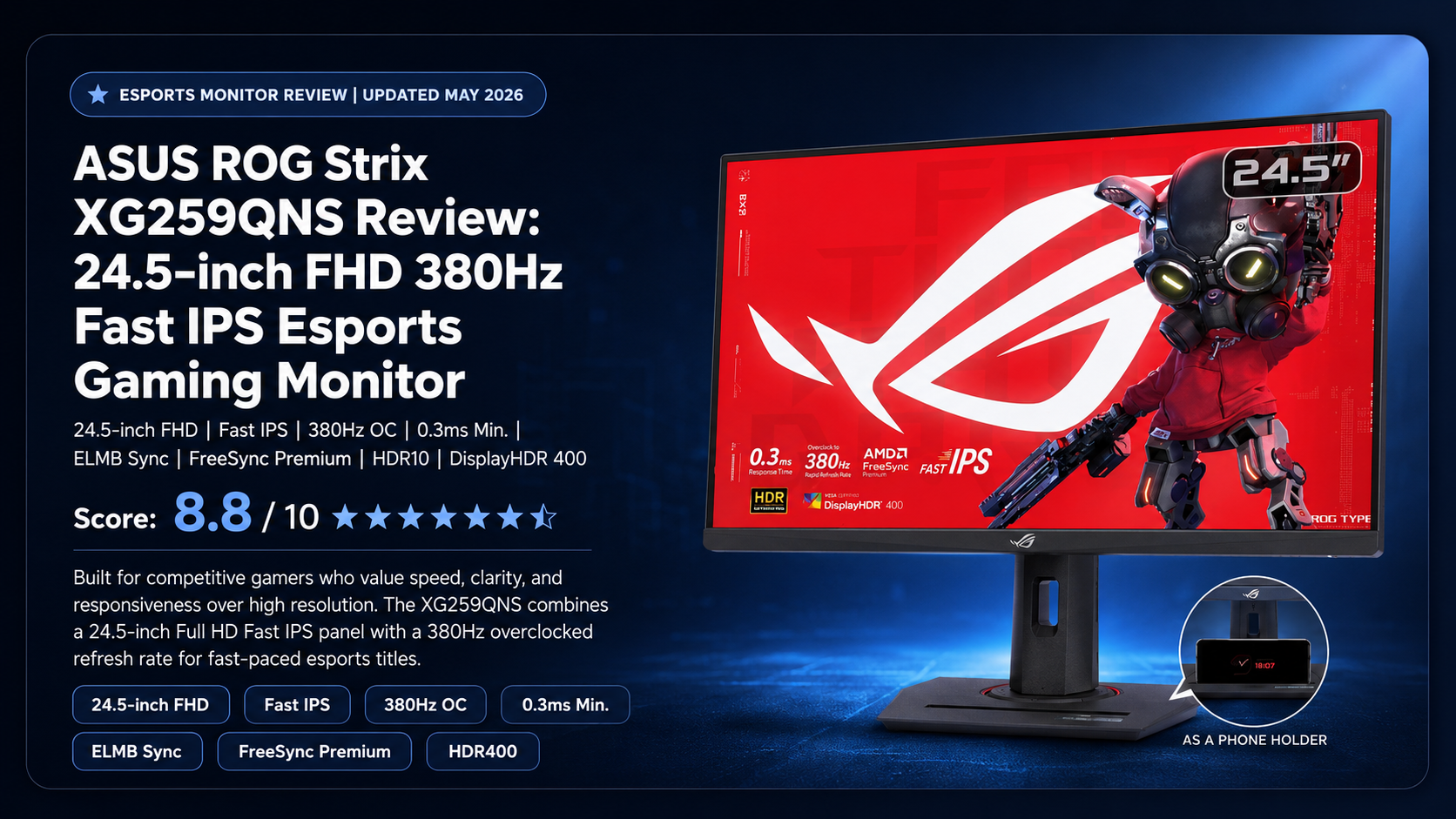
24.5-inch FHD | Fast IPS | 380Hz OC | 1ms GTG / 0.3ms Min. | ELMB Sync | FreeSync Premium | HDR10 | DisplayHDR 400 | DisplayWidget Center
Score: 8.8 / 10 ★★★★★ Best High-Speed 1080p Esports Monitor for Competitive Gamers
The ASUS ROG Strix XG259QNS is built for competitive gamers who value speed, clarity and responsiveness more than high resolution. With a 24.5-inch Full HD Fast IPS panel, 380Hz overclocked refresh rate and ASUS gaming enhancement features, it is designed for fast-paced esports titles.
The ASUS ROG Strix XG259QNS is a specialist esports monitor for users who want extremely high refresh-rate gaming at Full HD resolution. It is not made for 4K cinematic gaming, but for competitive titles where every frame, every movement and every millisecond can matter.
For Valorant, CS2, Apex Legends, Fortnite, Overwatch, Call of Duty and esports-focused PC builds, the XG259QNS is a strong high-refresh monitor with a practical 24.5-inch competitive screen size.
TABLE OF CONTENTS
- Introduction & Overview
- Product Image Gallery
- Key Highlights
- Full Technical Specifications
- Design & Build Quality
- 380Hz Esports Performance
- Fast IPS, ELMB Sync & VRR
- Color, HDR & Daily Display Quality
- Connectivity & Ergonomics
- Best Use Cases
- Benchmark-Style Scores
- Advantages & Limitations
- Product Video
- FAQ — Buyer Questions Answered
- Review References
- Final Verdict
- Buy from NationalPC
1. Introduction & Overview
The ASUS ROG Strix XG259QNS is a performance-focused esports monitor built around one clear idea: deliver extremely fast Full HD gaming on a compact competitive screen size. Instead of chasing 4K resolution or cinematic ultrawide immersion, this monitor focuses on motion clarity, low latency and high frame-rate gameplay.
The 24.5-inch size is still a popular choice for esports because players can keep the full game area within their field of view without excessive head movement. Combined with 1920 × 1080 resolution and 380Hz overclocked refresh rate, the XG259QNS is targeted at players who want maximum responsiveness from a powerful gaming PC.
2. Product Image Gallery
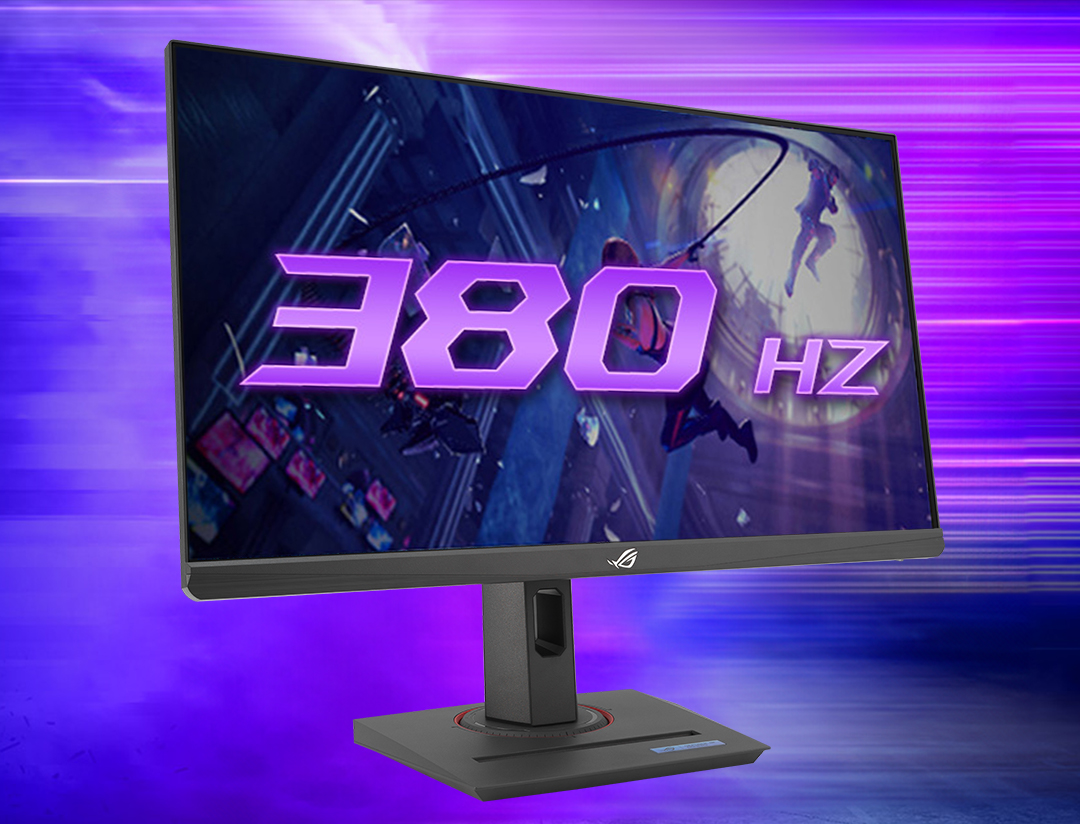
ASUS gives the XG259QNS a gamer-centric design with a compact 24.5-inch panel, ergonomic stand, mobile phone slot and 1/4-inch tripod socket for streaming setups.
3. Key Highlights
380Hz Overclocked Refresh Rate
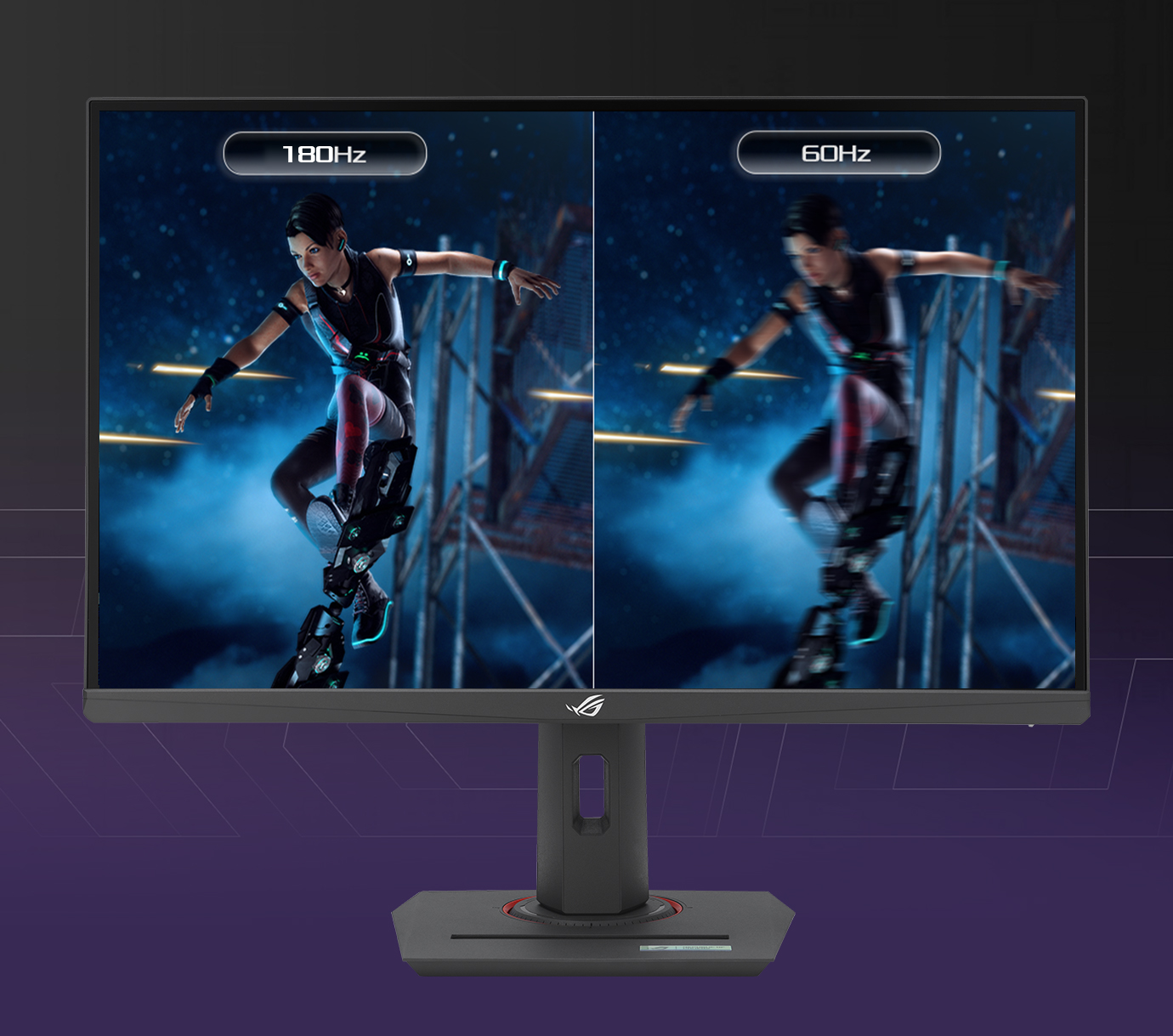
The headline feature is the 380Hz OC refresh rate, designed for ultra-smooth motion and high-frame-rate esports gaming.
24.5-inch FHD Esports Size
The compact 24.5-inch Full HD panel is ideal for competitive players who want full-screen visibility and high FPS performance.
Fast IPS Panel
Fast IPS technology helps deliver wide viewing angles, better color than TN panels and quick pixel response.
0.3ms Minimum Response Time
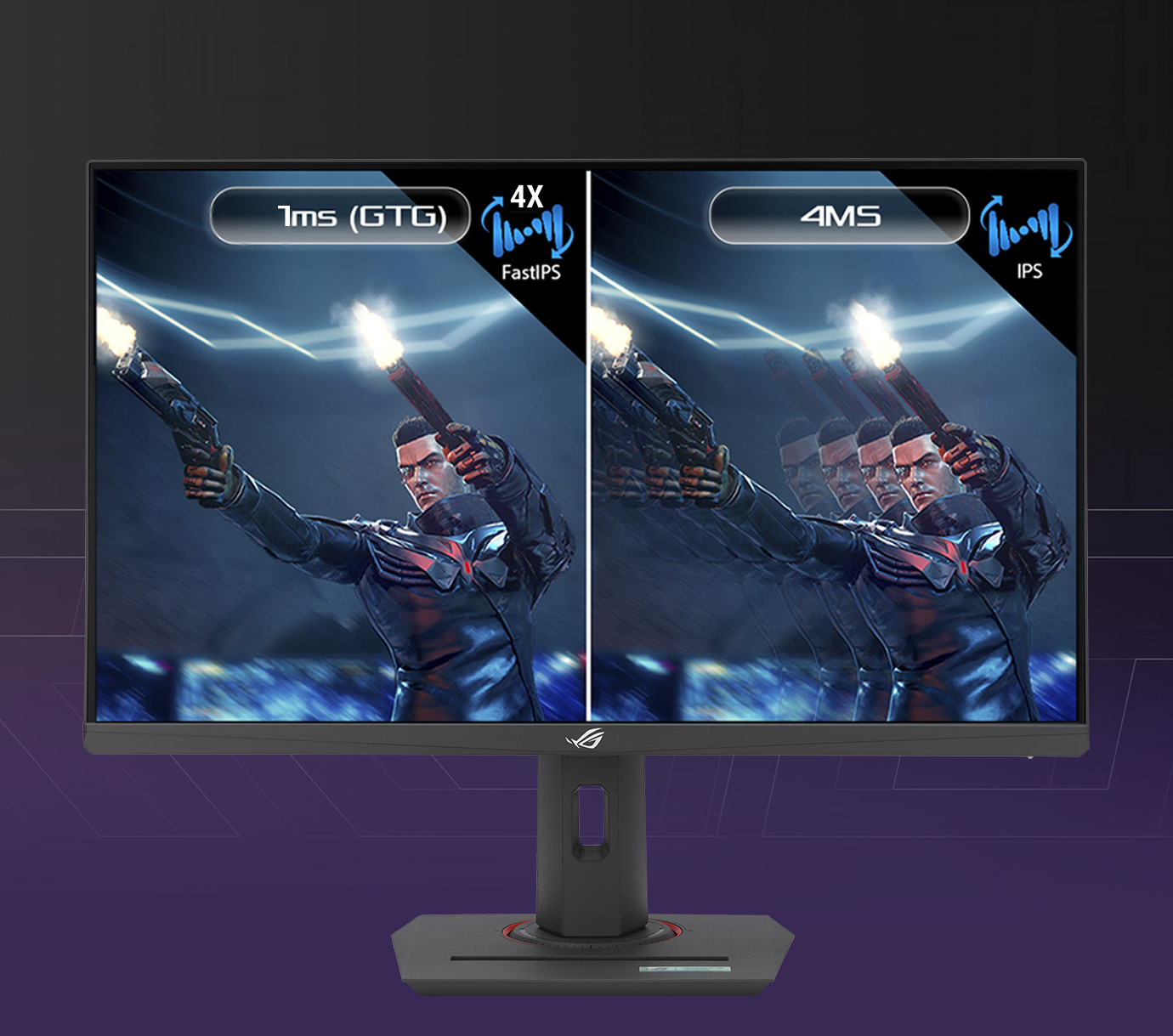
ASUS lists 1ms GTG and 0.3ms minimum response time for sharp visuals during fast movement.
ELMB Sync + Adaptive-Sync
ELMB Sync allows motion blur reduction and variable refresh rate to work together for sharper, tear-free gameplay.
FreeSync Premium
FreeSync Premium support helps reduce tearing and stuttering when frame rates fluctuate.
4. Full Technical Specifications
| Specification | ASUS ROG Strix XG259QNS |
|---|---|
| Model | ROG Strix XG259QNS |
| Display Size | 24.5-inch viewable |
| Resolution | 1920 × 1080 Full HD |
| Panel Type | Fast IPS |
| Aspect Ratio | 16:9 |
| Refresh Rate | Up to 380Hz OC |
| Response Time | 1ms GTG, 0.3ms minimum |
| Brightness | 400 cd/m² typical, 400 cd/m² HDR peak |
| Contrast Ratio | 1000:1 typical |
| Color Gamut | 110% sRGB |
| Display Colors | 16.7 million |
| HDR | HDR10, VESA DisplayHDR 400 |
| VRR | Adaptive-Sync, AMD FreeSync Premium |
| Motion Tech | ELMB Sync, Extreme Low Motion Blur |
| DisplayPort | 1 × DisplayPort 1.4 HBR3 |
| HDMI | 2 × HDMI 2.0 |
| USB Hub | 2 × USB 3.2 Gen 1 Type-A |
| Audio | Earphone jack, no built-in speaker |
| Ergonomics | Tilt, swivel, pivot, height adjustment |
| VESA Mount | 100 × 100 mm |
| Best For | Esports, competitive FPS, high-FPS PC gaming, streaming setups |
5. Design & Build Quality
The XG259QNS follows the ROG Strix gaming design language but keeps the screen size practical for esports desks. ASUS includes a fully adjustable stand with tilt, swivel, pivot and height adjustment, making it easier to position the monitor for competitive posture and long sessions.
The gamer-centric stand also includes a mobile phone socket in the base and a 1/4-inch tripod socket on the stand, which can help streamers mount a camera or accessory display.
6. 380Hz Esports Performance
The main reason to choose the XG259QNS is the 380Hz overclocked refresh rate. For esports players, a high refresh rate can make tracking, flicking and fast camera movement feel smoother and more immediate, especially when paired with a PC capable of delivering very high frame rates.
In games like Valorant, CS2, Overwatch, Apex Legends and Fortnite, the combination of Full HD resolution and 380Hz refresh rate makes sense because it is easier to push high FPS at 1080p than at 1440p or 4K.
7. Fast IPS, ELMB Sync & VRR
ASUS Fast IPS technology is designed to improve pixel response while keeping the color and viewing-angle advantages of IPS. This makes the XG259QNS more visually balanced than many older TN-based esports monitors.
ELMB Sync is another important ASUS feature. It allows low-motion-blur technology and Adaptive-Sync to work together, helping reduce ghosting and tearing at the same time. FreeSync Premium further improves the experience when frame rates fluctuate.
8. Color, HDR & Daily Display Quality
Although the XG259QNS is designed primarily for esports, it also offers 110% sRGB color coverage, 400 cd/m² typical brightness and HDR10 support with VESA DisplayHDR 400 certification. This makes it more flexible than a basic high-refresh monitor.
For normal gaming, web browsing, casual content, streaming and productivity, the Fast IPS panel should feel more comfortable than older esports TN displays. However, users looking for deep blacks, cinematic HDR or high-resolution content creation should consider OLED or higher-resolution monitors instead.
9. Connectivity & Ergonomics
The monitor includes DisplayPort 1.4, two HDMI 2.0 ports, two USB 3.2 Gen 1 Type-A hub ports and an earphone jack. For full 380Hz operation, DisplayPort is the preferred connection.
| Feature | Practical Benefit |
|---|---|
| DisplayPort 1.4 | Best connection for high-refresh PC gaming |
| Dual HDMI 2.0 | Useful for laptops, consoles and secondary systems |
| USB Hub | Convenient for peripherals and desk accessories |
| Height / Swivel / Pivot / Tilt | Better ergonomic adjustment for long gaming sessions |
| Tripod Socket | Useful for streaming camera or accessory mounting |
10. Best Use Cases
| Use Case | Recommended? | Reason |
|---|---|---|
| Competitive FPS Gaming | Excellent | 380Hz refresh rate and compact 24.5-inch size are esports-friendly |
| Valorant / CS2 / Overwatch | Excellent | High FPS gameplay benefits from 1080p and fast refresh |
| Casual Gaming | Very Good | Smooth and responsive, though some users may prefer larger screens |
| Console Gaming | Good | HDMI works, but consoles will not use the full 380Hz capability |
| Content Creation | Basic | Good sRGB coverage, but FHD resolution limits workspace |
| Movies / HDR Entertainment | Average | HDR400 support exists, but this is not a cinematic HDR monitor |
| Office Productivity | Good | Comfortable size, but FHD has less workspace than QHD/4K |
11. Benchmark-Style Scores
| Category | Score / 10 | Comment |
|---|---|---|
| Esports Speed | 9.5 | 380Hz OC is the strongest reason to buy this monitor |
| Motion Clarity | 9 | Fast IPS, ELMB Sync and 0.3ms minimum response are strong for fast games |
| Color Quality | 8 | 110% sRGB is good for an esports-focused monitor |
| HDR Experience | 6.5 | DisplayHDR 400 support is useful, but not a true cinematic HDR experience |
| Connectivity | 8.5 | DisplayPort, dual HDMI and USB hub are practical |
| Ergonomics | 9 | Height, swivel, pivot, tilt and tripod socket add flexibility |
| Productivity | 7 | Fine for daily work, but Full HD has limited workspace |
| Value for Competitive Gamers | 9 | Strong fit for users who specifically need high-refresh 1080p performance |
| Overall Score | 8.8 | Excellent esports monitor for high-FPS competitive players |
12. Advantages & Limitations
What We Love
- Very fast 380Hz overclocked refresh rate
- 24.5-inch size is ideal for esports focus
- Fast IPS panel gives better color than TN esports monitors
- 1ms GTG and 0.3ms minimum response time
- ELMB Sync supports blur reduction with VRR
- AMD FreeSync Premium support
- 110% sRGB color coverage
- DisplayHDR 400 and HDR10 support
- Good ergonomic adjustment
- USB hub and practical port selection
What Falls Short
- Full HD resolution is not ideal for users wanting more workspace
- Not a cinematic 4K or OLED-style display
- HDR400 is basic compared with true HDR monitors
- Best value only if your PC can push very high frame rates
- Console users cannot fully use the 380Hz refresh rate
- No built-in speakers
13. Product Video
Watch this ASUS ROG Strix XG259QNS video section to understand how a 24.5-inch Full HD 380Hz esports monitor can improve fast tracking, frame responsiveness and competitive gaming focus.
14. FAQ — Buyer Questions Answered
Is the ASUS ROG Strix XG259QNS good for esports?
Yes. It is specifically designed for esports and competitive gaming with a 24.5-inch FHD panel, 380Hz overclocked refresh rate and fast response time.
What is the refresh rate of XG259QNS?
The monitor supports up to 380Hz overclocked refresh rate through DisplayPort.
Is XG259QNS better for FPS games than 4K monitors?
For competitive FPS, yes, if your priority is high frame rate and fast response. For cinematic quality and sharp visuals, 4K monitors are better.
Does it support FreeSync?
Yes. It supports AMD FreeSync Premium and Adaptive-Sync variable refresh rate technology.
Does it have ELMB Sync?
Yes. ELMB Sync allows motion blur reduction and Adaptive-Sync to work together.
Is it good for PS5 or Xbox Series X?
It can be used with consoles through HDMI, but consoles cannot use the monitor’s full 380Hz refresh capability. This monitor is best for high-FPS PC gaming.
Who should buy ASUS XG259QNS?
It is best for competitive PC gamers, esports players, FPS gamers, streamers and users who prefer fast 1080p gaming over higher resolution.
15. Review References
This review-style buying guide is prepared using ASUS official product information, ASUS official technical specifications, TFTCentral launch coverage, DisplaySpecifications data and NationalPC buyer context. No dedicated Overclock3D review page for this exact model was found at the time of writing, so Overclock3D is included only as a general hardware-review reference source.
| Reference Source | Purpose |
|---|---|
| ASUS ROG Strix XG259QNS Official Page | Official product features, images and esports positioning |
| ASUS XG259QNS Tech Specs | Official display, ports, refresh rate, HDR, ergonomics and certification details |
| TFTCentral XG259QNS Coverage | Launch context for 24.5-inch Fast IPS and 380Hz esports positioning |
| DisplaySpecifications XG259QNS | Specification cross-checking |
| Overclock3D Reviews | General PC hardware review reference source |
| NationalPC XG259QNS Search | Indian buyer availability and purchase context |
16. Final Verdict
The ASUS ROG Strix XG259QNS is a focused esports gaming monitor. It is not trying to be a 4K creative display, a cinematic HDR screen or an OLED entertainment monitor. Instead, it is built for competitive gamers who want a 24.5-inch Full HD screen with extremely high refresh rate performance.
Its strongest advantages are 380Hz overclocked refresh rate, Fast IPS panel technology, 0.3ms minimum response time, ELMB Sync, FreeSync Premium, 110% sRGB color and practical ergonomic design. For high-FPS gaming systems, it is a strong esports monitor choice.
Overall Rating: 8.8 / 10
17. Buy ASUS ROG Strix XG259QNS from NationalPC
Need a fast esports monitor for competitive gaming?
Buy or check availability of ASUS ROG Strix XG259QNS from NationalPC with GST invoice support, genuine product assistance and delivery across India.
Visit NationalPC Check ASUS XG259QNS on NationalPC