.jpg)
ASUS ROG Strix OLED XG32UCWG Review (32" 4K Glossy WOLED, Dual-Mode 165Hz/330Hz)
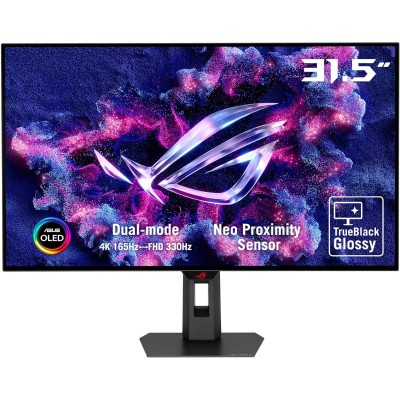
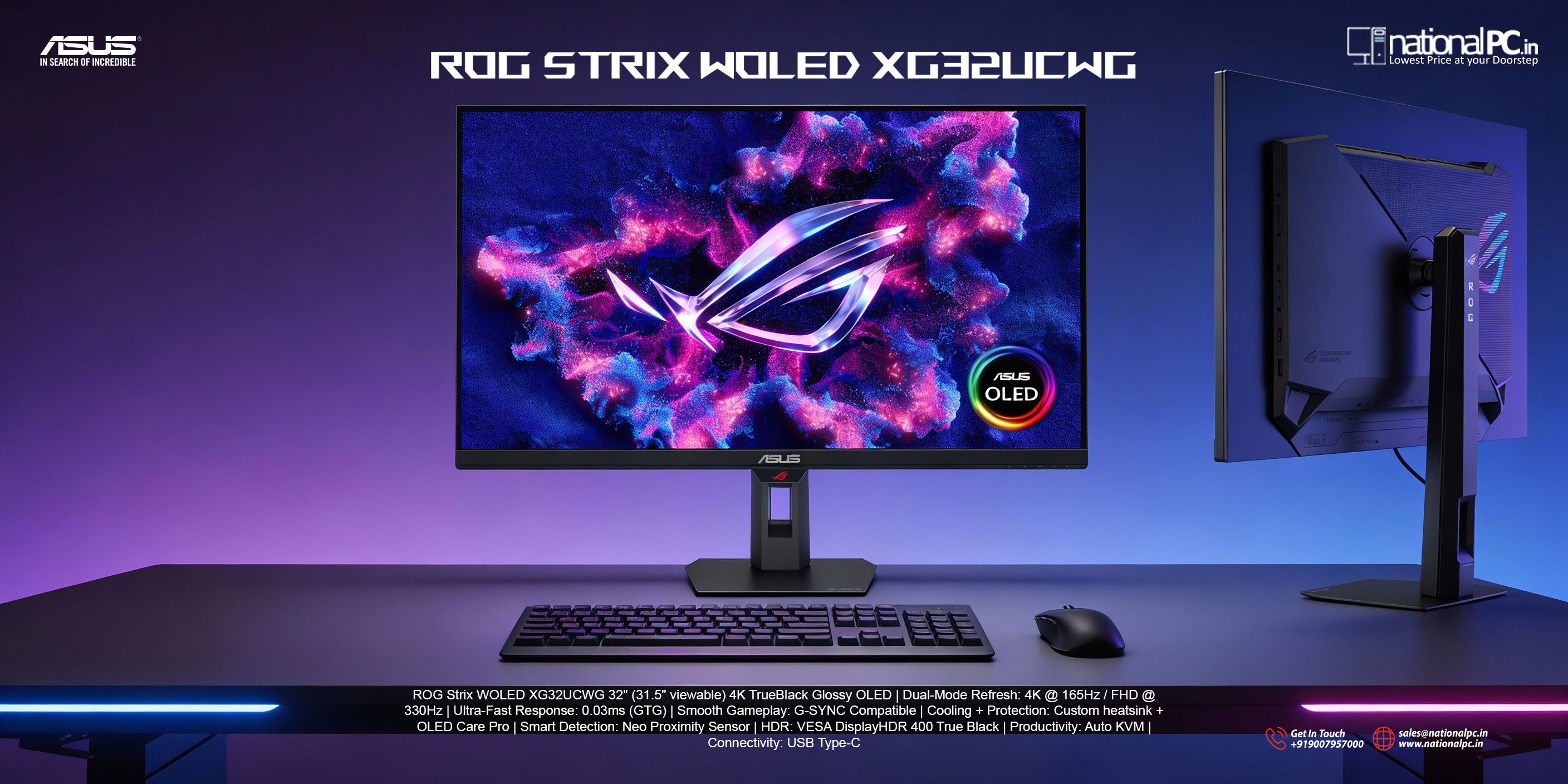
If you want a 32-inch “sharp + fast” OLED that leans into both immersive 4K gaming and competitive FPS, the ROG Strix OLED XG32UCWG is a very smart “balanced” pick in ASUS’ 2025/2026 dual-mode lineup. It combines a glossy 4K WOLED panel with a Dual-Mode hotkey (4K @ 165Hz or FHD @ 330Hz), plus ASUS’ latest OLED protection stack including the Neo Proximity Sensor.
Key specs (what matters)
-
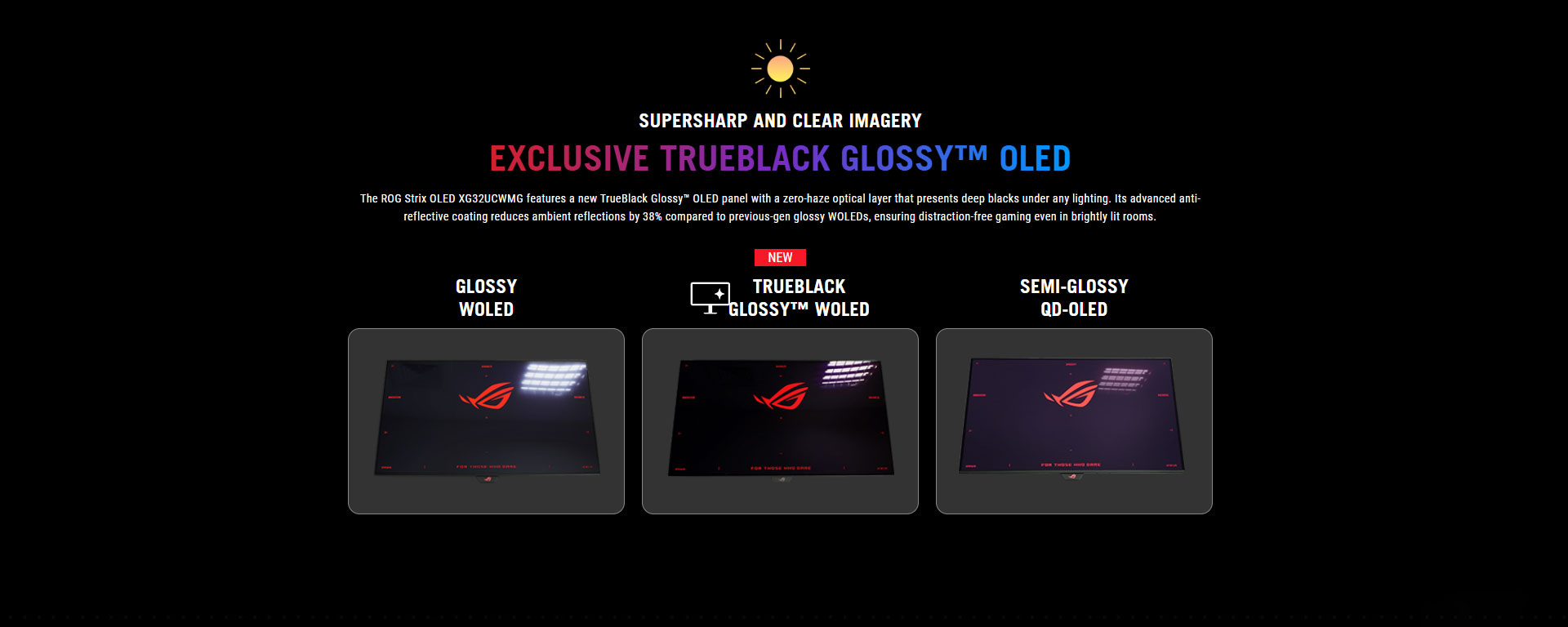
Panel / size: 31.5" WOLED, TrueBlack Glossy surface
-
Resolution: 3840×2160 (4K UHD)
-
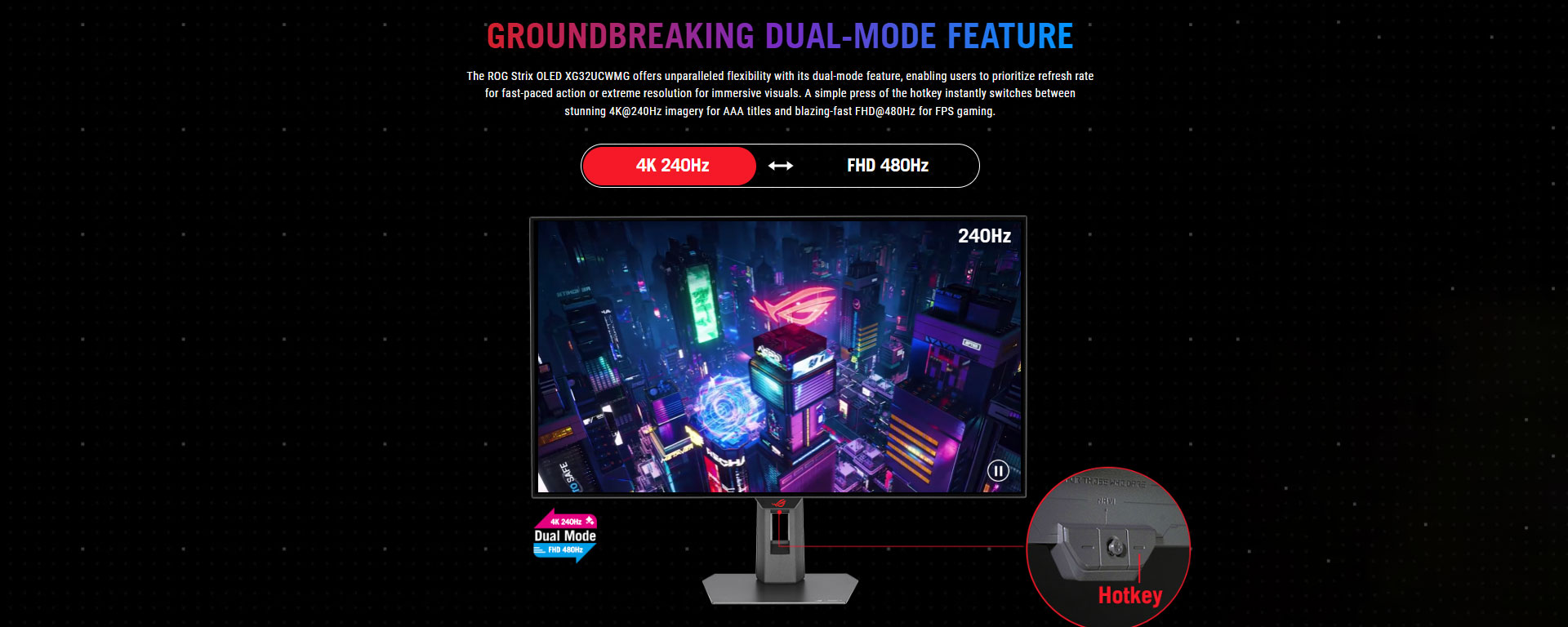
Refresh / Dual-Mode: 4K @ 165Hz or 1080p @ 330Hz (Frame Rate Boost)
-
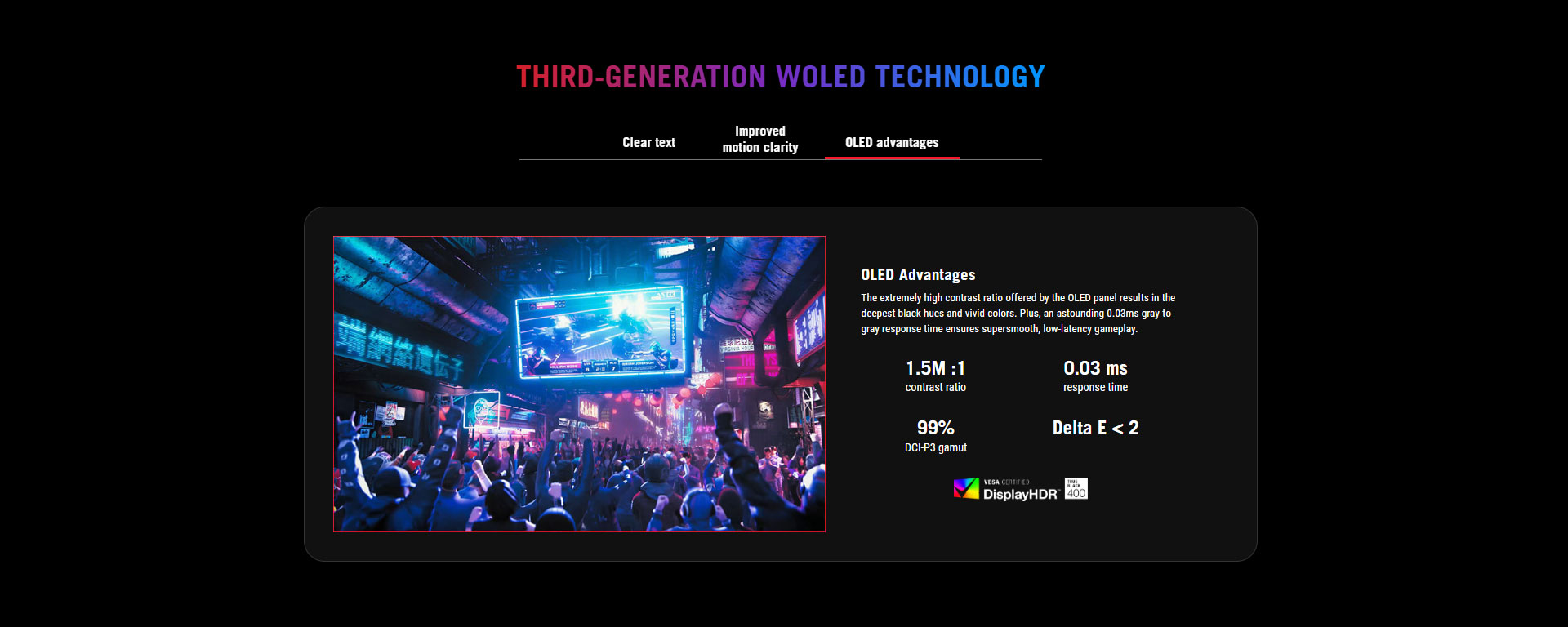
Response time: 0.03ms GtG (claimed)
-
HDR: HDR10, up to 1,300 nits peak (claimed)
-
Color: 99% DCI-P3, 10-bit (1.07B colors), ΔE < 2 (claimed)
-
Ports (headline): DisplayPort 1.4 (DSC), 2× HDMI 2.1, USB-C (DP Alt Mode) 15W PD, USB hub + Auto-KVM
Design & usability
ASUS went with a compact stand footprint (helpful on crowded desks) and full ergonomics (tilt/swivel/height). There’s also a 1/4" tripod socket, which content creators will appreciate for mounting accessories.
The “quality of life” features are what make this monitor feel premium day-to-day:
-
Uniform Brightness mode (reduces OLED ABL “pulsing” in desktop use)
-
Auto-KVM for switching between two systems with one keyboard/mouse
-
Neo Proximity Sensor as part of ASUS OLED Care Pro to reduce burn-in risk when you step away
Image quality: why the glossy WOLED is the selling point
Blacks, contrast, “pop”
OLED’s core advantage is still unmatched: perfect blacks and high perceived contrast—especially in dark scenes and HDR highlights. That’s the baseline expectation here, and it delivers.
Reflections & anti-glare behavior
This is a glossy panel, so reflections can be more noticeable than matte in bright rooms—but ASUS’ TrueBlack Glossy treatment is designed to improve perceived clarity while managing glare. Community impressions note you can “get used to” the reflections and still prefer it over a fully untreated glossy surface, depending on your room lighting.
Text clarity (the OLED “fringing” topic)
OLED monitors can show text fringing due to sub-pixel layouts. On 32" 4K, pixel density helps, and discussion around this model suggests fringing is reduced vs earlier generations, though some QD-OLED panels can still have a subjective edge in how fringing looks.
Gaming performance: the point of Dual-Mode
4K @ 165Hz = “sweet spot” AAA gaming
4K on a 32" OLED looks extremely crisp, and 165Hz is plenty for smoothness in most titles with VRR.
1080p @ 330Hz = esports mode without buying a second monitor
Tap the Dual-Mode hotkey and you get 330Hz at 1080p for competitive play. That’s the real differentiator: you can tune for clarity + detail (4K) or maximum motion performance (FHD high Hz).
Important context: RTINGS’ deep performance measurements are for the higher-refresh XG32UCWMG (240Hz/480Hz). While it’s not the same model, it’s still useful as a “how ASUS’ glossy WOLED dual-mode behaves” reference: RTINGS highlights extremely fast response, very low input lag, and also notes VRR flicker as a drawback on that sibling model. Expect the same general strengths, but capped by the UCWG’s lower max refresh rates.
HDR: bright highlights, but room lighting still matters
ASUS claims very high peak brightness for HDR highlights and supports HDR10.
In real usage, OLED HDR tends to look best in controlled lighting (especially because bright rooms + reflections can reduce perceived HDR impact). RTINGS’ similar model notes it can deliver bright highlights, but also mentions it isn’t ideal against intense glare.
Connectivity & console support
You get 2× HDMI 2.1, which is exactly what PS5 / Xbox Series owners want for 4K high refresh + VRR support (within console limits). DisplayPort 1.4 (DSC) is included for PC, plus USB-C with 15W power and a USB hub/KVM setup.
Who should buy the XG32UCWG?
Buy this if:
-
You want a 32" 4K OLED that’s also capable of very high-Hz competitive play via Dual-Mode (330Hz at 1080p).
-
You prefer glossy clarity over matte haze (and your room lighting is manageable).
-
You care about OLED burn-in protections like a proximity sensor + OLED Care suite.
Consider alternatives if:
-
You want the same concept but faster: ASUS’ XG32UCWMG pushes the dual-mode idea to 4K 240Hz / FHD 480Hz (often the “no compromises” option—at a higher price).
-
Your room is very bright with lots of direct light sources—glossy OLED may not be ideal.
Quick Pros & Cons
Pros
-
Glossy 4K WOLED clarity + OLED blacks
-
Dual-Mode versatility: 4K 165Hz or FHD 330Hz
-
Strong feature stack: Uniform Brightness, Auto-KVM, OLED Care Pro + proximity sensor
-
Excellent port selection incl. 2× HDMI 2.1
Cons
-
Glossy panels can show reflections in bright rooms
-
OLED + VRR can exhibit flicker in some scenarios (seen on the sibling model’s testing)
-
USB-C is 15W PD, not a laptop-charging USB-C monitor
Where to buy (India)
-
Check Availability / Buy Now: https://nationalpc.in/monitors/rog-strix-oled-xg32ucwg-32-inch-gaming-monitor
 Q&A
Q&A
Q1) Is XG32UCWG good for PS5 / Xbox Series X?
Yes—HDMI 2.1 support is the key, and it’s included (two ports). Consoles will typically top out at 4K 120Hz, but you still benefit from OLED contrast and VRR support where available.
Q2) Will 1080p look blurry on a 32" 4K screen in 330Hz mode?
It will be less sharp than native 4K (because it’s not 1:1 pixel mapping), but the point of the mode is motion clarity and responsiveness for competitive gaming. Use 4K mode for single-player/visual titles; use FHD 330Hz for esports.
Q3) How risky is burn-in?
Any OLED can burn in with static UI over long periods. ASUS addresses this with OLED Care Pro features like the Neo Proximity Sensor (screen goes protective when you step away), plus other panel care tools. Still: use sensible habits (hide taskbar, vary content, run panel maintenance).
Q4) Should I pick UCWG or UCWMG?
If you want the same glossy dual-mode idea but maximum refresh headroom, the UCWMG is the “go big” option (4K 240 / FHD 480). If 165/330 is enough (it often is) and you want better value, the UCWG is the smarter buy.