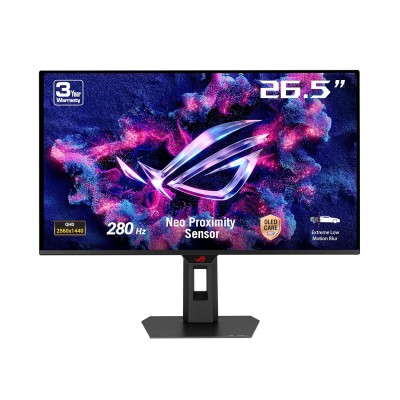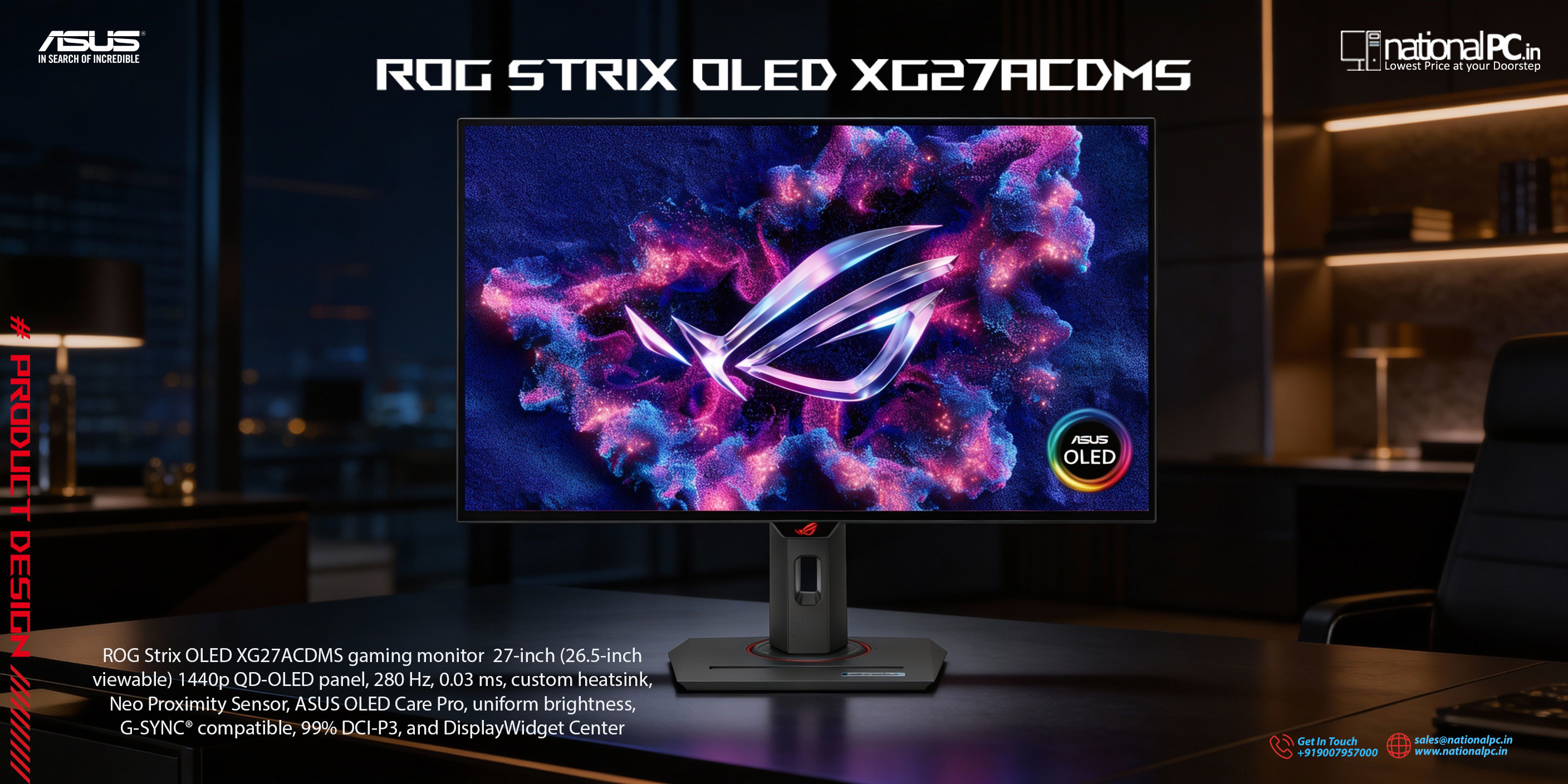
ASUS ROG Strix OLED XG27ACDMS Review : 280Hz QD-OLED done right
If you want OLED-level contrast and instant pixel response, but also want a competitive refresh rate without jumping to 4K pricing, the ROG Strix OLED XG27ACDMS sits in a very “sweet spot”: 26.5” (27-class) QHD QD-OLED, 280Hz, 0.03ms GTG, plus ASUS’ latest panel-protection suite with a Neo Proximity Sensor designed to reduce burn-in risk when you step away.
Quick highlights
-
QD-OLED + QHD (2560×1440) + 280Hz: a strong combo for esports and cinematic single-player.
-
0.03ms GTG + ELMB + VRR (Adaptive-Sync) for clarity and low perceived blur.
-
HDR10 + up to 1000 nits peak (HDR) with VESA DisplayHDR True Black 400 positioning.
-
Neo Proximity Sensor + OLED Care Pro: screen goes black when you’re away; includes pixel-cleaning and multiple anti burn-in tools.
-
Ports you actually need: DP 1.4, HDMI 2.1, USB-C (DP Alt Mode) + 15W PD, plus headphone jack.
-
3-year warranty including panel burn-in (region terms apply).
Price in India (as listed)
On NationalPC, it’s listed from ₹70,990 (incl. GST pricing shown on the product page). National PC
Display & image quality: why QD-OLED at 27” QHD still makes sense
The XG27ACDMS uses a 26.5” QD-OLED panel at 2560×1440 with a 250 cd/㎡ typical brightness and up to 1000 cd/㎡ peak in HDR, paired with OLED’s ultra-high contrast (listed 1,500,000:1).
For creators and color-critical users, ASUS lists 10-bit color (1.0737B colors), 99% DCI-P3, and Delta E ≤ 2—good signs for accurate grading and vibrant HDR content.
Best use-case: dim-to-normal rooms where OLED contrast shines. If your room is very bright (sunlight hitting the panel), OLED’s perceived brightness can feel lower than high-end mini-LED IPS/VA.
Motion performance: built for fast aim and fast camera pans
This is where the monitor earns its “Strix OLED” name:
-
280Hz max refresh and 0.03ms GTG response for extremely clean motion.
-
ELMB (Extreme Low Motion Blur) is included, aimed at reducing blur/ghosting during fast movement.
-
VRR (Adaptive-Sync) support, and it’s also listed as G-SYNC Compatible.
Practical takeaway: If you play Valorant/CS2/Apex at high FPS, QHD + 280Hz is a very real competitive upgrade without the GPU tax of 4K high-Hz.
OLED Care Pro + Neo Proximity Sensor: the standout “daily-life” feature
OLED is stunning, but burn-in anxiety is real—especially with static HUDs, taskbars, and long desktop hours. ASUS’ OLED Care Pro adds multiple protective tools, and the headline feature here is the Neo Proximity Sensor:
-
It detects your distance/presence and switches to a black screen when you step away, then restores instantly when you return. You can also customize detection distance.
-
It also includes pixel cleaning (automatic recalibration after several hours), screen move, taskbar/logo detection, dimming controls, etc.
If you’re buying OLED for PC + productivity, this matters a lot.
Connectivity & ergonomics
Ports
-
DisplayPort 1.4 ×1
-
HDMI 2.1 ×1
-
USB-C ×1 (DP Alt Mode) + 15W Power Delivery
-
3.5mm earphone jack
Stand adjust & mounting
-
Tilt (+20° ~ -5°), swivel (±45°), pivot (±90°), height adjust (0–110mm)
-
VESA 100×100
-
1/4” tripod socket + Kensington lock
This is a flexible setup whether you’re on a desk arm or building a clean streaming/creator rig.
Full specifications (at a glance)
| Spec | Value |
|---|---|
| Panel / Size | 26.5” QD-OLED (27-class), anti-reflection @ROG |
| Resolution / Aspect | 2560×1440, 16:9 @ROG |
| Refresh rate | Up to 280Hz @ROG |
| Response time | 0.03ms (GTG) @ROG |
| Brightness | 250 nits typical, 1000 nits peak HDR @ROG |
| HDR | HDR10 @ROG |
| Color | 10-bit (1.0737B), ΔE ≤ 2 @ROG |
| VRR | Adaptive-Sync; listed G-SYNC Compatible @ROG |
| Ports | DP 1.4, HDMI 2.1, USB-C (DP Alt Mode), 3.5mm out @ROG |
| USB-C PD | 15W @ROG |
| Mounting | VESA 100×100 @ROG |
| Warranty | 3 years (including panel burn-in) @ROG |
Who should buy the XG27ACDMS?
Buy it if:
-
You want OLED contrast + 280Hz for competitive gaming.
-
You play in QHD and want high FPS without upgrading to a flagship GPU.
-
You want burn-in protection features that actually fit daily use (presence detection + care suite).
Consider alternatives if:
-
You work in a very bright room all day and want higher full-screen brightness.
-
You need more HDMI ports (it lists 1× HDMI 2.1).
Setup tips (quick wins)
-
Use DisplayPort 1.4 for best PC refresh-rate behavior.
-
Turn on VRR/Adaptive-Sync in GPU settings for smoother frame pacing.
-
Enable OLED Care Pro features (especially if you use taskbar / static UI daily).
-
For HDR gaming: enable HDR in Windows only when needed; fine-tune in-game HDR sliders.
Q&A (search-friendly)
Q1. Is it true OLED or QD-OLED?
It’s a QD-OLED panel (listed as Panel Type: QD-OLED).
Q2. What’s the max refresh rate?
Up to 280Hz.
Q3. Does it support HDMI 2.1 and USB-C?
Yes—HDMI 2.1 ×1 and USB-C (DP Alt Mode) ×1 are listed.
Q4. Can USB-C charge a laptop?
It supports USB-C Power Delivery up to 15W, enough for topping up, not full laptop powering.
Q5. Does it have G-SYNC?
It’s listed as G-SYNC Compatible (and supports VRR/Adaptive-Sync).
Q6. What HDR does it support?
HDR10 is listed, with up to 1000 nits peak HDR brightness.
Q7. How does the Neo Proximity Sensor help?
It detects when you step away and shifts the display to a black image to help reduce burn-in risk, then restores when you return.
Q8. Is burn-in covered under warranty?
The tech specs page lists 3 years (including panel burn-in).
Bottom line
The ROG Strix OLED XG27ACDMS is one of the most balanced “high-end QHD” OLED monitors right now: fast enough for esports, rich enough for HDR, and smarter about OLED longevity thanks to OLED Care Pro + Neo Proximity Sensor. @ROG+1
Available on NationalPC (price shown from ₹70,990 on the listing). National PC
#ASUS #ROG #ROGStrix #XG27ACDMS #QDOLED #OLEDMonitor #280Hz #1440pGaming #Esports #HDRTrueBlack #GSyncCompatible #NationalPC