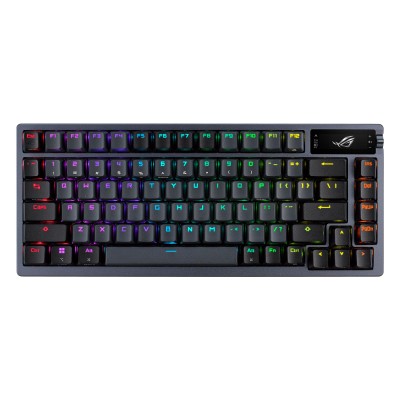
ASUS ROG Azoth (Black, ROG NX Red) Review: A 75% “Enthusiast” Keyboard That Actually Games
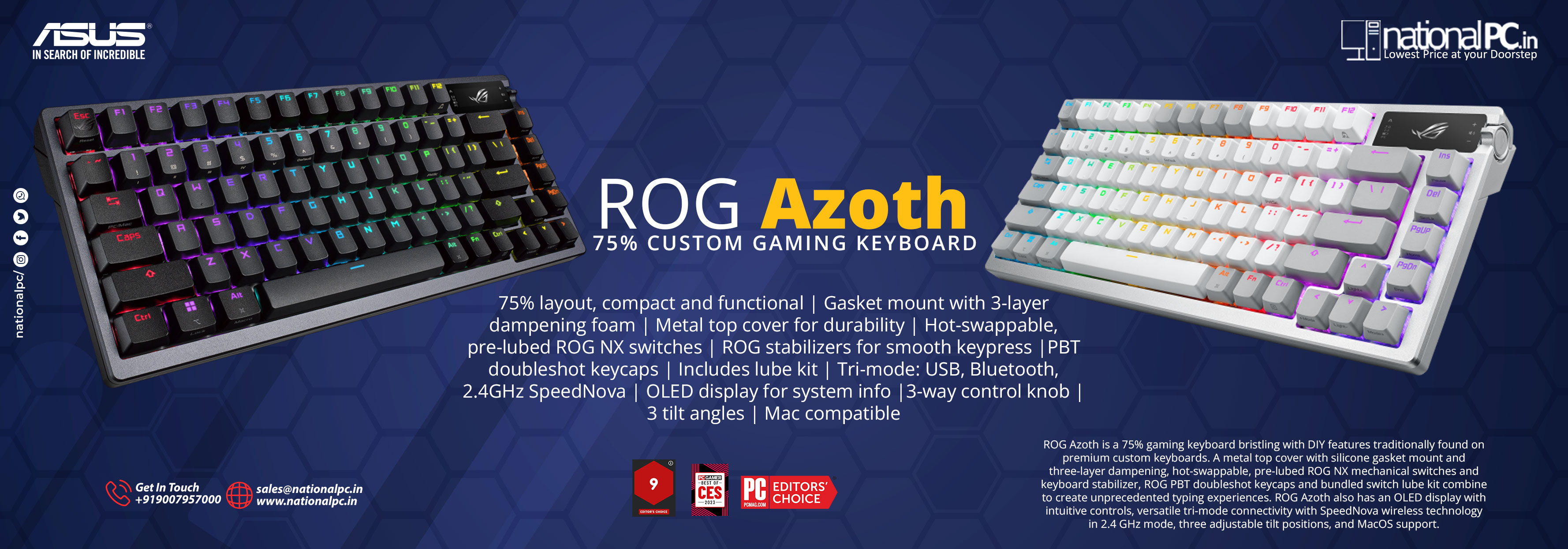
If you want a compact 75% wireless keyboard that feels closer to a custom build than a typical “gaming” board, the ROG Azoth is still one of ASUS’ best-balanced designs: gasket mount + multi-layer dampening, hot-swap switches, solid build, tri-mode connectivity, and a genuinely useful OLED + knob for quick control. The only recurring headache across reviews is the software experience (Armoury Crate).
Buy from NationalPC: https://nationalpc.in/keyboards/asus-rog-azoth-black-nx-red.jpg)
What you’re getting (the “Azoth formula”)
75% layout: arrow keys + nav cluster in a compact footprint (great for mouse space).
Gasket mount + dampening layers: designed for a softer feel and less “hollow” sound. RTINGS specifically highlights the gasket mount and dampening as part of why it feels higher-quality than many prebuilts.
Hot-swappable switches: swap compatible MX-style switches without soldering (for modders and long-term serviceability).
OLED display + multi-function control: quick status/controls without living in software (cool factor + some real utility).
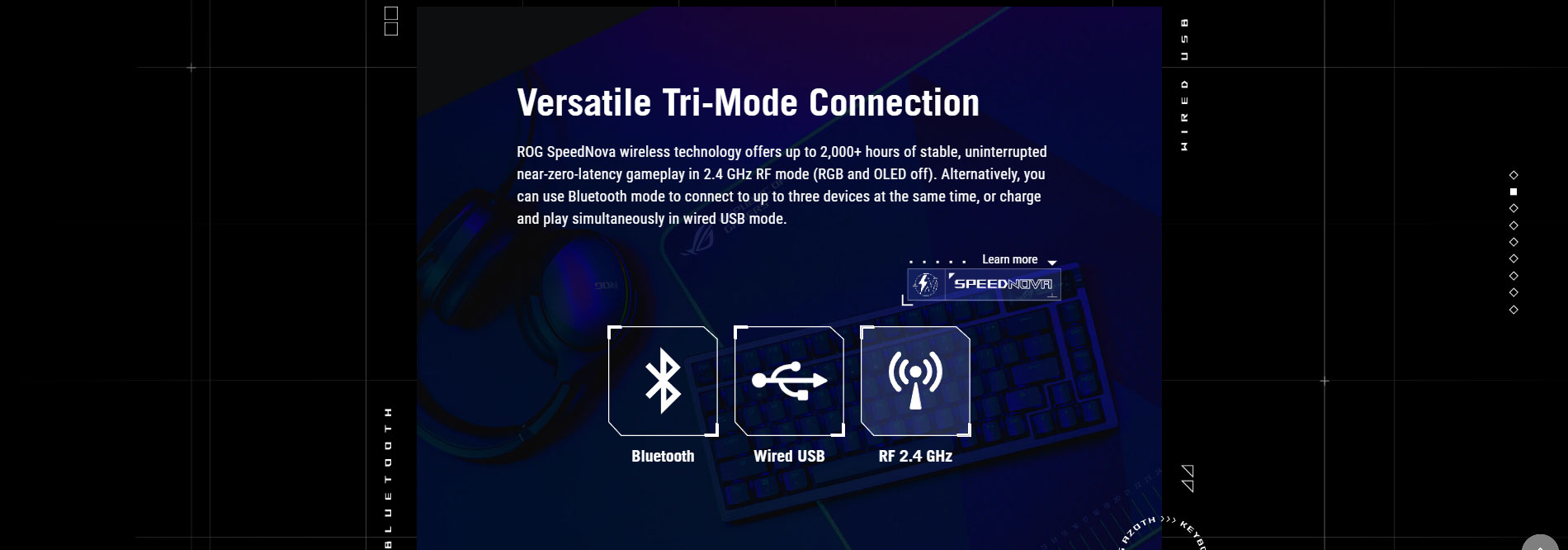
Tri-mode connectivity: USB-C wired + 2.4GHz + Bluetooth (multi-device friendly).
Switch & feel (ROG NX Red – the one you linked)
ROG NX Red is a smooth linear tuned for fast inputs:
Actuation: 1.8mm
Force: 40gf initial, 55gf total
This is a safe, mainstream linear profile—easy to game on and easy to type on if you like smooth, non-clicky switches.
Benchmarks & measurable stuff (what matters day-to-day)
| Metric | Result (typical) | Why it matters |
|---|---|---|
| Latency | “Exceptionally low” (gaming-grade); RTINGS rates it excellent for gaming | Wireless that doesn’t feel “wireless” in shooters & fast games |
| Battery (claim/review) | 130 hours (no lighting) – PC Gamer spec sheet | Real-world “charge it occasionally,” not weekly |
| Switch tuning (NX Red) | 1.8mm actuation, 40gf→55gf | Fast, controlled keypress—less accidental presses than ultra-light linears |
| Build/typing quality | Consistently praised; “feels like an enthusiast board” | The core reason to buy Azoth over cheaper gaming boards |
Note: Some sources discuss Azoth Extreme (different product, much higher price) — I’m keeping the benchmarks above focused on the standard Azoth you linked.
Real-world experience (gaming + typing)
Gaming
RTINGS positions the Azoth as excellent for gaming thanks to low latency and solid overall performance.
That’s the key: it’s not just a “nice-feeling” board—it performs like a proper competitive wireless keyboard.
Typing & sound
Multiple reviewers describe the Azoth as unusually “enthusiast-like” for a big gaming brand—more refined acoustics and feel than typical gamer boards.
If you’re coming from a thin plastic chassis keyboard, the difference is immediate.
The one big downside: Armoury Crate
This is the most consistent criticism:
Tom’s Hardware: strong keyboard, software is the weak link.
PCWorld: “terrible software” drags down the experience, and the OLED is less useful than it sounds for many users.
If you’re the type who wants deep remaps/macros and perfect software polish, keep this in mind. The good news is: you can still do a lot onboard without constantly opening the app. (That’s emphasized even more in TechPowerUp’s Extreme review, but the same “onboard controls help reduce software pain” theme applies to Azoth owners too.)
Who should buy the ROG Azoth (NX Red)?
Buy it if:
You want a premium-feeling 75% that’s ready out of the box (without building a custom).
You want wireless gaming performance + hot-swap future-proofing.
You like the OLED/knob idea for quick controls and status.
Skip it if:
You hate heavy software suites and want the cleanest remap experience (Armoury Crate complaints are real).
You only care about value-per-rupee (there are cheaper 75% boards that are “good enough,” just not as refined).
Quick Q&A (for your product page)
Q1) Is the ASUS ROG Azoth good for competitive gaming?
Yes—RTINGS rates it excellent for gaming with exceptionally low latency.
Q2) Can I change switches later?
Yes. The Azoth supports hot-swapping compatible MX-style switches.
Q3) Is NX Red good for typing or only gaming?
NX Red is linear and smooth, tuned for fast input (1.8mm actuation). It’s also comfortable for typing if you like linear switches.
Q4) How’s the battery life?
PC Gamer lists up to 130 hours without lighting (real-world varies with RGB and usage).
Q5) What’s the main drawback?
Software. Multiple reviewers criticize Armoury Crate as the weakest part of the experience.
Where to Buy (India)
NationalPC listing: https://nationalpc.in/keyboards/asus-rog-azoth-black-nx-red