ASUS ProArt PA40SU Professional: USB4 40Gbps Portable NVMe SSD Enclosure for Creators, Editors and Professionals
1. Introduction & Overview
Every creative professional who has worked with large external SSDs knows the frustration: you buy a high-speed NVMe drive, drop it in an enclosure, start a long transfer, and watch the speeds halve within minutes as the drive throttles from heat. It is the single biggest pain point in professional external storage — one that passive cooling simply cannot solve at USB4 speeds.
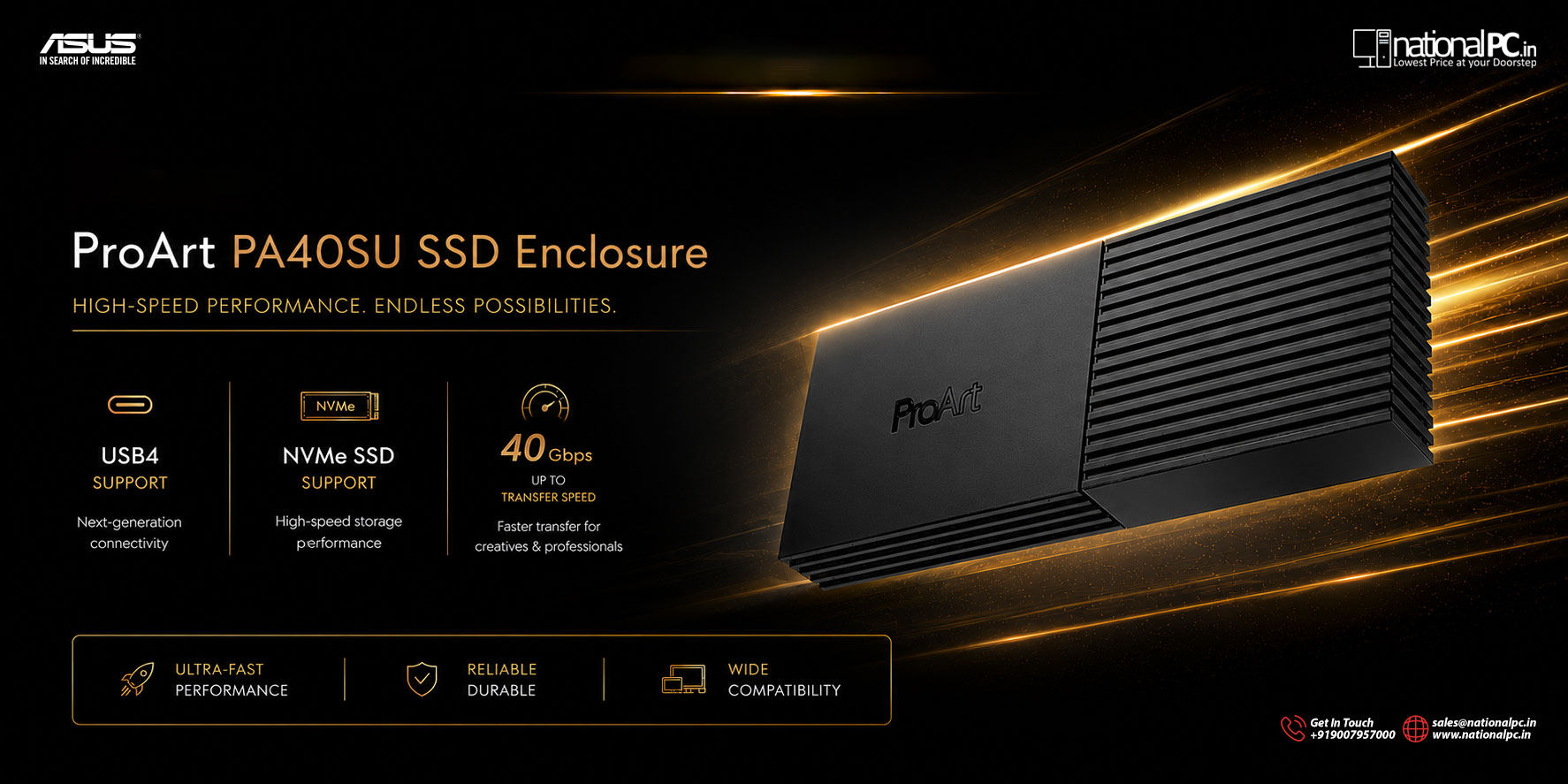
The ASUS ProArt PA40SU is built from the ground up to solve exactly that problem. Announced on April 21, 2026, it is a premium M.2 NVMe SSD enclosure using USB4 technology to deliver up to 40Gbps — and, uniquely among compact enclosures, it has an active four-level smart cooling fan to sustain that speed continuously without throttling.
This sits in ASUS’s ProArt line — the same family as ProArt monitors, motherboards, and graphics cards trusted by videographers, 3D artists, photographers, and music producers worldwide. The PA40SU brings that professional engineering philosophy to external storage: speed, sustained performance, and a form factor that fits in a camera bag.
It is available in India at NationalPC.in — the product the creative community in India has been waiting for in the USB4 storage segment.

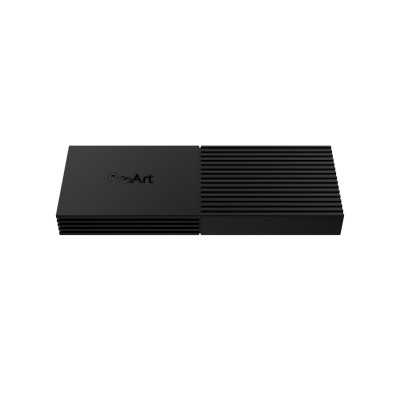
ASUS ProArt PA40SU — 13.5mm ultra-slim, Stealth Black, USB4 40Gbps SSD enclosure
2. Full Technical Specifications
| Specification | Detail |
|---|---|
| Model | ASUS ProArt PA40SU SSD Enclosure |
| Interface | USB4 with USB-C connector (backward compatible: USB 3.2 Gen 2, USB 3.2 Gen 1, USB 2.0) |
| Maximum Transfer Speed | Up to 40 Gbps (approx. 5,000 MB/s theoretical) |
| SSD Compatibility | M.2 NVMe PCIe SSD — 2230 (22x30mm) and 2280 (22x80mm), M Key |
| SSD Capacity Supported | 1TB / 2TB / 4TB |
| Cooling System | Four-level smart cooling fan + thermal pad |
| Noise Level | 18.2 dB(A) (ultra-quiet during heavy transfers) |
| Sustained Transfer Test | 2960GB in 30 minutes continuous — no throttling (internal ASUS test with Phison PS5027-E27T Gen4 SSD) |
| Dimensions | 124.8 x 46.5 x 13.5 mm (L x W x H) |
| Weight | 127g (enclosure only, without SSD) |
| Profile Thickness | 13.5mm (ultraslim) |
| Finish / Colour | Stealth Black |
| Installation | Tool-free, push-to-open mechanism |
| Power | 5V DC (bus-powered via USB-C cable — no external adapter) |
| OS Compatibility | Windows 11, Windows 10, macOS 14.4 (Sonoma) or later |
| Operating Temperature | 0°C – 40°C (32°F – 104°F) |
| Storage Temperature | -40°C – 60°C (-40°F – 140°F) |
| Operating Humidity | 15% – 90% (non-condensing) |
| Software | ProArt SSD Dashboard (Windows / macOS) |
| In the Box | Enclosure, USB-C to USB-C cable (high-speed USB4), User Manual, Quick Installation Guide |
3. Design & Build Quality
Ultraslim Profile — 13.5mm
The most immediately striking aspect of the PA40SU is its thinness. At just 13.5mm, it is slimmer than most smartphones. It slides into the accessory pocket of any camera bag, sits flat alongside a laptop in a backpack, or lives in a jacket pocket without bulk. Despite housing an active cooling fan, the engineering team managed to keep the entire enclosure thinner than most passive competitors.
The overall footprint is 124.8 x 46.5mm — roughly credit-card width and slightly longer. At 127g, it weighs less than most smartphones. This is a device you genuinely forget is in your bag until you need it.
Stealth Black Finish — ProArt Aesthetic
The Stealth Black finish is matte and understated — entirely in keeping with the ProArt brand’s professional-first design language. No RGB, no gaming aesthetics, no garish colours. This is a tool designed to look appropriate on a studio desk, in a broadcast environment, or alongside high-end camera equipment. The finish resists fingerprints better than glossy alternatives and maintains a clean professional appearance after extended use.

Clean, understated Stealth Black finish — 13.5mm profile visible from the side
Push-to-Open Mechanism — Tool-Free Design
Installing or swapping an SSD requires no screwdrivers. The PA40SU uses a push-to-open mechanism — press the button, the lid releases, the SSD slides in or out, the lid closes. This takes under 30 seconds from closed to ready-to-transfer. For professionals who swap drives between shoots, projects, or clients, this is a practical daily time-saver.

Push-to-open mechanism — no tools needed, SSD bay accessible in seconds
Internal Construction
Inside, the PA40SU houses the M.2 SSD slot, a thermal pad that contacts the SSD module, the active fan system, and the USB4 bridge controller. The thermal pad transfers heat from the SSD to the airflow path managed by the fan. The top of the enclosure has a ventilation structure that channels air out efficiently while keeping the device acoustically quiet at 18.2 dB(A) — quieter than a typical office ambient noise level.
4. USB4 Performance & Transfer Speeds
What USB4 Actually Means
USB4 is the latest generation of the USB specification, running at up to 40Gbps — twice the speed of USB 3.2 Gen 2x2 (20Gbps) and equal to Thunderbolt 3 and Thunderbolt 4. Unlike Thunderbolt, USB4 is an open standard that works across modern Windows 11 PCs, MacBooks, and any device with a USB4-compliant port. It does not require Intel hardware — modern AMD and Qualcomm platforms also support USB4.
| Interface Standard | Max Bandwidth | Approx. Real-World Max | Compatibility |
|---|---|---|---|
| USB 2.0 | 480 Mbps | ~25–40 MB/s | Universal |
| USB 3.2 Gen 1 | 5 Gbps | ~400–500 MB/s | Very wide |
| USB 3.2 Gen 2 | 10 Gbps | ~900–1,000 MB/s | Wide |
| USB 3.2 Gen 2x2 | 20 Gbps | ~1,800–2,000 MB/s | Limited |
| USB4 / TB3 / TB4 (PA40SU) | 40 Gbps | ~3,500–4,500 MB/s | Modern PCs + Mac |
The 2960GB / 30-Minute Benchmark
ASUS conducted internal sustained transfer testing using a Phison PS5027-E27T Gen4 SSD in the PA40SU over a continuous 30-minute window. The result: 2,960GB transferred with no throttling. That is an average throughput of approximately 1,640 MB/s sustained — not a burst number, but a continuous real-world workload figure.
To put that in practical perspective for creators:
| Transfer Task | File Size | Time at 1,640 MB/s | Time at USB 3.2 (1GB/s) |
|---|---|---|---|
| 4K ProRes RAW (1 hour) | ~200 GB | ~2 min | ~3.5 min |
| 8K RAW (30 min shoot) | ~500 GB | ~5 min | ~8.5 min |
| Full project backup (2TB) | 2,000 GB | ~20 min | ~33 min |
| Large asset library | 500 GB | ~5 min | ~8.5 min |
Getting Maximum Speed — Requirements
To reach full 40Gbps, the entire chain must qualify. ASUS is explicit about this:
- Host port: Must be USB4 40Gbps certified. Some Thunderbolt 4 ports may negotiate to 10Gbps with USB4 bridge chipsets — verify your device’s USB4 spec specifically.
- Installed SSD: Must have sequential read speed above 3,500 MB/s (Gen4 NVMe recommended). A Gen3 SSD will cap the enclosure’s effective output at ~3,500 MB/s maximum.
- Cable: Must use the included USB4 high-speed cable. Standard USB-C charging cables do not support 40Gbps. The included cable is rated for USB4 bandwidth.
- Operating system: Windows 11 or latest macOS — with up-to-date chipset drivers installed.
5. Active Cooling System — The Defining Feature
The active four-level smart cooling fan is what separates the ProArt PA40SU from every other compact SSD enclosure on the market. Here is why it matters so fundamentally:
Why Passive Cooling Fails at 40Gbps
USB4 at 40Gbps pushes NVMe SSDs to their limits continuously. At that sustained data rate, a Gen4 NVMe SSD can reach temperatures above 70°C within 5–10 minutes. When that happens, the SSD’s firmware throttles its speed — sometimes to half or less of its rated performance — to protect itself from damage. Most external enclosures use passive cooling (the metal shell acts as a heatsink). This is adequate for USB 3.2 speeds. At USB4 speeds under sustained load, passive cooling cannot dissipate heat fast enough to prevent throttling.
The Four-Level Smart Fan System
The PA40SU uses a smart fan controller that monitors the SSD temperature and automatically adjusts fan speed across four levels:
| Fan Level | Trigger Condition | Behaviour | Noise |
|---|---|---|---|
| Level 0 (Off) | Idle / light use | Fan off — completely silent | 0 dB(A) |
| Level 1 (Low) | Moderate transfers | Low-speed fan — near-silent | Inaudible in office |
| Level 2 (Medium) | Heavy sustained transfers | Moderate fan speed — audible up close | < 18.2 dB(A) |
| Level 3 (Full) | Maximum load — near thermal limit | Full-speed fan — peak cooling | 18.2 dB(A) maximum |
The maximum 18.2 dB(A) noise level is extremely quiet — quieter than a whisper (30 dB) and far below typical office ambient noise (40–50 dB). In a recording studio or broadcast environment, the fan at maximum speed will not be audible on microphones at any normal working distance.
Thermal Pad + Fan Synergy
The thermal pad inside the enclosure presses against the SSD’s controller chip and NAND packages, conducting heat efficiently into the airflow path. The fan then moves that heat out through the ventilation structure. This two-part approach — conduction via pad, convection via fan — is the same thermal management philosophy used in premium laptops and is why the PA40SU can sustain performance where competing passive enclosures cannot.
6. SSD Compatibility & Installation
Supported Form Factors
The PA40SU accepts M.2 NVMe PCIe SSDs in two standard form factors:
| Form Factor | Dimensions | Common Use | Example SSDs |
|---|---|---|---|
| M.2 2230 | 22 x 30 mm | Ultrabooks, handheld PCs, compact setups | WD SN740, Samsung PM991a |
| M.2 2280 | 22 x 80 mm | Desktop PCs, mainstream laptops | Samsung 990 Pro, WD Black SN850X, Seagate FireCuda 530 |
Recommended SSDs for Maximum Performance
To reach the PA40SU’s full 40Gbps potential, use a Gen4 NVMe SSD with rated sequential read above 6,000 MB/s:
| SSD | Gen | Seq. Read | Max Capacity |
|---|---|---|---|
| Samsung 990 Pro | Gen4 | 7,450 MB/s | 4TB |
| WD Black SN850X | Gen4 | 7,300 MB/s | 4TB |
| Seagate FireCuda 530 | Gen4 | 7,300 MB/s | 4TB |
| ASUS ROG Strix SQ7 (if available) | Gen4 | 7,200 MB/s | 4TB |
| Any Gen3 NVMe (budget option) | Gen3 | ~3,500 MB/s | Works — limited by SSD, not enclosure |
Installation Process — Step by Step
- Press the push-to-open button on the enclosure — the lid releases and opens
- Align your M.2 NVMe SSD at the correct angle (30°) and slide into the M Key slot
- Press the SSD down flat — it will click and sit flush against the thermal pad
- Close the lid until it clicks shut — no screws, no tools required
- Connect the included USB-C cable to your computer and the enclosure
- The drive mounts automatically — format if new, or access existing data immediately
7. ProArt SSD Dashboard — Exclusive Software
Most SSD enclosures offer zero software support. You plug in the drive and that is the end of the user experience. The PA40SU includes the ProArt SSD Dashboard — an exclusive monitoring application for Windows and macOS that gives you visibility into your drive’s health and performance in real time.

ProArt SSD Dashboard — real-time SSD health, temperature, transfer speed, and capacity monitoring
Dashboard Features
| Feature | What It Shows | Why It Matters for Creators |
|---|---|---|
| Drive Health (S.M.A.R.T.) | Overall SSD health score, wear level, estimated remaining life | Prevent data loss — know before a drive fails |
| Real-Time Temperature | SSD temperature in °C, fan speed level | Verify cooling is working during long transfers |
| Transfer Speed Graph | Live read/write speed in MB/s, historical graph | Identify if throttling occurs; diagnose speed issues |
| Capacity Usage | Used / free space in GB and percentage | At-a-glance storage planning on location |
| Drive Information | Model, serial number, firmware version, total bytes written | Warranty tracking; media replacement planning |
| Firmware Updates | Enclosure firmware version check and update | Ensure latest performance and compatibility fixes |
8. Real-World Use Cases
VIDEO Video Production — 4K / 8K RAW Workflows
Video editors working with large ProRes RAW, BRAW, R3D, or ARRI formats need their editing drive to perform at internal SSD speeds. With the PA40SU and a Gen4 NVMe SSD, editing directly from the external drive is now genuinely feasible — even for 8K RAW timelines. The active cooling ensures that a full 4-hour edit session does not degrade into dropped frames from thermal throttling. The 4TB capacity option covers the largest shoots without mid-day swaps.
FIELD Location / Field Use
At 127g and 13.5mm thick, the PA40SU fits in a camera vest pocket. Offloading footage from CFexpress cards, SSDs, or camera recorders on location using a laptop is a common workflow — the PA40SU makes that process 2–3x faster than USB 3.2. The bus-powered operation means no separate power cable to manage; just the USB-C cable from the laptop. The push-to-open mechanism allows media swaps in 30 seconds between takes.
3D 3D Rendering / Large Asset Libraries
3D artists working in Blender, Cinema 4D, Houdini, or Unreal Engine regularly deal with asset libraries, texture packages, and project caches measured in hundreds of gigabytes. Transferring these between workstations or to a render farm over USB4 cuts waiting time significantly. The PA40SU’s sustained transfer rate means a 500GB asset package moves in approximately 5 minutes rather than the 8–9 minutes of a USB 3.2 solution.
PHOTO Photography — Bulk RAW Transfers
A full-day wedding or commercial shoot on a high-resolution mirrorless camera (Sony A1, Canon R5, Nikon Z8) can generate 200–400GB of RAW files. Transferring these to the PA40SU for backup before culling, or importing directly into Lightroom from the enclosure, is fast and reliable. For photographers who use the enclosure as a working drive during tethered shooting or on-location editing, the sustained speed prevents the I/O bottleneck that causes catalogue delays.
BACKUP Backup & Archival
A 2TB full project backup that takes 33 minutes over USB 3.2 takes around 20 minutes over USB4. Over the course of a year of daily backups, this adds up to hours of recovered time. The ProArt SSD Dashboard adds the ability to monitor backup drive health proactively — catching a degrading drive before it fails and before the backup it holds is compromised.
AUDIO Music Production & Audio Post
Audio projects with large sample libraries (Kontakt, Spitfire, East West) benefit from fast SSDs. The PA40SU allows an audio producer to carry their entire sample library (often 500GB–2TB) in their bag and access it from any studio. The low noise of the cooling fan (18.2 dB max) is critical in recording environments — it will not introduce audible fan noise into sensitive studio microphones.
DEV Development & IT — Large Codebase / Docker Environments
Developers who work with large Docker images, virtual machine snapshots, or monorepo codebases will benefit from running them off the PA40SU at near-internal-drive speeds. The 4TB capacity covers full operating system images, dev environments, and data archives in a single portable enclosure.
9. Who Is This For?
| User Type | Primary Need | PA40SU Rating |
|---|---|---|
| Video Editors (4K/8K) | Edit directly from external drive, fast footage offload | Excellent — Perfect match |
| Filmmakers / DoPs | Field media offload, portable edit drive | Excellent — Perfect match |
| Photographers | Fast RAW transfer, on-location backup | Excellent |
| 3D Artists / Animators | Large asset library access, render cache transfers | Excellent |
| Music Producers / Audio Engineers | Portable sample library, quiet operation in studio | Excellent — 18.2 dB is studio-safe |
| Software Developers | Portable dev environments, VM storage | Very Good |
| IT Professionals | Fast system imaging, data recovery drives | Very Good |
| Casual Home Users | Occasional file transfers — USB 3.2 is sufficient | Overkill — cheaper options exist |
| Users with older USB 3.0 laptops | No USB4 port — speed benefit lost (though it works) | Wait for USB4 hardware first |
10. Pros & Cons
| What We Love | What Falls Short |
|---|---|
| USB4 40Gbps — 2x faster than USB 3.2 Gen 2x2 | Requires USB4 host port for full speed benefit |
| Active 4-level smart fan — no throttling under sustained load | SATA M.2 SSDs not supported (NVMe only) |
| 2960GB sustained in 30 min — proven no-throttle endurance | No IP rating — not for dusty or wet environments |
| Ultra-quiet at 18.2 dB(A) — studio-safe operation | SSD not included — requires separate NVMe purchase |
| Ultraslim 13.5mm — genuinely pocket-sized | macOS requires 14.4 (Sonoma) or later |
| 127g — lightest class in USB4 active-cooled enclosures | Fan at max audible if held close to microphone |
| Tool-free push-to-open — SSD swap in 30 seconds | Premium price vs passive USB 3.2 enclosures |
| 2230 + 2280 M.2 support — widest NVMe compatibility | — |
| Backward compatible — USB 3.2 Gen 2/1, USB 2.0 | — |
| ProArt SSD Dashboard — real-time health and performance monitoring | — |
11. How It Compares to Alternatives
| Feature | ASUS ProArt PA40SU | OWC Envoy Pro Elektron | Sabrent Rocket XTRM-Q | Generic USB4 Passive |
|---|---|---|---|---|
| Interface | USB4 40Gbps | USB 3.2 Gen 2 (10G) | USB4 40Gbps | USB4 40Gbps |
| Max Speed | 40 Gbps | 10 Gbps | 40 Gbps | 40 Gbps |
| Active Cooling | Yes — 4-Level Smart Fan | No (passive) | No (passive) | No (passive) |
| Sustained Performance | 2960GB / 30 min | Limited by 10G interface | Throttles after ~10 min | Throttles quickly |
| Profile / Weight | 13.5mm / 127g | Varies (~130g) | Varies | Varies |
| Tool-Free Design | Yes — Push-to-Open | No — screws | No — screws | No — screws |
| Monitoring Software | ProArt SSD Dashboard | None | None | None |
| SSD Compatibility | M.2 2230 + 2280 | Fixed SSD (not user-swappable) | M.2 2280 | M.2 2280 only |
| Target Audience | Professional Creators | Mac Pros (legacy) | Enthusiast gamers | Budget buyers |