ASUS ExpertCenter PN42 Review: Fanless Mini PC for Office, POS, Kiosk, Signage & 24/7 Business Use
Intel N4500 / N100 / N200 Options | Fanless Silent Design | Dual 4K / Triple Display Support | Dual 2.5Gb LAN Option | Wi-Fi 6 / Wi-Fi 6E | Tool-less M.2 SSD Upgrade | 24/7 Reliability
Score: 8.7 / 10 ★★★★☆ Best Silent Mini PC for Lightweight Business, Retail and Industrial Workflows
The ASUS ExpertCenter PN42 is a compact fanless mini PC designed for users who need silent operation, low power consumption, flexible connectivity and business-friendly reliability. It is built for office desks, point-of-sale counters, kiosks, signage, control rooms, light servers and home-office deployments.
PN42 is useful where a normal desktop is too large, too noisy or too power-hungry. Its fanless chassis makes it suitable for dust-sensitive and noise-sensitive environments such as retail counters, reception desks, signage displays and compact office setups.
Buy PN42 if you need a silent, compact and reliable mini PC for lightweight computing. Avoid it if your main work is heavy multitasking, gaming, 4K editing or CPU-intensive professional software.
TABLE OF CONTENTS
- Introduction & Short Verdict
- Product Image Gallery
- Image Feature Highlights
- All NationalPC Variants
- Key Highlights
- Full Technical Specifications
- Fanless Design & 24/7 Reliability
- Performance Review
- Connectivity, Display & Network Options
- Best Use Cases
- Official Product Video
- Benchmark-Style Scores
- Advantages & Limitations
- FAQ
- Review References
- Final Verdict
- Buy from NationalPC
1. Introduction & Short Verdict
The ASUS ExpertCenter PN42 is a different kind of mini PC. Many small PCs focus on maximum speed, gaming performance or high-end workstation capability. PN42 focuses on a quieter and more practical target: silent operation, compact size, low power usage, reliable business deployment and flexible I/O.
This makes it a strong choice for retail billing counters, point-of-sale systems, kiosks, digital signage, surveillance dashboards, reception desks, conference rooms, thin-client usage, home servers and lightweight office work.
2. Product Image Gallery
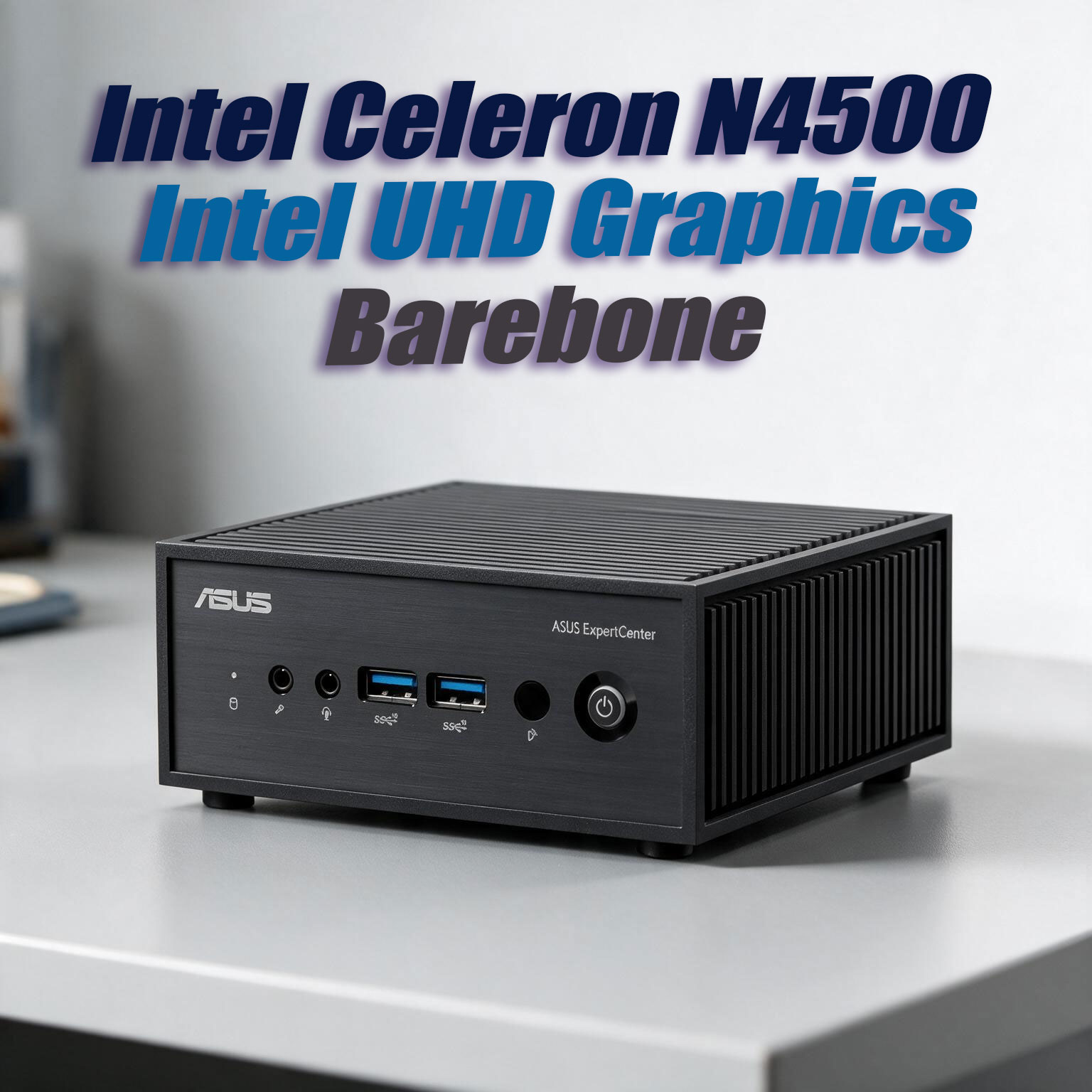
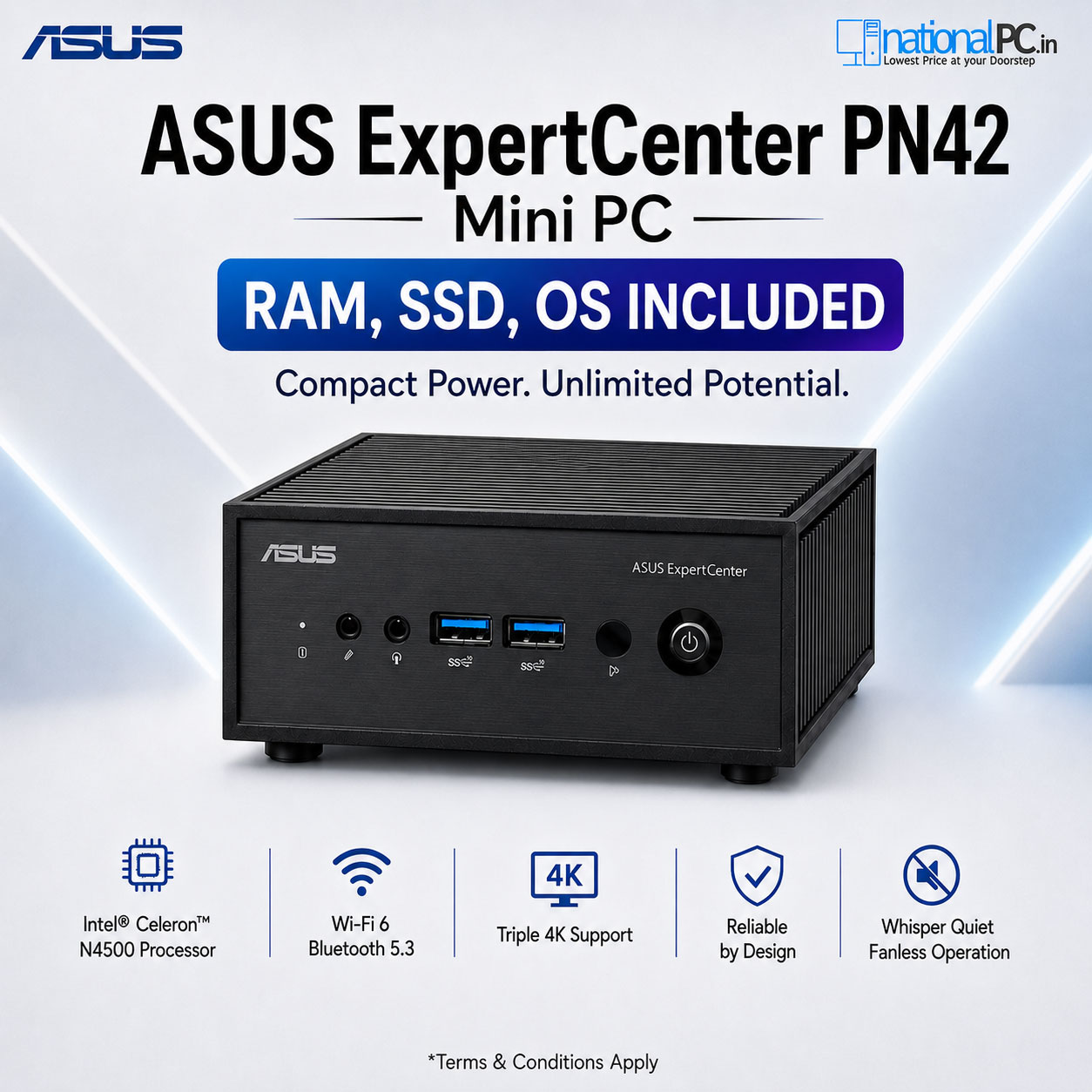
The PN42 design is simple but practical. The ribbed body helps passive cooling, the front panel keeps useful ports accessible, and the rear I/O makes it flexible for business and industrial deployments.
Image Feature Highlights: Why ASUS PN42 Is Practical for Business
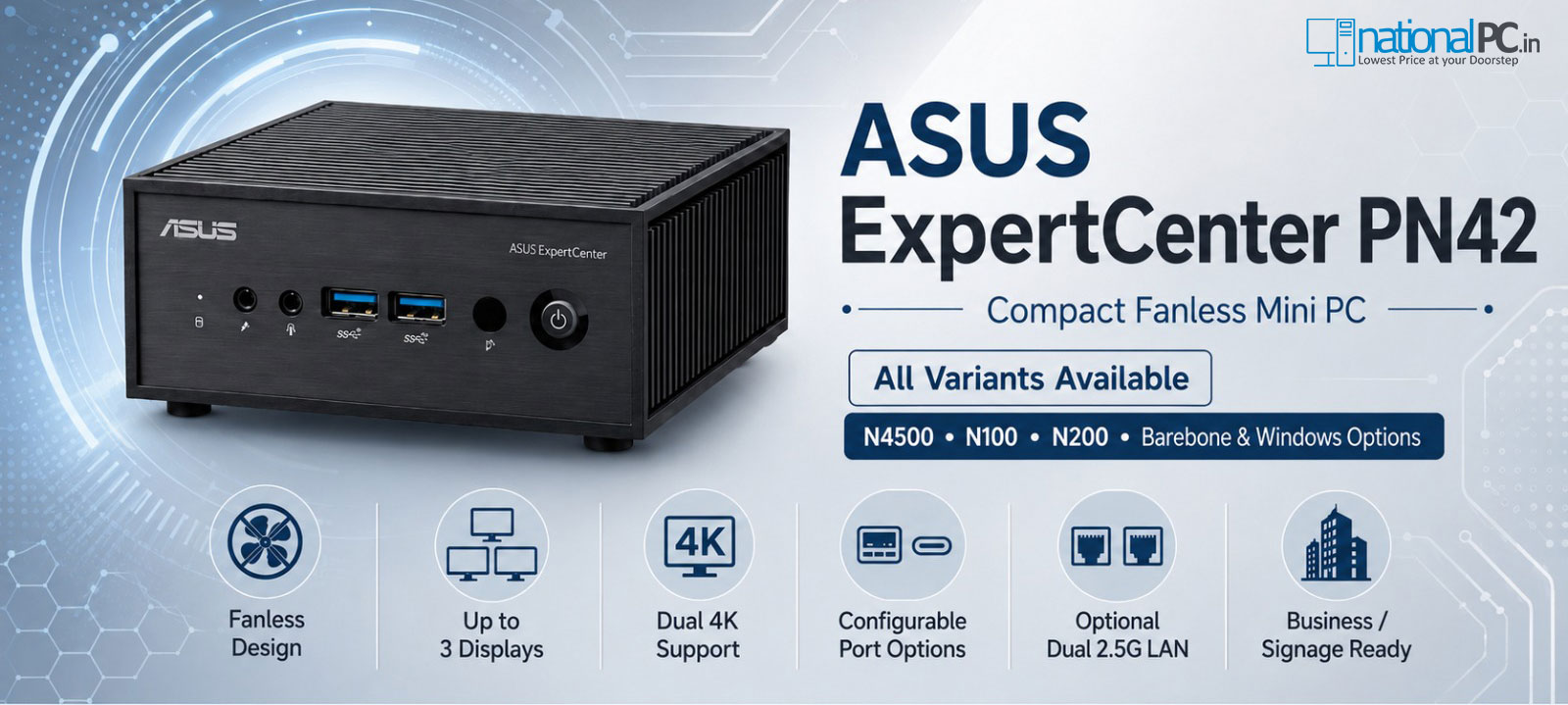
ASUS ExpertCenter PN42 is designed more like a business deployment device than a regular consumer desktop. These working image highlights show why it is useful for office desks, billing counters, kiosks, digital signage, reception areas and 24/7 compact computing setups.
3. All NationalPC Variants
NationalPC can list PN42 as a barebone mini PC as well as ready-to-use solution variants. Barebone is suitable for buyers who want to choose their own RAM, SSD and OS. Ready variants are better for buyers who want plug-and-play usage with RAM, storage and Windows 11.
| Variant Type | Example NationalPC Variant | Best For |
|---|---|---|
| Barebone | ASUS ExpertCenter PN42 Barebone | System integrators, IT teams, custom RAM/SSD/OS installation |
| Entry Ready PC | PN42 N4500 8GB 128GB Win11 | Basic office work, reception desk, billing, light browser usage |
| Entry Storage Upgrade | PN42 N4500 8GB 256GB Win11 | Office users who need more space than 128GB |
| Balanced Office | PN42 N4500 8GB 512GB Win11 | Office apps, billing software, cloud dashboards and web-based tools |
| Better RAM | PN42 N4500 16GB 128GB Win11 | Light multitasking with small local storage requirement |
| Better RAM + Storage | PN42 N4500 16GB 256GB Win11 | Reliable business desktop for daily productivity |
| Recommended Balanced Variant | PN42 N4500 16GB 512GB Win11 | Most small-business buyers who want smooth daily usage |
| High Storage | PN42 N4500 16GB 1TB Win11 | Users with local files, reports, media, database or signage content |
| Maximum Storage Variant | PN42 N4500 16GB 2TB Win11 | Signage media library, surveillance dashboard, local backup or edge usage |
4. Key Highlights
Fanless Silent Operation
No cooling fan means no fan noise, reduced dust intake and better suitability for silent workspaces, kiosks, signage and industrial-style locations.
Ultra-Compact Body
At 127.5 × 132 × 57.6 mm, PN42 takes far less desk space than a traditional desktop and can be VESA-mounted behind a monitor.
Display Flexibility
Supports up to three displays or dual 4K displays depending on configuration and port layout.
Strong Business Connectivity
Offers multiple USB ports, HDMI, DisplayPort, configurable I/O options and optional dual 2.5Gb LAN for business and deployment flexibility.
Tool-less Upgrade Design
Tool-less access makes M.2 SSD installation and servicing easier for IT teams and system integrators.
24/7 Reliability Focus
ASUS positions PN42 for 24/7 reliability and MIL-STD-810 tested dependability, making it suitable for commercial deployments.
5. Full Technical Specifications
| Specification | ASUS ExpertCenter PN42 |
|---|---|
| Product Type | Fanless ultra-compact business mini PC |
| Processor Options | Intel Processor N200, Intel Processor N100, Intel Celeron N4500 depending on SKU |
| Graphics | Integrated Intel UHD Graphics |
| Memory | DDR4-3200 SO-DIMM, up to 16GB official support |
| Storage | M.2 2280 NVMe PCIe Gen3 x4 SSD, support up to 2TB depending on configuration |
| Wireless | Wi-Fi 6 / Wi-Fi 6E and Bluetooth depending on SKU and region |
| LAN | 2.5Gb Ethernet, optional second 2.5Gb LAN depending on SKU |
| Front I/O | 2 × USB 3.2 Gen2 Type-A, mic-in, audio jack, IR receiver |
| Rear I/O | USB ports, HDMI 2.1, DisplayPort 1.4, 2.5Gb LAN, DC-in, security lock options |
| Configurable Port Options | HDMI, DisplayPort, VGA, COM or USB-C with DisplayPort depending on SKU |
| Display Support | Up to three displays or dual 4K displays |
| Power Adapter | 65W adapter |
| Dimensions | 127.5 × 132 × 57.6 mm |
| Design Focus | Fanless, compact, low-power, business and embedded-style usage |
6. Fanless Design & 24/7 Reliability
The biggest reason to choose PN42 is the fanless chassis. A fanless PC has no fan noise and less dust movement through the cooling system. This is very useful in retail stores, libraries, schools, hospitals, reception desks, digital signage installations and other places where silent operation matters.
7. Performance Review: What It Can and Cannot Do
The ASUS ExpertCenter PN42 should be judged correctly. It is not a gaming PC and it is not a heavy workstation. It is a low-power mini PC for light and stable workloads.
Good For
- Office documents and spreadsheets
- Billing and POS software
- Web apps, browser dashboards and cloud tools
- Digital signage playback
- Kiosks and intelligent vending systems
- Reception / front-desk PCs
- Light home server or network service tasks
- Surveillance monitoring dashboards
Not Ideal For
- AAA gaming
- Heavy video editing
- Large Photoshop or graphics workflows
- CPU-heavy development builds
- High-load virtualization
- Large database workloads
- Heavy multitasking with many apps open
- 4K rendering or AI workloads
8. Connectivity, Display & Network Options
Connectivity is a major strength of the PN42. It includes front USB, rear USB, HDMI, DisplayPort, optional configurable ports and 2.5Gb LAN options.
| Connectivity Area | Why It Matters |
|---|---|
| HDMI + DisplayPort | Useful for office displays, signage screens and dual-monitor setups |
| Configurable Port | Supports deployment-specific needs such as COM, VGA, HDMI, DP or USB-C depending on SKU |
| Optional Dual 2.5Gb LAN | Useful for firewall, edge networking, isolated networks, POS and NAS-connected environments |
| Seven USB Ports | Useful for scanners, printers, keyboards, mice, barcode readers, card readers and accessories |
| IR Receiver | Helpful for remote-control style signage and media workflows |
| Kensington Lock and Padlock Ring | Improves security for public or semi-public deployments |
9. Best Use Cases
| Use Case | Recommended Variant | Why |
|---|---|---|
| Basic Office Work | 8GB / 256GB or above | Good for browser, documents, accounting and light productivity |
| Billing / POS Counter | 8GB / 256GB or 16GB / 256GB | Silent, compact and port-rich for peripherals |
| Digital Signage | 8GB / 512GB or 16GB / 512GB | Silent 24/7 operation with enough storage for media |
| Kiosk / Vending / Industrial Terminal | Barebone or 16GB solution variant | Configurable ports and fanless chassis are useful |
| Small Business Server | 16GB / 1TB or 16GB / 2TB | Good for lightweight local services and low-power network tasks |
| Surveillance Dashboard | 16GB / 512GB or above | Good for monitoring interface, not heavy video analytics |
| Home Lab / Linux Box | Barebone or 16GB / 512GB | Low power and silent operation make it attractive for always-on Linux tasks |
10. Official Product Video
Watch ASUS ExpertCenter PN42 in action
This official-style product video helps buyers understand PN42’s compact fanless design, business positioning and mini PC use cases.
11. Benchmark-Style Scores
| Category | Score / 10 | Comment |
|---|---|---|
| Silent Operation | 10 | Fanless design is the biggest strength |
| Compact Design | 9.5 | Very small footprint and VESA-friendly deployment |
| Connectivity | 9 | Strong port selection for its class |
| Low-Power Efficiency | 9 | Excellent for always-on workloads |
| Business Deployment | 9 | Good for signage, POS, kiosks and office systems |
| Windows Performance | 7 | Depends heavily on RAM, SSD and workload |
| Heavy Workload Performance | 5.5 | Not designed for heavy apps, gaming or workstation use |
| Overall Score | 8.7 | Excellent silent mini PC for business and embedded-style use |
12. Advantages & Limitations
What We Love
- Completely fanless silent design
- Compact under-1L chassis
- Good port selection for business use
- Optional dual 2.5Gb LAN
- Triple display or dual 4K display support
- Tool-less M.2 SSD access
- VESA mount support
- Good for POS, kiosks, signage and office use
- Low power consumption
- 24/7 reliability positioning
What Falls Short
- Not suitable for heavy gaming
- Not a workstation-class mini PC
- Windows can feel slow on low RAM variants
- Single SO-DIMM official memory design limits upgrade flexibility
- Performance depends on processor variant
- Fanless cooling limits sustained heavy CPU performance
- Barebone version needs RAM, SSD and OS installation
13. FAQ — Buyer Questions Answered
Is ASUS ExpertCenter PN42 good for office use?
Yes. It is good for documents, billing, browser-based work, dashboards, lightweight accounting, reception desks and general office tasks, especially when configured with enough RAM and SSD.
Is PN42 completely silent?
Yes, the PN42 uses a fanless design, so there is no fan noise. SSD or electrical noise may vary by environment, but there is no cooling fan.
Is PN42 good for digital signage?
Yes. Its compact fanless design, display output support and 24/7 reliability positioning make it suitable for signage displays and kiosk-style deployments.
Can ASUS PN42 run Windows 11?
Yes, Windows 11 configurations are available depending on SKU. For the best experience, choose enough RAM and SSD capacity.
Is PN42 good for gaming?
No. PN42 is not designed for gaming. It uses integrated Intel UHD Graphics and low-power processors intended for light business and embedded-style workloads.
What is the best NationalPC PN42 variant?
For most users, 16GB RAM with 512GB SSD is the safest balanced choice. For signage, storage-heavy or small-server usage, 1TB or 2TB variants may be better.
Should I buy barebone or ready-to-use PN42?
Buy barebone if your IT team will install RAM, SSD and OS. Buy a ready-to-use NationalPC solution variant if you want RAM, SSD and Windows 11 already configured.
14. Review References
This NationalPC review-style article is prepared using official ASUS product information, ASUS specifications, NationalPC product context and independent review observations from fanless mini PC reviewers.
| Reference Source | Purpose |
|---|---|
| ASUS ExpertCenter PN42 Official Page | Official product features, images and positioning |
| ASUS ExpertCenter PN42 Tech Specs | Official processor, memory, storage, I/O and dimensions |
| Digital Citizen PN42 Review | Independent usability, pros and cons, silent/low-power review angle |
| Notebookcheck PN42 Review | Independent performance and power consumption observations |
| FanlessTech PN42 Review | Fanless mini PC perspective |
| NationalPC ASUS ExpertCenter PN42 Barebone | NationalPC product page for barebone buyers |
| NationalPC ASUS PN42 Category | NationalPC PN42 variants and availability context |
15. Final Verdict
The ASUS ExpertCenter PN42 is a specialist mini PC. It is not for users who want maximum CPU performance, gaming graphics or workstation-class speed. Its value is in a different direction: silent operation, low power consumption, compact size, port flexibility and reliable business deployment.
For offices, retail counters, POS systems, kiosks, signage, reception desks, surveillance dashboards, small business tools and light always-on tasks, PN42 is a smart choice. For heavy Windows multitasking, creative work or gaming, users should choose a more powerful ASUS PN / NUC / ROG NUC class mini PC.
NationalPC Final Recommendation: Choose PN42 Barebone if you want custom RAM, SSD and OS control. Choose a 16GB / 512GB or higher NationalPC solution variant if you want the best balance of usability and long-term comfort.
Overall Rating: 8.7 / 10
16. Buy ASUS ExpertCenter PN42 from NationalPC
Need a silent mini PC for office, signage, POS, kiosk or business deployment?
Check ASUS ExpertCenter PN42 barebone and ready-to-use solution variants on NationalPC. Get genuine product assistance, GST invoice support and delivery across India.
View PN42 Barebone View All ASUS PN42 Variants Visit NationalPC
Leave a comment