Looking for 128GB RAM in Your Mini PC for LLM and Virtual Machine Setup? NationalPC has the solutions
Looking for 128GB RAM in Your Mini PC for LLM and Virtual Machine Setup? NationalPC Has the Solutions
ASUS NUC 15 Pro 128GB RAM Mini PC | Core Ultra 5 225H vs Core Ultra 7 255H vs Core Ultra 9 285H | LLM, Virtual Machines, Docker, Homelab & Developer Workstation
Quick Verdict: If your workload needs 128GB RAM in a compact mini PC, NationalPC’s ASUS NUC 15 Pro 128GB solutions are built for local LLM testing, virtual machines, containers, developer labs and advanced multitasking.
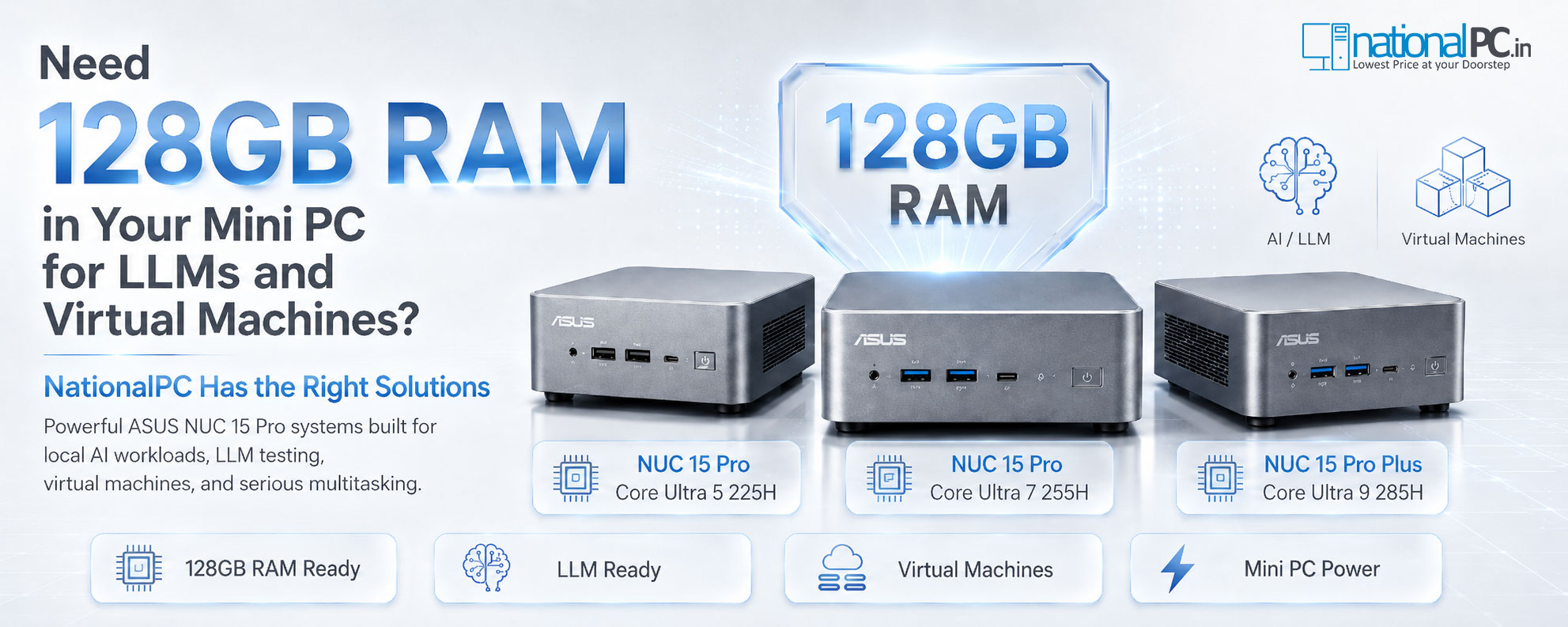
Many mini PCs stop at 32GB, 64GB or officially listed 96GB memory configurations. But for local LLM testing, virtual machines, Docker containers, Proxmox-style labs, Linux development and heavy browser-based dashboards, memory capacity matters more than just CPU speed. That is why NationalPC highlights 128GB RAM configurations for selected ASUS NUC 15 Pro and NUC 15 Pro Plus systems.
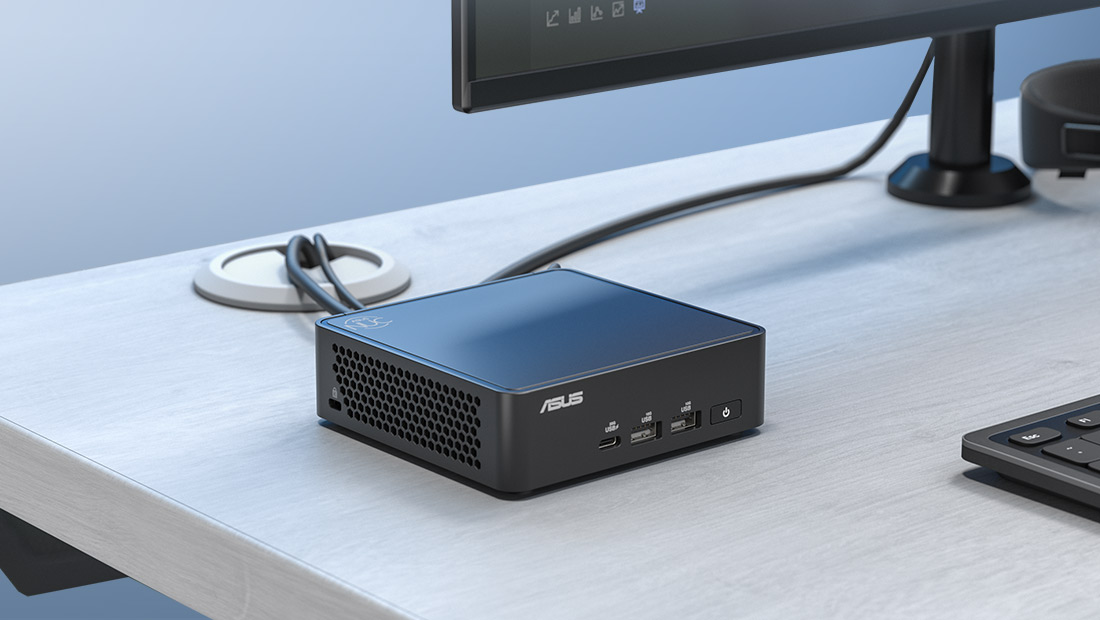
NUC 15 Pro Ultra 5 225H with 128GB RAM is best for developers, VM learners, Linux labs, Docker, light local LLM tests and heavy multitasking.
NUC 15 Pro Ultra 7 255H with 128GB RAM is the most balanced choice for multiple VMs, heavier Docker workloads, developer workstations and AI-assisted workflows.
NUC 15 Pro Ultra 9 285H with 128GB RAM is the premium option for users who want the strongest CPU headroom, 99 TOPS platform capability and maximum compact performance.
TABLE OF CONTENTS
- Why 128GB RAM Matters
- NationalPC 128GB Mini PC Solutions
- Product Image Gallery
- Core Ultra 5 225H 128GB Build
- Core Ultra 7 255H 128GB Build
- Core Ultra 9 285H 128GB Build
- Comparison Table
- LLM Workload Guide
- Virtual Machine Setup Guide
- RAM, SSD & OS Recommendation
- Benchmark-Style Scores
- Advantages & Limitations
- FAQ
- References
- Final Verdict
- Buy from NationalPC
1. Why 128GB RAM Matters in a Mini PC
For normal office users, 16GB or 32GB RAM is usually enough. But for local LLM testing, virtual machines, container stacks, self-hosted services, developer labs and simulation workloads, RAM becomes the main bottleneck. Once your workload starts running multiple services together, 64GB can feel limited very quickly.
A 128GB RAM mini PC allows you to keep more virtual machines active, allocate larger memory pools to Linux or Windows guests, run more Docker containers, test larger local AI models, open more development tools and maintain smoother multitasking without moving to a bulky tower workstation.
2. NationalPC 128GB Mini PC Solutions
NationalPC focuses on practical high-memory mini PC configurations for users who need more than basic office performance. The three highlighted systems below are designed for different performance levels while keeping the same core idea: compact size, modern Intel Core Ultra platform, high-speed DDR5 memory, dual M.2 storage support and business-ready connectivity.
NUC 15 Pro Ultra 5 225H with 128GB RAM
Best entry point for developers, students, Linux labs, lightweight LLM testing, homelab users and VM learning setups.
View Ultra 5 128GB SolutionNUC 15 Pro Ultra 7 255H with 128GB RAM
Best balanced choice for advanced VM users, developers, Docker stacks, test servers and heavier AI-assisted workflows.
View Ultra 7 255H ModelNUC 15 Pro Ultra 9 285H with 128GB RAM
Best performance option for power users who want the fastest NUC 15 Pro Plus platform with maximum CPU headroom.
View Ultra 9 285H ModelImportant Note: ASUS official memory specifications may vary by model and region. NationalPC 128GB configurations are positioned as NationalPC configured / compatibility-focused solutions for selected NUC 15 Pro models. Always confirm live availability, exact RAM type and tested configuration before ordering.
3. Product Image Gallery
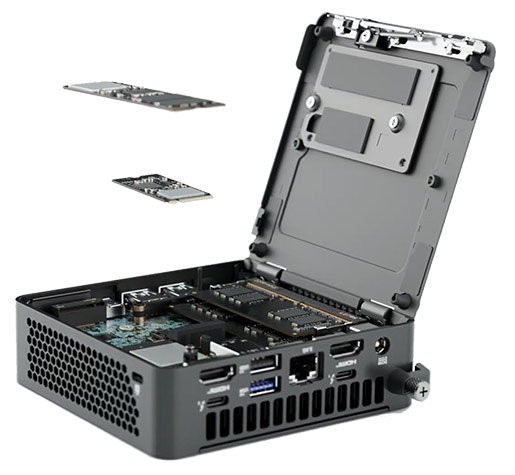

4. NUC 15 Pro Ultra 5 225H with 128GB RAM
The NUC 15 Pro Ultra 5 225H with 128GB RAM is the practical starting point for high-memory mini PC users. It gives you 14 cores, Intel Arc 130T graphics, Wi-Fi 7, Thunderbolt 4, 2.5G LAN and enough memory headroom for learning, testing and professional multitasking.
This configuration is best for users who want a compact system for Ubuntu, Windows, local development, Docker containers, VS Code, lightweight LLM experiments, database testing and multiple smaller virtual machines.
Best For
Students, developers, Linux users, home lab beginners, Docker users and light VM workloads.
CPU Profile
14 cores, 14 threads, up to 4.90GHz and 83 overall peak TOPS platform capability.
RAM Advantage
128GB RAM gives far more VM and container flexibility than normal 32GB/64GB mini PCs.
5. NUC 15 Pro Ultra 7 255H with 128GB RAM
The NUC 15 Pro Ultra 7 255H with 128GB RAM is the best balanced option for most serious users. It upgrades the platform to 16 cores, Intel Arc 140T graphics and stronger overall AI performance, while keeping the compact NUC 15 Pro form factor.
This is the model to recommend for heavier VM users, developers running multiple environments, Docker-heavy workloads, Proxmox-style labs, database testing, browser-heavy dashboards and users who want a high-memory compact workstation without going to the most expensive Ultra 9 build.
Best For
Advanced developers, multiple VMs, container labs, productivity workstations and AI-assisted tasks.
CPU Profile
16 cores, 16 threads, up to 5.10GHz, 24MB cache and 96 overall peak TOPS.
Balanced Pick
The best choice when you want serious performance without going to the premium Ultra 9 price level.
6. NUC 15 Pro Ultra 9 285H with 128GB RAM
The NUC 15 Pro Ultra 9 285H with 128GB RAM is the high-performance option. It is designed for buyers who want the strongest NUC 15 Pro Plus CPU configuration, better peak frequency, Intel Arc 140T graphics and up to 99 overall peak TOPS platform capability.
Choose this option if you want the highest CPU headroom for local development, VM-heavy multitasking, more demanding compile tasks, heavier dashboards, advanced test environments and a compact workstation that feels closer to a high-end desktop replacement.
Best For
Power users, developers, advanced VM labs, heavy multitasking and premium compact workstations.
CPU Profile
16 cores, 16 threads, up to 5.40GHz, 24MB cache and 99 overall peak TOPS.
Premium Pick
Best if you want the strongest compact NUC platform with 128GB RAM headroom.
7. 128GB RAM NUC 15 Pro Comparison Table
| Feature | NUC 15 Pro Ultra 5 225H 128GB | NUC 15 Pro Ultra 7 255H 128GB | NUC 15 Pro Ultra 9 285H 128GB |
|---|---|---|---|
| Best For | Entry 128GB LLM / VM lab | Best balanced professional build | Premium high-performance build |
| Processor | Core Ultra 5 225H | Core Ultra 7 255H | Core Ultra 9 285H |
| Cores / Threads | 14 / 14 | 16 / 16 | 16 / 16 |
| Max Turbo | Up to 4.90GHz | Up to 5.10GHz | Up to 5.40GHz |
| Integrated GPU | Intel Arc 130T | Intel Arc 140T | Intel Arc 140T |
| Overall Peak TOPS | 83 TOPS | 96 TOPS | 99 TOPS |
| NationalPC Recommendation | Best value | Best balanced choice | Best performance choice |
8. LLM Workload Guide: What Can 128GB RAM Help With?
Local LLM performance depends on many factors: model size, quantization, framework, CPU/GPU acceleration, memory bandwidth and storage speed. A 128GB RAM mini PC is not the same as a dedicated GPU AI server, but it gives much more flexibility than standard low-memory systems for experimenting with local AI tools.
| LLM / AI Use Case | How 128GB RAM Helps | Recommended Model |
|---|---|---|
| Local LLM Testing | More room for larger quantized models and supporting apps. | Ultra 7 / Ultra 9 |
| RAG / Document Testing | Run vector database, local server, embeddings workflow and browser tools together. | Ultra 7 |
| AI Development Lab | Run Python, Docker, notebooks, APIs and testing environments together. | Ultra 7 / Ultra 9 |
| Learning & Experimentation | Start with local AI tools without buying a large workstation tower. | Ultra 5 / Ultra 7 |
LLM Note: These 128GB RAM NUC systems are strong for local AI testing and development, but dedicated GPU workstations are still better for heavy model training, large-scale inference and production AI workloads.
9. Virtual Machine Setup Guide
Virtual machines are one of the best reasons to choose 128GB RAM. With more memory, you can allocate dedicated RAM to multiple guest systems while keeping the host OS responsive. This is especially useful for developers, network engineers, cybersecurity learners, Linux admins and IT support labs.
| VM Scenario | Why 128GB RAM Helps | Recommended NUC |
|---|---|---|
| Windows + Linux Lab | Run multiple test VMs side by side. | Ultra 5 / Ultra 7 |
| Proxmox / Homelab | Allocate RAM to VMs, containers and self-hosted services. | Ultra 7 |
| Cybersecurity Lab | Run Kali, Windows targets, Linux servers and monitoring tools together. | Ultra 7 / Ultra 9 |
| Heavy Developer Stack | Run IDE, database, VM, containers and browser dashboards together. | Ultra 9 |
10. RAM, SSD & OS Recommendation
A 128GB RAM build should be paired with the right SSD and operating system. For local AI, VM labs and developer workloads, storage speed and capacity matter because VM disk images, model files, datasets and Docker images can grow quickly.
| Build Component | Recommended Choice | Reason |
|---|---|---|
| RAM | 128GB DDR5 | Best for large VM allocation, containers and local AI testing. |
| Primary SSD | 1TB or 2TB NVMe | Recommended for OS, apps, VM images and local AI tools. |
| Secondary SSD | Optional M.2 2242 NVMe | Useful for VM storage, backup, datasets and project isolation. |
| Operating System | Windows 11 Pro / Ubuntu / Proxmox-style lab OS | Choose based on whether you need desktop apps, Linux development or VM host use. |
NationalPC Setup Tip: For most serious buyers, pair 128GB RAM with at least 1TB SSD. For VM-heavy or LLM-heavy usage, choose 2TB or add a second SSD if your selected configuration supports it.
11. Benchmark-Style Scores
| Category | Ultra 5 225H 128GB | Ultra 7 255H 128GB | Ultra 9 285H 128GB |
|---|---|---|---|
| LLM Testing | 8.4 / 10 | 9.0 / 10 | 9.3 / 10 |
| Virtual Machines | 8.6 / 10 | 9.3 / 10 | 9.5 / 10 |
| Docker / Containers | 8.7 / 10 | 9.2 / 10 | 9.4 / 10 |
| Value | 9.2 / 10 | 9.0 / 10 | 8.5 / 10 |
| Overall | 8.8 / 10 | 9.3 / 10 | 9.5 / 10 |
12. Advantages & Limitations
Advantages
- 128GB RAM capacity for VM and LLM-heavy usage
- Compact mini PC footprint
- Modern Core Ultra Series 2 platform
- Intel Arc integrated graphics
- Wi-Fi 7 and Bluetooth 5.4
- 2.5G LAN for fast wired networking
- Thunderbolt 4 and HDMI display flexibility
- Dual M.2 storage support on selected models
- Better for labs than normal 16GB/32GB mini PCs
Limitations
- Not a replacement for a dedicated GPU AI workstation
- Heavy model training still needs GPU acceleration
- Thermals are limited by compact chassis size
- 128GB configuration availability should be confirmed before order
- RAM speed/type may depend on compatible module choice
- Storage should be upgraded for serious VM workloads
13. FAQ — Buyer Questions Answered
Can I get 128GB RAM in an ASUS NUC 15 Pro mini PC?
Yes, NationalPC highlights 128GB RAM solutions for selected ASUS NUC 15 Pro and NUC 15 Pro Plus configurations. Availability and exact RAM compatibility should be confirmed before ordering.
Which 128GB RAM NUC is best for virtual machines?
For most VM users, NUC 15 Pro Ultra 7 255H with 128GB RAM is the best balanced choice. Choose Ultra 9 285H if you want maximum performance headroom.
Is 128GB RAM useful for local LLM testing?
Yes. 128GB RAM gives more headroom for quantized local models, supporting services, Docker, vector databases and development tools. For heavy AI training, a dedicated GPU workstation is still better.
Which is better: Ultra 5 225H, Ultra 7 255H or Ultra 9 285H?
Ultra 5 225H is best for value, Ultra 7 255H is best for balanced professional use, and Ultra 9 285H is best for maximum compact performance.
How much SSD should I choose with 128GB RAM?
Choose at least 1TB SSD for development and VM work. For LLM models, datasets, VM images and Docker containers, 2TB or dual SSD configuration is better.
Can NationalPC configure the mini PC with RAM, SSD and OS?
Yes. NationalPC can offer barebone or configured options depending on stock and model availability. Buyers can select RAM, SSD and Windows/Linux-ready configurations based on workload.
14. References
This NationalPC blog is prepared using ASUS NUC 15 Pro official platform information, Intel processor specifications and NationalPC product pages for selected NUC 15 Pro configurations.
| Reference Source | Purpose |
|---|---|
| ASUS NUC 15 Pro Official Page | Official NUC 15 Pro features, platform positioning, Wi-Fi 7, display support and design |
| Intel Core Ultra 5 225H Specs | Official CPU cores, frequency, cache and platform TOPS information |
| Intel Core Ultra 7 255H Specs | Official CPU cores, frequency, cache and platform TOPS information |
| Intel Core Ultra 9 285H Specs | Official CPU cores, frequency, cache and 99 TOPS platform information |
| NationalPC 128GB NUC Search | NationalPC product availability, configured RAM options and 128GB upgrade solutions |
15. Final Verdict
If you are looking for a 128GB RAM mini PC for LLM testing, virtual machines, Linux labs, containers or professional development, NationalPC’s ASUS NUC 15 Pro solutions are a strong compact alternative to a tower workstation.
Choose NUC 15 Pro Ultra 5 225H with 128GB RAM for value, NUC 15 Pro Ultra 7 255H with 128GB RAM for the best balanced recommendation, and NUC 15 Pro Ultra 9 285H with 128GB RAM for the strongest performance-focused compact setup.
Best Value: NUC 15 Pro Ultra 5 225H with 128GB RAM
Best Balanced: NUC 15 Pro Ultra 7 255H with 128GB RAM
Best Performance: NUC 15 Pro Ultra 9 285H with 128GB RAM
16. Buy 128GB RAM ASUS NUC Mini PC from NationalPC
Need a compact mini PC for LLM, VM lab or developer workstation?
NationalPC can help you choose the right ASUS NUC 15 Pro 128GB RAM configuration based on your workload, SSD requirement, OS preference and budget.
Ultra 5 225H 128GB Solution Ultra 7 255H NUC 15 Pro Ultra 9 285H NUC 15 Pro Plus Search All 128GB NUC Options