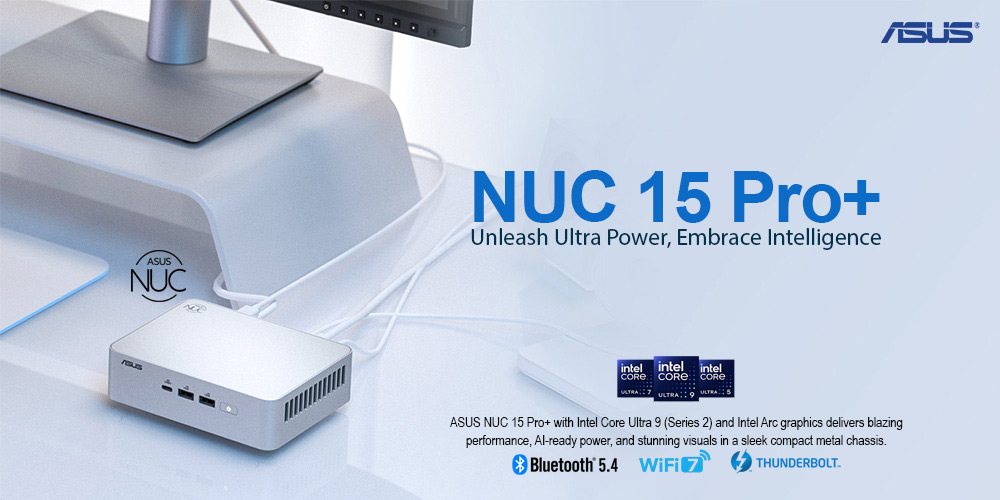
ASUS NUC 15 Pro+ Most Powerful Compact AI Mini PC of 2025(Newly Released in India)
ASUS NUC 15 Pro+ Review: Most Powerful Compact AI Mini PC of 2025
Intel Core Ultra Series 2 | Up to 99 AI TOPS | Intel Arc Graphics | Wi-Fi 7 | DDR5 RAM | Dual M.2 SSD | Thunderbolt 4 | 0.7L Metal Chassis
Score: 9.1 / 10 ★★★★★ Best Compact AI Mini PC for Professionals
ASUS has introduced the NUC 15 Pro+, and it is shaping up to be one of the most powerful compact 4×4 mini PCs in its class. For users interested in AI PCs, compact workstations, business desktops, and small-form-factor productivity systems, this model is worth a serious look.
Quick Summary: The ASUS NUC 15 Pro+ is a compact AI-ready mini PC designed for professionals who need strong CPU performance, AI acceleration, modern connectivity, multiple display support, and business-friendly reliability in a small metal chassis.
Bottom line: If you want a compact desktop that can handle office work, 4K multitasking, AI-assisted workflows, development, content creation, and enterprise deployment, the NUC 15 Pro+ is one of the most capable mini PCs currently available.
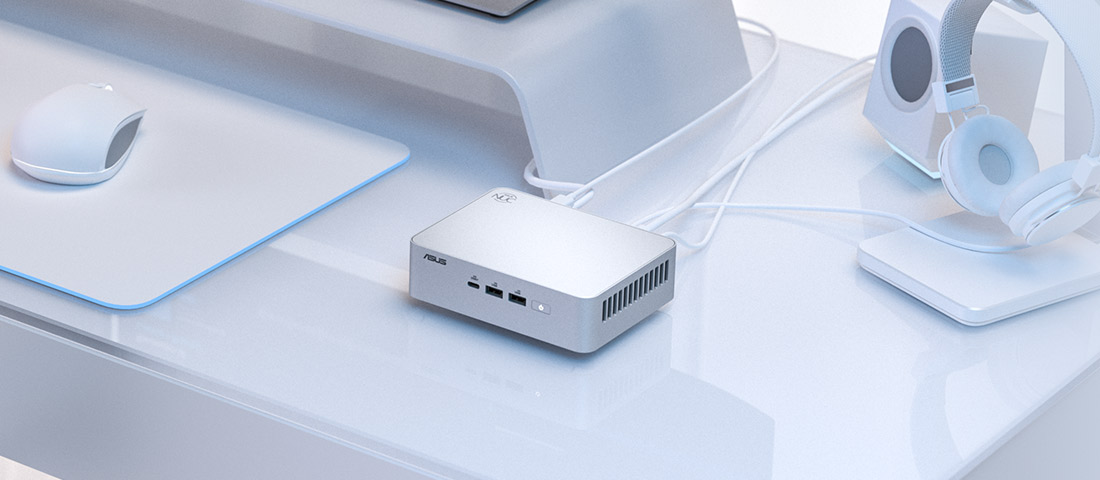
TABLE OF CONTENTS
- Introduction & Overview
- Product Image Gallery
- What’s Impressive About It?
- Full Technical Specifications
- Design & Build Quality
- Performance & AI Capability
- Memory, Storage & Upgradeability
- Connectivity & Display Support
- Strong Use-Case Potential
- Benchmark-Style Scores
- Advantages & Limitations
- Product Video
- FAQ — Buyer Questions Answered
- Review References
- Final Verdict
- Buy from NationalPC
1. Introduction & Overview
The ASUS NUC 15 Pro+ is designed for users who want desktop-class productivity and AI-ready performance without using a large tower PC. It keeps the NUC concept compact, efficient, and upgrade-friendly, but moves the platform into a newer generation with Intel Core Ultra Series 2 processing, Intel Arc graphics, Wi-Fi 7, and Thunderbolt 4.
ASUS positions this model for professionals, businesses, creators, home offices, developers, consultants, and compact workstation users. It is small enough for a clean desk setup, VESA mounting, reception areas, POS systems, meeting rooms, and enterprise deployments, while still offering serious modern performance.
Product Image Gallery
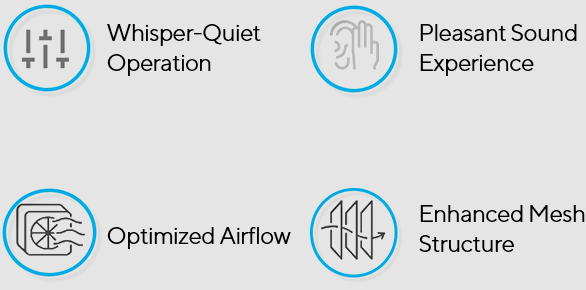
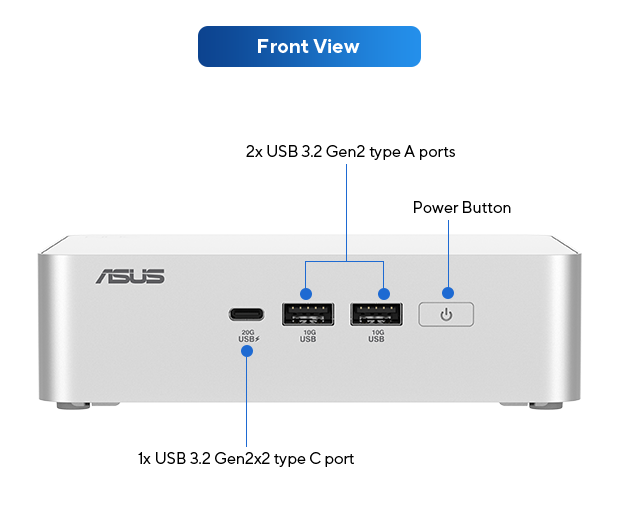
The ASUS NUC 15 Pro+ uses a clean silver metal chassis with a compact desk-friendly form factor. These official ASUS visuals help explain its design, cooling, and connectivity better than a text-only description.
2. What’s Impressive About It?
Intel Core Ultra Series 2
The NUC 15 Pro+ uses Intel Core Ultra processors with dedicated AI acceleration, making it more suitable for modern AI-assisted productivity and automation workflows.
Intel Arc Graphics
Integrated Intel Arc graphics improve 4K display handling, media acceleration, visual workloads, and everyday productivity compared with older integrated graphics platforms.
Up to 96GB DDR5 RAM
Support for up to 96GB DDR5 memory is a major advantage for such a compact mini PC, especially for multitasking, development, and large dataset workflows.
Dual M.2 SSD Support
Dual M.2 storage support allows fast NVMe storage expansion for operating system, project files, AI data, media libraries, and business applications.
Wi-Fi 7 + Bluetooth 5.4
Next-generation wireless connectivity makes it suitable for modern office networks, high-speed local transfers, and clean cable-light desk setups.
Thunderbolt 4, HDMI 2.1 & 2.5G LAN
Advanced I/O makes the NUC 15 Pro+ suitable for multi-monitor productivity, fast storage devices, docks, office networks, and business deployments.
3. Full Technical Specifications
| Specification | ASUS NUC 15 Pro+ |
|---|---|
| Form Factor | Mini PC / Kit |
| Processor | Up to Intel Core Ultra 9 285H, cTDP 65W |
| Graphics | Intel Arc GPU |
| AI Performance | Up to 99 platform TOPS |
| Memory Support | Up to 96GB DDR5 RAM |
| Storage Slot 1 | M.2 2280 NVMe PCIe 5.0 x4 SSD support |
| Storage Slot 2 | M.2 2242 NVMe PCIe 4.0 x4 SSD support |
| Wireless | Intel Wi-Fi 7 BE201 |
| Bluetooth | Bluetooth 5.4 |
| LAN | Intel I226-V 2.5G Ethernet |
| Front I/O | 1 × USB 3.2 Gen2x2 Type-C, 2 × USB 3.2 Gen2 Type-A |
| Rear I/O | 2 × HDMI 2.1, 2 × Thunderbolt 4, USB Type-A ports, RJ45 LAN, DC-in, Kensington Lock |
| Display Support | Quad 4K display support via HDMI and Thunderbolt |
| Power Adapter | 150W adapter for Core Ultra 9 configuration |
| Dimensions | 144 × 112 × 42 mm |
| Weight | Approx. 600g |
| Operating System | Windows 11 Home / Windows 11 Pro / Without OS options depending on SKU |
4. Design & Build Quality
The ASUS NUC 15 Pro+ uses a compact metal chassis that looks more premium than many basic mini PCs. The silver finish, clean front I/O layout, and small footprint make it suitable for modern desks, reception areas, studios, and professional environments.
At just 144 × 112 × 42 mm, this is a very compact system considering the level of processing power inside. ASUS also highlights tool-free upgrades, making it easier for users or IT teams to access RAM and storage without complicated disassembly.
5. Performance & AI Capability
The NUC 15 Pro+ is designed around Intel Core Ultra Series 2 processors, with top configurations offering the Intel Core Ultra 9 285H. This gives the mini PC strong CPU performance for multitasking, office work, development, browser-heavy workflows, analytics, and creative applications.
The AI story is also important. ASUS highlights up to 99 platform TOPS, which includes CPU, GPU, and NPU AI acceleration. This makes the NUC 15 Pro+ more suitable for modern AI-assisted tasks such as local inference, transcription, image workflows, background productivity acceleration, and AI-enhanced business applications.
Notebookcheck tested a high-end configuration with Intel Core Ultra 9 285H, 32GB RAM, and 1TB SSD, noting that the NUC 15 Pro+ remains compact while offering strong performance in its class.
6. Memory, Storage & Upgradeability
Memory and storage are major strengths of the ASUS NUC 15 Pro+. The system supports up to 96GB DDR5 RAM, which is impressive for a compact mini PC. This makes it practical for multitasking, virtual machines, coding environments, creative tools, AI data handling, and enterprise applications.
Storage support is also strong. ASUS lists one M.2 2280 NVMe PCIe 5.0 x4 SSD slot and one M.2 2242 NVMe PCIe 4.0 x4 SSD slot. This allows users to separate system storage and project storage or create a compact high-speed workstation setup.
7. Connectivity & Display Support
Connectivity is one of the biggest advantages of the NUC 15 Pro+. With dual Thunderbolt 4 ports, dual HDMI 2.1 ports, 2.5G LAN, Wi-Fi 7, Bluetooth 5.4, and multiple USB ports, it is suitable for compact workstation setups, business desks, and multi-display productivity.
| Connectivity Feature | Practical Benefit |
|---|---|
| Dual Thunderbolt 4 | High-speed docks, external storage, display output and workstation expansion |
| Dual HDMI 2.1 | Direct display output for monitors and TVs |
| Quad 4K Display Support | Ideal for trading desks, productivity workstations, digital signage and control rooms |
| 2.5G Ethernet | Faster wired networking for NAS, office servers and high-speed LAN transfers |
| Wi-Fi 7 | Next-generation wireless connectivity for modern office networks |
| Bluetooth 5.4 | Modern wireless peripheral support |
8. Strong Use-Case Potential
| Use Case | Why It Fits |
|---|---|
| Local AI Workloads | Useful for AI-assisted productivity, inference experiments, Whisper, embeddings and lightweight local models |
| Creative Work | Suitable for photo editing, design work, 4K previews and content preparation |
| Business Workstation | Compact replacement for office desktops with strong CPU, RAM and connectivity options |
| HTPC / Media Server | Compact size, HDMI output and strong media capability make it useful for home media setups |
| Multi-Monitor Productivity | Quad 4K display support makes it ideal for productivity-heavy desks |
| Retail / Enterprise Deployment | Compact chassis, VESA mount support and business features make it practical for deployments |
9. Benchmark-Style Scores
| Category | Score / 10 | Comment |
|---|---|---|
| Compact Design | 9.5 | Very small 0.7L chassis with premium metal design |
| CPU Performance | 9.2 | Strong Core Ultra Series 2 performance for a mini PC |
| AI Capability | 9 | Up to 99 platform TOPS makes it relevant for AI-assisted workflows |
| Graphics Capability | 8 | Intel Arc graphics are strong for integrated graphics, but not a replacement for dedicated gaming GPUs |
| Memory Support | 9.5 | Up to 96GB DDR5 support is excellent for this size |
| Storage Expansion | 9 | Dual M.2 support including PCIe 5.0 storage |
| Connectivity | 9.5 | Thunderbolt 4, HDMI 2.1, 2.5G LAN, Wi-Fi 7 and Bluetooth 5.4 |
| Business Suitability | 9.3 | Excellent for office, enterprise and compact workstation deployment |
| Gaming Value | 7 | Good for lightweight gaming, but not meant for heavy AAA gaming |
| Overall Score | 9.1 | One of the strongest compact AI mini PCs for professional users |
10. Advantages & Limitations
What We Love
- Very compact 0.7L metal chassis
- Intel Core Ultra Series 2 processor options
- Up to 99 platform TOPS AI capability
- Intel Arc integrated graphics
- Up to 96GB DDR5 RAM support
- Dual M.2 SSD support including PCIe 5.0
- Wi-Fi 7 and Bluetooth 5.4
- 2.5G Ethernet for faster wired networking
- Thunderbolt 4 and HDMI 2.1 support
- Quad 4K display support
- Tool-free upgrade-friendly design
What Falls Short
- Premium pricing compared with basic mini PCs
- Not suitable as a high-end gaming PC replacement
- Integrated graphics still has limits for heavy 3D workloads
- RAM and storage configuration may vary by SKU
- Powerful compact systems may run warmer under sustained heavy loads
- Some enterprise features such as Intel vPro depend on selected SKUs
ASUS NUC 15 Pro+ Product Video
Watch the ASUS AI NUC video to understand how ASUS positions its latest compact NUC systems for productivity, business, and AI-powered workflows.
11. FAQ — Buyer Questions Answered
Is the ASUS NUC 15 Pro+ good for AI workloads?
Yes. It is suitable for AI-assisted productivity, local inference experiments, transcription workflows, image generation experiments, embeddings and lightweight AI development. For very heavy LLM or GPU training workloads, a dedicated GPU workstation is still better.
Can the ASUS NUC 15 Pro+ replace a desktop PC?
Yes, for office work, business use, coding, light creative work, multitasking and compact workstation use. It is not meant to replace a full gaming tower with a dedicated GPU.
How much RAM does it support?
ASUS lists support for up to 96GB DDR5 RAM, depending on the SKU and memory type used.
Does it support multiple displays?
Yes. ASUS highlights quad 4K display support through HDMI and Thunderbolt connectivity.
Is it good for video editing?
It can handle light to moderate video editing, 4K previews and content preparation. For heavy GPU effects, long 4K timelines or professional rendering, a dedicated workstation may be better.
Is the ASUS NUC 15 Pro+ good for gaming?
It can handle retro gaming, esports titles and lightweight modern gaming through Intel Arc integrated graphics. It is not designed as a high-end AAA gaming PC.
Who should buy the ASUS NUC 15 Pro+?
It is best for professionals, business users, developers, creators, home-office users, AI learners, consultants, and anyone who wants a powerful compact PC with modern connectivity.
12. Review References
This review-style buying guide is prepared using ASUS official specifications, ASUS press information, NationalPC product context, and external review context from Notebookcheck.
| Reference Source | Purpose |
|---|---|
| ASUS NUC 15 Pro+ Official Page | Official product features, AI performance, design, connectivity and images |
| ASUS NUC 15 Pro+ Tech Specs | Official technical specifications |
| ASUS Press Release | Launch details, AI TOPS, Wi-Fi 7 and quad 4K display support |
| Notebookcheck Review | Independent performance review context |
| NationalPC Product Listing | Indian buyer product availability and purchase context |
13. Final Verdict
The ASUS NUC 15 Pro+ is one of the most powerful and balanced compact AI mini PCs currently available. It combines a small 0.7L form factor with Intel Core Ultra Series 2 performance, AI acceleration, Intel Arc graphics, up to 96GB DDR5 memory, dual M.2 storage support, Wi-Fi 7, Thunderbolt 4, HDMI 2.1 and 2.5G LAN.
It is especially strong for professionals, compact office setups, developers, creators, AI learners, consultants and businesses that need powerful computing in a small footprint. It is not a gaming tower replacement, but for productivity, AI-assisted work and compact workstation use, it is an excellent choice.
Overall Rating: 9.1 / 10
14. Buy ASUS NUC 15 Pro+ from NationalPC
Ready to build a compact AI-ready workstation?
Buy ASUS NUC 15 Pro+ from NationalPC with GST invoice support, genuine product assistance and delivery across India.
Visit NationalPC Check ASUS NUC 15 Pro+ on NationalPC