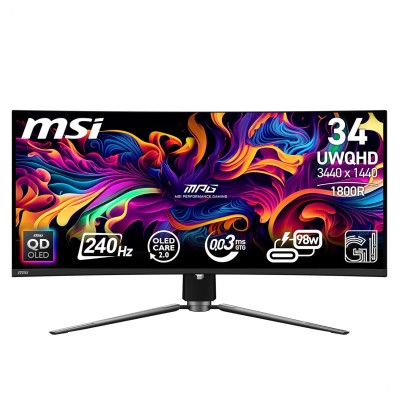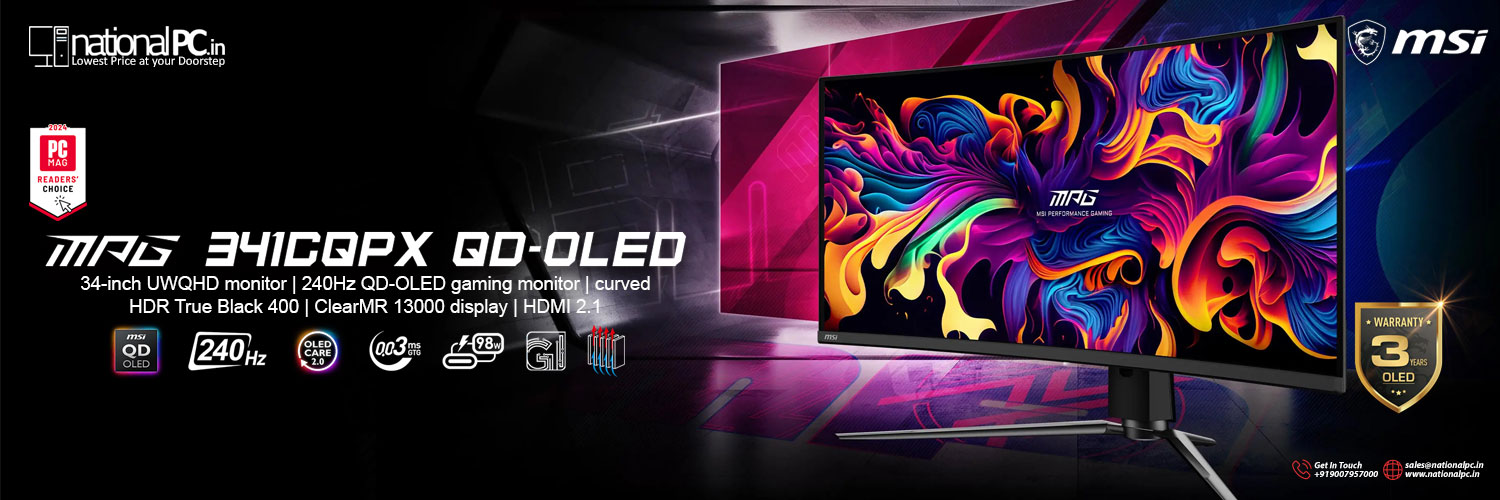
MSI MPG 341CQPX QD-OLED Review — 34" UWQHD 240Hz Ultrawide That Finally Does Everything
If you’ve been waiting for a 34-inch ultrawide OLED that’s not just
“beautiful in games,” but also seriously practical (USB-C
power, KVM, full-bandwidth HDMI 2.1), the MSI MPG 341CQPX QD-OLED is
one of the most complete options in the category. It pairs the classic QD-OLED
strengths (true blacks, near-instant pixels, wide color) with a 240Hz refresh
rate and genuinely useful everyday features.
Quick specs (what you’re actually buying)
Core
- Size /
format: 34.18"
ultrawide, 21:9, 1800R curve
- Resolution: 3440×1440 (UWQHD)
- Refresh /
response: up
to 240Hz, “0.03ms GtG” marketing spec
- HDR cert: VESA DisplayHDR True Black 400 (plus
a “Peak 1000” mode)
Connectivity (big selling point)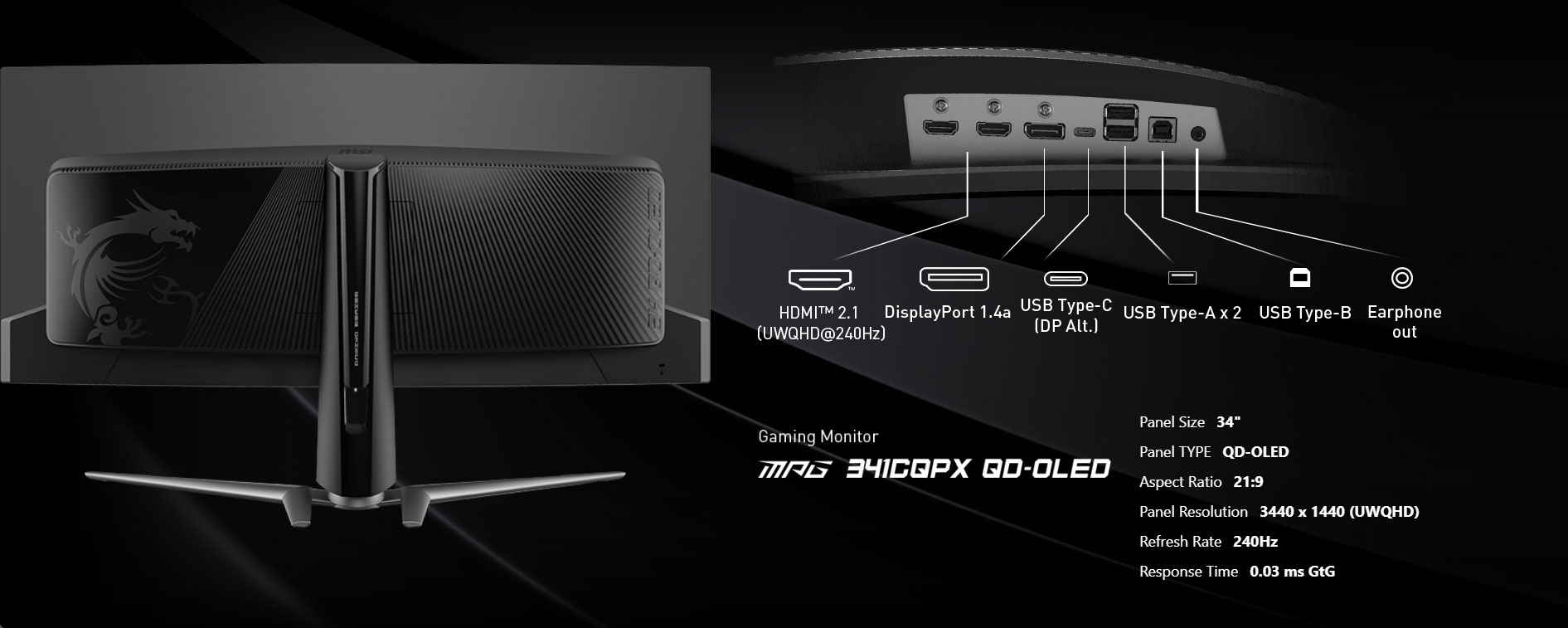
- 2× HDMI
2.1 (48Gbps) + DP
1.4a + USB-C (DP Alt Mode)
- USB-C
charging: MSI
lists 98W PD (some reviewers/testers report lower)
- KVM + USB
hub (use one
keyboard/mouse across two devices)
OLED protection / warranty
- MSI
promotes OLED Care 2.0 protections; official specs
list 3-year warranty including burn-in (region terms
still apply, but MSI explicitly lists it).
What makes the 341CQPX special (vs “yet another QD-OLED ultrawide”)
A lot of 34" QD-OLED ultrawides look similar on paper: 3440×1440,
OLED contrast, great colors. MSI differentiates the 341CQPX in two practical
ways:
- 240Hz on a
34" QD-OLED
Most earlier 34" QD-OLED ultrawides sat lower in refresh; MSI’s 240Hz push is one of the headline upgrades and it shows in motion clarity.
- Real
docking features: USB-C + high power delivery + KVM
PCWorld calls out the USB-C power (98W) and the overall connectivity mix as a standout advantage, even while criticizing the oversized stand and mediocre SDR brightness.
If you want one monitor to handle gaming PC + laptop + console,
this model is aimed right at that use case.
Design, build & ergonomics (what it’s like on a desk)
The good:
- Slim bezels,
sturdy overall build, and full VESA mount support if you want to ditch the
stand.
The annoying:
- The stand
footprint is huge. PCWorld specifically flags the stand as “too large”
and notes it can crowd a desk, though it’s easy to solve with a monitor
arm.
No speakers:
PCWorld lists no built-in speakers, so plan headphones or external
audio.
SDR picture quality (desktop, YouTube, everyday use)
In SDR, OLED is still OLED: black backgrounds look truly dark, colors
pop, and there’s zero “IPS glow” style haze in dark scenes.
But SDR brightness is the weak point—not “bad,” just not
“bright-room champion.” PCWorld calls SDR brightness mediocre, and
RTINGS also notes this class of panel is best in controlled lighting.
QD-OLED ambient-light quirk (important):
RTINGS points out that deep blacks can look purple in brighter rooms,
which is a known QD-OLED behavior (less of an issue in dim rooms). If your room
is often bright/daylit, that’s a meaningful consideration.
HDR performance (why people buy OLED ultrawides)
RTINGS rates the 341CQPX outstanding for HDR—perfect blacks,
no blooming, very vivid colors.
PCWorld also highlights strong HDR highlights, particularly
in the monitor’s “1000 Peak Brightness” mode.
Reality check about OLED HDR:
Like most OLED monitors, you’ll get very bright small highlights,
but not “whole-screen sunlight” brightness (ABL limits full-field brightness).
MSI’s own specs reflect this idea by listing different brightness behaviors for
different HDR modes/measurement windows (e.g., “Peak 1000” at very small APL).
Gaming performance (the reason this monitor exists)
This is where the 341CQPX is genuinely excellent:
1) Motion clarity at 240Hz
RTINGS calls it fantastic for PC gaming: smooth motion, near-instant
response, low lag.
2) Input lag (snappy feel)
RTINGS measures very low input lag at max refresh (they
describe inputs as responsive).
3) OLED response behavior (why it looks “clean”)
OLED doesn’t need aggressive overdrive the way LCDs do, so you typically
avoid overshoot artifacts while keeping motion sharp. RTINGS’ comparison
tooling shows extremely fast response numbers and essentially no “overdrive
mode” dependency.
4) VRR support (G-SYNC Compatible / FreeSync / console VRR)
RTINGS confirms wide VRR support, and MSI advertises HDMI 2.1 console
features including VRR + ALLM.
One OLED “gotcha”: VRR flicker
RTINGS explicitly mentions distracting VRR flicker when frame
rates change rapidly. If you play games with big FPS swings, you may notice it
more.
Console gaming (PS5 / Xbox Series X)
MSI explicitly positions this model as console-ready via HDMI
2.1 48Gbps, 120Hz, VRR, and ALLM support.
Two practical notes:
- Ultrawide
(21:9) is still mostly a PC-first format; consoles often
output 16:9 so you may see black bars.
- For best
results, you’ll typically want to ensure the HDMI mode/VRR settings are
correctly enabled in both console and monitor menus.
Text clarity & productivity (should you work on it?)
RTINGS notes the monitor uses a subpixel structure that can create text
fringing, and they recommend using OS text tuning (like ClearType on
Windows).
That doesn’t mean it’s “bad for work,” but be honest about your usage:
- If you
do heavy spreadsheets/coding 8–10 hours/day with lots of
static UI, you’re balancing:
- OLED’s
burn-in risk (mitigations help, but risk isn’t zero)
- Slightly
less LCD-like text rendering
- Strong
docking convenience (USB-C PD + KVM)
Burn-in reassurance (real-world context):
Long-term testing/coverage suggests OLED degradation exists but can be slow and
often not obvious in normal mixed use—especially if you use panel care features
and avoid full brightness static desktops all day.
Benchmarks (measured highlights)
(Values below are from RTINGS’ test methodology unless stated.)
|
Category |
Result |
|
SDR brightness (real scene) |
230 cd/m² |
|
SDR brightness (peak) |
258 cd/m² |
|
HDR brightness (peak 2% window) |
1,043 cd/m² |
|
HDR brightness (real scene) |
423 cd/m² |
|
Input lag @ 240Hz |
2.8 ms |
|
Response time @ 120Hz (first/total) |
0.3 ms / 0.7 ms |
|
HDR gamut coverage |
DCI-P3 99.1%, Rec.2020
80.1% |
|
VRR range (PC) |
<20–240Hz (DP/HDMI) |
|
Ambient black level raise @ 1000 lx |
3.07 cd/m² |
|
Screen finish / reflections |
Glossy, peak direct
reflection 25.5% |
USB-C power delivery note: RTINGS lists up to 90W PD,
while MSI/retail specs and PCWorld list 98W.
Pros & cons
Pros
- Elite motion
clarity: 240Hz + OLED response
- Strong HDR
highlights (peaks over 1000 nits in small windows)
- Proper modern
connectivity: HDMI 2.1 + USB-C + KVM
- MSI
includes OLED Care 2.0 and promotes 3-year
burn-in warranty
Cons
- SDR
brightness is mediocre for
bright rooms
- Black
levels rise under
strong ambient light (QD-OLED trait)
- Text
fringing can be
noticeable vs good IPS
- Big stand
footprint
Verdict
The MSI MPG 341CQPX QD-OLED is an easy recommendation if you want
a premium ultrawide OLED that’s not just for gaming: it pairs
top-tier motion performance with genuinely useful desktop features (USB-C
power + KVM). It’s best in dim-to-normal lighting, and it’s not
the ideal pick if your day is mostly spreadsheets in a bright office—but for
gaming, HDR entertainment, and creator-grade color, it’s excellent.
Buy link (NationalPC)