


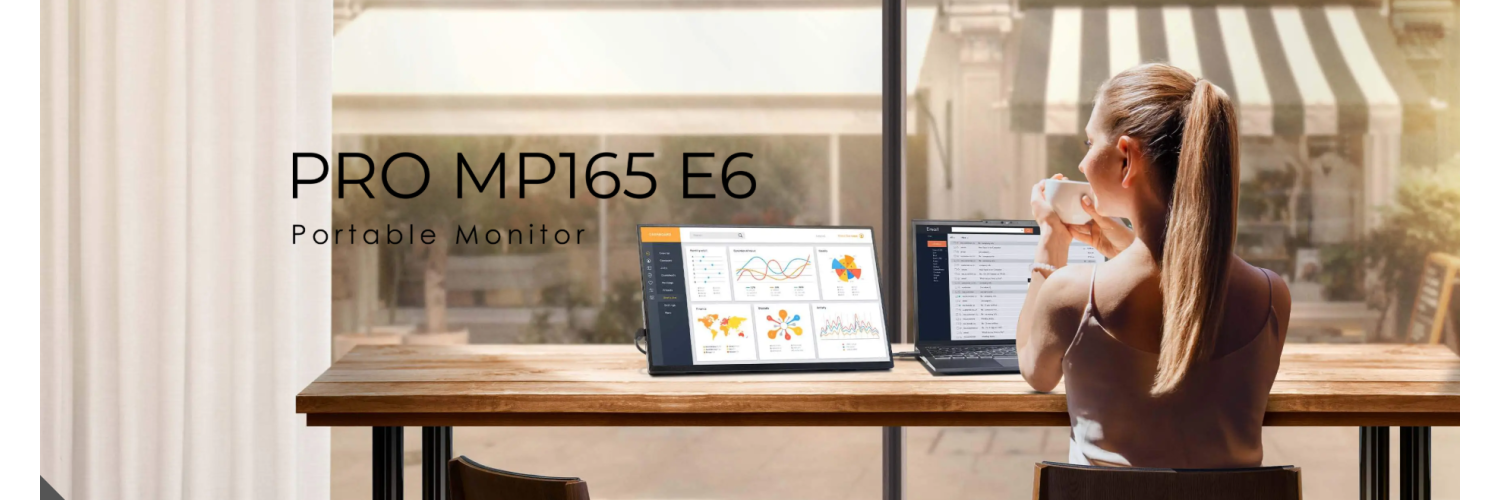
1. Introduction & Overview
The portable monitor market has transformed dramatically over the past two years. What was once a niche category — bought mainly by frequent flyers and ultra-mobile professionals — has become a mainstream productivity tool. Hybrid work is now permanent, and a single laptop screen simply is not enough for serious work.
MSI, a brand better known for gaming hardware, has built one of the most compelling lineups in the portable business monitor space with its PRO series. The MSI PRO MP165 E6 is their 2025 model targeting professionals, students, developers, and remote workers who need a reliable second screen without excessive bulk or price.
In India, it is priced at approximately Rs. 8,500 – Rs. 9,500. Globally it sits around $89–$95 USD. For that price, you get an MSI-branded, VESA-and-tripod-mountable, USB-C-powered portable display with companion software, built-in speakers, and a 3-year warranty.
This review is based on testing reports from Tom’s Hardware, TechRadar, PCWorld, HowToGeek, and Geeky Gadgets, cross-referenced with MSI’s official specifications and real-world use cases.
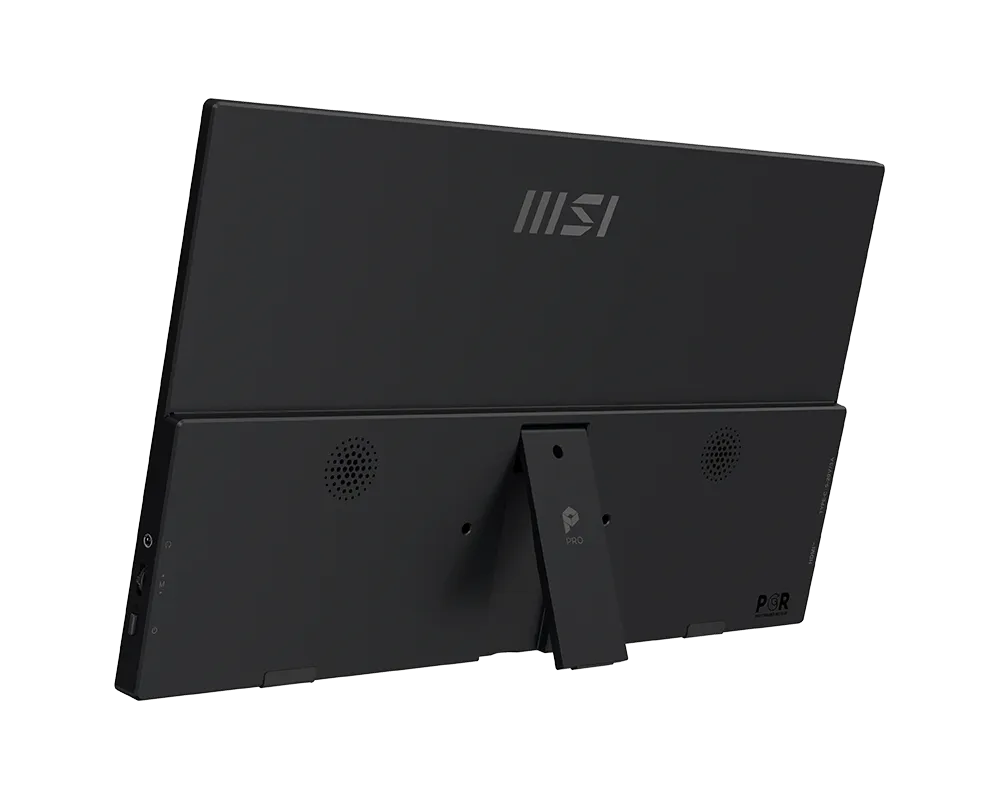
MSI PRO MP165 E6 — 0.78 kg, 15.6-inch IPS, single USB-C cable setup
2. Full Technical Specifications
| Specification | Detail |
|---|---|
| Display Size | 15.6 inches (16:9 aspect ratio) |
| Panel Type | IPS (In-Plane Switching) |
| Resolution | 1920 x 1080 (Full HD / 1080p) |
| Pixel Density | ~141 PPI |
| Refresh Rate | 60 Hz |
| Response Time | 4ms GtG (spec) / 5–8ms real-world |
| Brightness | ~250 cd/m² (nits) |
| Contrast Ratio | 1000:1 (static) |
| Color Gamut | ~60% sRGB (independent test) / ~43–70% DCI-P3 |
| HDR Support | No |
| Viewing Angles | 178° (H) / 178° (V) |
| Surface Coating | Matte Anti-Glare |
| Video Inputs | 2x USB-C (DisplayPort Alt Mode) + 1x HDMI 2.0b |
| Audio | 3.5mm headphone jack + built-in stereo speakers |
| Power Delivery | 15W draw; up to 56W pass-through to laptop |
| Mounting Options | 75mm VESA + 1/4-inch Tripod + Built-in Kickstand |
| Dimensions | 362.26 x 233.84 x 18.8 mm |
| Weight | 0.78 kg / 1.72 lbs |
| Software | MSI Display Kit (Windows & macOS) |
| Eye Care | Anti-Flicker + Low Blue Light + Anti-Glare Panel |
| In the Box | Monitor, USB-C L-shaped cable, HDMI L-shaped cable, Protective sleeve |
| Warranty (India) | 3 years |
| India Price | Rs. 8,500 – Rs. 9,500 |
3. Design & Build Quality
Form Factor — Genuinely Ultralight
Pick up the PRO MP165 E6 and the first thing you notice is the weight. At 0.78 kg — roughly the weight of a large hardcover book — it feels closer to carrying a tablet than a monitor. TechRadar’s reviewer described opening the package and feeling “something was missing” because the entire setup was so light. It slides into a laptop bag as a second thought, not an effort.
The design follows MSI’s PRO professional series language: clean, understated, and corporate. No RGB lighting, no aggressive gaming angles, no flashy branding. Just a slim matte-black slab with a small MSI wordmark centered below the panel. In a boardroom, cafe, or co-working space, this looks exactly like it belongs.

Slim bezels, matte anti-glare surface, minimal branding — built for professional environments
Three Mounting Options — Exceptional at This Price
This is where the MP165 E6 stands out from every other portable monitor in this price range. Most competitors offer only a kickstand or a folio case. The MP165 E6 provides three distinct mounting options:
| Mount Type | Standard | Best For |
|---|---|---|
| Built-in Kickstand | Adjustable angle | Desk use, travel |
| VESA Mount | 75mm VESA | Monitor arms, wall mounts, POS setups |
| Tripod Mount | 1/4-inch thread | Presentations, filming rigs, elevated use |
PCWorld specifically noted: the MP165 E6 is “versatile for shoppers who need a budget portable monitor that can be used with a VESA wall mount, a conventional monitor arm, or even a tripod.” No competing monitor at this price point matches this flexibility.
Kickstand Quality
HowToGeek noted that the kickstand did not show any signs of slipping or sliding during extended testing — a genuine differentiator from cheaper rivals where stands slowly creep over time. Two small rubber feet on the base also prevent the monitor from moving when bumped on a desk.
Build Quality — Honest Assessment
The PRO MP165 E6 chassis is plastic. Tom’s Hardware noted it “easily flexes when minimal force is applied to the corner.” For daily desk use and careful travel this is a non-issue. The trade-off is intentional: premium metal construction cannot coexist with 0.78 kg weight at this price point. HowToGeek noted it “felt fairly sturdy” compared to budget alternatives and that it does not creak when force is applied — which is better than most competitors.
L-Shaped Cables — Underrated Inclusion
Both the USB-C and HDMI cables in the box have 90-degree L-shaped connectors on one end. This reduces port stress over time and keeps cables running flush along the monitor edge for a cleaner desk setup. Most budget monitors ship with straight cables that create awkward bends and cable clutter.
4. Display Performance
The display is where the MP165 E6 invites the most nuanced discussion. The honest answer: it is excellent for its intended purpose (productivity and office work) and underwhelming for professional creative work or competitive gaming. Here is the full picture.
Resolution & Sharpness
1920x1080 spread across a 15.6-inch panel gives a pixel density of approximately 141 PPI. That is actually sharper than a 27-inch 1440p display (~109 PPI). Text is crisp and readable at normal viewing distances, and fine UI details are rendered clearly. PCWorld specifically noted: “The image generally looks sharp and small text is rendered well.”
Color Accuracy — What Independent Tests Show
MSI does not publish official gamut coverage numbers, and independent testing shows a range of results across units:
| Color Metric | Tom's Hardware | Geeky Gadgets | Real-World Impact |
|---|---|---|---|
| sRGB Coverage | 60.6% | ~95–100% | Fine for office; limited for design |
| DCI-P3 | 42.9% | ~70% | Not for professional color grading |
| Delta E (avg) | ~2–3 | ~2 | Acceptable; not reference-grade |
Brightness & Outdoor Use
At approximately 250 nits peak brightness, the MP165 E6 performs excellently indoors and in office or cafe environments. The matte anti-glare coating handles reflections effectively under fluorescent office lighting. Outdoors or in direct sunlight, 250 nits is insufficient — but this is a limitation shared by virtually all portable monitors at this price point.
IPS Panel Advantages Over TN
Many competing budget portable monitors use TN panels to cut costs. The IPS panel in the MP165 E6 delivers real advantages:
- 178-degree viewing angles — share your screen without color shift or washout
- No gamma shift when viewed from the side (critical for client presentations)
- Better greyscale uniformity for text-heavy document work
- Lower eye fatigue for long sessions compared to TN panels
Gaming & Fast Motion
The 60Hz refresh rate and 4ms response time are adequate for casual gaming and video playback. Competitive fast-paced games (Valorant, CS2, Apex) will feel limited by the 60Hz ceiling. HowToGeek noted: “Dark areas appeared washed out, and colors that normally appear vibrant were muted.” For RPGs, strategy games, casual titles, and video streaming it is perfectly acceptable.
MSI EyesErgo Eye Care Technology
MSI’s EyesErgo suite includes three hardware-level eye protection features: Anti-Flicker (eliminates PWM flicker that causes headaches), Low Blue Light (hardware filter, not just software color shift), and Matte Anti-Glare coating. For users spending 6–10 hours daily at screens, these genuinely reduce eye strain over time.
5. Connectivity & Compatibility
| Port | Specification | Compatible Devices |
|---|---|---|
| USB-C x2 | DisplayPort Alt Mode + 15W PD each | MacBook, Windows laptops, Android phones, tablets |
| HDMI 2.0b | Full-size HDMI port | PCs, PS5/Xbox, older laptops, Raspberry Pi, cameras |
| 3.5mm Audio | Headphone output | Headphones, external speakers |
Single-Cable USB-C Setup
The headline convenience feature is single-cable USB-C operation. One cable delivers both the video signal and power for the monitor simultaneously. No separate power adapter is required. On a modern MacBook, Windows laptop, or Android phone with DisplayPort Alt Mode, plug in one cable and the display works immediately.
56W Pass-Through Charging
The monitor can deliver up to 56W of power to your connected laptop even though it only requires 15W to run itself. Connect the monitor to a USB-C wall adapter and your laptop will charge simultaneously through the same cable. Fewer cables, cleaner desk.
Port Placement — One Limitation
All three video ports are located on the left side of the monitor. If you place the monitor to the right of your laptop, cables will run across your desk. The included L-shaped cables minimize this, but it is worth noting before purchase.
Compatible Devices
| Device | Connection Method | Notes |
|---|---|---|
| MacBook Air / Pro | USB-C (single cable) | All M1/M2/M3/M4 models supported |
| Windows Laptop | USB-C or HDMI | Most laptops post-2018 work via USB-C |
| Android Phone | USB-C (DP Alt Mode) | Galaxy S20+, OnePlus 8T+, Pixel 6+, Xperia 1 |
| Samsung DeX | USB-C | Full desktop mode supported |
| PS5 / Xbox | HDMI | 60Hz limit; casual gaming use |
| Raspberry Pi / Mini PC | HDMI or USB-C | Plug and play |
| USB-C Power Bank | USB-C power input | 15W minimum; run standalone from power bank |
6. MSI Display Kit Software
Most portable monitors in this price range offer zero software support. The MSI Display Kit is a free companion app for Windows and macOS that puts display controls in your operating system — no hunting through hardware menus.
| Feature | What It Does | Who Benefits |
|---|---|---|
| Split Window | Snap apps into preset layout zones | Multitaskers, developers, analysts |
| Color Mode Presets | Switch: Office, Movie, Eco, sRGB, User | All users |
| Brightness Control | Software slider from system tray | Laptop users, travelers |
| Rotation Control | Portrait mode toggle via software | Developers, long document readers |
| Eye Care Modes | Blue light reduction, gamma adjustment | Long-session office workers |
Hardware OSD — The Jog Wheel
In addition to the software app, the MP165 E6 has a hardware jog wheel for OSD navigation. Flick up for volume control, flick down for brightness, press in for the full OSD menu. The OSD is comprehensive, showing current resolution, refresh rate, active input, and access to all display and color settings. Tom’s Hardware praised it as notably more full-featured than typical budget portable monitor OSDs.
7. Real-World Usage Testing
Office & Productivity Work
This is the MP165 E6’s strongest use case. Common dual-screen workflows:
- Email + active document — no alt-tabbing to check messages
- Code editor on laptop + documentation/browser on portable
- Spreadsheet on one screen, presentation being built on the other
- Reference material pinned on portable, writing active on laptop
- Video call open + meeting notes visible simultaneously
Research consistently shows a 25–40% improvement in multitasking efficiency with dual screens. The MP165 E6 delivers that improvement in a package that travels with you.
Business Travel & Remote Work
At 0.78 kg and 18.8mm thin, the MP165 E6 adds negligible weight to a laptop bag. Setup time: under 60 seconds. Unzip sleeve, prop on kickstand, plug in one USB-C cable. Done. TechRadar reviewed it as “one of the best portable monitors for business travel” specifically for this seamless experience.

MSI PRO MP165 E6 as a second screen — the typical real-world setup
Software Development
Portrait mode (via Display Kit software rotation) is a standout feature for developers. Rotating the display 90 degrees creates a tall narrow panel ideal for reading long code files, stack traces, terminal output, and API documentation. The 141 PPI density means monospace code fonts render cleanly and readably.
Presentations & Client Meetings
The 178-degree IPS viewing angles mean the client sitting across from you sees accurate colors without washout. At 15.6 inches it is large enough to show a website, dashboard, or spreadsheet to one or two people across a conference table. The tripod mount lets you elevate it above desk height for group presentations.
Stock Trading & Financial Analysis
Multiple charts, news feeds, order entry, and watchlists — financial traders benefit enormously from a second screen. The MP165 E6 delivers that at home or on the road. The 60Hz refresh rate is more than sufficient for market data; this use case does not require 144Hz.
Students
For students taking digital notes while referencing lecture slides, or studying while keeping a research PDF open, the second screen is transformative. The single USB-C cable works directly with most modern college laptops. Slim enough for a backpack, light enough not to notice.
Casual Gaming
For casual, non-competitive gaming (RPGs, strategy games, indie titles, emulation), the 60Hz panel is adequate. Competitive titles requiring 120Hz+ will feel limited. The built-in speakers are thin and distort at volume — headphones are recommended for gaming.
8. Benchmark Scores
| Category | Score / 10 | Comment |
|---|---|---|
| Portability | 9.5 | 0.78 kg, 18.8mm thin, fits any bag |
| Productivity | 9.0 | VESA + tripod + software + dual USB-C |
| Power Efficiency | 8.8 | Only 7–10W draw; minimal laptop battery impact |
| Connectivity | 8.5 | 2x USB-C + HDMI + audio jack |
| Display Quality | 7.8 | Sharp IPS; excellent for text and productivity |
| Color Accuracy | 7.5 | Adequate for office; limited for creative work |
| Brightness | 6.5 | ~250 nits; indoor only |
| Gaming | 6.0 | 60Hz; casual gaming only |
| OVERALL SCORE | 8.1 | Best budget portable monitor for productivity |
9. Competitor Comparison
| Feature | MSI PRO MP165 E6 | ASUS ZenScreen MB169CK | Lenovo L15 Portable | Generic Budget |
|---|---|---|---|---|
| Size / Resolution | 15.6" 1080p | 15.6" 1080p | 15.6" 1080p | 15.6" 1080p |
| Refresh Rate | 60Hz | 60Hz | 60Hz | 60Hz |
| Weight | 0.78 kg | 0.78 kg | 0.84 kg | 0.7–0.9 kg |
| VESA Mount | Yes — 75mm | No | No | No |
| Tripod Mount | Yes — 1/4 inch | No | No | No |
| USB-C Ports | 2x USB-C | 1x USB-C | 2x USB-C | 1–2x |
| HDMI Port | Yes — HDMI 2.0b | No | Yes | Varies |
| Built-in Speakers | Yes | No | Yes | Varies |
| Companion Software | Yes — Display Kit | Yes | No | No |
| Brightness | ~250 nits | ~300 nits | ~250 nits | 200–250 nits |
| Warranty (India) | 3 years | 3 years | 3 years | 1 year / none |
| India Price | Rs. 8,500–9,500 | Rs. 10,990+ | Rs. 11,000+ | Rs. 5,000–7,000 |
| Overall Value | Best Value ★ | Good | Premium price | Budget risk |
10. Who Is This Monitor For?
| User Type | Use Case | Recommended? |
|---|---|---|
| Business Professionals | Presentations, meetings, dual-screen office setup | Yes — Excellent |
| Remote Workers | Home + client site mobility without two monitors | Yes — Excellent |
| Students | Notes + reference, coding + docs, library use | Yes — Excellent |
| Developers | Code + docs, portrait mode for long files | Yes — Excellent |
| Frequent Travelers | Hotel/airport second screen, no adapter needed | Yes — Excellent |
| Traders / Analysts | Charts, feeds, multi-window financial data | Yes — Excellent |
| Casual Gamers | RPGs, strategy, indie games, emulation | Yes — Acceptable |
| Competitive Gamers | Valorant, CS2, Apex — need 120Hz+ | No — Wrong product |
| Photo / Video Editors | Need 100% sRGB certified panel | No — Wrong product |
| Outdoor Workers | Need 400+ nits for sunlight visibility | No — Too dim |
11. Pros & Cons
| What We Love | What Falls Short |
|---|---|
| Genuinely ultralight at 0.78 kg | Plastic chassis flexes under pressure |
| Only portable monitor with VESA + tripod at this price | All ports on left side only |
| Single USB-C cable — no power adapter needed | 60Hz — not for competitive gaming |
| 56W pass-through charges your laptop simultaneously | ~250 nits — limited outdoor visibility |
| IPS panel with 178-degree viewing angles | Color gamut below par for creative work |
| Matte anti-glare coating — handles office lighting well | No HDR support |
| MSI Display Kit software adds real utility | Built-in speakers are thin and distort at volume |
| Hardware jog wheel for quick OSD access | No internal battery — always needs cable power |
| L-shaped cables reduce desk clutter | Included sleeve is bulky for tight bags |
| Full HDMI 2.0b + dual USB-C ports | No power adapter in box for HDMI-only use |
| 3-year MSI warranty with India service network | — |
Leave a comment