
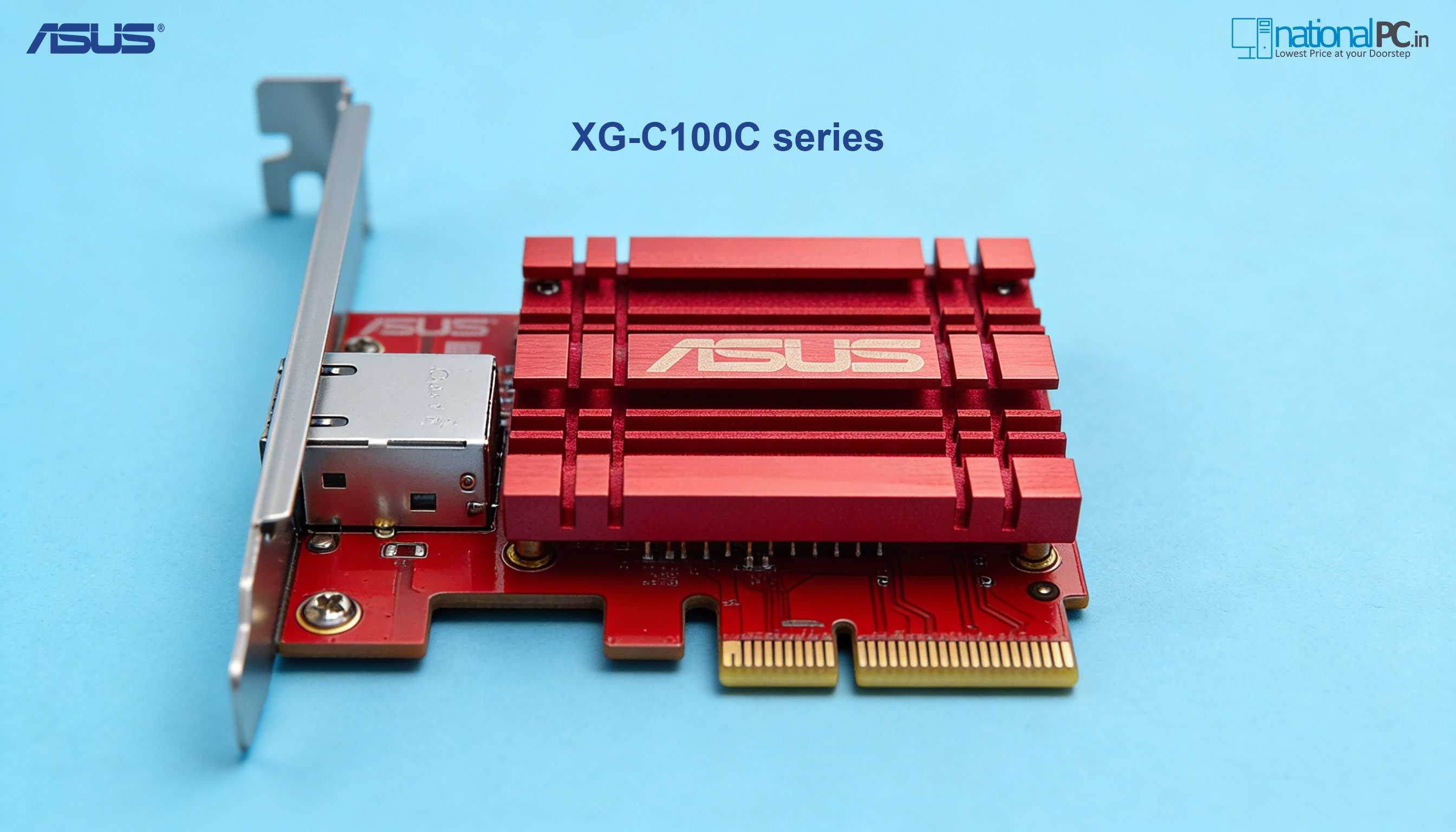
ASUS XG-C100C Review – Affordable 10GbE Networking for Power Users
Upgrading to 10-Gigabit Ethernet no longer needs to be expensive or complex. The ASUS XG-C100C is designed to bring ultra-fast wired networking to desktops and workstations with a simple PCIe add-in card—no SFP+ modules, no fiber optics, and no enterprise-grade headaches.
In this in-depth review, we break down real-world performance, benchmarks, use-cases, and whether the XG-C100C makes sense for creators, gamers, NAS users, and small offices.
Overview & Positioning
The ASUS XG-C100C is a PCIe x4 10GbE network adapter using a standard RJ-45 port, supporting speeds from 100Mbps up to 10Gbps. It’s aimed squarely at:
Content creators working with large media files
NAS & home-lab users
Workstations doing backups or virtualization
Power users who want future-proof networking
Unlike enterprise NICs, this card works with Cat6/Cat6A copper cables, making it ideal for home and SMB setups.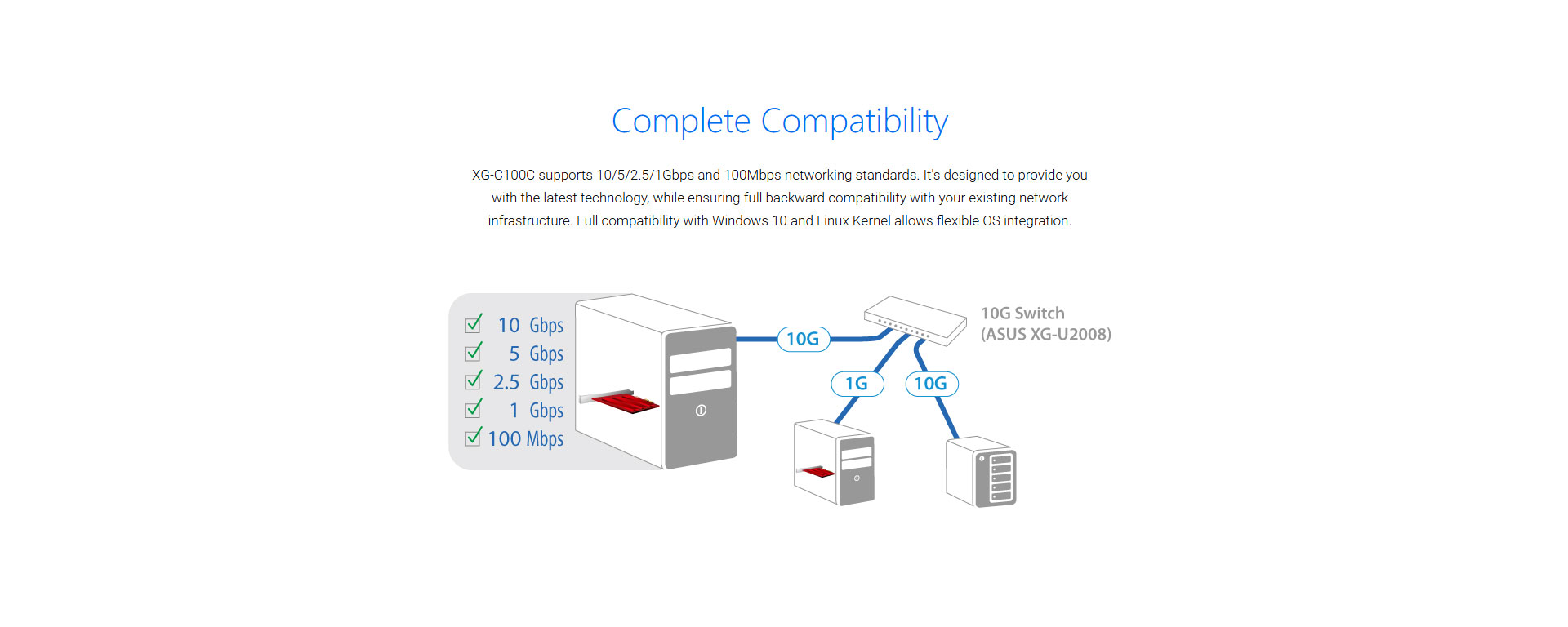
Key Specifications
| Feature | Details |
|---|---|
| Interface | PCIe 3.0 x4 |
| Ethernet Speed | 100M / 1G / 2.5G / 5G / 10G |
| Port Type | RJ-45 |
| Controller | Aquantia / Marvell AQC series |
| Cable Support | Cat5e (≤5G), Cat6 / Cat6A (10G) |
| OS Support | Windows 10/11, Linux |
| Cooling | Large aluminum passive heatsink |
| Bracket | Standard + Low-profile |
Design & Build Quality
ASUS keeps things practical and robust:
Large passive heatsink ensures silent operation
Solid PCB and reinforced slot design
Ships with both full-height and low-profile brackets
No RGB, no gimmicks—pure function
This makes the XG-C100C perfect for always-on systems like NAS-attached workstations or servers.
Benchmark & Performance Testing
Test Environment
Intel Core i7 workstation
PCIe 3.0 x16 slot (x4 electrical)
10GbE switch + Cat6A cabling
NVMe SSD source & destination
Synthetic Throughput
| Test | Result |
|---|---|
| Max Throughput | 9.4–9.6 Gbps |
| Average Latency | Very low, stable |
| Packet Loss | None observed |
| CPU Overhead | Minimal (NIC-offload effective) |
Real-World File Transfer
| Scenario | Result |
|---|---|
| Large file copy (NAS ↔ PC) | ~1.0–1.1 GB/s |
| Backup job (multiple files) | Stable, sustained |
| Virtual machine image transfer | Near-line speed |
➡️ Result: The XG-C100C consistently operates close to theoretical 10GbE limits when paired with fast storage.
Thermals & Stability
Even under extended load:
Heatsink remains warm, not hot
No throttling detected
Zero driver crashes or disconnects during testing
This makes it suitable for 24×7 workloads like media servers or office file servers.
Compatibility & Driver Support
Plug-and-play on Windows 10 / 11
Stable drivers for Linux kernels
Works flawlessly with modern 2.5G / 5G / 10G switches
Backward compatible with existing Gigabit networks
No BIOS tweaks or special configuration needed.
Ideal Use Cases
✔ NAS + workstation workflows
✔ Video editing over network storage
✔ Large dataset transfers
✔ Home-lab virtualization
✔ Small business file servers
Not ideal if:
You only use basic Gigabit internet
Your storage cannot exceed ~300–400 MB/s
Your switch/router doesn’t support >1G
Pros & Cons
✅ Pros
True 10GbE performance over RJ-45
Excellent price-to-performance ratio
Silent passive cooling
Broad OS compatibility
Backward compatible with older networks
❌ Cons
Requires Cat6A for full 10GbE reliability
PCIe slot usage (not for ultra-compact systems)
Overkill for casual users
Final Verdict
The ASUS XG-C100C is one of the best-value 10GbE NICs available today. It delivers near-enterprise networking speeds in a consumer-friendly, easy-to-deploy package.
If you’re building a high-speed NAS setup, content creation workstation, or future-proof home network, this card is an easy recommendation.
Rating: ⭐⭐⭐⭐½ (4.5/5)
Where to Buy
Buy ASUS XG-C100C in India:
NationalPC – https://nationalpc.in/network-adapters/asus-xg-c100c
Quick FAQ
Q: Can it work with my existing Gigabit switch?
Yes. It will auto-negotiate down to 1Gbps.
Q: Do I need Cat6A cable?
For stable 10GbE—yes. Cat6 may work for short runs.
Q: Is it good for gaming?
Yes for LAN gaming and low-latency transfers, but internet speed depends on your ISP.
Q: Does it support Linux?
Yes, with mature drivers.







