ASUS ROG Swift OLED PG27AQDM – 27″ 1440p OLED at 240 Hz, 0.03 ms – Next‑Gen Gaming Display
1. Introduction & Overview
For years, the gaming monitor market has been a story of incremental improvement — faster refresh rates, better backlighting, slimmer bezels. Then OLED arrived at the desktop, and everything changed. The ASUS ROG Swift OLED PG27AQDM is the monitor that crystallised what desktop OLED means for gaming: infinite contrast, instantaneous pixel response, and a visual experience that no LCD technology can replicate.
This is a 26.5-inch (27-inch class) OLED display running at 2560x1440 (QHD) with a native 240Hz refresh rate and ASUS’s own additions on top of the excellent AU Optronics WOLED panel: a custom heatsink, intelligent voltage optimization for burn-in prevention, a unique anti-glare micro-texture coating, and ROG’s gaming feature suite. It earned Tom’s Hardware’s Editor’s Choice, Tweaktown’s 97% Best Award, the iF Design Award 2024, and the Good Design Award 2023.
In India, the PG27AQDM is available at NationalPC.in with authorised ASUS warranty. It sits at the premium tier of the gaming monitor market — and earns every rupee of its price.
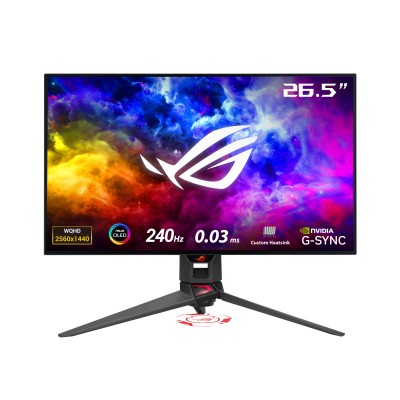
ASUS ROG Swift OLED PG27AQDM — 26.5" OLED, 240Hz, 0.03ms, 99% DCI-P3
2. Full Technical Specifications
| Specification | Detail |
|---|---|
| Display Size | 26.5 inches viewable (27-inch class), 16:9 |
| Panel Type | WOLED (AU Optronics panel) — per-pixel self-emissive |
| Resolution | 2560 x 1440 (QHD / WQHD / 1440p) |
| Pixel Density | 111 PPI |
| Refresh Rate | 240 Hz native (40–240Hz VRR range) |
| Response Time | 0.03ms GTG (near-instantaneous) |
| Peak Brightness (HDR) | 1000 nits (3% window, HDR on) / ~870 nits measured |
| Brightness (SDR typical) | ~291 nits peak SDR (25% window) |
| Contrast Ratio | 1,500,000:1 (effectively infinite — OLED per-pixel black) |
| Color Depth | True 10-bit |
| Color Gamut | 99% DCI-P3, ~97% DCI-P3 (Tom’s Hardware measured), 100% sRGB, ~87% Adobe RGB |
| Color Accuracy | Delta E < 2 (factory pre-calibrated) |
| HDR Support | HDR10, no VESA DisplayHDR certification |
| Viewing Angles | 178° / 178° (H/V) — OLED near-perfect uniformity |
| Surface Coating | Anti-Glare Micro-Texture Matte (ASUS proprietary) |
| VRR / Sync | NVIDIA G-SYNC Compatible + AMD FreeSync Premium |
| Console VRR | Xbox Series X|S VRR (HDMI) + PS5 VRR (unlocked frame rate games) |
| Video Inputs | 1x DisplayPort 1.4 (with DSC) + 2x HDMI 2.0 |
| USB Hub | USB 3.2 upstream + 2x USB-A downstream |
| Audio | No built-in speakers; headphone jack present |
| Ergonomics | Height (0–110mm), Tilt (-5°~+20°), Swivel (-30°~+30°), Pivot (-90°~+90°) |
| VESA Mount | 100mm x 100mm |
| OLED Protection | Custom heatsink + Intelligent voltage optimization + Pixel cleaning + Screen saver + Screen move + Logo brightness adjustment |
| Dimensions (with stand) | 605 x 351 x 50 mm (panel only) |
| Weight | 2.8 kg (panel) / ~6.5 kg with stand |
| Software | ASUS DisplayWidget Center (Windows) |
| Gaming Features | GamePlus (crosshair, timer, FPS counter) + GameVisual (7 modes) + Shadow Boost + Aspect Ratio modes |
| Special Features | Uniform brightness, OLED Anti-flicker (ROG exclusive), ROG logo light projection, Aura Sync RGB rear panel |
| Awards | iF Design Award 2024, Good Design Award 2023, Tom’s Hardware Editor’s Choice, Tweaktown 97% |
| India Price | Premium tier — check NationalPC.in for current price |
3. Design & Build Quality
Cyberpunk-Inspired Aesthetic
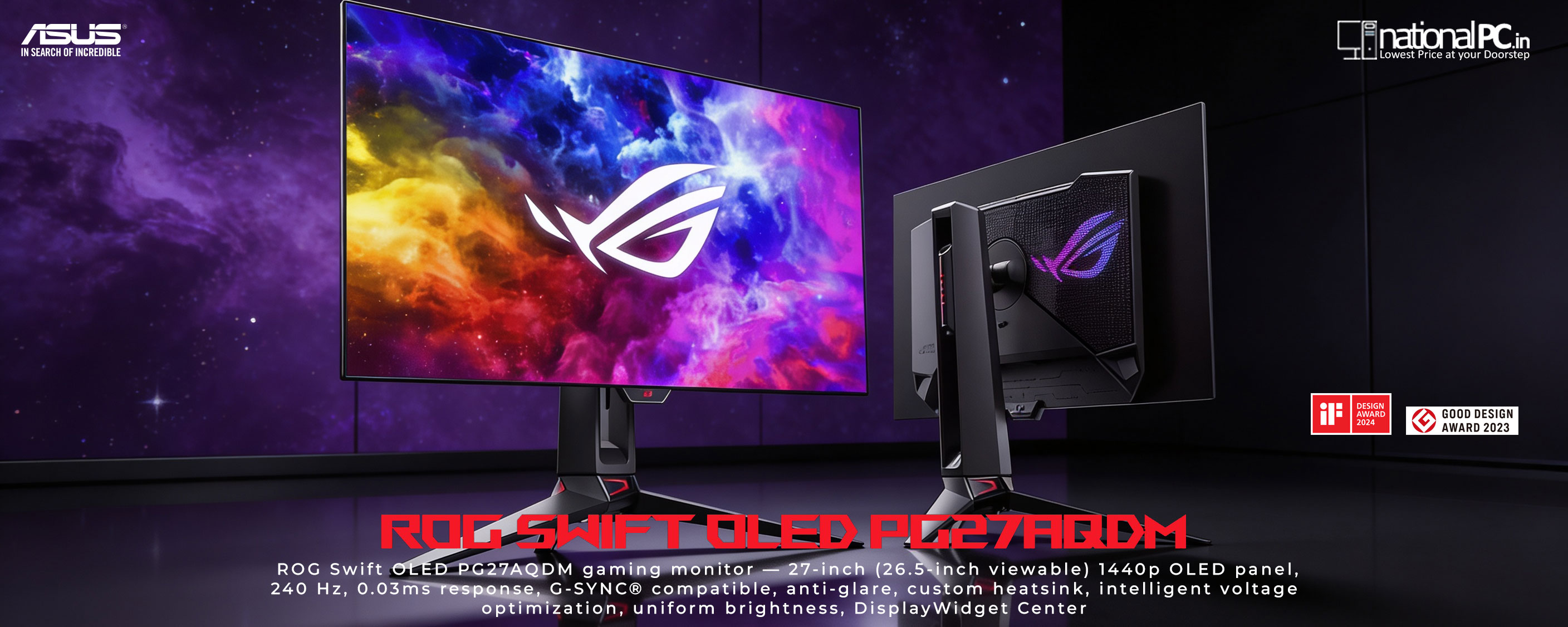
The PG27AQDM looks exactly like an endgame gaming monitor should. The rear panel features a futuristic cyberpunk-inspired design with geometric patterns, Aura Sync RGB lighting across the back, and — unusually for a monitor — a ROG logo light projector built into the stand that casts the Republic of Gamers logo onto your desk. It is theatrical, unapologetically gaming-focused, and very well executed.
The front is frameless with a super-slim profile. The OLED panel itself is razor thin, and the overall footprint on your desk is minimal for a 27-inch display. Lowyat.net noted: “the panel’s thickness is razor thin, and is considerably lighter than its predecessor. In fact, its base is actually the only thing that has heft and is solid.”
Ergonomic Stand — Full Range of Motion
The hollowed-out stand design offers the full ergonomic adjustment set:
| Adjustment | Range | Practical Use |
|---|---|---|
| Height | 0–110mm | Sit or stand position |
| Tilt | -5° to +20° | Back-lean comfort |
| Swivel | -30° to +30° | Side-by-side multi-monitor |
| Pivot | -90° to +90° | Full portrait mode |
The stand also includes a tripod socket for additional mounting flexibility and cable management channels. 100mm x 100mm VESA compatibility is supported for monitor arm use.
Anti-Glare Micro-Texture Coating — A Key Differentiator
Most OLED monitors face a difficult choice: glossy (true blacks but distracting reflections) or matte (reduced reflections but dulled colours). ASUS’s proprietary anti-glare micro-texture coating is a middle path — it reduces reflections significantly while preserving more colour vibrancy than a standard AG filter. TFT Central noted that blacks are slightly impacted in bright ambient light compared to a fully glossy panel, but this is a reasonable trade-off versus the severe reflections a glossy panel would produce in the same conditions.
4. OLED Display Performance — What Makes It Special
OLED versus LCD is not a subtle difference — it is a category shift. On an IPS or VA panel, “black” is actually very dark grey lit by the backlight behind it. On the PG27AQDM, each OLED pixel emits its own light and turns completely off for black. The result is a contrast ratio of 1,500,000:1 — effectively infinite. No number describes the visual impact better than this: dark scenes in games look like they do in a cinema, not like a monitor.
Colour Accuracy — Factory Pre-Calibrated
Every PG27AQDM unit ships factory pre-calibrated to Delta E < 2. Tom’s Hardware found the calibration so accurate out of the box that post-calibration changes were “barely noticeable.” PC Guide measured an sRGB coverage of 99.7% (effectively 100%), confirming excellent sRGB accuracy for both gaming and creative work.
| Colour Metric | Result | Assessment |
|---|---|---|
| sRGB Coverage | 99.7% (100%) | Reference-grade for all sRGB content |
| DCI-P3 Coverage | ~97% measured / 99% rated | Cinema-grade colour for gaming & HDR |
| Adobe RGB | ~87% | Good; not professional print-grade |
| Delta E (factory) | < 2 (pre-calibrated) | Indistinguishable from perfect to most eyes |
| Colour Depth | True 10-bit | 1.07 billion colours; no banding |
The Out-of-Box Experience
Tom’s Hardware describes it clearly: “Using an OLED panel as an everyday monitor is an absolute treat. Every kind of image, static or moving, is made better by the PG27AQDM’s incredible contrast. Blacks are truly black but still rich with detail. Though I had calibrated my sample, the change from its out-of-box state was invisible. You don’t need to adjust this monitor aside from setting brightness.”
Sharpness — QHD on OLED
At 111 PPI, the QHD resolution is perfectly adequate on a 27-inch display for gaming and general use. OLED always looks sharper than an equivalent LCD because the infinite black of each pixel’s off-state creates sharper perceived edges. Tom’s Hardware: “OLED always looks sharper to me than an LCD running at the same resolution. It’s a visual perception because the actual pixel gap is about the same between the two panel types. There’s that contrast again — it always adds to the perception of fine detail and clarity.”
One honest caveat: text fringing (slight colour aberration around fine high-contrast text) is present, as with all WOLED displays. It is mild and most users do not notice it after a day or two of use. The matte coating also adds a slight grain to fine text, the trade-off for glare reduction.
Viewing Angles — OLED Near-Perfection
PC Guide measured near-zero colour shift at 180 degrees horizontal and vertical. OLED’s inherent per-pixel structure means there is no backlight to cause angle-dependent colour shift. This is a genuine advantage over IPS and far beyond VA for multi-viewer use or tilted desktop setups.
5. Brightness, Contrast & HDR
SDR Brightness — OLED’s Known Limitation
OLED panels have inherent brightness limitations compared to LCD/Mini-LED. The PG27AQDM’s peak SDR brightness is approximately 291 nits (measured by PCWorld on a 25% window pattern). This is sufficient for typical indoor office or gaming environments. However, in bright rooms with direct sunlight, an LCD or Mini-LED monitor will be more visible.
Uniform Brightness — ASUS’s Smart Solution
All OLED monitors have ABL (Automatic Brightness Limiter) — the panel dims when a large bright area is displayed to manage heat. ASUS addresses this with an optional Uniform Brightness mode that caps brightness to a steady level and eliminates the jarring dimming behaviour when switching between dark and bright window content. TFT Central and PC Monitors confirmed this works effectively for productivity use, making the monitor more comfortable during long sessions.
Contrast — The Absolute Advantage
The 1,500,000:1 static contrast ratio is not a marketing number — it is measured as effectively infinite because black on an OLED panel registers as zero luminance on a colorimeter. Tom’s Hardware: “Nothing affects our perception of a 2D image more than the difference between black and white. OLED is still king, and in this review I’ll be testing a 27-inch 16:9 OLED display... Spoiler alert: it’s incredible in pretty much every way.”
HDR Performance
HDR on the PG27AQDM is a story of two experiences. For dark-scene-heavy games (Cyberpunk 2077, Control, Diablo 4, Dark Souls series), the combination of near-zero blacks and 870+ nit peak HDR brightness creates a stunning, reference-quality experience. TFT Central and Guru3D both praised the HDR output as “exceptional” for cinematic gaming.
For very bright, high-APL HDR content (full-screen white fields), the ABL activates and limits output. Mini-LED monitors with high local dimming zone counts handle this type of content better. TechRadar noted: “HDR10 always seems to disappoint when toggling HDR on and off for games like Far Cry 6 and Battlefield 2042.” This is an honest limitation. Tom’s Hardware counters: “The PG27AQDM’s HDR is about as good as it gets right out of the box.” Both are true for different content types.
| Brightness Measurement | Result | Notes |
|---|---|---|
| Peak HDR (3% window) | ~870–1000 nits | Excellent for dark game HDR |
| Peak SDR (25% window) | ~291 nits | Fine for indoor/office environments |
| Sustained full-screen SDR | ~200–240 nits | ABL reduces brightness at full white |
| Contrast Ratio | Infinite (1,500,000:1) | True per-pixel black — no backlight bleed |
6. Motion & Gaming Performance
0.03ms Response — The Fastest Panel Available
The PG27AQDM’s 0.03ms GTG response time is not a spec-sheet number to ignore — OLED pixels genuinely transition between states in near-zero time because there is no liquid crystal to rearrange. The practical result: absolutely zero ghosting, zero overshoot, and perfectly sharp moving images even at 240Hz. Tweaktown: “I have never felt more dangerous in first-person shooter titles than when I’m using ASUS’s PG27AQDM. This gaming monitor is the unforgettable king for competitive gaming, simple as that.”
240Hz — Buttery Smooth OLED
240Hz on OLED is a unique experience. On LCD, high refresh rates are limited by panel response time creating a “trail” on fast-moving objects. On OLED at 240Hz, every frame is instantaneous — motion clarity is perfect at native refresh rate. PCWorld: “The Asus ROG Swift OLED PG27AQDM comes with a 240Hz refresh rate, which is buttery smooth on an OLED.”
PCWorld also notes an important versatility point: “Low pixel-response times also improve motion clarity across a wide range of refresh rates, so motion continues to look rather crisp down to, and a bit below, 120Hz. This versatility is important because you won’t see the full benefits provided by a high refresh rate if the game you are playing can’t achieve a similar frame rate.”
VRR — G-SYNC + FreeSync + Console
The PG27AQDM supports G-SYNC Compatible (NVIDIA), AMD FreeSync Premium, and VRR on Xbox Series X|S and PS5 (for games with unlocked frame rates). The VRR range is 40–240Hz via DisplayPort and HDMI. This covers every major gaming platform.
OLED Anti-Flicker — ROG Exclusive
OLED panels can exhibit flicker when refresh rates change rapidly (common during VRR operation). ASUS’s exclusive OLED Anti-Flicker technology offers three modes (Strong, Middle, Off) to reduce this flicker during refresh rate fluctuations. This is a meaningful differentiator from other OLED monitors that lack this feature.
Aspect Ratio Modes for Esports
Competitive FPS players who prefer a stretched 1080p view or a smaller screen size can use the PG27AQDM’s aspect ratio modes. The monitor can display content at 24.5-inch (1920x1080) or 25-inch (2368x1332) size within the 27-inch panel at up to 240Hz, with black OLED borders around the image. Because OLED blacks are true black, these borders are invisible — not the grey “off-region” you see on LCD panels.
| Performance Metric | Result | vs Best LCD |
|---|---|---|
| Response Time | 0.03ms GTG | Best IPS: ~1ms (33x slower) |
| Ghosting | None | IPS: minimal; VA: visible |
| Motion Clarity at 240Hz | Perfect | IPS: excellent; VA: impaired |
| Motion Clarity at 60Hz | Excellent | IPS: acceptable; VA: poor |
| Input Lag (1ms typical) | ~0.5–1ms | IPS: ~1–2ms typical |
7. OLED Protection Technology
Burn-in is the honest concern with OLED monitors. ASUS takes it seriously and has engineered the most comprehensive burn-in protection system in the gaming monitor category:
| Protection Feature | How It Works | Benefit |
|---|---|---|
| Custom Heatsink | Large internal heatsink draws heat from panel; large top air vent; improved airflow | 5% lower avg temperature; 17% higher brightness vs previous gen |
| Intelligent Voltage Optimization | Smart algorithm optimizes voltage per-pixel based on panel temperature | Reduces uneven pixel wear; maintains uniformity |
| Pixel Cleaning | Auto-runs on power-off after hours of use; takes ~6 min; do not unplug during | Recalibrates pixels to reduce retention |
| Screen Saver | Auto-dims after user-defined inactivity period | Prevents static UI burn-in during idle |
| Screen Move | Periodically shifts pixel locations by a few pixels | Prevents static logo / HUD burn-in |
| Logo Brightness Adjustment | Detects static on-screen logos; reduces their brightness automatically | Counters game HUD / desktop taskbar retention |
| Uniform Brightness Mode | Caps peak brightness for consistent luminance; avoids aggressive ABL | Better for productivity; reduces uneven wear |
8. Connectivity & Features
Port Layout
| Port | Spec | 240Hz Capable? | Use Case |
|---|---|---|---|
| DisplayPort 1.4 (x1) | DP 1.4 with DSC | Yes — Full 240Hz | PC / GPU (primary recommended) |
| HDMI 2.0 (x2) | HDMI 2.0b | Limited at 1440p (120Hz max) | Console (PS5, Xbox), second PC |
| USB 3.2 Upstream (x1) | Type-B | N/A | Enables USB hub downstream ports |
| USB-A Downstream (x2) | USB 3.2 Type-A | N/A | Keyboard, mouse, peripherals hub |
| Headphone Jack | 3.5mm | N/A | Headphone audio pass-through |
ASUS Gaming Feature Suite
| Feature | Description |
|---|---|
| GamePlus | On-screen crosshair, timer, FPS counter, display alignment, sniper mode (magnification zoom) |
| GameVisual | 7 preset modes: FPS, Racing, RTS/RPG, MOBA, Cinema, sRGB, Scenery |
| Shadow Boost | Brightens dark shadow areas to reveal hidden enemies; preserves bright areas |
| DisplayWidget Center | Windows software for all monitor settings + OLED care features via mouse; no OSD needed |
| OLED Anti-Flicker | ROG exclusive — reduces flicker during VRR refresh rate changes (Strong/Middle/Off modes) |
| Aura Sync RGB | Rear panel RGB lighting synced with ROG peripherals (keyboard, mouse, headset) |
| ROG Logo Projection | Projects ROG logo onto desk surface from stand base; adds ambient desk lighting |
9. Real-World Gaming Tests
Competitive FPS — CS2, Valorant, Apex Legends
This is where the PG27AQDM is, simply, the best available. Zero ghosting at 240Hz means target tracking is easier — there is no trailing blur behind moving players to mentally subtract from aim calculations. The 0.03ms response time combined with the monitor’s ~0.5ms input lag makes the total display latency negligible. Tweaktown’s reviewer explicitly stated they felt “more dangerous” in FPS titles, and PCWorld found it “buttery smooth.” The 240Hz DP connection is mandatory to unlock this experience — use DisplayPort from your GPU.
Cinematic RPG / Open World — Cyberpunk 2077, Elden Ring, Horizon
OLED’s contrast advantage is most visible in cinematic games. Night scenes in Cyberpunk 2077 look like art — neon lights have a brilliance against genuinely black streets that no LCD can achieve. Interior scenes with dramatic lighting in Elden Ring or Horizon: Forbidden West show detail in shadows that simply disappears on an LCD with a bright backlight. Guru3D: “In all reality an exceptional HDR experience is provided by the ROG Swift OLED, particularly when enjoying cinematic games like Cyberpunk 2077, Far Cry and F1 — you will be flabbergasted by the performance.”
Horror / Dark Games — Resident Evil, The Last of Us, Dead Space
Infinite contrast transforms horror games. The intended atmosphere — darkness punctuated by light, uncertainty about what lurks in shadows — is fully preserved on the PG27AQDM. On an LCD, dark scenes have a grey-washed look from backlight bleed. On this monitor, dark areas are genuinely dark. TFT Central: “with the exceptional OLED contrast and colour consistency plus the more compact and competitive gamer-friendly 27-inch screen size and you’re left with the sort of experience some will really love.”
Sports & Racing — EA FC25, F1 2024, Forza Horizon
Fast-moving sports and racing games showcase the motion clarity advantage. Ball movement, car blurs, and camera panning are all perfectly sharp. The 240Hz + 0.03ms combination means there is never motion judder on smooth high-framerate gameplay. Colour saturation makes sports pitches and car liveries pop in a way that is difficult to describe without seeing it directly.
Console Gaming — PS5, Xbox Series X
Over HDMI 2.0, consoles are limited to 120Hz at 1440p (or 1080p for 120Hz). VRR is supported on Xbox Series X|S natively and on PS5 for games with unlocked frame rates. At 120Hz on OLED, console gaming is still exceptional — the contrast and colour advantage is fully present. The limitation to 120Hz (vs 240Hz on PC) is notable but HDMI 2.1 is not supported.
Productivity & Daily Use
The PG27AQDM is surprisingly good as a daily work monitor. Tom’s Hardware: “Document editing is easy and comfortable thanks to the broad range between black fonts and white background.” The sRGB mode delivers 99.7% sRGB accuracy for design work. The Uniform Brightness mode stabilises the display for long productivity sessions. Text fringing is mildly present and the matte coating adds slight grain, but for most users these are non-issues after a short acclimatisation period.
10. Benchmark Scores
| Category | Score / 10 | Comment |
|---|---|---|
| Response Time / Motion | 10.0 | 0.03ms GTG — the best possible; zero ghosting |
| Contrast Ratio | 10.0 | Infinite — per-pixel OLED black, no backlight bleed |
| Competitive Gaming | 9.8 | 240Hz + 0.03ms + G-SYNC — Tweaktown “King” |
| Colour Accuracy | 9.5 | 99.7% sRGB, 97% DCI-P3, Delta E<2 factory |
| Immersive / Cinematic Gaming | 9.5 | OLED contrast transforms dark game scenes |
| Design & Build | 9.3 | iF Design Award 2024; premium stand; RGB projection |
| SDR Brightness | 7.0 | ~291 nits — typical OLED limitation; fine indoors |
| Connectivity | 7.5 | No HDMI 2.1 or USB-C video — main weakness |
| Text Clarity | 7.0 | Mild fringing + AG coating grain — OLED characteristic |
| Value | 8.0 | Premium price justified by performance leadership |
| OVERALL SCORE | 9.2 | The endgame 27-inch gaming monitor |
11. Competitor Comparison
| Feature | ASUS ROG PG27AQDM | Dell Alienware AW2725DF | LG 27GR95QE | Samsung G60SD 27" |
|---|---|---|---|---|
| Panel Type | WOLED (AUO) | QD-OLED (Samsung) | WOLED (LG) | QD-OLED (Samsung) |
| Size | 26.5" (27") | 26.5" | 26.5" | 26.9" |
| Resolution | 1440p QHD | 1440p QHD | 1440p QHD | 1440p QHD |
| Refresh Rate | 240Hz | 240Hz | 240Hz | 240Hz |
| Response Time | 0.03ms | 0.03ms | 0.03ms | 0.03ms |
| Peak HDR Brightness | 1000 nits | ~600 nits | ~800 nits | ~800 nits |
| Anti-Glare Coating | Matte Micro-Texture | Semi-glossy | Matte | Semi-glossy |
| HDMI Version | HDMI 2.0 x2 | HDMI 2.1 x2 | HDMI 2.0 | HDMI 2.1 |
| OLED Burn-In Protection | Best in class | Standard | Standard | Standard |
| Gaming Software | DisplayWidget + GamePlus + GameVisual | AlienFX + basic | OnScreen Control | Basic |
| Value Verdict | Premium — Best Overall | Premium — better HDMI | Mid-premium | Mid-premium |
12. Pros, Cons & FAQ
| What We Love | What Falls Short |
|---|---|
| 0.03ms response — physically fastest panel available | HDMI 2.0 only — no HDMI 2.1 for consoles at 240Hz |
| Infinite contrast — true per-pixel black, no bleed | SDR brightness ~291 nits — limited in bright rooms |
| 240Hz native — buttery smooth competitive gaming | Mild text fringing (WOLED characteristic) |
| 99% DCI-P3, factory Delta E < 2, no calibration needed | AG coating adds slight grain to fine text |
| Best-in-class OLED burn-in protection (heatsink + voltage) | No built-in speakers |
| G-SYNC Compatible + FreeSync Premium + console VRR | No USB-C video input |
| OLED Anti-Flicker — ROG exclusive, reduces VRR flicker | No VESA DisplayHDR certification |
| iF Design Award — premium build and aesthetics | Premium price tier |
| Full ergonomics: height, tilt, swivel, pivot (portrait) | ABL dims bright full-screen white content |