ROG Strix Impact III Review: 0.4ms Click Latency + 12K DPI Precision(Wired)
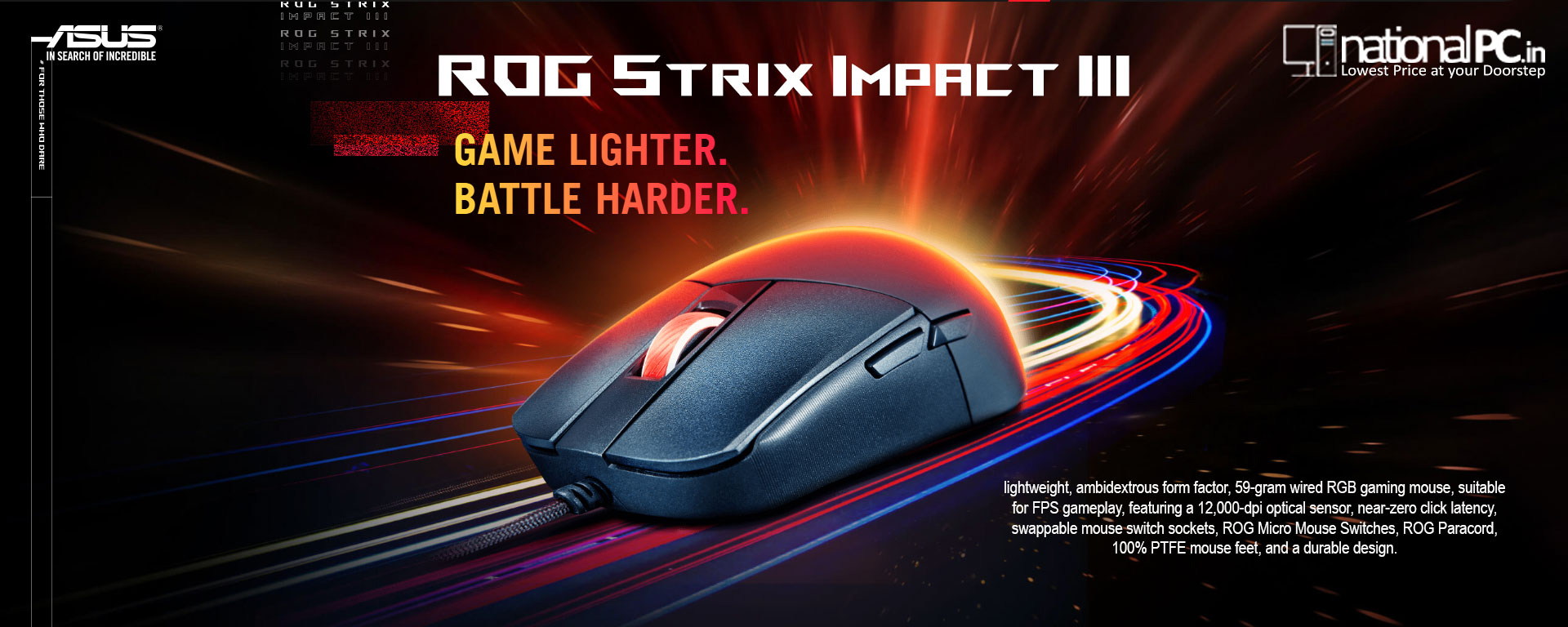
If you want a no-nonsense, ultralight wired mouse that prioritizes fast clicks, consistent tracking, and easy DIY maintenance, the ROG Strix Impact III hits a sweet spot. It keeps the shape simple, cuts weight to 59g, adds a flexible paracord + PTFE feet for low drag, and brings back push-fit hot-swappable switches—rare in this price segment.
Specs at a glance (Wired)
-
Weight: 59g
-
Sensor: 100–12,000 DPI, 300 IPS, 35g accel, 1000 Hz polling, ~1% CPI deviation claim
-
Cable: 2.0m ROG Paracord + 100% PTFE feet
-
Switches: ROG Micro Switches (70M clicks) + push-fit switch socket (3-pin mechanical)
-
Lighting/Software: Aura Sync RGB + Armoury Crate tuning; 3 onboard profiles (limited vs full software)
Shape & comfort (real-world feel)
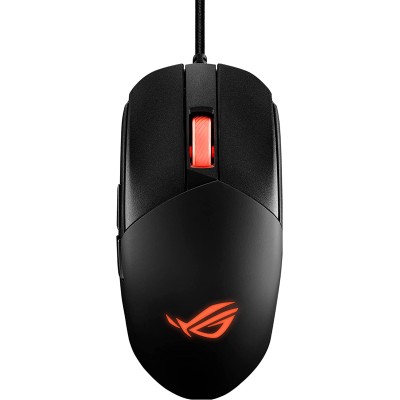
The Impact III is a medium-size ambi shape that leans claw grip for most hands, with a hump that supports quick lift-and-reset movement—exactly what FPS players want. TechPowerUp’s measurements put it around 12.57 cm length (including overhang) and ~6.0 cm grip width, with a comfortable claw fit reported in testing.
Sensor & performance (the important part)
This mouse uses the PixArt PAW3311 (12K max), and the performance is better than many buyers expect at this price:
-
CPI accuracy: TechPowerUp measured no deviation at common steps (400/800/1600/3200) — a “perfect” result in their test.
-
Smoothing / motion delay: No extra delay at 1600 CPI, but smoothing starts at ~2500 CPI, adding roughly ~4 ms of motion delay above that point. Translation: keep DPI at 1600–2400 for the cleanest feel.
-
Polling stability: 125/250/500/1000 Hz modes behaved properly, and RGB effects didn’t hurt stability.
-
Lift-off distance: Tracks at “1 DVD” but not “2 DVDs” (~1.2–2.4 mm range).
-
Click latency: The headline number—0.4 ms measured click latency (LDAT), which is excellent for competitive play.
Click feel + hot-swap: the ROG advantage
ASUS uses a mechanical button-tension system to reduce slack and help clicks feel immediate, and their push-fit sockets make switch replacement straightforward (compatible 3-pin mechanical switches).
One small annoyance noted in teardown/handling: the bottom screws are covered with stickers (less convenient than older rubber covers on some previous models).
Cable glide & feet
For a wired mouse, the “wire feel” matters. ASUS pairs a light paracord cable with 100% PTFE feet, aiming to minimize drag and snags—so it feels closer to wireless in fast swipes (especially with a bungee).
Software & onboard use
Armoury Crate lets you map buttons, adjust DPI/polling/surface calibration, and sync RGB effects. You also get 3 onboard profiles (note: onboard typically won’t store everything like macros).
Wired vs Wireless: which one should you sell/push?
If your NationalPC listing is the wired model, here’s a clean upsell path:
Choose Impact III (Wired) if…
-
You want zero charging / zero battery weight
-
You value very low click latency and don’t mind a cable
-
You like the 59g feel and simple esports setup
Choose Impact III Wireless if…
-
You want ROG AimPoint 36K sensor, SpeedNova 2.4GHz + Bluetooth, and Omni Receiver
-
You prefer replaceable AA/AAA battery flexibility (lighter with AAA)
-
You want long endurance: ASUS lists up to 618h (Bluetooth, lighting off) and up to 450h (2.4GHz, lighting off) (varies by battery/lighting).
Pros
-
Excellent measured click latency (0.4 ms)
-
Very solid tracking + polling stability
-
59g lightweight, paracord + PTFE glide
-
Hot-swappable 3-pin mechanical switches
-
Good all-rounder for FPS/MOBA
Cons
-
Smoothing starts around 2500 CPI (avoid ultra-high DPI if you’re sensitive)
-
Armoury Crate isn’t everyone’s favorite
-
Sticker-covered screws are less convenient for frequent swapping
Quick FAQ
Is it good for Valorant/CS2?
Yes—lightweight, low click latency, stable polling, and a claw-friendly shape make it a strong FPS pick.
Best DPI setting?
For the cleanest feel, stay ≤ 2400 DPI (smoothing begins around ~2500 DPI in testing).
Can I change switches?
Yes—push-fit sockets support 3-pin mechanical switch swaps.
Q1) Is the ROG Strix Impact III wired or wireless?
It’s a wired RGB gaming mouse (59g) with a 12,000-DPI optical sensor.
Q2) Who is it best for?
Best for FPS / esports players who want a lightweight mouse, fast clicks, and consistent tracking without worrying about charging.
Q3) How light is it?
59 grams (ultralight category for a wired mouse).
Q4) What sensor does it use and what’s the max DPI?
It uses the PixArt PAW3311 with up to 12,000 CPI/DPI (and common presets like 400/800/1600/3200).
Q5) Does it have smoothing / added delay at high DPI?
In testing, smoothing starts at ~2500 CPI, adding roughly ~4 ms of motion delay above that point. Staying at 1600–2400 DPI keeps it cleaner.
Q6) How fast is the click latency?
Measured 0.4 ms click latency (very fast), using NVIDIA LDAT in TechPowerUp’s test.
Q7) Does it support hot-swappable switches?
Yes—Impact III includes swappable (push-fit) switch sockets to replace compatible mechanical switches and extend lifespan.
Q8) How durable are the main switches?
ASUS lists ROG Micro Switches rated for 70 million clicks.
Q9) What about cable and glide?
It uses a ROG Paracord cable and 100% PTFE feet for low drag and smooth glide.
Q10) Can I adjust lift-off distance (LOD)?
The PAW3311 doesn’t support LOD adjustment, and testing found it tracks at 1 DVD height but not 2 DVDs (~1.2–2.4 mm range).
Q11) Does it have onboard memory?
Yes—ASUS lists onboard memory profiles (handy if you move between PCs).
Q12) Is it good for claw / fingertip grip?
Generally yes: the light weight + compact esports shape tends to suit claw/fingertip styles, especially for fast flicks. (Fit still depends on hand size.)
Q13) Is there a ROG Strix Impact III Wireless?
Yes—ROG Strix Impact III Wireless is a separate model (57g body, AA/AAA battery) with 2.4GHz + Bluetooth and long battery life.
Q14) What battery life does the wireless model claim?
ASUS lists up to 618h (Bluetooth, lighting off) and up to 450h (2.4GHz RF, lighting off) (varies with lighting/battery).