3-in-1 Creator Tool
Combines professional color measurement, display OSD control, and ASUS Dial features in one device.
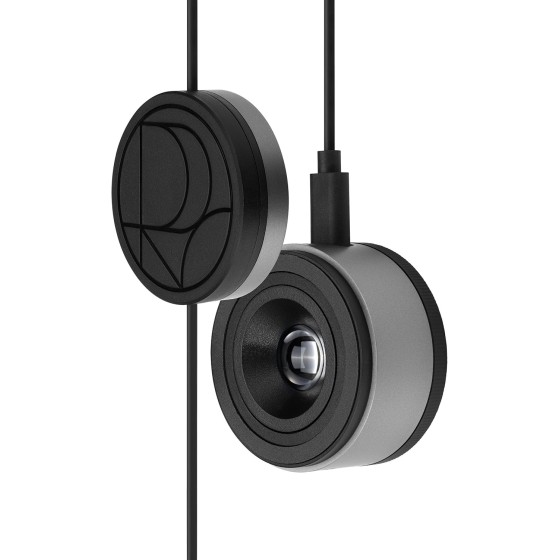

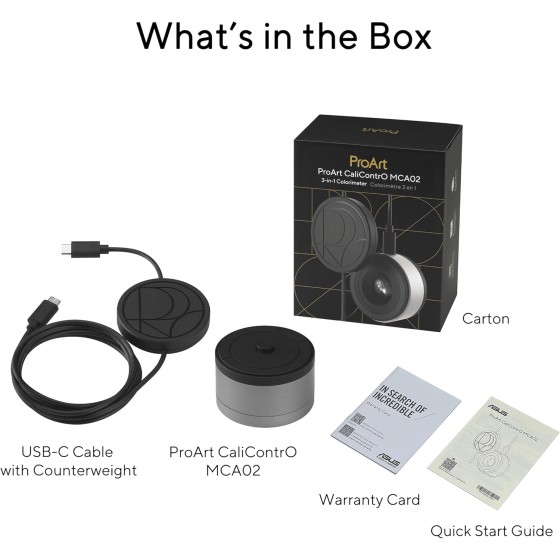
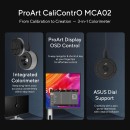



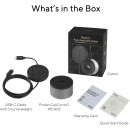
ASUS ProArt CaliContrO MCA02 3-in-1 Colorimeter – Professional Color Measurement, Hardware / Software Calibration, Display OSD Control, ASUS Dial, Measures up to 10000 Nits, Compatible with LED / OLED / Mini-LED and Adobe Software
ProArt CaliContrO MCA02
From Calibration to Creation
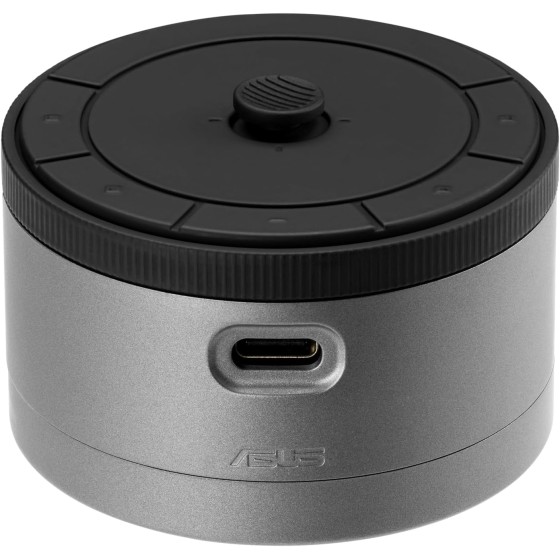
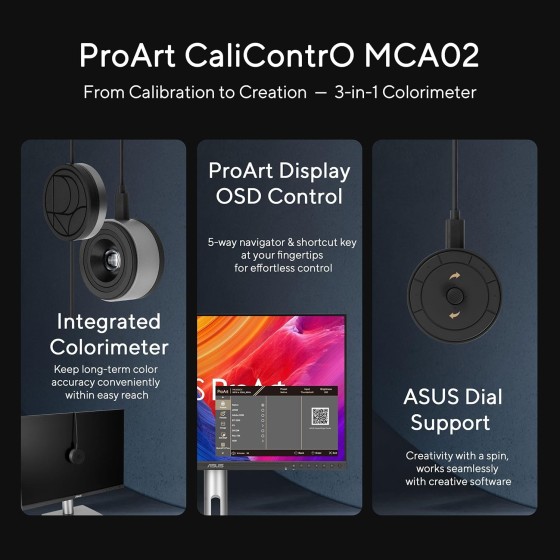
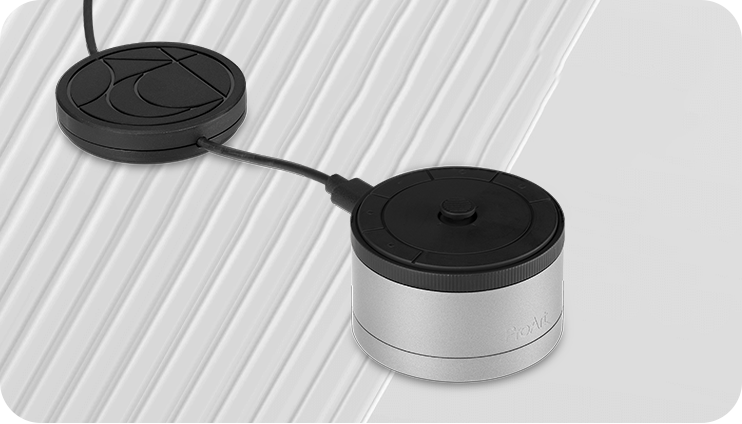
The ASUS ProArt CaliContrO MCA02 is a 3-in-1 creator accessory that combines a professional colorimeter, direct display OSD control, and ASUS Dial-style workflow control in one compact device. ASUS says it supports both hardware and software calibration through its exclusive ProArt Calibration software, measures up to 10,000 nits for HDR calibration, works with LED, OLED, Mini-LED, and other panel technologies, and gives creators direct access to monitor settings through a 5-way navigator and shortcut buttons. It is designed for creators who want a more streamlined way to maintain long-term color accuracy while also speeding up daily control of their display and creative software.

3-in-1 Creator Tool
Combines professional color measurement, display OSD control, and ASUS Dial features in one device.
Professional Colorimeter
Supports hardware and software calibration through ASUS ProArt Calibration software.
10,000 nits
High-brightness measurement support for accurate HDR calibration.
Broad Panel Compatibility
Works with LED, OLED, Mini-LED, and more for wider workflow support.
Hardware Calibration
Supports direct calibration write-back for selected ProArt displays.
Software Calibration
Creates ICC profiles for standard monitors and laptop screens.
5-Way Navigator
Direct OSD control with shortcut buttons and vibration feedback.
ASUS Dial Features
Custom shortcut control for creative apps and other software.
Microsoft Surface Dial Support
Can also work with Windows Surface Dial functions.
Reversible USB-C
Quick and convenient connection for easy setup.
Creator Workflow
One Tool for Calibration and Control
ASUS positions the ProArt CaliContrO MCA02 as more than a simple colorimeter. It is meant to sit at the center of a creator’s display workflow by handling accurate color measurement, direct monitor control, and quick interaction with creative applications. Instead of relying on separate hardware and software tools for each job, the MCA02 is designed to reduce that complexity and keep essential controls within easy reach. This makes it especially useful for creators who calibrate regularly and also want faster access to settings, shortcuts, and workflow adjustments during active work sessions.

Professional Color Accuracy
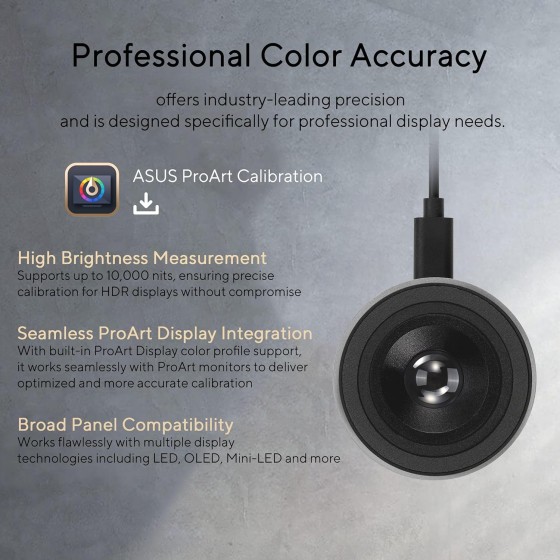
ASUS describes the MCA02 as a high-precision colorimeter built specifically for professional display needs. It supports measurement up to 10,000 nits, which is especially important for HDR workflows, and is designed to work across multiple display technologies including LED, OLED, Mini-LED, and more. That broader compatibility makes it useful across different creative environments and hardware setups.
Designed for Long-Term Color Consistency
Hardware and software calibration support
ASUS says the MCA02 supports software calibration for standard monitors and laptops by generating ICC profiles, while also supporting hardware calibration for selected ProArt displays through ProArt Calibration software. This allows creators to maintain dependable color performance over time rather than relying only on factory settings.
ICC
Profiles
3D LUT
Write-back
Keep Long-term Color Accuracy
Software Calibration and Hardware Calibration
ASUS explains that the MCA02 can generate ICC profiles through software calibration for conventional monitors and laptop screens, helping operating systems and applications maintain more consistent color output. For selected ProArt displays, ASUS says the device can also work with ProArt Calibration software to rewrite the monitor’s internal 3D LUT and store color parameter profiles directly on the monitor instead of on the PC. This is especially useful for users who switch between systems or applications and want their calibrated settings to remain attached to the display itself.
Software Calibration
Creates ICC profiles for standard displays and laptop screens to support color-managed workflows.
Hardware Calibration
Supports direct write-back to internal monitor LUTs on compatible ProArt displays for more stable long-term color results.
Versatile Display Control at Your Fingertips
OSD control, ASUS Dial, and Surface Dial integration
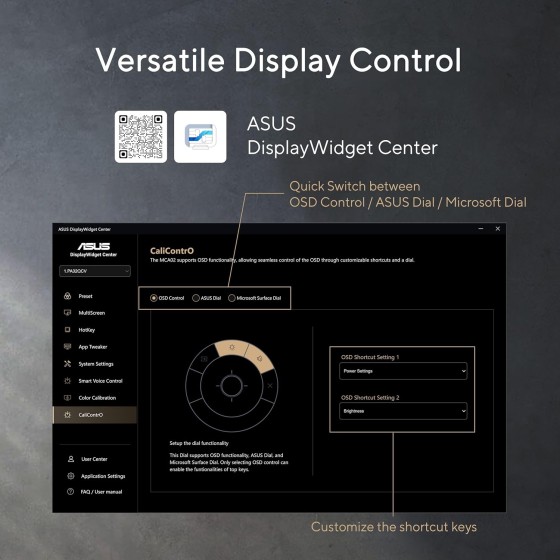
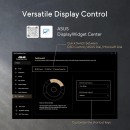
ASUS says the MCA02 supports multiple control modes that can be switched through DisplayWidget Center. In OSD mode, it gives direct access to the monitor menu with a 5-way navigator and shortcut keys. In ASUS Dial mode, it provides customizable control for creative apps. It can also support Microsoft Surface Dial-style controls on Windows, giving users another way to interact with software and content more naturally.
ContrO
Instant and Effortless Access to Monitor Settings
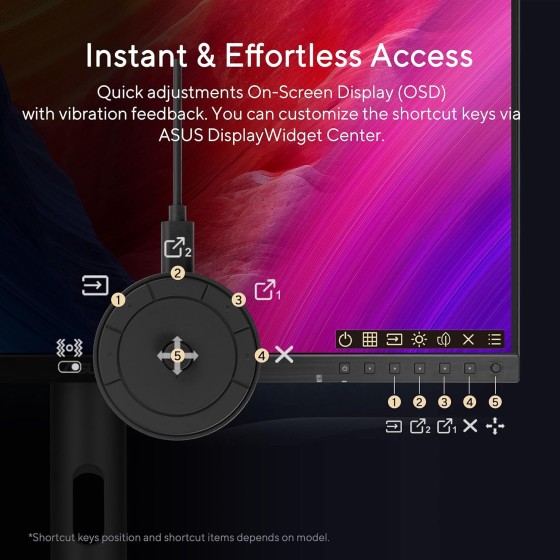
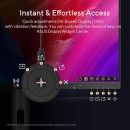
ASUS says ProArt CaliContrO can connect to a compatible monitor and provide direct access to the on-screen display for quick adjustments without needing to reach toward the monitor itself. It includes a 5-way navigator and five shortcut buttons, such as input select, shortcut 1, shortcut 2, exit, and vibration switch. This is designed to improve convenience for creators who make frequent adjustments while working.
Creativity with a Spin
Customized ASUS Dial Features for Creative Software
ASUS says the MCA02 includes virtual ASUS Dial functionality, allowing creators to control parameters in creative apps with fast, precise input. Turning the dial can be used for actions like zooming in and out, changing brush size, scrolling, or performing other customizable shortcuts depending on the application. ASUS also notes support for Microsoft Surface Dial functions, expanding the ways users can interact with software more efficiently.
Creative App Shortcuts
Customize the dial for zoom, brush size, timeline movement, and other app-specific actions.Windows Surface Dial Support
Use it for volume, web scrolling, and other supported Surface Dial functions.DisplayWidget Center Switching
ASUS says users can switch between functions through DisplayWidget Center for easier customization.
Exquisite Design
Sleek Industrial Aesthetics with Intuitive Interaction
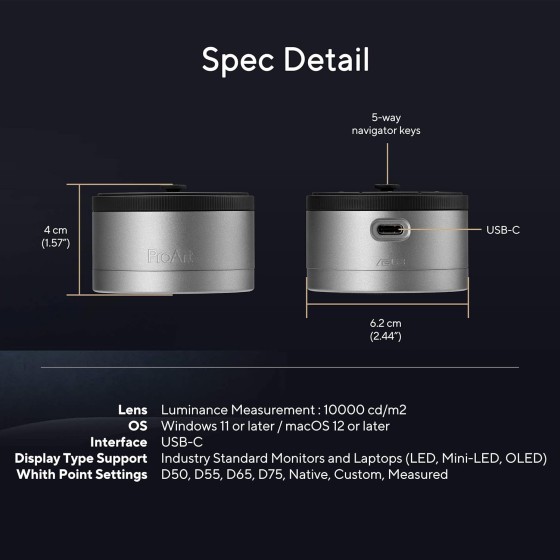
ASUS highlights the MCA02’s industrial design as being both elegant and functional. The device combines a compact form factor with tactile controls and a clean ProArt aesthetic, aiming to fit naturally into professional desk setups without looking out of place next to premium creator monitors. The reversible USB-C connection is also intended to simplify setup and daily use.
Compact Design
Minimal physical footprint makes it easy to integrate into creator workspaces.
Tactile Controls
Buttons, dial, and 5-way navigator are designed to make repeated interaction easier and more natural.
Professional Styling
The design matches the premium look and feel expected in ProArt-oriented setups.
Get Started
Explore the ProArt CaliContrO MCA02 and check full details.
View ProductSpecifications, features, availability, and images are subject to change.