
32-inch QHD Fast VA
2560 x 1440 curved display designed for immersive gaming and multimedia use.
Durga Puja: no dispatch from Kolkata on 18, 19, 20 and 21 Oct.

ROG Strix XG32WCS
Utility Redefined
The ROG Strix XG32WCS is a 32-inch curved QHD gaming monitor built for users who want immersive visuals, smooth high-refresh gameplay, and modern connectivity in one practical setup. ASUS says it features a 31.5-inch viewable 2560 x 1440 Fast VA panel, 180Hz refresh rate, 1ms GTG response time, 1500R curvature, ELMB Sync, FreeSync support, DisplayHDR 400, 90% DCI-P3 color gamut, DisplayWidget Center, Gaming A.I. features, USB Type-C with DP Alt mode and power delivery, a compact footprint, and an ergonomic stand with phone holder.

32-inch QHD Fast VA
2560 x 1440 curved display designed for immersive gaming and multimedia use.
180Hz Refresh Rate
Smooth motion built for fast-paced gaming and responsive gameplay.
1ms
Fast GTG response time for sharper motion and reduced blur.
1500R Curvature
A more enveloping viewing experience for games and entertainment.
ELMB Sync
Reduces ghosting and tearing for clearer high-frame-rate visuals.
DisplayHDR 400
Improved contrast and brighter highlights for more vivid scenes.
90% DCI-P3
A wider color gamut than basic displays for richer-looking content.
DisplayWidget Center
Easy monitor setting adjustment with a mouse instead of physical buttons.
Gaming A.I.
Dynamic Crosshair, Dynamic Shadow Boost, and Variable Overdrive 2.0.
USB Type-C
DP Alt mode and power delivery for cleaner modern setups.
Visual Brilliance Beyond Compare
A Curved QHD Monitor Built for Immersion
ASUS presents the XG32WCS as a curved 32-inch QHD gaming monitor focused on immersion, speed, and practicality. The 2560 x 1440 resolution offers a clear step up from Full HD, while the 1500R curve is intended to pull you deeper into the action and make large scenes feel more natural across the full width of the panel. Combined with Fast VA technology and DisplayHDR 400 support, the monitor is designed to balance strong gaming performance with visually rich everyday use.
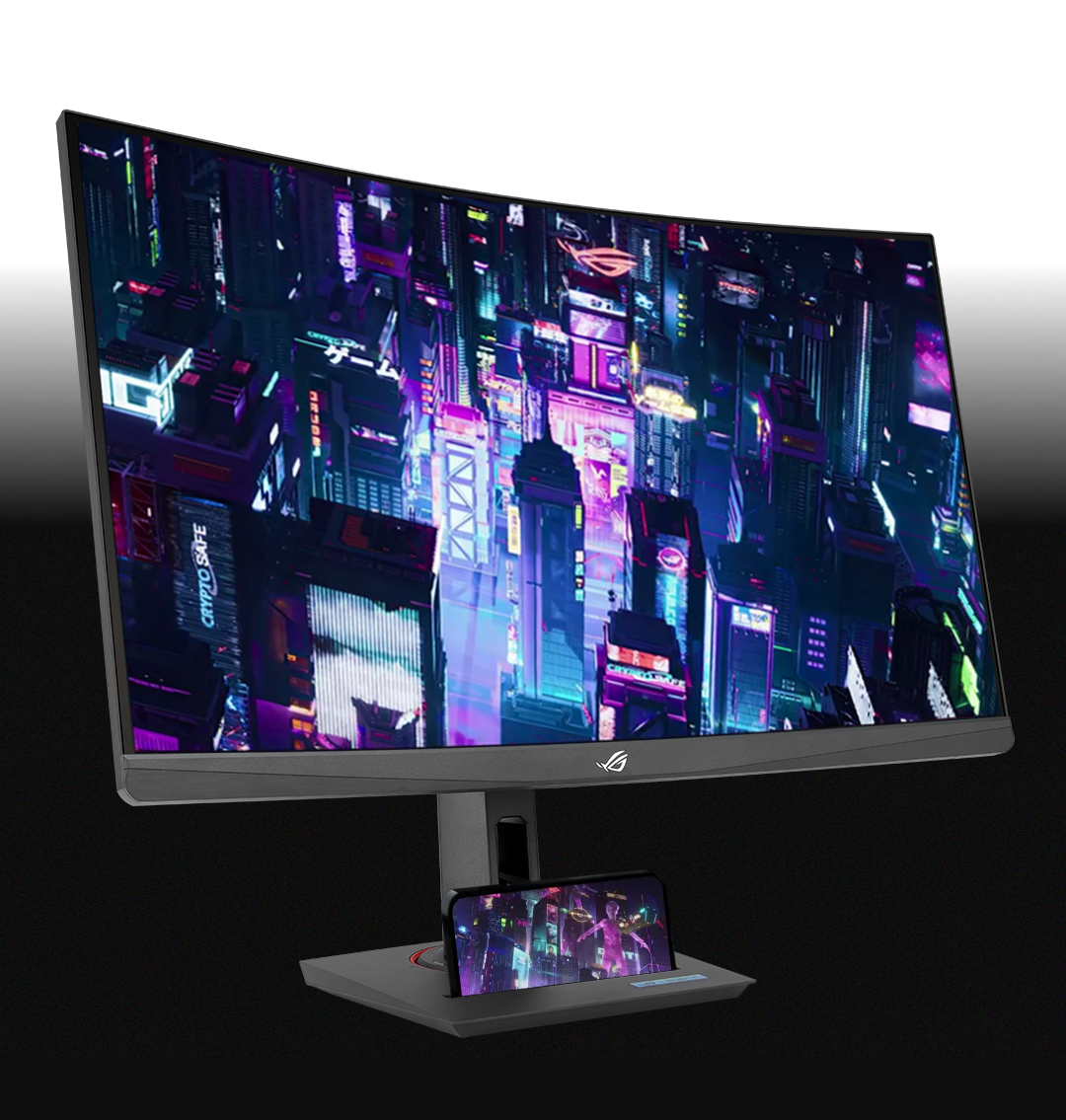
Sharp QHD Detail with Curved Depth
The 31.5-inch viewable panel combines QHD detail with a 1500R curve to create a more immersive gaming environment. ASUS positions this format as a strong fit for both competitive and cinematic play, helping the display feel large and dramatic without moving into ultrawide territory.
A Better Balance of Speed and Color
180Hz, 1ms GTG, 90% DCI-P3, sRGB 125%
ASUS highlights the XG32WCS as more than just a speed-focused panel. The display also offers 90% DCI-P3 and 125% sRGB coverage, giving it a richer look than many basic gaming monitors. That makes it a more rounded choice for users who want both competitive responsiveness and pleasing color in games, media, and everyday work.
90%
DCI-P3
125%
sRGB
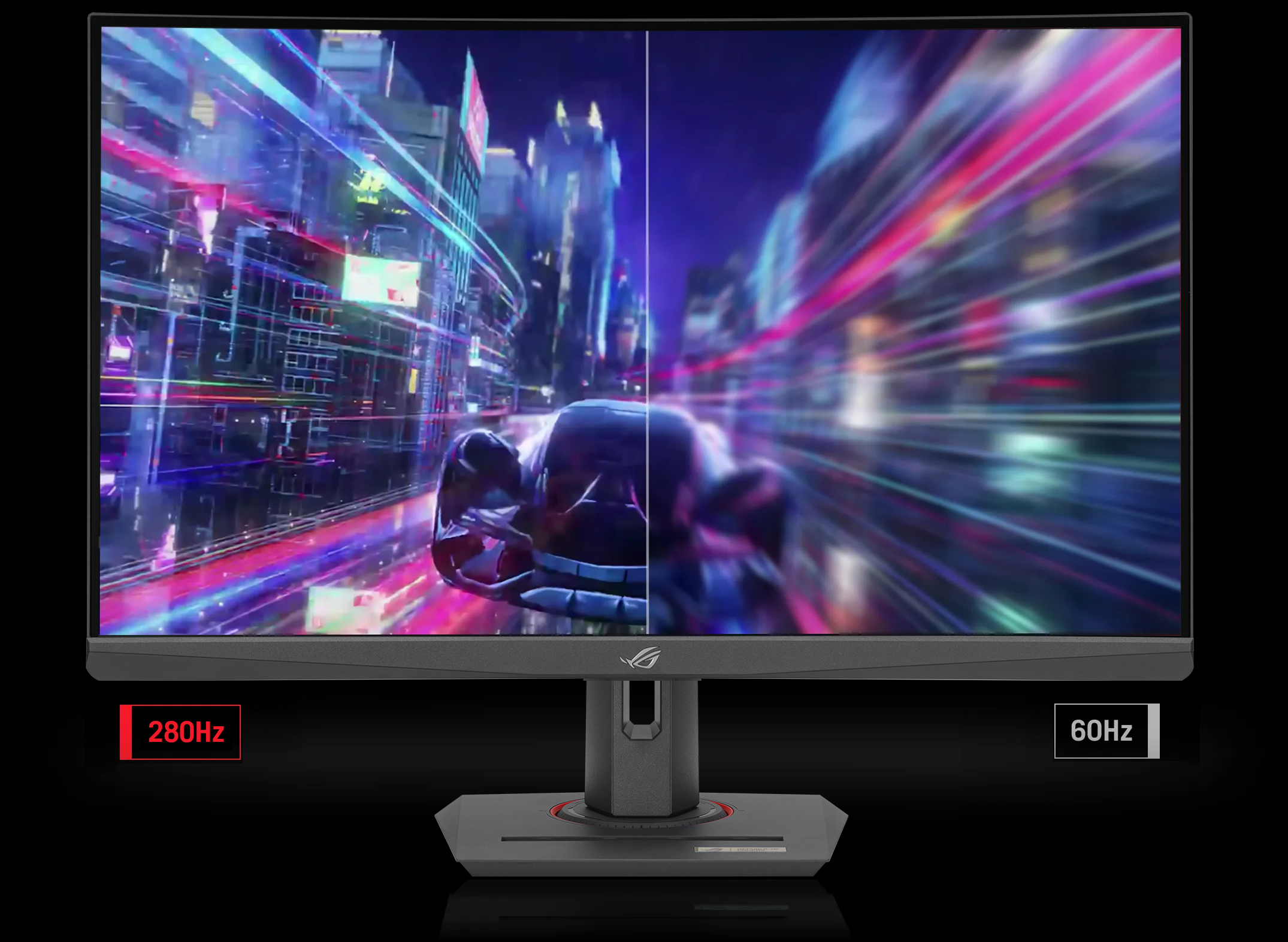
Seamless Speed and Precision
Fast Enough for Action-Heavy Gaming
ASUS says the 180Hz refresh rate and 1ms GTG response time are designed to reduce lag and motion blur in fast-moving games. This combination helps the XG32WCS stay responsive in shooters, racing titles, and real-time action-heavy experiences, while also making general navigation and motion feel smoother in everyday use.
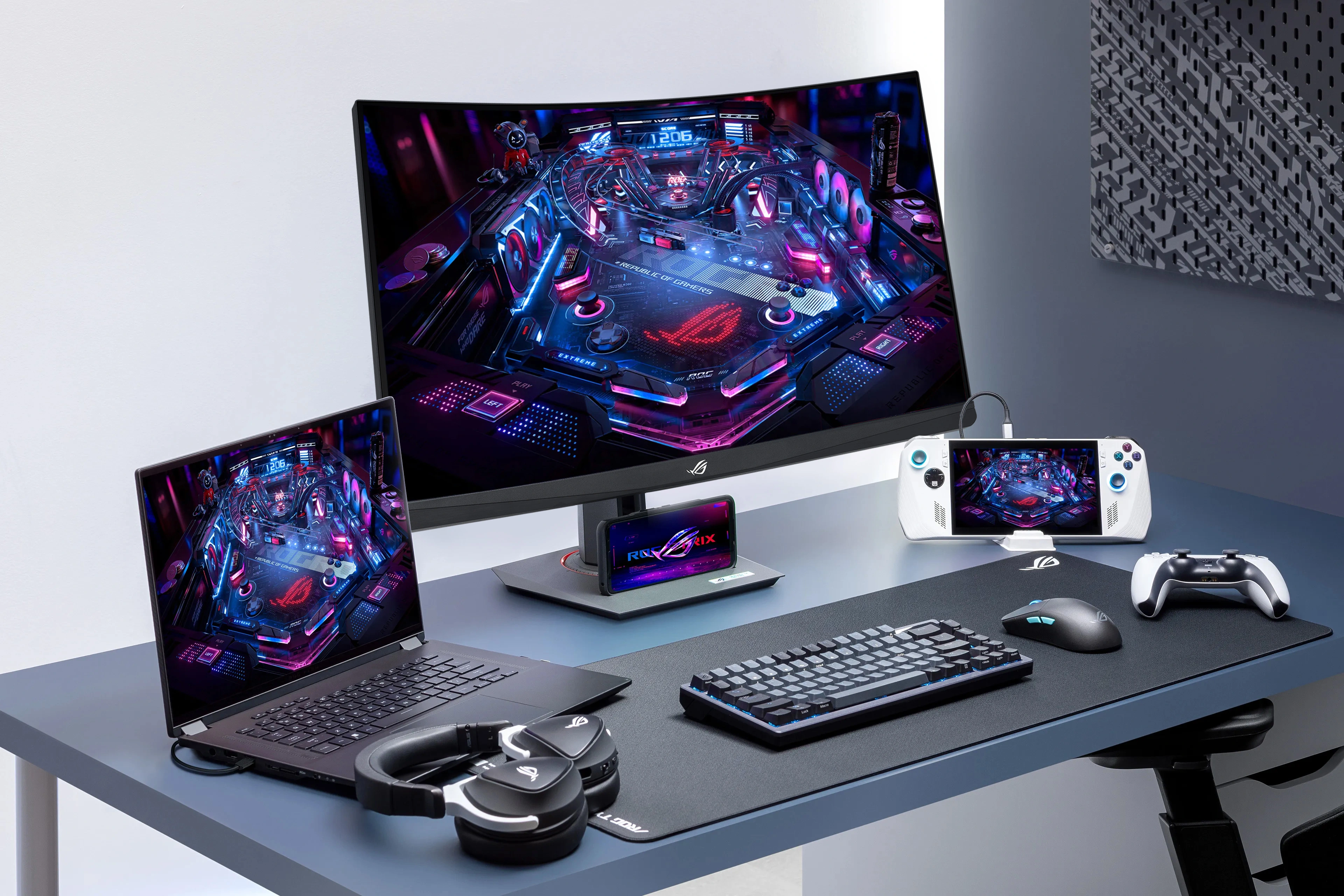
Versatile Connectivity for Modern Desks
USB Type-C, DisplayPort 1.4, and HDMI
ASUS says the XG32WCS includes a USB Type-C port that supports DP Alt mode for video output and power delivery, along with DisplayPort 1.4 and HDMI connectivity. This gives users flexibility for gaming PCs, multimedia devices, and supported laptops, while helping reduce clutter in mixed-use desk setups.
Tear-Free, Ghost-Free Gaming
VRR, ELMB Sync, and Variable Overdrive 2.0
ASUS says the XG32WCS supports FreeSync and also works with NVIDIA G-SYNC compatible VRR workflows for smoother, more synchronized gameplay. ASUS also highlights ELMB Sync and Variable Overdrive 2.0, technologies intended to reduce ghosting, keep motion sharper, and dynamically optimize the display as frame rates change. These features are aimed at making gameplay feel more consistent across a wide variety of titles and hardware conditions.
AI-Powered Advantage
Gaming A.I. Features for Smarter Play
ASUS says the XG32WCS includes AI-powered GamePlus features such as Dynamic Crosshair and Dynamic Shadow Boost. Dynamic Crosshair changes the reticle color to stand out against the current background, while Dynamic Shadow Boost brightens darker areas without overexposing bright parts of the image. ASUS also includes Variable Overdrive 2.0 as part of the monitor’s gaming feature set, helping keep the display tuned more effectively as conditions change.
Compact Design, Ergonomic Comfort
Smarter Desk Use with Flexible Positioning
ASUS says the XG32WCS has a compact footprint to save desk space and also includes a convenient phone holder built into the stand. The ergonomic stand supports tilt, swivel, and height adjustment, helping users find a more comfortable viewing position for long sessions. ASUS also notes VESA compatibility for wall mounting, which adds more flexibility for cleaner or more specialized setups.
Compact Footprint
Saves desk space while still supporting a large curved 32-inch panel.Phone Holder
Keeps a phone within reach and lets it charge via the Type-C port.Ergonomic Stand
Tilt, swivel, and height adjustment support a more comfortable long-session setup.
DisplayWidget Center
Effortless Settings Customization
ASUS says DisplayWidget Center makes it easy to adjust monitor settings through a mouse-driven software interface, reducing the need to rely on physical OSD buttons. This allows users to tune brightness, picture settings, and game-specific configurations more easily for different applications and use cases.
Get Started
Explore the ROG Strix XG32WCS and check full details.
View ProductSpecifications, features, availability, and images are subject to change.
| Manufacturer Warranty | 3 Years Onsite |
|---|---|
| Product Family | ROG Strix |
| Display resolution | 2K QHD (2560x1440) |
|---|---|
| Panel Type | VA |
| Brightness Level | 400 Nits |
| Aspect ratio | 16:9 |
| Response Time | 1ms(GTG) |
| Color Space (DCI-P3) | 90% |
| Screen Size | 32 Inch |
| Vertical refresh rate | 180Hz |
| Panel bit depth | 10 bit |
| Coating | Anti-Glare |
| Curved Panel | 1500R |
| VESA Mounting | 100x100mm |
|---|---|
| Tilt | +20° ~ -5° |
| Swivel | +25° ~ -25° |
| Pivot | No |
| Height Adjustment | 110mm |
No reviews yet. Be the first to review this product.
ASUS India | Official support
Register the case at ASUS toll free number -18002090365
https://www.asus.com/in/support/service-center/india/
https://www.asus.com/in/support/callus/