
Creative Professionals
Video editors, YouTubers, photographers and game developers can move large assets faster between workstations and NAS storage.
Durga Puja: no dispatch from Kolkata on 18, 19, 20 and 21 Oct.

Earn 172 points (worth ₹172) for your next order when you buy with an account.
From ₹1,677/month on credit cards.
Businesses: claim up to ₹5,276 input tax credit with your GSTIN.
QNA-UC10G1SF
USB 4 Type-C to 10GbE SFP+ Network Adapter
Upgrade your Mac, Windows workstation, mini PC, laptop or desktop with stable 10GbE SFP+ networking through a modern USB Type-C connection. The QNAP QNA-UC10G1SF is designed for high-speed NAS access, creator workflows, office networks and compact professional systems that need fibre/DAC-ready 10GbE connectivity without installing an internal expansion card.
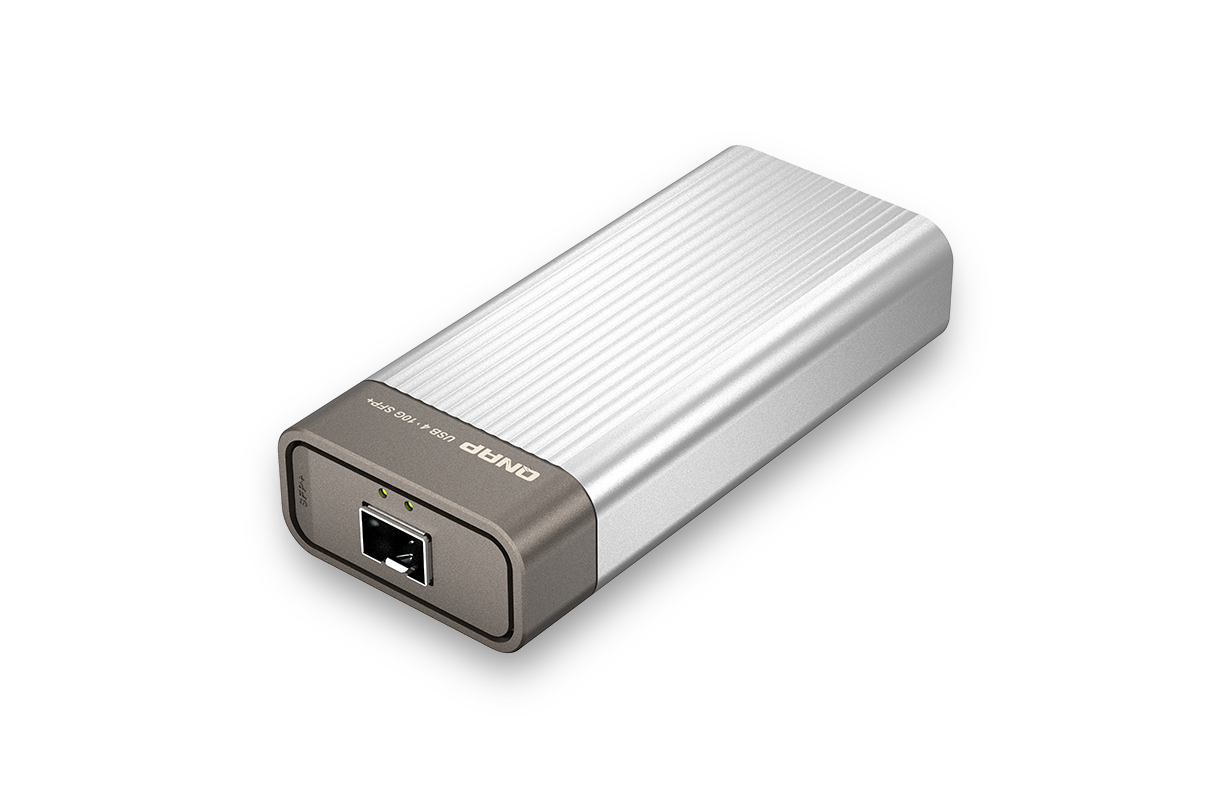
Compact 10GbE SFP+ Networking for Professional Workflows
Designed to add 10GbE-class network connectivity to modern systems, the QNA-UC10G1SF combines USB 4 bandwidth, single-port SFP+ networking and a low-noise fanless chassis for serious NAS, workstation and team collaboration workloads.
A Clean External 10GbE Upgrade for USB-C Systems
The QNA-UC10G1SF is ideal for users who work with large project files, shared NAS storage, high-speed backups, team file sharing and modern SFP+ network environments. It provides a professional external upgrade path for computers that do not include built-in 10GbE.
Connect through a compatible USB 4 or Thunderbolt™ Type-C interface. Windows systems are listed for USB 4 and Thunderbolt™ 4, while macOS systems are listed for Thunderbolt™ 4 and Thunderbolt™ 3.
Designed for Windows®, macOS® and Ubuntu Linux® environments, with driver installation required on selected operating systems for stable operation and full performance.
Use the SFP+ interface with a compatible SFP+ DAC cable, 10GbE switch, NAS or supported network device to build a faster local workflow for large file movement.
The fanless design helps reduce noise and maintenance, making the adapter suitable for studios, work desks, meeting rooms and long-running office workloads.
10GbE-Class Transfer Speeds for NAS and Workstation Workflows
When paired with a properly configured 10GbE SFP+ environment, QNAP lab testing shows the QNA-UC10G1SF can deliver high file-transfer throughput, making it suitable for fast NAS access, high-resolution creative projects and high-bandwidth office storage.
Performance may vary depending on the host system, NAS/storage speed, switch, SFP+ cable or transceiver, drivers, MTU setting and network environment. For best results, configure Jumbo Frames / MTU 9000 across the local network where supported.
Stylish Metal Finish for Professional Setups
The compact metallic design blends well with modern workstations and high-end desk setups while remaining easy to carry between office, studio and home environments.

Built for Fast Network Upgrades Anywhere
Whether you are editing media, streaming content or moving office files to shared storage, the QNA-UC10G1SF helps reduce waiting time and improves productivity over traditional 1GbE connections.

Video editors, YouTubers, photographers and game developers can move large assets faster between workstations and NAS storage.

High-bandwidth wired connectivity helps support smoother HD video streaming, game storage access and local media playback.

Improve file sharing, cloud backups, remote meetings and team collaboration where users depend on shared storage and fast local network access.
Build a Faster SFP+ Workflow with a 10GbE Switch
In multi-user and multi-device environments, connect your computer to a QNAP 10GbE switch using the QNA-UC10G1SF adapter to create a high-bandwidth collaborative network across computers, NAS systems and shared storage devices.

Connect, Configure and Start Working Faster
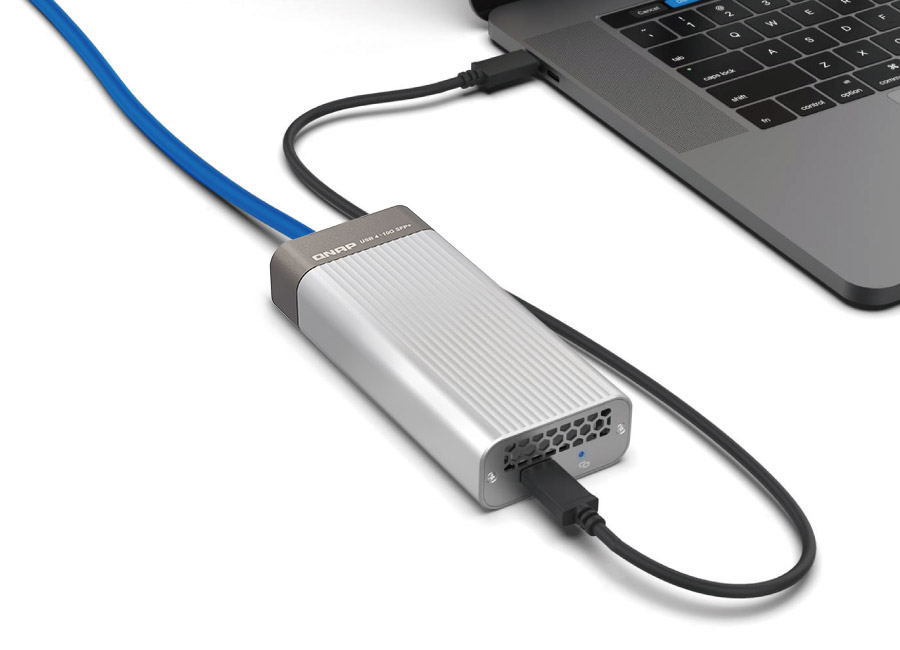
Use the included USB 4 C-to-C cable to connect the adapter to a compatible Mac®, Windows® or Ubuntu system, then connect the SFP+ port to a 10GbE switch, NAS or compatible 10GbE device using a suitable SFP+ DAC cable or supported SFP+ module.
QNA-UC10G1SF Hardware Details
| Product Type | USB 4 Type-C to single-port 10GbE SFP+ network adapter |
|---|---|
| Network Category | USB 4 to 10GbE network adapter |
| I/O Ports | 1 x USB-C, 1 x 10GbE SFP+ connector |
| Transmission Rate | 10GbE |
| PHY IC | Marvell AQtion AQC100S |
| Port and Cable | SFP+; SFP+ direct attach cable recommended |
| Dimensions | 124.5 × 56 × 27.27 mm |
| Weight | 0.25 kg |
| Operating Temperature | 0–35°C |
| Supported Windows | Windows 11 Pro |
| Supported Ubuntu | Ubuntu 22.04 |
| Package Contents | QNA adapter, 1 x USB 4 C-to-C cable, manual |
| Standard Warranty | 2 years |
See USB 4 to 10GbE Networking in Real Use
Watch a practical review covering QNAP USB 4 10GbE networking and understand where high-speed wired connectivity makes sense for workstation, NAS and professional users.
Important Setup Information
Windows 11 systems require the Marvell AQtion AQC100 driver for the QNA-UC10G1SF. Ensure your USB 4 / Thunderbolt hardware and BIOS settings are compatible before purchase.
Supports compatible Mac systems through Thunderbolt™ 4 and Thunderbolt™ 3 ports. QNAP lists macOS 12.7 to 15.4 support for this adapter.
QNAP lists Ubuntu 22.04 kernel 6.5.0-41 support, with Marvell AQtion AQC100 driver installation required for operation.
The host device must include a USB 4 or Thunderbolt™ 3 or later interface. QNA Series adapters will not work when connected using a Thunderbolt 2 to Thunderbolt 3 adapter.
For optimal performance, QNAP recommends setting Jumbo Frames to MTU 9000 on all supported devices in the local network and switching the host system power mode to High Performance.
FAQ
It is best suited for users who need faster-than-1GbE local network transfers through an SFP+ environment, including NAS users, video editors, creators, IT teams, office users, backup workflows and compact PCs without built-in 10GbE.
No. The QNA-UC10G1SF uses a 10GbE SFP+ connector. For RJ45 copper Ethernet, use the QNA-UC10G1T model instead. For this SFP+ model, QNAP recommends a compatible SFP+ direct attach cable or supported SFP+ module.
Yes. The QNA-UC10G1SF uses a fanless design, making it suitable for quiet desks, studios, offices and long working sessions where fan noise is undesirable.
Yes. You can connect your computer to a 10GbE SFP+ switch or compatible NAS setup to access high-speed shared storage. For best throughput, use fast storage, a 10GbE-capable switch/device and MTU 9000 where supported.
No. Actual speed depends on the complete environment, including host interface, driver, CPU, SSD/HDD speed, NAS configuration, switch, cable/module compatibility, MTU setting and concurrent network traffic.
The QNAP QNA-UC10G1SF is a premium external 10GbE SFP+ upgrade for modern USB-C systems. Its USB 4 interface, SFP+ connectivity, fanless metal body, compact size and strong lab performance make it a practical choice for creators, professionals and businesses that want faster NAS access and smoother high-bandwidth local networking without installing an internal expansion card.
No reviews yet. Be the first to review this product.
QNAP Customer Service
https://service.qnap.com/en-in
Contact Us
https://www.qnap.com/en-in/contact-us
Product Support Status
https://www.qnap.com/en-in/product/status
Warranty FAQ